
AI isn't just automating the boring parts of coding, it's opening doors to entirely new ways of thinking about design, generation, and artistic expression in software. For professional developers, this means stepping beyond CRUD applications and procedural logic into territories where the machine becomes a creative partner. The question isn't whether AI changes creative coding; it's how to harness that change without losing the intentionality that separates craft from copy-paste.
Photo by Lukas Blazek from Pexels
TL;DR:- AI amplifies creative coding by enabling generative design, algorithmic art, and real-time visual exploration.
- Tools like neural networks and GANs let developers create systems that generate novel outputs rather than following rigid logic.
- Professional workflows integrate AI-driven art into existing projects while maintaining code quality and intentionality.
- The future of creative coding hinges on developers learning to critique AI output and combine machine generation with human judgment.
Understanding Creative Coding
Creative coding is writing software not to solve a predefined business problem, but to explore ideas, generate novel outputs, or create experiences. It sits at the intersection of art, design, and programming. Rather than building a login system or payment processor, creative coders write algorithms that produce music, visuals, interactive installations, or generative art.
This distinction matters. A business application optimizes for speed and correctness. Creative code optimizes for novelty, expression, and unexpected outcomes. The goals are fundamentally different, which is why creative coding has historically lived in small pockets, art schools, creative studios, experimental research labs, rather than mainstream software teams.
But AI changes this calculus. When you can delegate the tedious parts (rendering loops, data transformation, color space conversions) to a model, you free yourself to iterate on the conceptual layer. You ask: What should this generate? What constraints matter? What happens when I push the parameters this way?
That shift opens creative coding to professionals who might not have spent years mastering every graphics library or signal processing detail.
How AI Enhances Creative Workflows

AI tools amplify creative coding in several concrete ways. Generative design uses algorithms, often powered by machine learning, to explore a vast design space and surface solutions humans wouldn't have found through manual iteration. You define constraints (a 3D shape must support a load, use minimal material, fit within bounds) and let the AI generate candidate designs. Then you critique, refine, and iterate.
Neural networks process patterns from training data and apply those patterns to new inputs. A neural style transfer network, for example, learns the visual style of one image and applies it to another. In creative coding, this means you can write a system that generates infinite variations of a visual theme without hand-coding each variant.
Generative Adversarial Networks (GANs) pit two networks against each other, one generates images, the other judges them. The result is a system that learns to produce increasingly refined outputs. GANs power many AI art platforms and have enabled realistic image synthesis at scale.
Diffusion models (like those behind Stable Diffusion or DALL-E) work by gradually refining noisy images into coherent ones guided by text or other conditions. They're effective for generating variations and exploring a creative space quickly.
The practical upside: these tools compress months of development into weeks. You're not implementing a new algorithm from scratch; you're leveraging pre-trained models and frameworks, then directing that capability toward your specific vision.
Real-World Examples of AI-Driven Creative Projects
Several landmark projects show how AI accelerates creative coding:
Google's Magenta project uses machine learning to generate music and images, exploring what happens when neural networks learn to compose. Developers working on Magenta aren't writing tone-by-tone sequencers; they're training models on musical data, then querying those models to generate novel compositions or variations.
Processing with ML5.js made machine learning approachable for visual artists and creative coders. ML5.js wraps TensorFlow.js in a simple API, letting you add pose detection, text generation, or style transfer to a Processing sketch without deep ML expertise. That's a huge leverage point, artists can now incorporate AI behaviors without becoming machine learning engineers.
StyleGAN and similar tools enabled fine-grained control over generated outputs. Instead of asking a GAN to generate "a face," you can interpolate between faces, rotate expressions, or adjust age and lighting. This isn't just art, it's a new medium where the artist's tool is a trained model, and exploration means navigating a latent space rather than moving pixels.
Runway's AI tools bring generative capabilities into video and animation workflows. Creators train custom models on their own footage, then use those models to extrapolate, inpaint, or generate new frames. It's creative coding through no-code or low-code interfaces, but the underlying pipeline is still software.
These projects work because they combine machine capability with human intent. The AI doesn't decide what gets created; it accelerates the execution of what the creator envisions.
AI Inspiring New Methodologies
AI is shifting how developers approach creative projects:
Iterative generation over manual crafting. Instead of hand-coding every state or variant, you define a generator and refine it. This mirrors how designers have always worked, sketching, iterating, refining, but applies it to code and algorithms.
Constraint-based design. Rather than specifying exact outputs, you specify constraints (colors must be within a palette, shapes must be symmetrical, text must fit in this bounding box) and let AI find solutions. This is how generative design works and it's proving more effective than traditional parametric design in many domains.
Latent space exploration. Many modern generative models work in a "latent space", a compressed representation of possible outputs. Walking through this space produces smooth, meaningful transitions. This is less like traditional programming and more like exploring a landscape. Developers are learning to think of their creations as journeys through these spaces.
Critique and refinement loops. Because AI generates multiple candidates quickly, the new bottleneck isn't generation, it's curation. Developers spend more time critiquing output and less time coding the logic. This mirrors what happened in photography when digital cameras made capturing images cheap; suddenly skill meant composition and critique, not darkroom technique.
The Medium article on teaching creative code captured this well:
"In general, educators wanted students to experience the joy in research, discovery, and the "messiness of human experience".">, Medium
That messiness, the productive struggle, is still there, but it's shifted. You're not struggling with implementation details; you're struggling with intent and taste.
Integration Into Professional Workflows
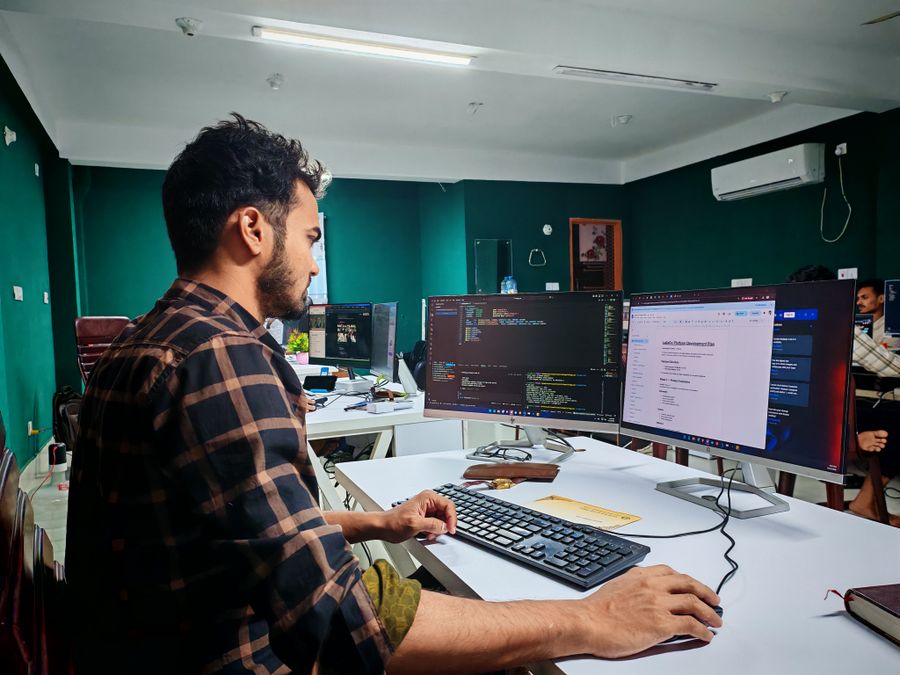
For a professional developer, integrating AI into creative projects means treating AI-generated components with the same rigor as hand-written code.
Start with a clear prompt or constraint set. Don't ask "generate an algorithm." Ask "generate code that produces smooth color transitions between these three hex values." The specificity matters. Vague requests produce mediocre results.
Validate and test generated outputs. If AI generates a neural network layer or a signal processing pipeline, don't trust it blindly. Test it against known inputs. Verify it doesn't have off-by-one errors or logical flaws. This is standard software engineering practice applied to AI-assisted work.
Version and document the generative process. If you generate an asset (a music track, a set of images, a procedural model), document which model, which parameters, which seed produced it. You might need to regenerate it later or explain your choices to a collaborator. Treat the generative pipeline like version-controlled source code.
Combine AI generation with hand-tuning. AI rarely produces the perfect result on the first try. Use it to explore the space, then refine. A generated color palette might be 80% there; hand-adjust the remaining 20% based on your aesthetic judgment.
Maintain code quality standards. If AI generates code that goes into production, it should pass the same review process as human-written code. Read it. Understand it. Can you modify it later? Is it secure? Does it perform? Don't accept AI output as final just because it's fast.
The Future of Creative Coding with AI
AI isn't going to replace creative developers; it's going to change what creative developers do. The bottleneck will shift further from implementation to conception and critique.
We're seeing the early stages of real-time generative systems where you sketch a shape, adjust a slider, and the AI instantly shows variations. This transforms the creative loop from "code, compile, view" to "conceive, explore, refine."
Custom models trained on your own work will become standard. Instead of using a pre-trained GAN, you'll train one on your visual style, your musical motifs, your design language. The model becomes a tool that's uniquely yours.
Multimodal generation, combining text, image, audio, and motion, will let developers create richer experiences faster. A single high-level description could generate a visual motif, a sound design, and an interaction pattern.
Critique and governance tools will mature. As more creative work flows through AI systems, developers will need better ways to audit, explain, and control what's being generated. This is where professional rigor and creative freedom meet.
The professionals who thrive will be the ones who learn to direct AI effectively, critique its output honestly, and integrate it into a broader creative vision. They'll stop thinking of AI as a button that generates answers and start thinking of it as a collaborator with specific strengths and limits.
To get started with AI in creative coding, focus on one specific project and one specific AI tool. Don't try to learn everything at once.
Starting Your First AI-Driven Creative Project
Your progress is saved automatically in your browser.
Creative Coding Development Metrics
These metrics reflect typical outcomes when teams adopt AI tools for creative projects while maintaining engineering rigor. The key is treating AI as a force multiplier, not a replacement for taste and judgment.
FAQ
Frequently Asked Questions
The barrier to creative coding with AI isn't technical expertise, it's having a clear vision and the willingness to iterate. Start with one tool, one project, and see where curiosity takes you.
Additional Resources
- Beyond the Shortcut: Teaching Creative Code in the Age of ... - AI help give prompts or hints to students. AI is viewed as a collaborative tool that enhances learning, not a replacement for student ...
- Scratch Copilot: Supporting Youth Creative Coding with AI - The AI Copilot proved to be effective in aiding ideation, code implementation, debugging, and answering open-ended queries.
- (PDF) The Influence of Creative Coding, Robotics, and ... - The study aimed to provide a comprehensive overview of how Coding, Robotics, and AI reshape the educational landscape by delving into specific ...