
Photo by Caleb Oquendo from Pexels
Your organization runs on systems built years ago. They work. They're not sexy, but they're stable. Now everyone wants AI integrated into them. You're not a developer, and the idea of touching legacy code makes your palms sweat. The good news: you don't need to be a technical wizard to shepherd this transition. What you need is a clear roadmap, realistic expectations, and the ability to ask the right questions.
TL;DR:- Understand your system's current constraints before choosing AI tools
- Pick AI solutions designed to work with legacy architectures, not against them
- Plan incremental updates in stages, testing each layer
- Document dependencies and potential failure points early
- Success looks like small wins that compound, not a big bang rewrite
Why non-engineers lead successful integrations
Most legacy system integration failures happen because someone assumed the technology would solve the problem on its own. It won't. What it actually needs is a non-engineer who understands the business, the people, and the real risks involved.
The challenge for enterprise data and analytics leaders is particularly acute for those navigating old systems. But here's the advantage: non-engineers often ask better questions. You naturally think about workflow disruption, user training, and cost-benefit tradeoffs before diving into technical architecture. That's exactly what makes integrations work.
Technical leaders often want to rebuild everything. You want to keep the lights on while making things better. That restraint is a feature.
Understanding your current system
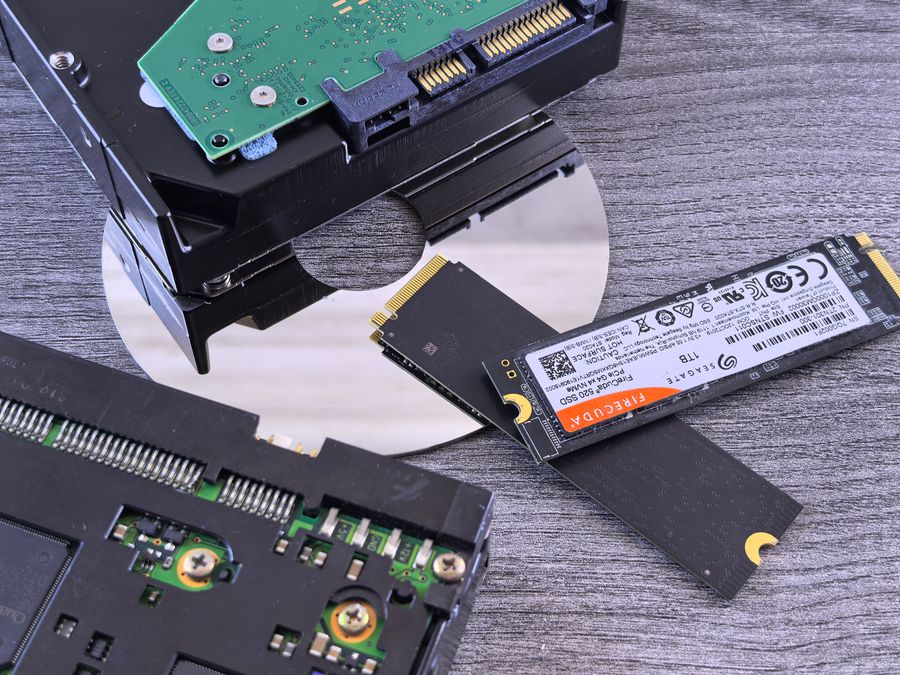
Before you can layer AI on top of something old, you need to know what you're actually working with. This isn't a technical audit, it's a business and operational inventory.
Start by documenting:
- System age and language: How old is it? Is it written in COBOL, Java, Python, or something else? Older systems are often built in languages that have fewer AI libraries available. This matters because it affects which AI tools can actually plug in.
- Data inputs and outputs: What data flows in? Where does it go? Can you extract it cleanly? Many legacy systems store data in formats that modern AI can't easily consume, think flat files, proprietary databases, or paper trails.
- Current pain points: Which tasks take longest? Where do errors happen most? This is where AI adds value. Automating something that's already automated doesn't help.
- Downtime tolerance: How long can this system be offline during updates? A retail point-of-sale system can't go down for 8 hours. A data archive can.
- Dependencies and integrations: What other systems depend on this one? If you break something, how many other processes fail?
- Security and compliance requirements: Is this system handling financial data? Healthcare records? Customer personal information? The stricter your regulatory environment, the more careful your AI integration needs to be.
"The challenge is particularly acute for enterprise data and analytics leaders.">, AI Integration into Legacy Systems: Challenges and Strategies
Choosing the right AI tools
Not all AI tools work with old systems. In fact, most don't. They're built for modern, cloud-native architectures with APIs, microservices, and containerized environments.
What you need are tools that can work within constraints:
API-first tools - If your legacy system has an API (even a limited one), look for AI platforms that integrate through APIs. Tools like OpenAI's API, Anthropic's Claude API, or specialized enterprise solutions like UiPath can hook into existing systems without requiring deep code changes.
Batch processing vs. real-time - Old systems often handle batch jobs better than real-time requests. If your system runs overnight reports, an AI tool that processes data in batches might be a better fit than one requiring millisecond responses.
Database agnostic approaches - Some AI solutions are built to work with multiple database types. Others demand specific SQL dialects or cloud platforms. Check compatibility before you commit.
On-premise vs. cloud - If your legacy system must stay on-premise for compliance or security reasons, cloud-only AI platforms won't work. Look for solutions with on-premise deployment options.
Ease of data extraction - The hardest part of AI integration is often getting data out of the legacy system in a usable format. Some tools include data pipeline capabilities built in. That's worth paying for.
Common mistakes:
- Choosing the shiny, newest AI tool instead of the one that works with your actual system
- Underestimating data quality issues (garbage in, garbage out)
- Picking tools that require a dedicated engineering team to maintain
- Ignoring licensing costs that compound when you scale
Planning incremental updates

The worst approach to legacy system integration is the big bang. You don't replace everything at once. You don't even add everything at once. You add one thing, prove it works, stabilize it, then move to the next.
Here's the integration framework:
Phase 1: Pilot one process - Pick the smallest, lowest-risk process to start. Not the core revenue generator. Not something that touches 50 departments. Pick something you can break without catastrophic consequences. This is your learning phase.
Phase 2: Integrate at the edges first - Don't replace the core system logic. Wrap AI around the edges. If you're adding document processing, start by having AI pre-screen documents before humans review them. Keep the human decision-making until you've proven accuracy.
Phase 3: Run parallel systems - While the AI-assisted version runs, keep the old system running too. Compare outputs. Build confidence. This costs more in the short term but costs a lot less than a production failure.
Phase 4: Gradual cutover - Once you're confident, migrate traffic in stages. Start with 10% of transactions going through the new flow. Then 25%. Then 50%. Watch error rates at each step.
Phase 5: Decommission the old flow - Only when you've proven the new system is reliable for months do you turn off the old one. Even then, keep backups and documented rollback procedures.
This is slower than a complete rewrite, but it works. Your organization keeps working. Your team doesn't panic. Your users trust the system because it proves itself over time.
Avoiding common pitfalls
The most painful integrations happen when you skip steps. Here are the mistakes that cost real money:
Pitfall 1: Data migration disasters - Data in old systems is often dirty. Duplicates, inconsistent formats, missing fields. Running this through AI directly produces garbage outputs. You need a data cleansing phase before AI ever touches it.
Pitfall 2: Overestimating AI accuracy - AI gets things wrong. Sometimes predictably, sometimes mysteriously. If you're replacing a human decision-maker, you need to understand exactly when and why the AI fails. Test extensively before deployment.
Pitfall 3: User adoption resistance - Your team is used to the old system. Even if AI makes their job easier, they'll resist change. Factor in training time, change management, and early support burdens. Budget for that.
Pitfall 4: Compliance and audit nightmares - Old systems often exist in regulated industries. Adding AI can create compliance headaches you didn't anticipate. Get your legal and compliance teams involved early, not after deployment.
Pitfall 5: Underestimating maintenance costs - AI models drift. Data quality degrades. The system needs ongoing monitoring and tuning. Plan for that operational burden or you'll end up with a system that worked great for six months then slowly broke.
Real-world examples that worked
One pattern that works across industries: non-engineers partnering with external consultants or managed service providers who handle the technical details while the non-engineer owns the process and timeline. This combination gives you technical depth without needing to hire an engineering team.
Insurance companies have successfully used this model to add AI document classification to claims workflows. Manufacturing firms have used it for AI-assisted inventory forecasting on legacy ERP systems. The common factor: someone not in IT but close to the business problem leading the effort, supported by focused technical expertise.
Measuring success
Don't measure success by how much code changed or how modern the architecture became. Measure it by what actually matters to your business:
- Time saved - How many human hours does the process now take?
- Error reduction - Did mistake rates drop?
- Cost per transaction - Is the total cost lower?
- User satisfaction - Is the team happier?
- System reliability - Did uptime improve?

Interactive integration readiness assessment
Before you commit to a timeline, test your organization's readiness across key dimensions. Here's how to think about where you actually stand:
Integration Readiness Snapshot
This snapshot shows how a typical organization stacks up before integration planning. Data accessibility is usually the weak point, most legacy systems make it harder than it should be to extract data. Team bandwidth is often the strongest, because most organizations can reprioritize short-term work for something this important. Use this framework to spot where you need to do prep work before technical integration begins.
Your integration checklist
AI Integration Planning Checklist for Non-Engineers
Your progress is saved automatically in your browser.
FAQ
Frequently Asked Questions
Additional Resources
- AI Integration into Legacy Systems: Challenges and ... - Overcome AI integration challenges in legacy systems. Learn strategies to modernize, govern, and scale artificial intelligence integration across your ...
- Integrating AI with Legacy Systems: A Seamless Approach ... - A seamless approach avoids large-scale rewrites or “big bang” migrations. Instead, it focuses on embedding AI capabilities around legacy systems ...
- Best Practices for AI Integration with Legacy Systems - When introducing AI into a legacy system, the best starting point is automating routine tasks with AI. This approach is low-risk and highly ...