

Your team adopted Copilot three months ago. One developer uses it for everything, another refuses to touch it, and the third accepts every suggestion without reading it. Code review takes longer than before, the style guide is a mess, and nobody agrees on what counts as AI-generated code. This is the reality of AI integration for most engineering teams, and it does not fix itself without deliberate effort.
Photo by cottonbro studio from Pexels
TL;DR:- Teams integrating AI into coding workflows face resistance to change, inconsistent adoption, skill gaps, and a lack of shared standards for AI-generated code.
- Overcoming these requires explicit team agreements, targeted training, new roles like AI integration leads, and clear communication about expectations.
- The payoff is significant: faster development cycles, reduced review overhead, and engineers who feel confident rather than threatened.
The Real Problem Is Not the Tool
Most teams treat AI coding tools like a new IDE plugin. Install it, send a Slack message, move on. That approach fails because AI assistants change how code gets written, not just where you write it. When one engineer prompts Cursor to scaffold an entire service while another hand-writes every function, the resulting codebase looks like two different projects glued together.
The core issue is behavioral, not technical. AI tools amplify existing team dynamics. If your team already struggles with code consistency, AI makes it worse. If reviews are rubber-stamped, AI-generated code sails through unchecked. If junior developers lack confidence, they defer entirely to AI suggestions instead of building understanding.
A 2025 Stack Overflow survey found that while most developers have access to AI coding tools, adoption patterns within the same team vary wildly. That inconsistency creates friction in reviews, architecture decisions, and debugging sessions.
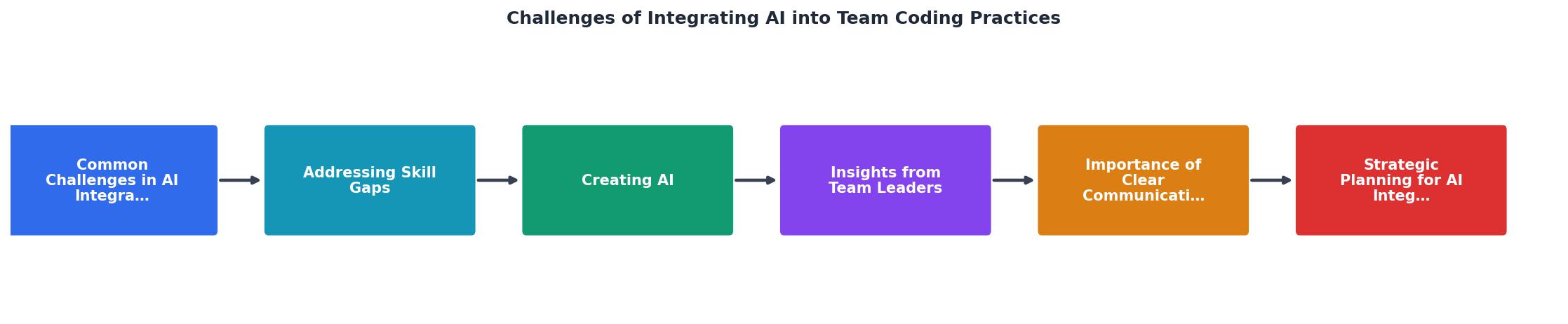
Common Challenges in AI Integration

Three categories of problems show up repeatedly when engineering teams adopt AI coding tools:
Resistance to Change
Some engineers see AI assistants as a threat to their craft. They spent years mastering algorithms, design patterns, and debugging techniques. Now a tool generates passable code in seconds. The resistance is not irrational. It comes from a legitimate concern about skill devaluation.
Others resist because they have seen the output quality firsthand. AI-generated code that looks correct but handles edge cases poorly, introduces subtle concurrency bugs, or ignores the team's established patterns. These engineers are not anti-AI. They are anti-slop.
Lack of Standardization
Without explicit rules, teams end up with:
- Inconsistent prompting practices where each developer gets different quality output
- No shared policy on when AI-generated code needs extra review scrutiny
- Mixed attribution with no clarity on who owns AI-assisted code
- Style drift as AI tools default to generic patterns instead of team conventions
Skill Gaps and Atrophy Concerns
Junior developers who rely heavily on AI suggestions risk never building the debugging instincts that come from writing code manually. Senior developers who skip AI tools entirely miss productivity gains. The gap between these groups widens over time, creating a two-tier team dynamic that hurts collaboration.
Addressing Skill Gaps

Training programs for AI coding tools look nothing like traditional tech training. You are not teaching syntax or a new framework. You are teaching a new way of thinking about code production, review, and ownership.
What Effective Training Covers
- Prompt engineering for code generation with team-specific examples using your actual codebase patterns
- Critical evaluation of AI output including how to spot hallucinated APIs, incorrect error handling, and security anti-patterns
- When to use AI and when not to with concrete guidelines (e.g., "use AI for boilerplate CRUD endpoints, write security-critical auth logic manually")
- Review techniques for AI-generated code that differ from reviewing human-written code
Pair Programming with AI
The most effective upskilling strategy is structured pair programming where one developer drives the AI tool and the other reviews output in real time. This builds shared vocabulary, surfaces disagreements about quality standards, and creates natural teaching moments.
Teams at companies like Shopify and Stripe have reported running "AI pairing sessions" where engineers rotate through the driver seat. The result is faster convergence on team norms for AI usage.
"Teams see up to 40% reduction in code review time while maintaining or improving quality standards.">, How to implement collaborative AI coding in enterprise teams: A strategic guide
Creating AI-Specific Roles
Not every team needs a dedicated "AI Engineer" title. But every team integrating AI into daily coding needs someone accountable for how that integration works. Call it an AI Integration Lead, a Developer Experience Owner, or just assign it to a senior engineer who cares about tooling.
This person's responsibilities include:
- Maintaining the team's AI usage guidelines and updating them as tools evolve
- Evaluating new AI tools and features before the team adopts them
- Running training sessions and onboarding new team members on AI workflows
- Tracking metrics like review time, bug rates in AI-generated code, and developer satisfaction
- Mediating disagreements about AI usage standards
The following dashboard illustrates the kind of metrics an AI Integration Lead would track to measure whether AI adoption is actually helping or creating new problems:
AI Integration Health Dashboard
Strategic Planning for Integration

Rolling out AI tools across a team works best in phases. Trying to change everything at once guarantees confusion and resentment. Here is a process that works:
Phase 1: Audit and Baseline
Before changing anything, measure where you are. Track current review times, bug rates, deployment frequency, and developer satisfaction. You need this baseline to prove (or disprove) that AI integration is helping.
Survey the team anonymously. Ask:- How often do you use AI coding tools today?
- What stops you from using them more?
- What concerns do you have about AI-generated code in our codebase?
Phase 2: Pilot with Volunteers
Pick two or three engineers who are enthusiastic about AI tools. Give them a defined scope: one service, one feature area, one sprint. Let them experiment with explicit permission to try new workflows.
Document what works and what does not. The pilot group becomes your internal advocates and trainers.
Phase 3: Define Standards
Based on pilot learnings, write down your team's AI coding standards. These should cover:
- Approved tools and configurations (which AI assistants, which models, any custom instructions)
- Code ownership rules for AI-generated code
- Review requirements (e.g., AI-generated code gets the same review as human code, plus a check for hallucinated dependencies)
- Prohibited use cases (e.g., no AI for cryptographic implementations, no AI for compliance-critical logic)
Phase 4: Team-Wide Rollout
Train the full team using materials from the pilot. Assign the AI Integration Lead role. Set a 30-day check-in to review metrics against your baseline.
| Ad-Hoc Adoption | Structured Rollout |
|---|---|
| Each dev picks their own tools | Team agrees on approved toolset |
| No shared prompting standards | Shared prompt library and conventions |
| Review burden increases | Review process adapted for AI code |
| Quality variance across PRs | Consistent output quality |
| Resentment from skeptics | Skeptics included in pilot feedback |
| No way to measure impact | Baseline metrics tracked from day one |
Communication That Actually Works
The biggest communication mistake teams make during AI integration is treating it as a technology announcement instead of a workflow conversation. Sending a Slack message that says "We now have GitHub Copilot licenses, go use them" is not communication. It is abdication.
Effective communication during AI integration includes:
- Weekly standups that include AI workflow discussion for the first two months. Not a separate meeting. Just a standing agenda item: "What worked with AI tools this week? What did not?"
- A shared channel for AI tips and failures. Normalize posting both. "Copilot generated a perfect GraphQL resolver today" is useful. "Cursor hallucinated an API endpoint that does not exist" is equally useful.
- Retrospectives that explicitly address AI impact. After each sprint, ask: did AI tools help or hurt this sprint's outcomes? Where?
- Written guidelines accessible to everyone. Not buried in Confluence. Linked from your repo's CONTRIBUTING.md.
#ai-coding channel and seed it with your own experiences first. Engineers are more likely to share when leadership goes first.Long-Term Benefits Worth the Effort
Teams that push through the initial friction of AI integration consistently report measurable gains after three to six months:
- Faster prototyping. New features go from idea to working prototype in hours instead of days. Engineers spend less time on boilerplate and more on architecture decisions.
- Better code reviews. When AI handles the obvious patterns, reviewers focus on logic, security, and design. Review comments become higher quality.
- Reduced context-switching. AI tools that understand your codebase reduce the time spent searching documentation, reading old PRs, and figuring out how existing code works.
- Improved onboarding. New team members use AI tools to explore the codebase, generate examples, and understand patterns faster than reading documentation alone.
The career angle matters too. Engineers who develop strong AI-assisted workflows are increasingly sought after. The skill is not "using Copilot." The skill is knowing when AI output is good, when it is dangerous, and how to steer it toward your team's standards. The Vibe Coding Bible covers this in depth, with specific frameworks for evaluating AI-generated code in professional team settings.
The AI Integration Plan
Use this checklist when planning your team's AI coding integration. Each step builds on the previous one.
AI Integration Plan for Engineering Teams
Your progress is saved automatically in your browser.
FAQ
Frequently Asked Questions
Additional Resources
- How to implement collaborative AI coding in enterprise teams - Complete guide to implementing collaborative AI coding in enterprise environments. Covers team workflows, security, training frameworks, ...
- Overcoming Challenges in Incorporating AI Into Your SDLC - Common Challenges in Integrating AI into the SDLC · Data Quality and Availability · Lack of AI Expertise · Tooling and Infrastructure Gaps.
- Integrating AI-Driven Automated Code Review in Agile ... - However, their adoption comes with challenges such as accuracy constraints, difficulties in integrating with legacy systems, and hesitation ...