

You shipped a working prototype in a weekend using Cursor and Claude. Two weeks later, the app crashes under 50 concurrent users, a bot scrapes every user email from an unprotected API endpoint, and you have no idea which of the 47 AI-generated files actually handles authentication. This is the reality for thousands of non-engineers building with AI right now, and almost every one of them hits the same avoidable walls.
Photo by Eduardo Rosas from Pexels
TL;DR:- Non-engineers vibe coding with AI consistently make the same mistakes: blindly trusting AI output, skipping error handling, ignoring database design, and treating security as optional.
- These mistakes turn promising prototypes into production nightmares.
- A structured review process, basic testing habits, and a security checklist eliminate most of these problems before they cost you users or data.
Vibe coding changed who gets to build software. Founders, designers, product managers, and domain experts now ship real applications using AI assistants like Cursor, Claude, GitHub Copilot, Lovable, and v0. The speed is genuine. The risk is also genuine. After watching dozens of non-engineer builders hit the same walls, a clear pattern emerges: five core mistakes account for roughly 80% of the failures. None of them require a computer science degree to fix. They require awareness, a few habits, and the willingness to slow down for ten minutes before you ship.
What vibe coding actually is
Vibe coding means describing what you want in natural language and letting an AI tool generate the code. You stay in the flow of the idea. You focus on the product, not the syntax. Andrej Karpathy coined the term in early 2025, and it stuck because it captured something real: building software by intent rather than by instruction.
For non-engineers, this is transformative. You can go from a Figma mockup to a working Next.js app in hours. You can add Stripe payments, user auth, and a dashboard without reading a single documentation page yourself. The AI handles the implementation details.
The problem starts when "the AI handles it" becomes your entire engineering strategy.
The five mistakes that kill projects

Here is the pattern, distilled from real projects that stalled or failed:
- Blind trust in AI output - accepting generated code without reading it
- No error handling - the happy path works, nothing else does
- Flat-file thinking - ignoring database design and data relationships
- Security as afterthought - exposed API keys, missing auth checks, no input validation
- Zero testing - "I clicked through it and it worked" as the entire QA process
Blind trust in AI output
This is the big one. The AI generates 200 lines of code. It looks right. The app runs. You move on.
But "looks right" and "is right" are different things. AI models generate plausible code, not correct code. They hallucinate function signatures, invent API parameters that don't exist, and produce logic that works for one input but breaks for edge cases.
A real example: a founder building a SaaS invoicing tool asked Claude to generate a function that calculates sales tax. The function returned correct results for US states but silently returned zero for any non-US address. No error. No warning. Just wrong invoices sent to international customers for three weeks.
The fix: Read every generated function before you commit it. You don't need to understand every line. Ask the AI to explain what it wrote. Ask it: "What edge cases does this miss?" Ask it: "What happens if the input is empty, null, or unexpected?" These three questions catch most problems.
"For many, my AI tool might be useless, but for me it's the only one that works precisely the way my brain does.">, Vibe Coding Mistakes you can easily avoid
That personal fit matters. But even the tool that fits your brain perfectly still needs you to verify its output.
No error handling
AI-generated code almost always demonstrates the happy path: the scenario where every API call succeeds, every user input is valid, and the network never drops. In a demo, this looks great. In production, it falls apart on day one.
Common symptoms:- A blank white screen when a third-party API is down
- Infinite loading spinners with no timeout
- Cryptic error messages (or no message at all) when a database query fails
- Form submissions that silently lose data
Scalability starts at the database
Most non-engineers skip database design entirely. The AI creates a SQLite file or a flat JSON structure, and it works fine for 10 users. At 1,000 users, queries take seconds. At 10,000, the app is unusable.
The three database mistakes that show up repeatedly:
- No indexes on columns you query frequently (like user email or order date)
- N+1 queries where the app makes one database call per item in a list instead of fetching them all at once
- No migrations strategy so changing the data structure means manually editing production data
Security is not optional

This is where the stakes get real. A broken feature annoys users. A security hole exposes their data, violates regulations, and can end your business.
The most common security mistakes in vibe-coded apps:
- API keys in client-side code. The AI puts your Stripe secret key in a React component. Anyone can view it in the browser's developer tools.
- Missing authentication checks. The dashboard page loads user data, but the API endpoint doesn't verify who's requesting it. Change the user ID in the URL and you see someone else's data.
- No input validation. Users (and bots) can submit SQL injection strings, XSS payloads, or absurdly large files because nobody told the AI to validate inputs.
- Default credentials. The AI sets up a database with
admin/adminor leaves debug endpoints active.
| Typical Vibe-Coded App | Production-Ready App |
|---|---|
API keys in frontend .env | Keys in server-side environment only |
| No auth on API routes | Auth middleware on every protected route |
| Raw user input in queries | Parameterized queries, input sanitization |
| No rate limiting | Rate limiting on auth and public endpoints |
| HTTP in development and production | HTTPS enforced everywhere |
console.log with user data | Structured logging, no PII in logs |
The fix: Before any launch, run through a basic security review. The checklist below covers the essentials.
The process at a glance
This diagram shows the workflow that prevents most vibe coding disasters. Each step takes minutes, not hours.
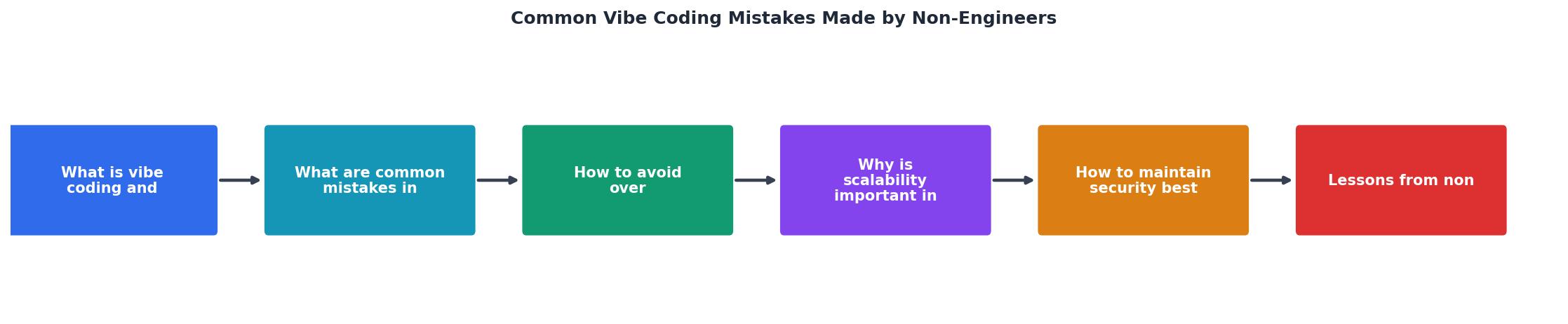
The steps are: Generate, Review, Test errors, Check security, then Ship. Skipping any step is where projects break. The entire loop adds maybe 15 minutes per feature. That's the difference between a prototype and a product.
Lessons from builders who got it right
The non-engineers who succeed with vibe coding share three habits:
- They treat AI as a junior developer, not an oracle. Every output gets reviewed. Questions get asked. Nothing ships without a second look.
- They build incrementally. Small features, tested individually, committed separately. Not a 2,000-line prompt that generates an entire app at once.
- They learn the minimum viable engineering. Not a CS degree. Just enough to understand what
async/awaitdoes, why environment variables exist, and how a database index works.
The context paragraph below introduces an interactive dashboard showing the typical time investment for each review step.
Time Cost Per Feature (Review Steps)
Sixteen minutes. That's the cost of not shipping broken software.
Vibe Coding Mistake Prevention Checklist
Your progress is saved automatically in your browser.
FAQ
Frequently Asked Questions
What was the first vibe coding mistake that caught you off guard? Share your experience so others can learn from it too.
Additional Resources
- Vibe Coding Mistakes you can easily avoid - Keep an eye out for over-vibing · You can't explain what the code does, only what you asked the tool to make. · You're using AI to explain code ...
- Common Vibe-Coding Mistakes: One AI, Poor Questions ... - Some of the biggest mistakes when vibe-coding is 1. Only using one AI. They are written differently and code differently.
- 6 Mistakes Vibe Coders Should Avoid Like the Plague - 6 Mistakes Vibe Coders Should Avoid Like the Plague How to get the most out of vibe coding, and save money while you're at it Recently, ...