
Last Tuesday a solo developer described a prompt to Claude, waited ninety seconds, and had a working prototype of a recipe-sharing app with image recognition. No boilerplate. No Stack Overflow rabbit holes. Just an idea, a conversation with an AI, and a running application. That speed changes what you attempt in the first place, because the cost of a bad idea drops to almost zero and the reward for a wild one stays the same.
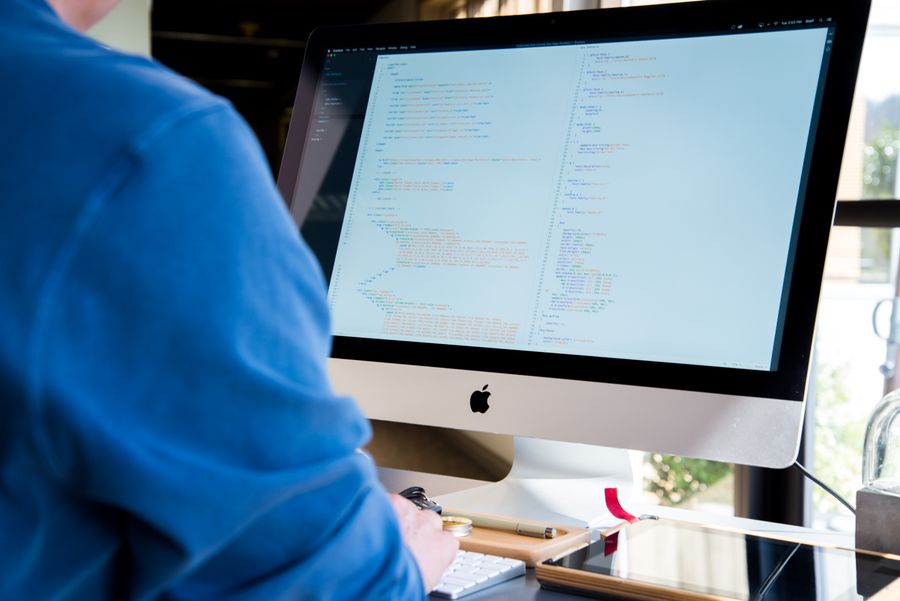
Photo by Rashed Paykary from Pexels
TL;DR:- Vibe coding collapses the gap between "what if" and "let me try it," turning creative impulses into testable prototypes in minutes instead of days.
- AI tools like Cursor, Claude, Lovable, and v0 handle the tedious scaffolding so you can focus on the unique parts of your idea.
- The biggest creativity unlock is not generating code faster; it is removing the fear of wasted effort that kills experimental projects before they start.
Why cheap experiments change everything
Creativity in software has always been throttled by implementation cost. You have ten ideas on a whiteboard, but only enough hours to build one. So you pick the safest option, the one most likely to work, and the nine wilder concepts die in a notebook. Vibe coding flips that equation. When a prototype takes an afternoon instead of a sprint, you can try three ideas before lunch and keep the one that surprises you.
That number is not theoretical. Indie builders consistently report that tasks which used to consume a full weekend now wrap up in a single focused session. The creative consequence is direct: you stop self-censoring ideas because the downside of exploring them shrinks dramatically.
AI tools that spark new ideas
Not every AI tool serves the same creative purpose. Here is a practical breakdown of what each one does well for indie developers exploring new concepts:
- Cursor acts as a coding partner inside your editor. Describe a feature in plain English, and it generates the implementation across multiple files. Great for extending an existing project with a "what if I added X" experiment.
- Claude (via API or chat) excels at architectural brainstorming. Ask it to outline three different approaches to a problem, compare trade-offs, and draft the one you pick.
- Lovable and v0 generate full UI components from text descriptions. If you are a non-designer who thinks in words, these tools translate your vision into interactive interfaces you can evaluate immediately.
- GitHub Copilot fills in the gaps while you code, reducing the friction of syntax and boilerplate so your attention stays on the creative decisions.
- Replit Agent builds and deploys entire small apps from a conversation, which is useful for testing a concept with real users before committing to a full codebase.
Here is an example dashboard showing how a typical indie developer might allocate creative time across these tools during a single exploration sprint:
Creative Sprint Time Allocation
Notice how manual coding drops to a small slice. That is the creativity dividend: your hours go toward deciding what to build, not wrestling with how to build it.
Streamline the creative process
Speed alone does not make you creative. Structure does. Here is a repeatable workflow that channels vibe coding into consistent creative output:
- Capture the raw idea in one or two sentences. No filtering, no feasibility check yet.
- Prompt-draft a high-level architecture with Claude or ChatGPT. Ask for three variations.
- Pick the most interesting variation, not the safest one.
- Scaffold the prototype in Cursor or Lovable. Aim for a clickable version in under two hours.
- Test with one real person. Watch them use it. Write down what surprised you.
- Decide: iterate, pivot, or archive. No guilt on archiving; the learning transfers.
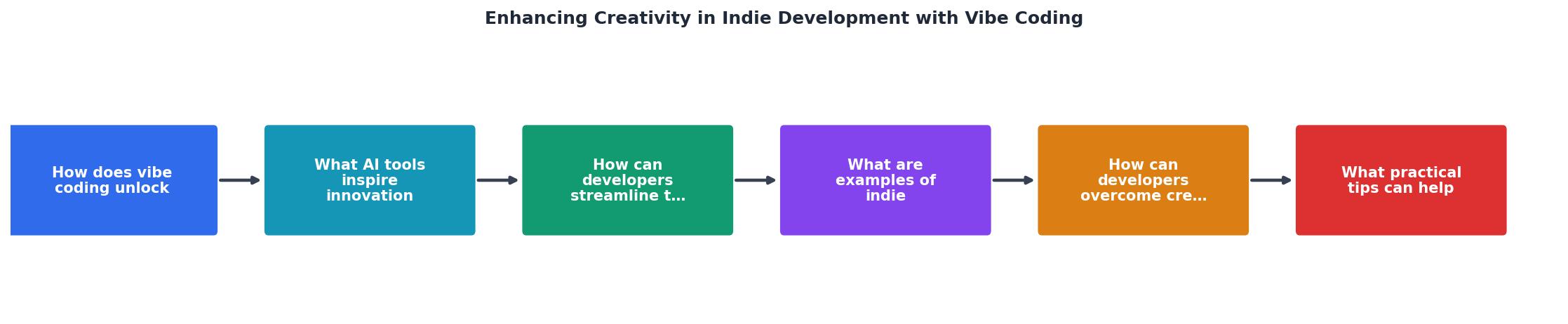
The diagram above maps the same six steps: Capture, Prompt-draft, Pick, Scaffold, Test, Decide. Keep those labels pinned to your monitor. They are your creative operating system.
Compare that to the traditional indie workflow where roughly 15-20% of ideas ever become a working prototype. Vibe coding does not guarantee success, but it guarantees you will see more of your ideas in action.
Indie developers building unexpected things
The most interesting vibe coding projects are the ones that would never have been attempted without AI assistance. A few patterns stand out:
- Domain experts building their own tools. A physical therapist built a patient exercise tracker with video pose detection. She described the movements in plain language; Claude translated them into MediaPipe integration code. The app exists because the implementation barrier dropped below her motivation threshold.
- Rapid niche SaaS. An indie developer created a permit-tracking dashboard for food truck operators in three days. The market is tiny, the margins are thin, and no venture-backed startup would touch it. Vibe coding made the economics work for a solo builder.
- Creative coding as art. Generative artists use AI to explore visual algorithms they cannot write from scratch. They describe the aesthetic they want, the AI produces shader code, and the artist curates and remixes the output. The creative act shifts from writing code to directing it.
"The API tokens are worth every cent as they've brought me back to that vibe: I have an idea, I spend time on a proper prompt, and off we go!">, Creative Vibe Coding
That quote captures the core feeling. Vibe coding reconnects builders with the excitement of making things, the part that got buried under dependency management and configuration files.
Breaking through creative blocks
Creative blocks for developers usually come from one of three sources: technical uncertainty ("I don't know how to build this"), scope paralysis ("this project is too big to start"), or perfectionism ("this code is not good enough to show anyone"). Vibe coding addresses all three.
Technical uncertainty dissolves when you can ask an AI to generate a working example of the thing you do not understand. You are not reading documentation hoping to connect the dots; you are looking at running code that does the thing.
Scope paralysis breaks when you commit to the Capture-to-Decide loop above. The smallest possible version of your idea is always one prompt away. Start there.
Perfectionism loses its grip when prototypes are disposable. If the code is ugly, who cares? It cost you forty-five minutes. Throw it away and start fresh with better prompts. The Vibe Coding Bible at vibecodingbible.org covers this mindset shift in depth: treating AI-generated code as a draft, not a deliverable.
| Traditional Block | Vibe Coding Antidote |
|---|---|
| "I don't know how to build this" | Ask AI for a working example |
| "This project is too big" | Prompt the smallest possible version |
| "My code isn't good enough" | Treat prototypes as disposable drafts |
| "I've been staring at this for hours" | Switch to a different idea for 30 minutes |
| "Nothing I make is original" | Combine two unrelated prompts and see what emerges |
Maximize creativity with vibe coding
Here are concrete habits that separate productive creative builders from people who just generate a lot of throwaway code:
- Keep an idea backlog. Use a simple text file or Notion page. When inspiration hits, add one sentence. During your next vibe coding session, pick the weirdest item on the list.
- Set a two-hour timebox. Creativity thrives under constraints. If the prototype is not clickable in two hours, the scope is wrong, not your skills.
- Prompt in layers. Start with the big picture ("build a dashboard that tracks X"), then drill into specifics ("add a chart showing Y over time"). Layered prompts produce better results than one massive instruction.
- Remix, do not copy. When AI generates something interesting, change one variable. Swap the data source. Flip the UI layout. The remix is where originality lives.
- Show someone within 24 hours. Feedback from a real person recalibrates your creative compass faster than any amount of solo iteration.
- Archive generously. Not every prototype deserves to become a product. Save the code, note what you learned, and move on. The learning compounds even when the project does not ship.
Vibe Coding Creativity Checklist
Your progress is saved automatically in your browser.
FAQ
Frequently Asked Questions
Additional Resources
- Creative Vibe Coding - Vibe Coding – How AI tools revitalized my creative programming passion after 20 years. Discover the joy of rapid prototyping and digital impressionism ...
- Vibe coding, creativity, craft and professionalism… are we ... - Vibe Coding allows you to build whatever you dreamed of without needing to know how to program. Show your creativity by converting your photo ...
- How to Vibe Code a Game (From Idea to Playable) - Prototype early; Experiment with mechanics and feel; Use AI tools to generate code, assets, or logic; Follow momentum rather than detailed specs.