
Photo by cottonbro studio from Pexels
Legacy systems run the world's critical infrastructure, but they weren't built for AI. When you try to bolt machine learning models onto a 20-year-old monolith running on COBOL or ancient Java, you hit problems most tutorials never mention: data silos, incompatible interfaces, performance cliffs, and compatibility nightmares. Yet companies have no choice, they can't rip it out and rebuild overnight. The path forward requires understanding where integration actually breaks, then applying proven techniques to make it work without blowing up your stability or budget.
TL;DR
- Data migration is the first wall: Legacy systems often store data in fragmented formats, requiring careful validation and incremental extraction before AI can use it.
- Compatibility bridges are mandatory: APIs, middleware layers, and containerization let you run modern AI tools alongside aging systems safely.
- Performance management prevents collapse: Throttling, caching, and isolated compute resources keep legacy systems stable while AI runs in parallel.
- Real-world success comes from incremental rollouts: Start with low-risk read operations, measure everything, then expand scope, not big-bang replacements.
Most enterprises still run their business on foundational systems built before AI integration was even conceivable. Banks process billions in transactions daily on mainframes from the 1980s. Manufacturers control production lines with software that predates cloud infrastructure. Hospitals manage patient records on databases locked into proprietary formats. These systems are stable, battle-tested, and deeply embedded in business processes, which also makes them the hardest to modify.
The core tension is this: AI demands flexibility, continuous retraining, and rapid iteration. Legacy systems demand stability, predictability, and minimal change. Trying to force one into the other's world causes friction at every layer.
Primary challenges in AI integration

The first step is naming the problems clearly. They fall into a few categories:
Data accessibility. Legacy systems often store data in custom binary formats, flat files, or database structures optimized for transactional speed 30 years ago, not analytical access. A mainframe COBOL program might serialize records in a format only that program understands. A 1990s relational database might use encoding schemes that modern tools can't parse directly. Extracting clean, labeled datasets for training becomes a manual archaeology project.
Downtime risk. Any direct modification to a legacy system can cause cascading failures. One bad query locks tables. One code change breaks batch processes that run at 2 AM every night. One misconfigured integration pulls the system offline. AI integration almost always requires some change to the legacy system, if only to expose data or accept predictions, and that risk is real.
Performance cliffs. Legacy systems were designed for their original workload. Add a new integration layer that queries the database differently, and you'll hit performance walls instantly. A batch query that took 30 seconds might take 30 minutes when AI models start calling it thousands of times per day. The system wasn't built for that volume or pattern.
Data quality and consistency. Decades of patch jobs, partial migrations, and workarounds mean legacy system data is often dirty: duplicates, NULL fields, inconsistent formatting, orphaned records. AI models trained on garbage produce garbage predictions. Cleaning that data is labor-intensive and requires deep domain knowledge.
Tackling data migration challenges
Data migration is where most integration projects hit their first real wall. Here's what actually works:
Build extraction pipelines, not one-off exports. Instead of trying to export all legacy data once, build a continuous extraction layer. Use database replication, change-data-capture (CDC), or scheduled batch exports that run during low-traffic windows. Tools like Debezium, Talend, or custom Python scripts can extract data incrementally, validate it in transit, and land it in a modern data warehouse (PostgreSQL, Snowflake, BigQuery) that AI tools can actually query.
Validate before you trust. Create a validation layer that runs data quality checks on extracted records:- Schema validation: Does each record have the expected fields?
- Type validation: Are dates actually dates, not text that looks like a date?
- Range validation: Are numeric values within known bounds?
- Uniqueness checks: Are primary keys actually unique?
Start with read-only exports. Never write back to the legacy system in your first iteration. Extract data, transform it, train models offline, then evaluate predictions in staging before any write-back logic touches production. This reduces risk enormously.
Map domain knowledge into transformations. Legacy data often uses cryptic codes: status fields with values 1–5 that mean something specific only to the 60-year-old systems architect. Create a mapping layer that decodes these. Document what each code means. This becomes critical when you need to interpret model outputs later.
Solving system compatibility issues

Compatibility is about creating safe bridges between old and new without forcing the legacy system to change fundamentally.
Build an API facade. If the legacy system has no native API, create one. Use an API gateway (Kong, AWS API Gateway, or Express.js) that sits in front of the legacy system and translates modern REST/GraphQL calls into whatever the legacy system understands, COBOL subroutine calls, flat-file reads, database queries, or screen scraping via automation tools like UiPath. This layer insulates the AI infrastructure from legacy system internals.
Use containers and orchestration for isolation. Deploy AI services (model servers, feature stores, inference engines) in containers orchestrated by Kubernetes. Run the legacy system separately. Connect them via well-defined APIs and message queues (RabbitMQ, Kafka, AWS SQS). If an AI service crashes, it doesn't take down the legacy system. If the legacy system needs maintenance, the AI services stay running.
Implement middleware for data format translation. Legacy systems might output XML, fixed-width files, or proprietary binary. Modern ML tools want JSON, Parquet, or CSV. Use middleware like Apache Kafka with schema registries or custom transformation services to convert between formats without touching the legacy system code.
Plan for partial compatibility. Accept that you can't make the legacy system work perfectly with every AI tool. Prioritize the highest-value integration path. If the legacy system can't support certain queries fast enough, cache results. If it can't handle concurrent AI requests, queue them. Make the compatibility layer do the work, not the legacy system.
"Most enterprises still run their business on ERP legacy systems built long before AI implementation was even a thing.">, Overcoming the Challenges of Integrating AI into Legacy ERP Systems
Managing performance during integration

A legacy system can handle 100 transactions per second. Then you plug in AI that needs to run 10,000 feature extractions per second from the same database. The system collapses.
Implement request throttling. Use a circuit breaker pattern or rate limiter (like Nginx, AWS API throttling, or Polly in .NET) to cap how many concurrent queries the AI infrastructure can send to the legacy system. If the AI service hits the limit, queue excess requests and retry them after a backoff. This prevents the legacy system from being overwhelmed.
Cache aggressively. Most AI inference queries repeat the same feature lookups. Cache results in Redis or Memcached with a reasonable TTL (time-to-live). A 5-minute cache can reduce legacy system load by 80% without stale data becoming a problem.
Separate batch and real-time workloads. Run scheduled batch jobs (model training, bulk predictions) at night during low-traffic windows. Real-time inference gets dedicated, throttled capacity. This prevents batch jobs from starving interactive users.
Use read replicas. If the legacy system supports replication (most databases do), replicate read-only data to a secondary instance and point AI queries there. This keeps analytical queries off the production system.
Monitor baseline metrics obsessively. Before AI integration, measure the legacy system's CPU, memory, disk I/O, database query time, and response times. After each integration step, re-measure. If any metric degrades more than 5-10%, stop and throttle further. Performance surprises kill projects.
Real-world integration patterns
Companies that have pulled this off follow a pattern. They don't try to integrate everything at once.
Example 1: Financial services firm with a mainframe. A bank with 40 years of transaction history on an IBM mainframe wanted to use machine learning for fraud detection. Instead of trying to retrain the mainframe, they:
- Extracted transaction data via CDC to a PostgreSQL data warehouse (running nightly).
- Trained fraud models offline on historical data.
- Exposed predictions via a simple REST API that legacy fraud-checking code called before final transaction approval.
- The mainframe never changed, it just got a new validation step.
- They measured false-positive rates weekly and tuned the model.
Example 2: Manufacturing with legacy MES. A factory controlled production via a 1995 Manufacturing Execution System (MES) running on proprietary hardware. They wanted predictive maintenance AI.
- Built a data logger that captured sensor readings and MES events to a time-series database (InfluxDB).
- Trained models to predict equipment failures 48 hours in advance.
- Piped predictions to a modern dashboard the operations team used alongside the legacy MES.
- MES stayed untouched. It didn't need to know about predictions, humans made the final decision.
- Equipment downtime dropped from 40 hours/month to 4 hours/month.
Designing the integration phase gate
The safest path forward follows these gates:
- Pilot phase: Run AI on read-only, non-critical legacy data. Measure accuracy, latency, and resource consumption. Fix data quality issues.
- Integration phase: Build the bridge layer, APIs, caching, throttling. Test with synthetic load that mimics expected AI traffic.
- Canary phase: Route 10% of real production traffic through the AI system alongside the legacy system. Compare outputs. Measure latency and error rates.
- Rollout phase: Gradually increase traffic to AI, 25%, 50%, 100%. Keep the legacy system as a fallback. If the AI system fails, traffic reverts automatically.
- Retirement phase: Only after 6+ months of stable production with <0.1% errors do you consider replacing legacy logic entirely.
This phased approach reduces the blast radius of mistakes. If something breaks at canary stage, you roll back 10% of traffic, not 100%.
Process diagram: Integration overview
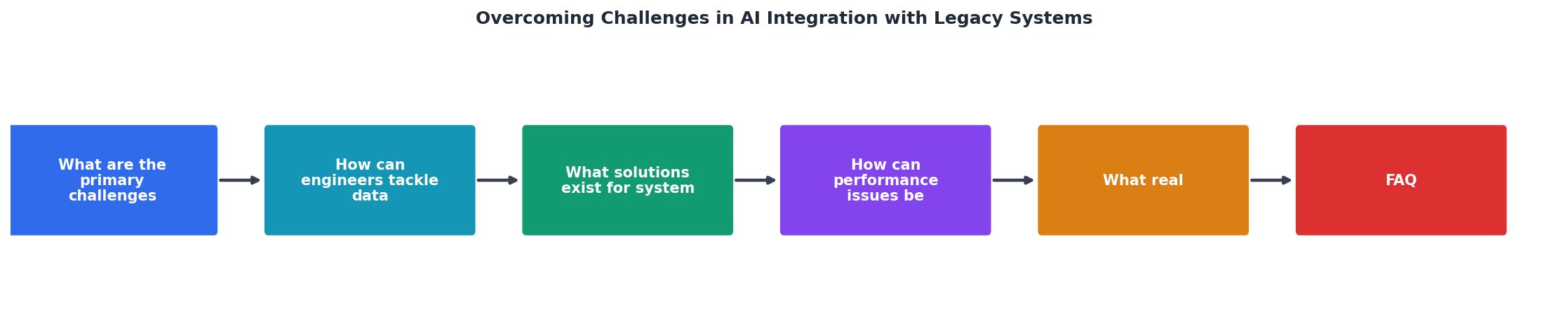
The diagram shows the typical flow: extract data from the legacy system, validate and transform it, train models in isolation, then route predictions back through a controlled gateway that throttles and caches. The legacy system itself remains untouched until you're confident in the entire flow.
Best Practices for Maintaining System Integrity During AI Integration
Your progress is saved automatically in your browser.
FAQ
Frequently Asked Questions
Additional Resources
- Overcoming the Challenges of Integrating AI into Legacy ... - This guide walks through real AI integration challenges in ERP legacy systems and shows how to design ERP modernization that is safe, measurable ...
- AI Integration into Legacy Systems: Challenges and ... - To overcome these challenges, enterprises should prioritize modularization. By decoupling legacy systems into services and wrapping them with modern APIs ...
- A Practical Guide to Integrating AI Into Legacy Systems - These technical constraints can slow performance, introduce risks, and limit how effectively AI can interact with data as it comes in.