
AI generates code fast. Too fast sometimes. You ask Claude or Cursor to build a feature, it works, and you ship it. Then three weeks in, the codebase is a tangled mess of duplicated logic, unclear variable names, and performance bottlenecks that make your app slow. Refactoring fixes those problems, but one wrong move and your tests fail, your app breaks, and you lose hours hunting bugs. This guide shows you how to refactor AI code safely, with tests as your safety net.
Photo by Markus Spiske from Pexels
TL;DR:- Run your full test suite before touching any code to establish a baseline.
- Refactor one small piece at a time, run tests after each change.
- Use your test suite as feedback, not a checkpoint to pass once and move on.
- Extract functions, simplify conditionals, and remove duplication incrementally.
- Never refactor logic you don't understand; write tests first to clarify behavior.
AI-generated code works. That's the promise and the problem. It solves your immediate need but rarely prioritizes clarity, maintainability, or the long-term health of your codebase. AI doesn't think about tomorrow's developer (often you, three weeks later) trying to figure out why a function does six things at once or why variable names are tempData, processedData, and finalData.
Refactoring is the antidote. It's the deliberate act of improving code structure without changing what it does. For non-engineers shipping with AI, refactoring often feels risky. You're not sure what will break. Tests exist to eliminate that fear, but only if you know how to use them during refactoring.
Why This Matters Now
AI generates working code in minutes. Your codebase grows fast. Without deliberate refactoring, you end up with:
- Duplicated logic spread across multiple functions, making fixes take 3x longer
- Cryptic variable and function names that make onboarding new team members a nightmare
- Tangled conditionals that hide bugs and make testing harder
- Performance bottlenecks hidden in loops and inefficient queries

Common Mistakes and Misconceptions
Before diving into how to refactor safely, understand what goes wrong.
Mistake 1: Refactoring without running tests first. Many developers (especially non-engineers) skip the baseline. You change code, assume tests still pass, and ship. Tests fail silently in an unnoticed corner, and your app breaks in production. Always run your full test suite before you start and after every single change.
Mistake 2: Refactoring multiple things at once. You rename a function, extract a block into a helper, and fix a variable name, all in one commit. When tests fail, you have no idea which change broke things. Refactor one piece at a time. Change one thing, run tests, commit, move on.
Mistake 3: Refactoring code you don't understand. AI code often has hidden assumptions. You see duplicated logic, you consolidate it, and suddenly an edge case fails that you didn't know existed. If you don't understand the behavior, write a test first to document it. Then refactor with confidence.
Mistake 4: Ignoring test coverage gaps. Your tests might not cover the exact path you're refactoring. You change the code, tests pass, but the function behaves differently in production. Before refactoring, check what your tests actually cover. Add tests for gaps.
Mistake 5: Treating refactoring as optional. It's not. Skipping it makes AI-generated codebases unmaintainable within weeks. Budget refactoring time into your workflow like you budget time for features.
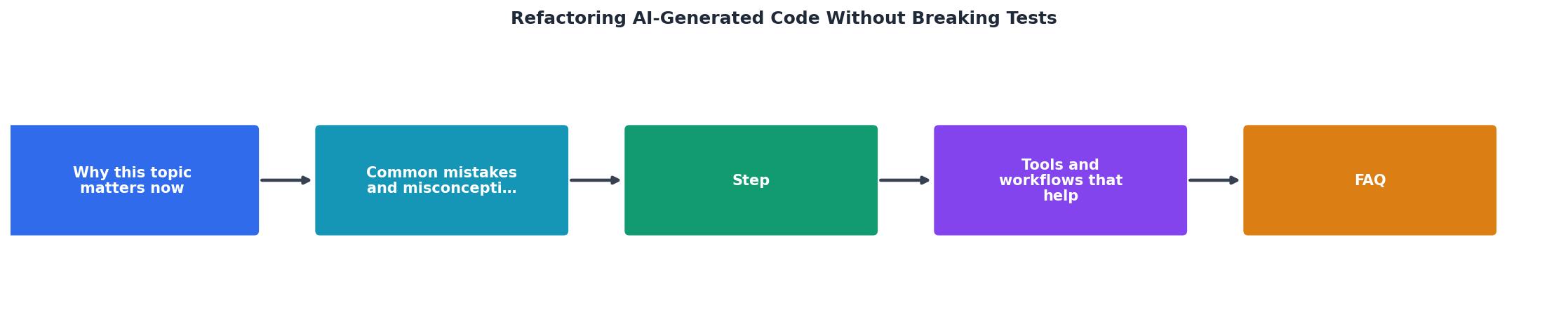
Step-by-Step Refactoring Approach
Here's a repeatable process that keeps tests passing and your confidence high.
Step 1: Establish a Baseline
Run your entire test suite and make sure it passes. This is your control. If tests are failing before you start, fix them first or you won't know which failures are yours.
npm test # or pytest, cargo test, go test, whatever your stack uses
If you don't have tests yet, this is the real problem. Don't refactor without them. Instead, write tests around the code you want to refactor. This takes more upfront time but prevents disasters.
Step 2: Identify One Small Change
Don't aim to refactor an entire module. Pick one function, one loop, one naming inconsistency. AI-generated functions often do too much. Start by extracting a sub-task into its own function.
Example: Your AI generated a processOrder function that does pricing calculations, tax calculations, and email notifications all in one go. Pick one: extract the pricing logic into calculatePrice.
Step 3: Make the Change and Run Tests Immediately
Change one thing. Run tests. If they pass, commit or mark the change. If they fail, revert and understand why before proceeding.
The discipline here matters more than the refactoring itself. One change, one test run, one decision.
Step 4: Read the Test Failures as Documentation
When a test fails, don't just see red. Read the failure message. It's telling you what the code actually does. AI code often has implicit behavior, defaults, side effects, order dependencies, that aren't obvious from reading it. Tests expose these.
If a test fails and you don't understand why, that's a signal that the code is unclear. Maybe you don't refactor it yet. Maybe you write a clearer test first to document the behavior.
Step 5: Repeat Incrementally
Don't try to fix everything in one session. Do one refactoring cycle (identify, change, test, commit), then move to the next piece. Progress is visible, and if something goes wrong, you know exactly which change caused it.
Tools and Workflows That Help
Automated Test Runners
Set up your test runner to watch files and re-run tests as you change code. This gives you instant feedback.
- Node.js:
jest --watchornpm test -- --watch - Python:
pytest-watchorpytest --looponfail - Go: Use
entror similar file watcher withgo test ./...
Code Coverage Reports
Understand what your tests cover. Tools like Coverage.py, Jest's coverage, or Go's built-in coverage show gaps.
npm test -- --coverage # shows what % of code is tested
If your AI-generated function is 30% covered, you're refactoring in the dark. Write tests for the uncovered paths first.
Linters and Formatters
AI code often has style inconsistencies. Use Prettier (JavaScript), Black (Python), or gofmt (Go) to standardize. This isn't refactoring, but it makes code easier to read and spots patterns.
Linters like ESLint, pylint, or golangci-lint catch obvious issues: unused variables, unreachable code, missing error handling.
Version Control with Atomic Commits
Use Git to commit after every passing refactoring step. Make each commit small and self-contained. This way, if something breaks three commits later, you can bisect and find the culprit.
git add .
git commit -m "Extract pricing logic into calculatePrice function"
git add .
git commit -m "Rename temp variables in processOrder for clarity"
Pair Programming or Code Review
Even better than running tests alone: have someone else review your refactoring. They might spot edge cases you missed or suggest a simpler approach. If you're solo, at least run the refactored code manually in your development environment before shipping.
Practical Refactoring Patterns
Extract a Function
AI often generates monolithic functions. Breaking out a logical piece into its own function makes the code clearer and testable.
Before:
function processOrder(order) {
  const subtotal = order.items.reduce((sum, item) => sum + item.price  item.qty, 0);
  const tax = subtotal  0.1;
  const shipping = subtotal > 100 ? 0 : 15;
  const total = subtotal + tax + shipping;

  sendEmail(order.customer, { subtotal, tax, shipping, total });
  updateInventory(order.items);

  return { subtotal, tax, shipping, total };
}
After:
function calculateOrderTotal(order) {
  const subtotal = order.items.reduce((sum, item) => sum + item.price  item.qty, 0);
  const tax = subtotal  0.1;
  const shipping = subtotal > 100 ? 0 : 15;
  return { subtotal, tax, shipping, total: subtotal + tax + shipping };
}

function processOrder(order) {
  const totals = calculateOrderTotal(order);
  sendEmail(order.customer, totals);
  updateInventory(order.items);
  return totals;
}
Now you can test calculateOrderTotal independently. Side effects (email, inventory) are separated from calculation. Future refactoring is easier.
Simplify Conditionals
AI generates nested if-else chains. Simplify by extracting conditions into well-named functions.
Before:
if (user.age >= 18) {
  if (user.country === 'US') {
    if (user.paymentMethod === 'credit_card') {
      processPayment(user);
    }
  }
}
After:
function canProcessPayment(user) {
  return user.age >= 18 && user.country === 'US' && user.paymentMethod === 'credit_card';
}

if (canProcessPayment(user)) {
  processPayment(user);
}
Extract the logic as follows:
"👨💻 Extract in a function named computePrice.">, Can AI help me refactor legacy code?
This makes the intent clear and testable.
Remove Duplication
AI repeats patterns. Find the pattern, extract it.
Before:
const usersInUS = users.filter(u => u.country === 'US');
const productsInUS = products.filter(p => p.country === 'US');
const ordersInUS = orders.filter(o => o.country === 'US');
After:
const filterByCountry = (items, country) => items.filter(item => item.country === country);

const usersInUS = filterByCountry(users, 'US');
const productsInUS = filterByCountry(products, 'US');
const ordersInUS = filterByCountry(orders, 'US');
Same logic, one implementation, easier to maintain.
Interactive Refactoring Workflow
Below is a visual guide to the refactoring cycle you should follow. This example shows how a typical refactoring session flows from discovery through testing to commit:
Your Refactoring Checklist
Run Full Test Suite
Establish baseline: all tests pass before you touch anything.
Pick One Small Change
Extract one function, rename one variable, or simplify one conditional. Not more.
Write or Update Tests (If Needed)
If the code you're changing isn't tested, write a test that documents current behavior first.
Make the Change
Implement your refactoring. Keep it focused and minimal.
Run Tests Immediately
Watch file changes and run tests automatically. Green? Proceed. Red? Understand why before moving on.
Commit
One change, one commit. Include a clear message: "Extract calculatePrice function".
Repeat or Move On
Next refactoring or next feature. Never batch changes without testing.
When NOT to Refactor
Refactoring isn't always the answer. Know when to hold off.
- Code you don't understand: Don't refactor it. Write a test first to document behavior, then refactor.
- Code with no test coverage: Extract tests before refactoring. Otherwise you're flying blind.
- Critical path code before a deadline: Refactoring is a medium-term investment. If shipping today is the priority, ship first, refactor later.
- Code that's working fine: If a function is clear, tested, and maintainable, leave it alone. Refactoring for its own sake wastes time.

Refactoring Checklist: Before You Start
Your progress is saved automatically in your browser.
FAQ
Frequently Asked Questions
npm test -- --coverage (or equivalent). If coverage is below 50%, write tests before refactoring. If you have decent coverage, pick the AI-generated code that's hardest to read and start there.The gap between "AI code that works" and "AI code you can maintain in six months" is refactoring. It's not glamorous. It's not a feature. But it's the difference between a codebase that compounds in value and one that becomes unmaintainable quicksand. Tests are your tool, use them fearlessly. Change one thing, run tests, commit, repeat. That discipline is all you need to keep your AI-generated code healthy.
Additional Resources
- Can AI help me refactor legacy code? - AI has the potential to refactor the code much faster than I could. On the other hand, it feels riskier than using safe refactoring moves.
- The 40% Problem. AI & Code Refactoring - 40% said AI had generated unnecessary or duplicative code; and 29% said AI had introduced buggy code outright (Figure 3).
- What Is AI Code Refactoring? - An AI powered tool that helps you code, debug and deliver high quality software without breaking your flow.