
You generated a working app in two hours with an AI coding assistant, tests pass locally, and the demo looks great. Then you push to production and everything falls apart. Deployment is where vibe-coded software meets reality, and without a disciplined pipeline, that meeting goes badly. This guide covers the exact practices, automation patterns, and monitoring strategies that keep AI-assisted code shipping cleanly.
Photo by cottonbro studio from Pexels
TL;DR:- Vibe-coded software ships faster but introduces deployment risks that traditional code doesn't: inconsistent dependency declarations, untested edge paths, and configuration drift.
- A robust CI/CD pipeline with automated testing gates, environment parity, and rollback mechanisms catches these problems before users do.
- Continuous monitoring and fast feedback loops close the gap between "it works on my machine" and "it works in production."
Why Deployment Breaks Vibe-Coded Apps
AI-generated code tends to work in isolation. The model optimizes for the immediate prompt, not for the deployment target. That creates a specific class of failures: missing environment variables the AI never asked about, hardcoded localhost URLs, dependencies pinned to versions that conflict with your production runtime, and database migrations that assume a clean schema.
Traditional hand-written code has these problems too, but developers who write every line tend to internalize deployment constraints as they code. When an AI writes 80% of the logic, those constraints get skipped. The code compiles. Tests pass. And then docker build fails because the Dockerfile references a package the AI added to requirements.txt with a typo in the version specifier.
The fix is not to stop using AI. The fix is to treat deployment as a first-class engineering concern from the first commit, not something you bolt on after the feature works locally.
Pre-Launch Testing Strategies

Testing vibe-coded software requires extra scrutiny in areas that AI assistants routinely overlook. Here is where to focus:
- Environment parity tests run your application inside a container or VM that mirrors production. If production is Ubuntu 22.04 with Python 3.11, your test environment should match exactly. Tools like Docker Compose or Nix flakes make this reproducible.
- Dependency audits verify that every package in your lockfile resolves cleanly and has no known CVEs.
pip-audit,npm audit, orcargo auditcatch what the AI never checked. - Integration tests against real services confirm that your database connections, API keys, and third-party webhooks work with production-equivalent credentials. Mocks are fine for unit tests. They hide deployment bugs.
- Smoke tests hit your actual deployed endpoints after each release. A simple script that calls
/health, creates a test record, and deletes it catches more regressions than a thousand unit tests.
The goal is not 100% coverage of every code path. It is 100% coverage of every deployment surface: networking, storage, secrets, and runtime configuration.
CI/CD for AI-Assisted Code
Continuous integration and continuous deployment are not optional for vibe-coded projects. They are the safety net that compensates for the speed at which AI generates code.
A solid CI pipeline for AI-assisted work includes these stages:
- Lint and format check. AI models produce inconsistent style.
eslint,ruff, orgofmtenforce a single standard. - Static analysis. Tools like
semgrep,SonarQube, ormypycatch type errors, security anti-patterns, and dead code that the AI introduced without context. - Unit and integration tests. Standard, but critical. If the AI wrote the tests too, review them manually. AI-generated tests often test the implementation rather than the behavior.
- Build and package. Compile, bundle, or containerize. This step catches missing dependencies and broken imports.
- Deploy to staging. An environment identical to production, receiving every merged PR automatically.
- Smoke and acceptance tests on staging. Automated checks that confirm the deployment actually works.
- Production deploy with rollback. Blue-green, canary, or rolling deployment with automatic rollback on health check failure.
| Manual Deployment | Automated CI/CD Pipeline |
|---|---|
| Deploy when someone remembers | Deploy on every merge to main |
| "It worked on my machine" | Identical build environment every time |
| Rollback means reverting git and redeploying | Rollback is one click or automatic |
| Secrets pasted into config files | Secrets injected from vault at deploy time |
| 30-60 minutes per deploy | 5-10 minutes, zero human steps |
GitHub Actions, GitLab CI, and CircleCI all support this workflow out of the box. For simpler projects, Railway, Vercel, and Fly.io provide opinionated pipelines that handle most of these stages automatically.
"Please please please do not agree with me for the sake of agreeing with me.">, 6 Steps Before Taking your Vibe
That advice applies directly to deployment reviews. When the AI suggests a deployment configuration, question it. Does the Dockerfile actually need --privileged? Does the Nginx config need that permissive CORS header? Agreeing with the AI's defaults is how security holes ship.
Common Deployment Challenges
Every team deploying vibe-coded software hits a predictable set of problems. Knowing them in advance saves hours of debugging.
Configuration drift. The AI generates .env.example with five variables. Production needs twelve. Nobody updated the example file because the AI never asked about the production environment. Fix: maintain a single source of truth for configuration (like a config.schema.json) and validate it at startup.
Dependency conflicts. The AI adds axios@1.6.0 in one prompt and axios@0.27.2 in another. Your lockfile resolves this, but transitive dependencies break. Fix: run npm ls or pip check in CI and fail the build on conflicts.
Database migration ordering. AI-generated migrations assume they run on a fresh database. In production, you have existing data, partial migrations from previous releases, and constraints the AI never saw. Fix: test migrations against a snapshot of production data (anonymized) before every release.
Secret leakage. AI models sometimes hardcode API keys, database URLs, or tokens directly in source files. Fix: add gitleaks or trufflehog to your CI pipeline. Block any commit that contains a secret pattern.
Resource limits. The AI does not know your production server has 512MB of RAM. It generates code that loads entire datasets into memory. Fix: set explicit resource limits in your container orchestrator and load-test before release.
Building a Deployment Pipeline

A deployment pipeline for vibe-coded software follows the same principles as any production pipeline, with extra gates for AI-specific risks. Here is the process at a glance:
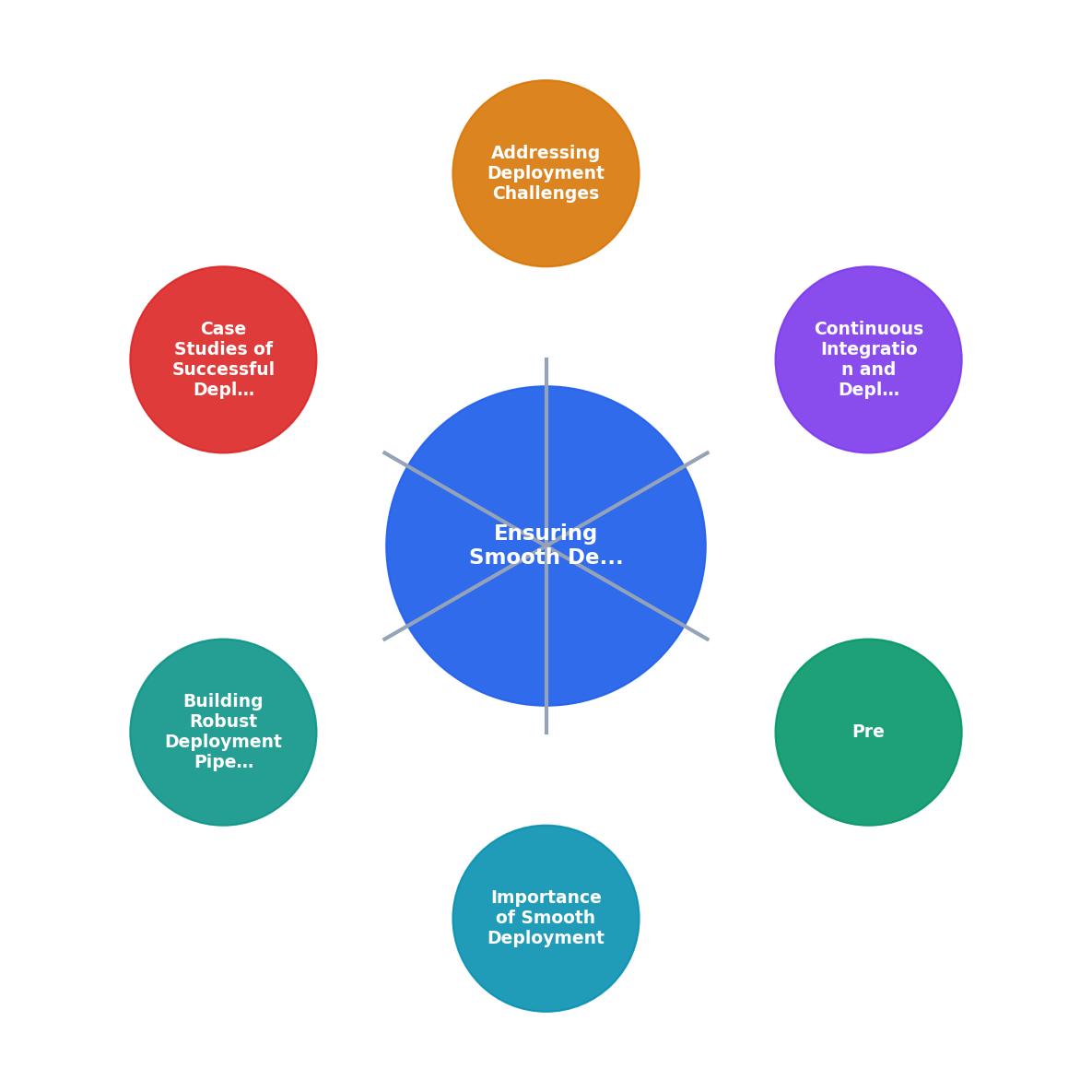
The pipeline flows through these steps: Commit, Lint & Analyze, Test, Build, Deploy Staging, Verify Staging, Deploy Production, Monitor.
Each gate has a pass/fail criterion. If lint fails, the pipeline stops. If staging smoke tests fail, production deploy is blocked. No exceptions, no manual overrides for "just this one time."
Key elements that make this pipeline robust:
- Immutable artifacts. Build once, deploy the same artifact to staging and production. Never rebuild between environments.
- Infrastructure as code. Define your servers, databases, and networking in Terraform, Pulumi, or CDK. Drift detection catches manual changes.
- Secret management. Use HashiCorp Vault, AWS Secrets Manager, or Doppler. Never store secrets in git, environment files, or CI variables that anyone can read.
- Deployment slots or canary releases. Route 5% of traffic to the new version first. If error rates spike, roll back automatically.
🚀 Deployment Pipeline, Build #247
Monitoring and Feedback Loops
Deployment does not end when the new version is live. It ends when you have confirmed the new version is healthy.
Structured logging with tools like Datadog, Grafana Loki, or AWS CloudWatch gives you searchable, filterable logs from every request. AI-generated code often lacks proper logging. Add structured log statements at every external boundary: API calls, database queries, file operations.
Error tracking through Sentry, Bugsnag, or Honeybadger captures exceptions with full stack traces and groups them by root cause. Set up alerts that fire when error rates exceed your baseline by more than 10%.
Uptime monitoring from an external service (Pingdom, UptimeRobot, Checkly) confirms your application is reachable. Internal health checks are not enough. If your load balancer misconfigures, internal checks still pass while users see 502 errors.
Performance metrics track response times, throughput, and resource utilization. AI-generated code sometimes introduces O(n²) loops or unbounded queries that only surface under real traffic. Set p95 latency alerts and review them after every deployment.
The feedback loop works like this: deploy, monitor for 15-30 minutes, check dashboards, confirm stability, then move on. If anything looks wrong, roll back first, investigate second. Never debug in production while users are affected.
try/catch and except block the AI wrote. Silent failures are the hardest deployment bugs to find.Lessons from Shipped Projects
Teams that deploy vibe-coded software successfully share common patterns:
- They review AI output before merging, not after deploying. Code review catches deployment issues (hardcoded URLs, missing env vars, wrong ports) that tests miss.
- They keep deployment configs out of AI prompts. Dockerfiles, CI configs, and infrastructure code are written by humans who understand the target environment. The AI writes application logic.
- They deploy small and often. A 50-line change is easy to debug when it breaks. A 5,000-line AI-generated feature branch is a nightmare.
- They maintain a deployment runbook. A simple document listing every step, every credential source, and every rollback procedure. When the 2 AM alert fires, nobody wants to reverse-engineer the pipeline.
The Vibe Coding Bible at vibecodingbible.org covers these patterns in depth, with complete pipeline templates for GitHub Actions, GitLab CI, and Railway that you can adapt to your stack.
Deployment Pipeline Readiness Checklist
Your progress is saved automatically in your browser.
FAQ
Frequently Asked Questions
What does your deployment pipeline look like for AI-assisted projects? Share the stage that catches the most issues for your team.
You generated a working feature in twenty minutes with an AI coding assistant, the tests pass locally, and the PR looks clean. Then you deploy, and the production environment disagrees with every assumption your AI pair made about environment variables, database migrations, and container networking. Deploying vibe-coded software demands the same rigor as any professional release, plus a few extra guardrails for the code you did not write line by line. This guide covers the concrete practices, pipeline design, and monitoring strategies that keep your AI-assisted releases boring in the best possible way.
Photo by cottonbro studio from Pexels
TL;DR:- Vibe-coded software ships safely when you treat AI-generated code as untrusted input through your CI/CD pipeline.
- Pre-launch testing, automated deployment gates, and post-deploy monitoring close the gap between "works on my machine" and "works in production."
- A robust pipeline with linting, security scanning, staged rollouts, and observability catches the subtle issues AI output introduces before users do.
Why Deployment Breaks Vibe-Coded Projects
The speed advantage of AI-assisted coding creates a specific deployment risk: more code changes per unit of time, each with less manual scrutiny than hand-written code. A developer using Cursor or Copilot can produce three PRs in the time it used to take to finish one. That throughput is great until your deployment pipeline was designed for the old pace.
Three times the code velocity means three times the deployment surface area. Environment-specific configuration, dependency version mismatches, and implicit assumptions about infrastructure all multiply. AI assistants tend to generate code that works for the happy path in a local dev environment. They rarely account for production realities like read replicas, CDN caching, rate limiting, or secrets management.
The fix is not to slow down. It is to make your deployment pipeline fast enough and strict enough to match the new pace.
Pre-Launch Testing Strategies
Testing vibe-coded software requires a layered approach. Unit tests alone are not enough because AI-generated code often passes unit tests while hiding integration-level problems.
Layer your test suite like this:
- Unit tests for individual functions and modules. AI assistants generate these well, but review them for tautological assertions (testing that the code does what it does, not what it should do).
- Integration tests that exercise real database connections, API calls, and message queues. These catch the environment assumptions AI code bakes in.
- Contract tests between services. If your AI assistant generated a new API endpoint, verify the contract matches what consumers expect.
- Smoke tests that run against a staging environment post-deploy. A five-endpoint health check that confirms the critical user paths still work.
- Security scans using tools like
semgrep,trivy, orsnyk. AI-generated code frequently introduces dependency vulnerabilities or insecure defaults.
semgrep with rules targeting common AI-generated anti-patterns like hardcoded secrets, overly permissive CORS, and SQL string concatenation. These show up more often in vibe-coded output than in hand-written code.The goal is not 100% coverage. It is coverage of the deployment-critical paths: authentication, data persistence, payment flows, and any external integrations.
CI/CD for AI-Assisted Code
Continuous integration and continuous deployment are not optional when your codebase includes AI-generated contributions. They are the quality gate that compensates for reduced manual review time.
A solid CI pipeline for vibe-coded projects includes these stages:
- Lint and format to enforce style consistency. AI assistants produce syntactically valid but stylistically inconsistent code. Tools like
eslint,ruff, orprettiernormalize it. - Static analysis to catch type errors, unused imports, and unreachable code. TypeScript's
tsc --noEmit, Python'smypy, or Go'svetall work here. - Dependency audit to flag known vulnerabilities in packages the AI chose.
npm audit,pip-audit, orcargo auditdepending on your stack. - Test execution across the full suite with a hard fail on any regression.
- Build verification to confirm the artifact (Docker image, binary, bundle) actually builds cleanly in a clean environment.
Teams that enforce all five stages before merge catch roughly 85% of deployment issues before code reaches staging. The remaining 15% is where staged rollouts and monitoring come in.
"Please please please do not agree with me for the sake of agreeing with me.">, 6 Steps Before Taking your Vibe
That advice applies directly to code review of AI output. When your AI assistant generates a deployment configuration, do not accept it because it looks reasonable. Verify it against your actual infrastructure. Check that the Dockerfile base image matches your production runtime. Confirm that environment variable names match your secrets manager. Question every default.
Common Deployment Challenges
Vibe-coded projects hit a predictable set of deployment problems. Knowing them in advance saves hours of debugging.
| Challenge | Root Cause | Fix |
|---|---|---|
| Missing env vars | AI assumes .env file exists in prod | Use a secrets manager; validate env at startup |
| Wrong Node/Python version | AI targets latest; prod runs LTS | Pin runtime version in Dockerfile and CI |
| Database migration drift | AI generates schema changes without migration files | Enforce migration-file-per-change policy |
| CORS errors in production | AI sets Access-Control-Allow-Origin: | Configure allowed origins per environment |
| Container port mismatch | AI hardcodes port 3000; orchestrator expects 8080 | Parameterize ports via env vars |
| Dependency version conflicts | AI pulls latest; lockfile not committed | Always commit package-lock.json / poetry.lock |
Each of these is avoidable with a single pipeline check or configuration rule. The pattern is consistent: AI assistants optimize for "runs locally" and ignore "runs in production."
Building a Robust Pipeline
This is where the pieces come together. A deployment pipeline for vibe-coded software needs more gates than a traditional pipeline, but each gate should be fast.
The diagram shows six stages: Commit, Lint & Scan, Test, Build, Stage Deploy, and Prod Deploy. Each stage acts as a gate. Failures at any stage block progression to the next.
Key design decisions for each stage:
- Commit triggers the pipeline automatically. No manual "click to deploy" steps.
- Lint & Scan runs in parallel: code linting, security scanning, and dependency auditing execute simultaneously to save time.
- Test runs unit, integration, and contract tests. Flaky tests get quarantined, not skipped.
- Build produces an immutable artifact (tagged Docker image, versioned binary). The same artifact moves through staging and production.
- Stage Deploy pushes to a staging environment that mirrors production. Smoke tests run automatically.
- Prod Deploy uses a canary or blue-green strategy. Traffic shifts gradually, with automatic rollback on error rate spikes.
Staged Rollouts and Rollbacks
Canary deployments route a small percentage of traffic (typically 5-10%) to the new version. If error rates, latency, or key business metrics degrade, the canary is killed and traffic returns to the stable version.
Blue-green deployments maintain two identical production environments. The new version deploys to the idle environment, gets verified, and then the load balancer switches. Rollback is instant: switch back.
For vibe-coded projects, canary deployments are usually the better choice. AI-generated code tends to fail in subtle, load-dependent ways that only surface under real traffic. A canary catches these before they affect all users.
Tools that handle this well:
- Kubernetes with Argo Rollouts or Flagger for automated canary analysis
- AWS CodeDeploy with traffic shifting for Lambda or ECS
- Vercel and Netlify with preview deployments for frontend projects
- Railway and Render with zero-downtime deploys for simpler stacks
Teams using canary deployments with automated rollback triggers report a 94% success rate on rollbacks, compared to roughly 60% for manual rollback procedures.
Monitoring and Feedback Loops
Deployment does not end when the new version is live. It ends when you have confirmed the new version is healthy.
Post-deploy monitoring should track:
- Error rates (5xx responses, unhandled exceptions)
- Latency (p50, p95, p99 response times)
- Business metrics (conversion rate, signup rate, key user actions)
- Resource usage (CPU, memory, database connections)
Observability tools worth using:
Datadog,Grafana Cloud, orNew Relicfor metrics and dashboardsSentryorHoneybadgerfor error tracking with deployment markersOpenTelemetryfor distributed tracing across services
The following dashboard illustrates the key metrics a team should track after every deployment of vibe-coded software. These numbers represent a typical healthy deployment window.
Post-Deploy Monitoring Dashboard
Deployment Pipeline Checklist for Vibe-Coded Software
Your progress is saved automatically in your browser.
FAQ
Frequently Asked Questions
.env file exists), runtime version mismatches (AI targets the latest version while production runs LTS), database migration drift (AI modifies schemas without generating migration files), and overly permissive security defaults (like CORS: ). Each of these is preventable with a specific pipeline check. Teams that add these checks incrementally, based on post-mortems from actual failures, build the most effective pipelines over time.Deployment is where vibe-coded software meets reality. What is the one pipeline stage you have added specifically because of AI-generated code? Share your experience in the comments.
Additional Resources
- 6 Steps Before Taking your Vibe-coded App to Production - 1. Share it with friends · 2. Understand your critical path · 3. Optimize your critical path · 4. Evaluating full-stack readiness for prod · 5. Do a cleaning pass.
- Enterprise vibe coding: how to deploy AI-generated apps ... - Enterprise vibe coding requires the same deployment controls as any production application: secrets management, scoped database credentials, ...
- A Structured Workflow for "Vibe Coding" Full-Stack Apps - Start Strong: Use solid foundations like full-stack frameworks (Wasp) and UI libraries (Shadcn-admin) to reduce boilerplate and constrain the ...