
AI code generators write functions faster than most engineers type import statements. That speed creates a real question for every working developer: if the machine writes the code, what exactly is your job now? The answer is not less engineering but different engineering, and the engineers who figure out which skills actually matter will own the next decade of their careers.
Photo by Tima Miroshnichenko from Pexels
TL;DR:- Raw coding speed is no longer a differentiator. AI handles that.
- Engineers who stay relevant invest in AI integration, code review of AI output, workflow automation, and the soft skills of adaptability and continuous learning.
- The career moat is not writing code. It is knowing what code should exist, verifying it works, and shipping it safely.
Why AI Changes Your Job Description
Five years ago, a senior engineer's value was partly measured in lines of code shipped per sprint. That metric is dead. A junior developer with Cursor or Copilot can produce the same volume in a fraction of the time. The gap between "can write code" and "can ship reliable software" has never been wider.
This does not mean engineers become obsolete. It means the valuable part of the job shifts upstream (architecture, requirements, system design) and downstream (review, testing, deployment, observability). The middle part, translating a clear spec into working code, is increasingly handled by AI.
If you treat AI as a threat, you will spend your energy resisting it. If you treat it as a tool that eliminates the boring parts, you free yourself to do the work that actually requires a human brain: making judgment calls under ambiguity, understanding business context, and catching the subtle bugs that AI introduces with confidence.
Technical Skills That Actually Matter
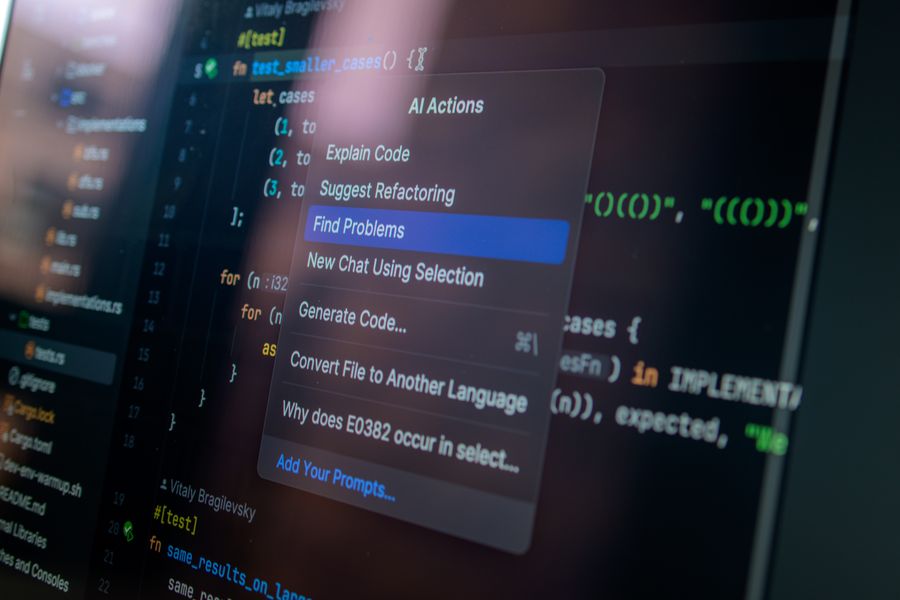
Not every technical skill carries the same weight in an AI-assisted workflow. Here is where to focus your energy.
AI Integration
AI integration means more than installing a Copilot extension. It means knowing how to:
- Write effective prompts that produce usable, scoped code instead of sprawling boilerplate.
- Chain AI tools into your existing CI/CD pipeline so generated code goes through the same gates as human code.
- Choose the right model for the task. A lightweight completion model for boilerplate, a reasoning model for complex logic, a specialized model for security analysis.
Code Review of AI Output
AI-generated code compiles. It passes basic tests. And it sometimes introduces security vulnerabilities, performance regressions, or architectural decisions that make no sense for your system.
Reviewing AI output is a distinct skill from reviewing human code. Key differences:
- AI code looks confident. It does not leave unfinished-work comments or ask questions. You have to be the skeptic.
- AI code lacks context. It does not know your team's conventions, your deployment constraints, or your compliance requirements unless you told it.
- AI code repeats patterns. It gravitates toward common Stack Overflow solutions, even when your codebase has a better internal abstraction.
"Many vibe coders have flamed out from the burden of countless iterations that they have to do just to get the end product right.">, Medium
The fix is not to avoid AI. It is to build a review muscle that catches what the machine misses. Treat every AI-generated pull request like it came from a talented but context-blind contractor.
Workflow Automation
Workflow automation is the multiplier. Engineers who automate their own processes, test generation, deployment scripts, monitoring setup, documentation updates, compound their productivity gains.
Concrete examples:
- Use AI to generate test scaffolds, then review and extend them manually.
- Automate PR descriptions from commit diffs using an LLM hook.
- Build a local script that runs AI-assisted code analysis before you push.
- Set up automated dependency updates with AI-generated migration notes.
Soft Skills Engineers Underestimate
Technical skills get you hired. Soft skills determine whether you stay relevant when the technical landscape shifts under your feet.
Adaptability
The tools you use today will not be the tools you use in 18 months. Cursor, Copilot, Claude Code, Windsurf, Devin, and whatever launches next quarter all have different strengths and workflows. Engineers who lock into one tool and refuse to experiment fall behind.
Adaptability in practice looks like:
- Trying a new AI coding tool for one week every quarter.
- Reading changelogs for your primary tools, not just using them on autopilot.
- Being willing to throw away a workflow that worked last year if something better exists now.
- Accepting that "the way we've always done it" has a shorter shelf life than ever.
Continuous Learning
Continuous learning is not a motivational poster. It is a survival strategy. The engineers who read papers, watch conference talks, and experiment with new models on side projects are the ones who spot opportunities before their teams do.
Practical approaches:
- Dedicate 2-3 hours per week to structured learning (courses, documentation, hands-on experiments).
- Follow 5-10 practitioners who share real-world AI coding experiences, not influencers who demo toy apps.
- Build something small with every new tool before forming an opinion about it.
- Teach what you learn. Writing a short internal doc or giving a 10-minute team demo forces you to understand the material deeply.
Learning from Engineers Who Adapted

The engineers who successfully integrated AI into their workflows share common patterns:
- They started small. Instead of overhauling their entire process, they picked one task (test writing, boilerplate generation, documentation) and used AI for that single task for a month.
- They measured results. Not vibes about productivity, but actual metrics: time to merge, bug rate in AI-generated code, number of review cycles.
- They shared what worked. The best AI adopters became internal champions, writing team guidelines and running workshops.
- They stayed critical. None of them blindly accepted AI output. They all developed personal checklists for reviewing generated code.
The following dashboard illustrates the skill areas where engineers who successfully adapted report spending their development time:
Time Allocation: Successfully Adapted Engineers
How to Build Your Upskilling Plan
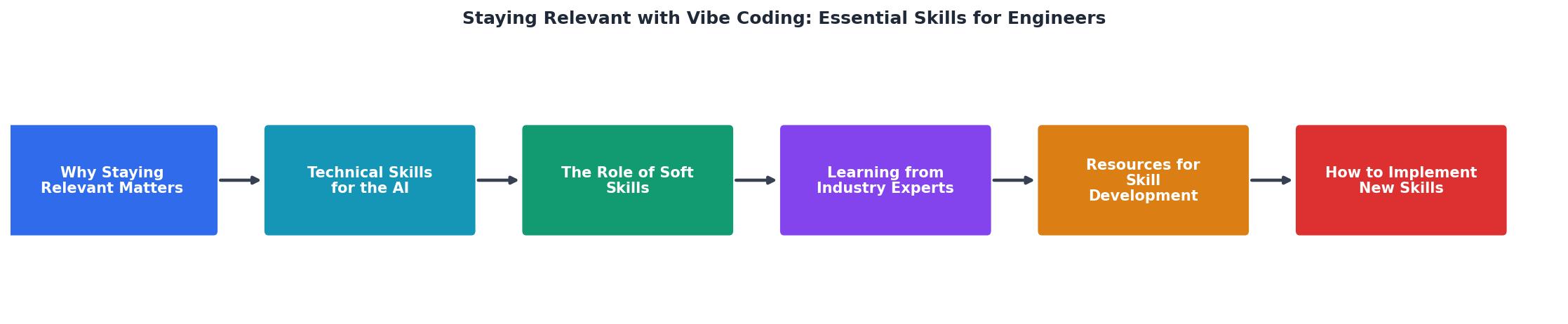
A vague intention to "learn AI stuff" produces nothing. You need a concrete plan with deadlines and measurable outcomes. Here is a step-by-step process that follows the diagram above:
- Audit current skills. List what you already know about AI tools, code review, automation, and system design. Be honest about gaps.
- Identify target skills. Pick 2-3 skills from the list above that would have the highest impact on your current role.
- Set weekly goals. Allocate specific hours. "Learn prompt engineering" is not a goal. "Complete Module 3 of the Cursor course and apply it to the auth service refactor" is a goal.
- Practice on real work. Side projects are fine for exploration, but skills stick when you apply them to production code with real constraints.
- Review and adjust. Every month, assess what is working. Drop what is not. Add new targets as you close gaps.
| Old Approach | AI-Era Approach |
|---|---|
| Learn one language deeply | Learn to evaluate AI output in any language |
| Write all code manually | Write prompts, review generated code, fix gaps |
| Annual training budget | Weekly learning habit |
| Specialize in one stack | Understand patterns across stacks |
| Measure lines of code | Measure shipped outcomes and bug rates |
Future-Proofing Your Career
The engineers who will thrive in 2027 and beyond share three traits:
- They treat AI as a junior pair programmer. Useful, fast, but needs supervision. They never ship AI output without review.
- They invest in judgment. Architecture decisions, security analysis, performance trade-offs, and user experience considerations are all areas where human judgment remains irreplaceable.
- They build systems, not just features. Automation, CI/CD pipelines, monitoring, and team processes compound over time. AI makes individual tasks faster; systems thinking makes entire teams faster.
The gap between engineers who have a structured plan and those who are "figuring it out as they go" is widening. A formal upskilling plan does not need to be complex. It needs to exist, and you need to follow it.
Your Personal Upskilling Plan
Use this checklist to build your own plan. Print it, pin it to your monitor, and revisit it monthly.
Personal AI Upskilling Plan
Your progress is saved automatically in your browser.
FAQ
Frequently Asked Questions
What skill are you investing in this quarter to stay ahead of the AI curve? Share your upskilling plan or the one tool that changed your workflow the most.
Additional Resources
- Staying Relevant as Software Developers in the Age of AI ... - A vibe coder will be guided and prompted with options. Coding agents will quickly generate images as previews and help a vibe coder sort out an ...
- Why You Need to Learn to Vibe-Code for Your Job - You're right—“vibe-coding” isn't about being a perfect engineer, it's about knowing enough to hack things together, test ideas, and automate ...
- Vibe engineering - Good version control habits. Being able to undo mistakes and understand when and how something was changed is even more important when a coding ...