

You built something with AI in an afternoon. It works on your machine. Then you try to add a second feature and the whole thing collapses into errors you cannot parse. The problem is not the AI or your lack of a CS degree. The problem is your workflow: you are treating AI like a magic wand instead of a tool that fits into a repeatable process.
Photo by Jakub Zerdzicki from Pexels
TL;DR:- Vibe coding means describing what you want in plain language and letting AI generate the code, but doing it inside a structured workflow keeps things from falling apart.
- Beginners who integrate AI tools step-by-step (not all at once) cut their debugging time dramatically and ship features faster.
- The biggest beginner mistake is skipping review entirely. A lightweight checklist after every AI generation catches the errors that snowball later.
What is vibe coding?
Vibe coding is the practice of building software by describing your intent in natural language and letting an AI assistant produce the code. You guide the direction. The AI handles syntax, boilerplate, and implementation details. Tools like Cursor, GitHub Copilot, Claude, Lovable, and v0 make this accessible to anyone who can describe what they want clearly.
The term caught on because it captures the feeling: you focus on the vibe of what you are building rather than memorizing language-specific APIs. But "vibes" alone do not ship reliable products. The difference between a weekend prototype and a product people pay for is the workflow wrapped around those vibes.
That number is not random. Most beginners who skip a structured process report spending the majority of their building time fixing cascading errors rather than adding features. A workflow changes that ratio.
Why workflows matter for beginners

A workflow is just a sequence of steps you follow every time you build something. Without one, each session with an AI tool starts from scratch. You forget what you tried, you duplicate effort, and you lose context.
Here is what a streamlined vibe coding workflow gives you:
- Predictable output - Same process, consistent quality. You stop guessing.
- Faster debugging - When something breaks, you know which step introduced the problem.
- Confidence to ship - You reviewed the output. You tested the edges. You can push to production without that sinking feeling.
Structured workflows reduce abandonment. When you know your next step, you keep moving forward instead of staring at a wall of red error messages.
How to integrate AI tools step by step
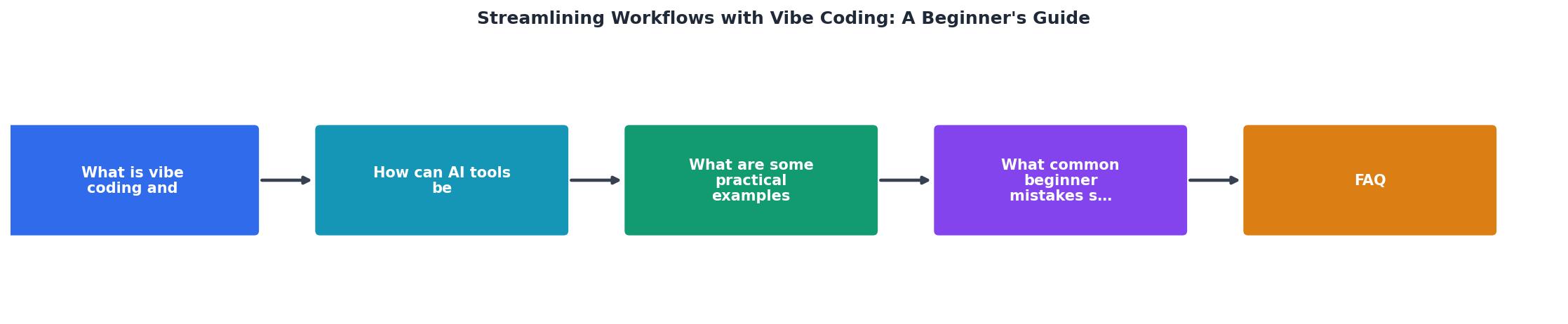
The diagram above shows the core loop. Here is how each step works in practice:
1. Define the task
Write a clear, specific prompt. "Build me a dashboard" is vague. "Create a single-page dashboard that shows three metrics: total users, active sessions, and revenue this month, using a card layout" gives the AI something concrete to work with.
2. Generate with AI
Use your tool of choice. Cursor and GitHub Copilot work inside your editor. Claude and ChatGPT work in a browser. Lovable and v0 generate full UI components from descriptions. Pick one tool and learn it well before adding others.
3. Review the output
Read what the AI produced. Every line. This is where beginners skip ahead and pay for it later. Look for:- Hardcoded values that should be variables
- Missing error handling
- Dependencies you did not ask for
- Logic that does not match your intent
4. Test manually
Run the code. Click every button. Enter bad data. Resize the window. Spend five minutes trying to break it before you call it done.
5. Commit and document
Save your work with a clear commit message. Add a one-line comment explaining what this piece does. Future-you will thank present-you.
"Most of us silently accept tool limitations as "the way it is." Vibe coding flips that: If the tool can't show you the view you need, you can build it.">, Vibe Coding: the fastest way to make your own software
This quote captures the mindset shift. You are not limited to what exists. You describe what you need and build it.
Practical workflow optimizations

Once you have the basic loop down, these specific optimizations make a real difference:
Prompt templates. Create reusable prompt templates for tasks you repeat. A template for "add a new API endpoint" or "create a form with validation" saves you from rewriting context every time. Store them in a simple text file in your project folder.
Context windows. AI tools have limited memory. When your conversation gets long, start a new one and paste in only the relevant code. Cursor handles this well with its @file references. Claude works best when you paste the specific function you want changed, not the entire codebase.
Incremental building. Build one small feature at a time. Generate it, review it, test it, commit it. Then move to the next. This is the single biggest workflow improvement for beginners. Large prompts asking for entire applications produce code that is harder to debug and harder to understand.
Version control from day one. Use Git even if you are working alone. Every commit is a save point you can return to. When the AI generates something that breaks your app, git checkout . brings you back to the last working state in seconds.
| Unstructured Approach | Streamlined Workflow |
|---|---|
| One giant prompt for the whole app | Small, focused prompts per feature |
| No review before moving on | Read every line of AI output |
| No version control | Git commit after each working feature |
| Debug for hours when things break | Roll back to last commit, try again |
| Context lost between sessions | Prompt templates and session notes |
Here is an example dashboard showing what a typical beginner's workflow metrics look like before and after adopting a structured approach:
Beginner Workflow: Before vs. After
Common beginner mistakes to avoid
Every beginner hits the same walls. Knowing them in advance saves you days of frustration.
Trusting AI output blindly. The AI generates plausible-looking code that compiles and runs. That does not mean it is correct. It might use deprecated APIs, introduce security holes, or implement logic that works for the happy path but crashes on edge cases. Always review.
Prompting too broadly. "Build me a SaaS app" is not a prompt. It is a wish. Break your project into pieces no larger than a single function or component. The smaller the prompt, the better the output.
Ignoring error messages. When the AI-generated code throws an error, do not just paste the error back and say "fix it" five times in a row. Read the error. Understand what it says. Then give the AI specific context: "This function throws a TypeError on line 12 because user is undefined when no one is logged in. Add a null check."
Skipping version control. I mentioned this above, but it deserves repeating. One bad AI generation without Git means you are manually undoing changes across multiple files. With Git, it is a single command.
Adding tools too fast. Cursor, Copilot, Claude, v0, Lovable, Bolt, Replit Agent. Pick one. Learn its strengths and limits. Add a second tool only when you hit a specific limitation the first tool cannot handle.
Beginners who switch from vague prompts to structured, specific prompts report resolving issues roughly three times faster. The AI performs better when you give it better input.
Beginner's Vibe Coding Workflow Checklist
Your progress is saved automatically in your browser.
FAQ
Frequently Asked Questions
Additional Resources
- The Beginner's Guide to Vibe Coding - Vibe coding isn't just about vibes. Be detailed with your prompts, and the AI-generated prompt will come packed with way more details than you'd ...
- Vibe Coding Made Simple - A Beginner's Guide - Simplify your coding workflow with AI-driven tools and vibe coding techniques. Learn how to use Lovable, Windsurf, and Cursor. Streamline documentation and ...
- Vibe Coding: the fastest way to make your own software - 1) Identify the limitation · 2) Ask whether the platform can even support what you want · 3) Ask for a Lovable prompt that builds the missing view.