
One developer on your team ships a feature in two hours using Cursor. Another spends a full day rewriting the AI output because it ignored your architecture conventions. A third commits AI-generated code with zero tests and a hardcoded API key. The productivity gap between teams that have standardized their AI-assisted workflows and those that let every developer freestyle is growing fast, and it shows up in bug counts, review cycles, and deployment frequency.
Photo by cottonbro studio from Pexels
TL;DR:- Teams that standardize prompt patterns, review gates, and context-sharing for AI-assisted development see measurable gains in throughput and consistency.
- Leadership sets the tone: define guardrails, invest in shared prompt libraries, and treat AI output like junior-developer code that always needs review.
- Quality control in vibe coding requires explicit checklists, automated linting of AI output, and a culture where "the AI wrote it" is never an excuse to skip review.
Why vibe coding changes team dynamics
Individual vibe coding is straightforward: you describe what you want, the AI generates code, you iterate. Scale that to a team of eight, and the complexity multiplies. Each developer brings different prompting habits, different assumptions about architecture, and different thresholds for "good enough." Without shared standards, AI-assisted development creates divergence instead of speed.
The core shift is this: vibe coding moves the bottleneck from writing code to reviewing, integrating, and maintaining code. A team that optimizes only for generation speed will drown in inconsistent output. A team that builds shared workflows around AI generation, review, and integration captures the real productivity gains.
Teams without explicit AI coding standards report spending significantly more time in code review, because reviewers cannot predict the style, structure, or quality of AI-generated output. That overhead erases the speed gains from generation.
Standards for AI-assisted development

Establishing AI-assisted development standards is not about restricting how developers use tools. It is about creating a shared language and shared expectations so that AI-generated code integrates cleanly into your existing codebase.
Here is what works in practice:
- Shared prompt templates. Create a team repository of prompt templates for common tasks: new API endpoints, database migrations, test suites, refactoring patterns. When everyone starts from the same prompt structure, the output converges toward your conventions.
- Context files. Maintain a
.cursor-rulesor equivalent context file in every repository. This file tells the AI about your stack, naming conventions, error handling patterns, and forbidden practices. Update it during sprint retrospectives.
- Generation-review separation. The developer who generates AI code should not be the only reviewer. Treat AI output like a pull request from a new contractor: it might be brilliant, it might have subtle issues, and it always needs a second pair of eyes.
- Prompt logging. Require developers to include the prompt (or a summary) in PR descriptions when AI generated significant portions of the code. This helps reviewers understand intent and catch cases where the AI misunderstood the requirement.
- Banned patterns list. Maintain a living document of patterns the AI tends to generate that violate your standards. Common examples:
anytypes in TypeScript, raw SQL without parameterization, missing error boundaries in React components.
Leadership's role in adoption
Engineering leads and CTOs set the ceiling for how well vibe coding works across a team. If leadership treats AI tools as individual productivity hacks, adoption stays fragmented. If leadership treats them as a team capability that needs infrastructure, the results compound.
Three concrete actions for leaders:
Allocate time for prompt engineering. Developers need dedicated time to build and refine prompt templates, context files, and review checklists. This is infrastructure work, not a side project. Budget 10-15% of the first quarter for this setup.
Define the review contract. Spell out what "reviewed" means for AI-generated code. Does it need the same test coverage as hand-written code? (Yes.) Does it need architecture review for anything touching data models? (Probably.) Write it down. Put it in your engineering handbook.
Model the behavior. When you use AI tools in your own work, share your prompts, your iterations, and your failures. Teams adopt practices they see leadership using, not practices they read in a policy document.
"Can you review for breadth and clarity and think of a few ways it could be improved, if necessary.">, A Structured Workflow for "Vibe Coding" Full
This kind of iterative review prompt, applied to your own team's output, builds a culture where AI is a collaborator that gets directed, not a black box that gets trusted blindly.
Common integration challenges
Every team hits friction when integrating vibe coding into existing workflows. The problems are predictable, and so are the solutions.
Challenge 1: Style drift. AI-generated code slowly diverges from your conventions, especially when developers use different models or tools. Solution: Enforce linting and formatting in CI. Run eslint, prettier, ruff, or your language's equivalent on every commit. Automated formatting catches 80% of style drift before review.
Challenge 2: Over-reliance. Some developers stop thinking critically and accept AI output without scrutiny. Solution: Require test-first workflows for complex features. If the developer writes the test first, the AI output has a concrete correctness bar to meet.
Challenge 3: Context loss. AI tools lose context across sessions, leading to inconsistent implementations of the same pattern. Solution: Use project-level context files and reference architecture decision records (ADRs) in prompts. Point the AI at your existing implementations: "Follow the pattern in src/services/auth.ts."
Challenge 4: Security gaps. AI models generate code with known vulnerability patterns: hardcoded secrets, missing input validation, overly permissive CORS. Solution: Add security-focused static analysis to your CI pipeline. Tools like semgrep, snyk, or trivy catch common AI-generated security issues automatically.
Challenge 5: Knowledge silos. One developer becomes the "AI whisperer" and everyone else falls behind. Solution: Rotate prompt-engineering responsibilities. Pair developers on AI-assisted tasks. Share effective prompts in a team Slack channel or wiki.
The following diagram shows how these elements fit into a team workflow:
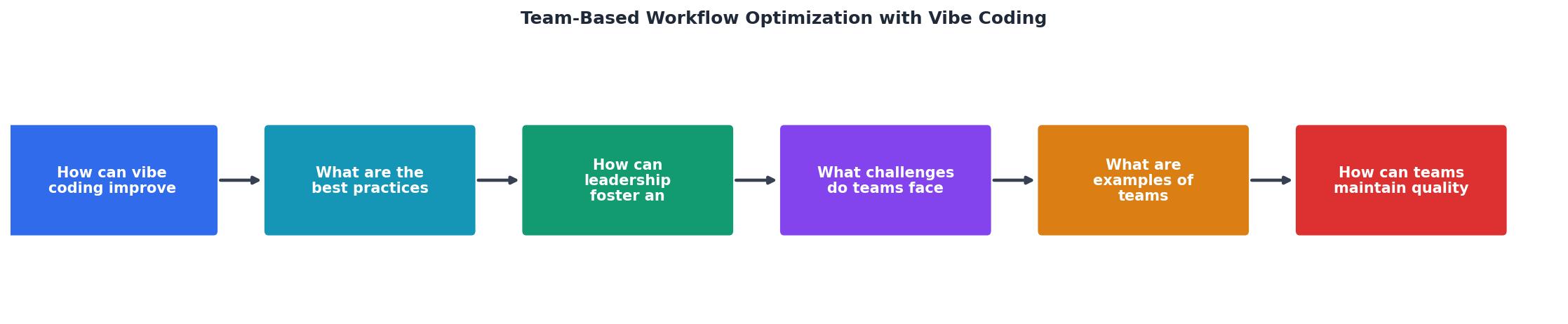
The flow moves from Define Task through Prompt with Context, Generate Code, Automated Checks, Peer Review, and finally Merge & Deploy. Each gate catches different categories of issues, and the feedback loops between stages keep the AI output converging toward your standards.
Teams using vibe coding effectively
Backend platform team at a fintech startup (12 engineers). They created a shared prompt library with 40+ templates covering their Go microservices architecture. Every template includes their error handling pattern, logging conventions, and test structure. New engineers onboard faster because the AI generates code that already matches team conventions. Their PR review time dropped after standardizing prompts.
Frontend team at a SaaS company (6 engineers). They use Cursor with a detailed .cursor-rules file that specifies their React component structure, state management patterns (Zustand), and accessibility requirements. Every AI-generated component includes ARIA labels and keyboard navigation because the context file demands it. Their accessibility audit scores improved within two months.
Solo technical founder scaling to a team of 3. Started with personal vibe coding habits, then documented them as the team grew. Created a "prompt playbook" in Notion with examples of good and bad prompts for their Next.js + Supabase stack. The playbook became the team's most-referenced document. The Vibe Coding Bible at vibecodingbible.org covers this exact transition from solo to team-scale AI workflows in depth.
Quality control in AI workflows

Quality control in AI-assisted development requires more structure, not less. The speed of generation creates a volume problem: more code produced per day means more code to verify per day.
Build quality gates into three layers:
Layer 1: Generation-time constraints. Context files, prompt templates, and banned-pattern lists prevent bad code from being generated in the first place. This is your cheapest quality gate.
Layer 2: Automated verification. CI pipelines run linting, type checking, security scanning, and test suites on every commit. Configure these to be strict. If the AI generates code that fails type checking, the developer fixes it before requesting review.
Layer 3: Human review. Reviewers focus on architecture decisions, business logic correctness, and edge cases that automated tools miss. With layers 1 and 2 handling style and basic correctness, reviewers spend their time on higher-value concerns.
| Without AI Standards | With AI Standards |
|---|---|
| Inconsistent code style | Uniform conventions |
| Security gaps in AI output | Automated security scanning |
| Long review cycles | Focused, efficient reviews |
| Knowledge silos | Shared prompt libraries |
| Unpredictable quality | Layered quality gates |
Here is an example dashboard showing how a typical team might track their AI workflow metrics after implementing standards:
Team AI Workflow Metrics (Example)
Team Vibe Coding Guidelines Template
Your progress is saved automatically in your browser.
FAQ
Frequently Asked Questions
Additional Resources
- A Structured Workflow for "Vibe Coding" Full-Stack Apps - Step 1: Laying the Foundation · Step 2: Getting the Most Out of Your AI Assistant · Step 3: Defining the "What" and the "How" (PRD & Plan) · Step 4 ...
- “Vibe Coding” for Developers: My Journey and Use Cases - Vibe coding tends to optimize for immediate gratification rather than long-term growth, resulting in architectural decisions that become ...
- Vibe Coding in Product Teams: Reconfiguring AI-Assisted ... - Generative AI is reshaping product design practices through “vibe coding”, where product team members express intent in natural language and AI translates ...