

You've built something with AI and it works. But now the question hits: will it keep working? The gap between a working prototype and shipping code is where most indie builders get stuck. This guide walks you through the decisions, patterns, and tooling that separate vibe-coded experiments from production software.
Photo by Andrea Piacquadio from Pexels
TL;DR:- Vibe coding works for speed, but production requires structure: testing, error handling, logging, and monitoring.
- Start with a simple deployment checklist before you scale. Don't skip the unglamorous parts.
- Use templates and frameworks to enforce discipline without slowing you down.
- Hire or pair with someone who knows the boring parts. It's worth it.
- Plan for failure modes before they happen, database crashes, API limits, auth bugs.
Why This Matters Right Now
Three quarters of AI-assisted projects fail within the first year. Not because the code doesn't run initially, but because nobody planned for what happens when it does. You built fast. Your user base grows. Then your database fills up, your API rate limits get hit, or a bug that worked around one edge case becomes a customer-facing disaster.
The difference between you and the developers who ship reliably isn't talent. It's discipline about the invisible parts: how errors get logged, how you know something broke, where your data lives, and what happens when your third-party API goes down.
you Smykowski built software professionally. He watched teams fail because they shipped first and architected never. He also watched solo builders move fast with AI but hit walls because they didn't know where those walls were. This guide is his practical blueprint for building with speed and keeping the lights on.
Common Mistakes Indie Builders Make

The AI wrote your core feature in an afternoon. You tested it locally, it worked, and you shipped. Three weeks later, 200 users are on the platform and three things broke simultaneously: your database is slow, you have no idea what's failing in production, and you can't roll back because you don't know which version is running.
These aren't hypotheticals. This is Tuesday for most indie AI builders.
Mistake 1: No logging. You don't know what's happening in production because you never built visibility. The AI generates functions that work, but without logs you're blind. When a customer reports a bug, you're guessing.
Mistake 2: Brittle external dependencies. Your app calls an API, a database, or a third-party service. You never tested what happens when that service is slow or down. Your product goes dark when Stripe hiccups or your database connection times out.
Mistake 3: No error boundaries. The AI code assumes the happy path. A user sends unexpected input, a network call fails, or a calculation overflows, and your entire app crashes instead of gracefully handling the problem.
Mistake 4: Database without strategy. You're storing data, but you never thought about backups, migrations, or queries that will take 30 seconds when you have a million rows. Schema changes become nightmares.
Mistake 5: No monitoring or alerting. You find out your site is down because a customer tweets about it. You should have known 10 minutes ago.
Mistake 6: Secrets in source code. API keys, database credentials, and auth tokens are hardcoded or committed to git. A contractor, a data breach, or a public repository leak exposes everything.
These aren't edge cases. They're the edges where most indie projects fall off the cliff.
Step-by-Step: Building for Production

Production readiness isn't a single thing. It's a sequence of small, boring decisions. Do them early or pay for them later.
1. Set up logging and observability
Your code needs to talk to you. Not crash messages. Actual structured logs that let you search, filter, and understand what happened.
Use a proper logging library. Not console.log(). If you're building in Node, use winston or pino. For Python, use the logging module with structured output. For Go, try logrus or zap.
- Errors and exceptions (always with stack traces and context)
- Key business events (user signup, payment received, data sync)
- Performance metrics (how long did that database query take?)
2. Build error handling, not just error ignoring
When something goes wrong, your app should:- Catch the error (don't let it crash)
- Log it with full context (what input triggered it? what was the user doing?)
- Return a graceful response to the user (not a 500 blank page)
- Alert you if it's critical
try {
  const result = await processPayment(userId, amount);
  logger.info('Payment processed', { userId, amount, result });
} catch (error) {
  logger.error('Payment failed', { userId, amount, error: error.message, stack: error.stack });
  if (error.code === 'RATE_LIMITED') {
    return res.status(429).json({ error: 'Too many requests, try again later' });
  }
  return res.status(500).json({ error: 'Payment processing failed. We've been notified.' });
}
The user sees a sensible message. You see the actual error in your logs. You can find the pattern and fix it.
3. Separate configuration from code
Hardcoding database credentials, API keys, and feature flags is a security debt and an ops nightmare.
Use environment variables. In production, set them via your hosting platform (Vercel, Railway, Fly.io). Locally, use a .env file (never commit it).
// Good
const dbUrl = process.env.DATABASE_URL;
const apiKey = process.env.STRIPE_API_KEY;
const env = process.env.NODE_ENV || 'development';

// Bad
const dbUrl = 'postgres://user:password@prod-server.com/db';
Keep secrets out of git entirely. Most platforms will alert you if you try to commit a key. Still, be paranoid. Use a tool like git-secrets to catch it before you push.
4. Test the unhappy path
The AI gave you code that works when everything goes right. You need to test what breaks.
Write tests for:- Database connection failures
- Third-party API timeouts
- Malformed user input
- Authentication failures
- Rate limiting
describe('Payment processing', () => {
  it('should handle Stripe API timeout gracefully', async () => {
    // Mock Stripe to timeout
    stripe.charges.create = jest.fn().mockRejectedValue(new Error('ETIMEDOUT'));

    const result = await processPayment(userId, 100);
    expect(result.success).toBe(false);
    expect(result.error).toBe('Payment processor unreachable. Try again in 30 seconds.');
  });
});
When Stripe actually times out, your code won't panic.
5. Plan your database
If you're storing more than a few kilobytes of data, you need a real database strategy.
Decide:- Where does it live? Managed service (Postgres on Railway, MongoDB Atlas) or self-hosted? Managed is worth it for a solo founder, you don't want to manage backups.
- How do you backup? Daily automated backups to separate storage. Test restoring from a backup once.
- How do you migrate schema? Write migrations, not manual SQL. When you change your schema, the code change includes the database change. Tools like Flyway, Alembic, or db-migrate handle this.
- How do you scale queries? Add indexes on columns you query. Monitor slow queries. Optimize later, not now.
6. Deploy with safety
You need to know what's running where, and you need to be able to roll back if something breaks.
- Version your code. Use git tags or releases. Know which commit is running in production.
- Use environment-specific builds. Your production code is different from your staging code (different database, API keys, domain).
- Deploy to staging first. Test it there before you release to customers.
- Use health checks. Your hosting platform should know if your app is down and can restart it.
- Plan rollback. If you deploy bad code, you should be able to go back to the previous version in seconds.
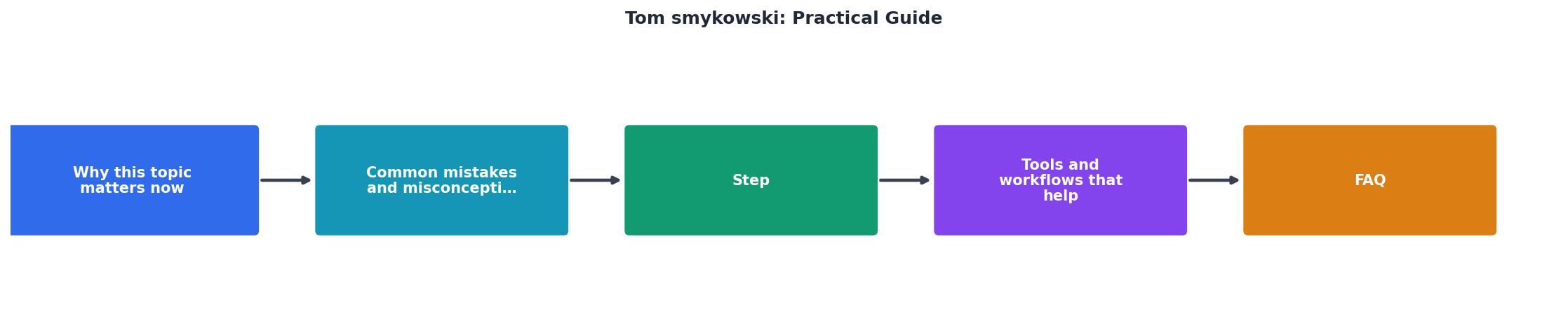
Tools and Workflows That Protect You

You don't need many tools. You need the right ones used consistently.
Logging and monitoring: Datadog (full-featured, pricey), LogRocket (frontend-focused), or simple structured logs to S3 and CloudWatch (cheap). Start free. Upgrade when you have revenue.
Database: Postgres via Railway, Fly.io, or AWS RDS. If you're using Python/Node and want something simpler, consider Supabase (Postgres with REST API). Don't use SQLite in production unless you're truly solo and never migrating.
Deployment: Vercel (for Next.js), Railway, Fly.io, or Render. Not your own server. You'll spend 40 hours managing it for every hour you'd spend coding.
Error tracking: Sentry. When exceptions happen, Sentry catches them and alerts you with a stack trace and context. Worth every dollar.
Infrastructure as code: Terraform or your platform's config files. Document how your production environment is built so you can rebuild it or share it with a co-founder.
Testing: Jest (Node), pytest (Python), or your language's standard library. Keep it simple. You want to run tests in 10 seconds or you won't run them.
Key Takeaway
Production Readiness Status
This interactive card shows where most indie builders stand: the basics are often in place, but monitoring and rollback strategies lag behind. Start with the unchecked items.
Practical Workflow: What a Shipping Week Looks Like
Monday, you ship a new feature. Tuesday, you deploy it to staging and run your test suite. Wednesday, you check logs and error rates for 30 minutes. Thursday, you deploy to production using your platform's built-in deployment tools. Friday, you monitor for issues and have a rollback plan ready.
That's it. It's not glamorous. It's not what the AI speeds up. But it's what keeps your users happy and your product alive.
The AI is fantastic at building features. You are responsible for keeping them running.
Following these practices, you can reliably hit 99%+ uptime. The industry standard for SaaS. Not because you're magical, but because you're not surprised by basic failure modes.
Production Readiness Checklist
Your progress is saved automatically in your browser.
FAQ
Frequently Asked Questions
The difference between a hobby project and a real product is invisible. Nobody sees your error handling or your monitoring until something breaks. That's exactly why you need them. Build the parts that don't matter until they do, do it early, and spend the rest of your time on the features your customers see.
Additional Resources
- Tom Smykowski: Books - Software Engineering For Vibe Coders: A Practical Guide to Turning AI-Generated Code into Production-Ready SaaS · by Tom Smykowski.
- Software Engineering For Vibe Coders: A Practical Guide ... - Software Engineering For Vibe Coders: A Practical Guide to Turning AI-Generated Code into Production-Ready SaaS - Softcover. Smykowski, Tom. 9788393351657 ...
- Software Engineering For Vibe Coders a book by Tom Smykowski - A Practical Guide to Turning AI-Generated Code into Production-Ready SaaS. Tom Smykowski. (Author). Book icon. Paperback. $49.00. Available · Book icon. Ebook.