

You shipped a working app in a weekend using AI. The demo looks great, users are signing up, and then someone dumps your entire database because the AI left an unprotected API endpoint wide open. This is not a hypothetical scenario. It happens every week to vibe-coded apps that skipped security basics. This checklist gives you a concrete, step-by-step way to lock down your production app before that happens to you.
TL;DR:- AI-generated code ships fast but frequently contains exploitable vulnerabilities like SQL injection, broken auth, and exposed secrets.
- A structured security checklist catches the most common flaws before they reach production.
- You do not need a security degree to apply these steps. You need a repeatable process and the right tools.
The security gap in AI-generated code
Speed is the whole point of vibe coding. You describe what you want, the AI writes it, and you ship. But that speed creates a blind spot. AI models optimize for "code that works," not "code that is secure." They pull patterns from training data that includes millions of insecure examples right alongside the good ones.
That number is not a guess. Researchers tested thousands of AI-generated programs and found a consistent pattern: the code compiles, it runs, it passes basic tests, and it contains security holes that an attacker can find in minutes.
"Academic researchers who tested 1,689 AI-generated programs found that roughly 40% contained exploitable vulnerabilities, many mapping to the CWE Top 25.">, Vibe Coding Security: Risks and Tools
If you are building something that handles user data, processes payments, or stores anything sensitive, ignoring this reality is not an option.
Common mistakes that get apps hacked

Most security failures in vibe-coded apps fall into a handful of categories. Knowing them saves you from learning the hard way.
Hardcoded secrets
AI assistants love to put API keys, database passwords, and JWT secrets directly into source files. They do this because it makes the code "work" immediately. The moment you push that to a public GitHub repo, bots scrape it within seconds. AWS keys exposed this way have led to five-figure cloud bills overnight.
Missing input validation
SQL injection and cross-site scripting (XSS) remain the top two web vulnerabilities for a reason. AI-generated code often trusts user input completely. A form field that accepts a name also accepts '; DROP TABLE users;-- if nobody validates it.
Broken authentication
The AI might scaffold a login system that stores passwords in plain text, skips rate limiting, or uses predictable session tokens. Each of these is a direct path to account takeover.
Overly permissive CORS and API access
AI-generated backends frequently set Access-Control-Allow-Origin: and expose every route without authentication checks. This turns your API into a public buffet for anyone with curl.
No dependency auditing
Your AI assistant picks npm packages, pip libraries, or Go modules based on popularity in its training data. Some of those packages have known CVEs. Without running npm audit or pip-audit, you inherit every vulnerability in your dependency tree.
Step-by-step security process

Here is the process that catches the majority of security issues before they reach production. Each step is something you can do today, without hiring a penetration tester.
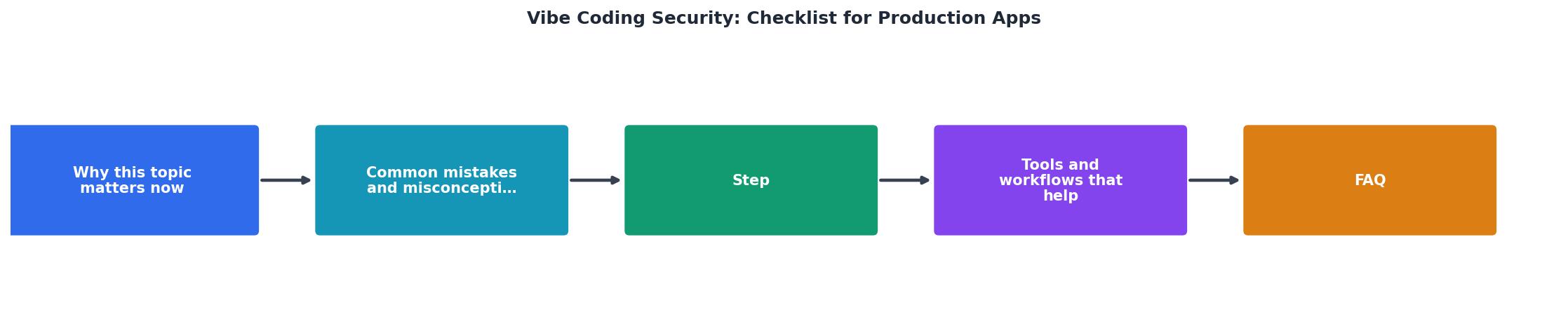
The diagram breaks the process into five stages: Scan Secrets, Validate Inputs, Lock Auth, Audit Deps, and Test Routes. Work through them in order.
1. Scan for secrets
Run a secret scanner across your entire codebase before every deploy. Tools like gitleaks, truffleHog, or GitHub's built-in secret scanning catch API keys, tokens, and passwords that slipped into your source.
Move every secret to environment variables or a secrets manager like AWS Secrets Manager, Doppler, or even a .env file that is properly .gitignored.
2. Validate every input
Add server-side validation to every endpoint that accepts user data. Libraries like Zod (TypeScript), Pydantic (Python), or joi (Node.js) make this straightforward. Define the shape of expected input, reject everything else.
Never rely on client-side validation alone. An attacker bypasses your frontend in one line of JavaScript.
3. Lock down authentication
- Hash passwords with bcrypt or argon2. Never MD5, never SHA-256 without salt.
- Add rate limiting to login endpoints. Five failed attempts, then a cooldown.
- Use HTTP-only, secure cookies for session tokens. Not localStorage.
- Implement CSRF protection on every state-changing request.
4. Audit dependencies
Run npm audit, pip-audit, or cargo audit as part of your CI pipeline. Tools like Snyk and Dependabot automate this and open PRs when fixes are available.
Remove unused dependencies. Every package you do not need is attack surface you do not need.
5. Test your routes
Use a tool like OWASP ZAP or Burp Suite Community Edition to crawl your app and flag common vulnerabilities. Even a basic scan catches open redirects, missing security headers, and exposed debug endpoints.
Manually test your API with unauthenticated requests. If you can access /admin, /api/users, or /debug without a valid token, fix it immediately.
Tools and workflows that help

You do not need to memorize every vulnerability class. The right tools automate the boring parts so you can focus on building.
The following dashboard shows a realistic snapshot of what a security scan looks like for a typical vibe-coded app before and after applying this checklist.
Security Scan: Before vs. After Checklist
| Manual Security Review | Automated + Checklist Approach |
|---|---|
| Hours per deploy | Minutes per deploy |
| Relies on memory | Repeatable every time |
| Misses dependency CVEs | Catches them automatically |
| Skips secret scanning | Runs on every commit |
| No baseline metrics | Tracks improvement over time |
Here is a quick stack that covers the essentials:
- Secret scanning: gitleaks (free, runs in CI)
- Dependency auditing: Snyk or Dependabot (free tier available)
- Input validation: Zod, Pydantic, or joi (language-specific)
- Vulnerability scanning: OWASP ZAP (free, open source)
- Security headers: helmet.js (Express), django-security-middleware, or Cloudflare settings
- Auth framework: NextAuth.js, Supabase Auth, or Auth0 (avoid rolling your own)
npm audit --audit-level=high or equivalent to your CI pipeline as a blocking step. If it fails, the deploy stops. This single change prevents most dependency-related vulnerabilities from reaching production.The production security checklist
This is the checklist you print, pin to your monitor, and run through before every deploy. Each item takes minutes, not hours.
Vibe Coding Security Checklist for Production Apps
Your progress is saved automatically in your browser.
The Vibe Coding Bible at vibecodingbible.org covers each of these items in depth, with code examples for multiple frameworks and languages. If you want the full playbook for shipping AI-built apps that hold up under real traffic and real attackers, it is worth the read.
FAQ
Frequently Asked Questions
What is the first security issue you found in your own AI-generated code? Share it below so others can learn from the same mistake.
Additional Resources
- Vibe Coding Security: Risks and Vulnerabilities - This guide covers vibe coding security in practical terms. We break down the biggest risks, share a checklist your team can put to work this ...
- The Production Checklist for Shipping Vibe-Coded Apps - Safe vibe coding starts before launch. This vibe coding security checklist covers auth, secrets, injection, and dependencies - plus the fast path in Retool.
- CISO Vibe Coding Checklist: Securing AI-Built Apps - A practical security checklist for CISOs managing AI and vibe-coded applications. Covers technical guardrails, AI controls, ...