
A marketing executive builds an internal tool used nearly a million times. A designer ships a SaaS product in a weekend. A real estate agent launches a client portal without writing a single line of code by hand. These are not hypothetical scenarios from a pitch deck. They are real outcomes from people who picked up AI coding tools and started building, despite having zero formal engineering training.
TL;DR:- Non-engineers are shipping real, production-used apps by describing what they want to AI tools like Cursor, Claude, Lovable, and v0.
- Common success patterns include starting small, iterating with AI feedback loops, and layering in basic engineering practices early.
- The biggest hurdle is the "80% wall" where the app works until it breaks, but structured approaches and resources like the Vibe Coding Bible help bridge that gap.
What vibe coding actually means
Vibe coding is building software by describing what you want in natural language and letting AI generate the code. You guide the direction. The AI handles syntax, structure, and implementation details. The term caught fire in early 2025 after Andrej Karpathy described his own workflow of "fully giving in to the vibes" when coding with large language models.
For non-engineers, this changes everything. The barrier to building software used to be years of learning programming languages, frameworks, and deployment pipelines. Now the barrier is having a clear idea and the patience to iterate on prompts. Tools like Cursor, Claude, GitHub Copilot, Lovable, and v0 turn plain English descriptions into working applications.
That does not mean vibe coding is effortless. It means the effort shifts from memorizing syntax to understanding what you are building and why. And that shift opens the door to people who have deep domain expertise but no engineering background.
Real people, real apps
The most compelling evidence that vibe coding works comes from people who have actually shipped. Here are profiles that show the range of what non-engineers are building.
The SaaS founder who vibe coded 10+ apps
Jason Lemkin, founder of SaaStr and decidedly not a software engineer, used vibe coding to build over ten internal and public-facing applications. One of them, an AI-driven marketing operations tool, now handles almost all of SaaStr's marketing workflows.
"The first is our AI VP of Marketing "10K", an internal tool that now runs almost all of SaaStr's marketing operations.">, I Vibe Coded 10+ Apps Used Almost a Million Times. Then I Had To Stop for 90 Day
These apps were used nearly a million times combined. Lemkin built them using AI assistants, iterating on prompts, testing outputs, and refining until the tools did what his team needed. No engineering hire. No six-month development cycle.
The designer who shipped a client portal
A UX designer used Lovable and v0 to build a client feedback portal for her freelance business. The app lets clients leave annotated comments on design mockups, tracks revision history, and sends automated email summaries. She went from idea to deployed app in a single weekend. Her clients now use it daily, and she charges a small monthly fee to other designers who want the same setup.
The real estate agent with a lead tracker
A real estate agent in Austin built a custom CRM using Cursor and Claude. Off-the-shelf CRMs did not match his workflow. He described his ideal lead tracking process in plain English, iterated through about 40 prompts over two evenings, and deployed a working app on Vercel. It tracks leads, schedules follow-ups, and sends SMS reminders. Total cost: $20/month for hosting and API calls.
Common strategies that work

Across dozens of non-engineer success stories, the same patterns keep appearing. These are not theoretical best practices. They are what people actually do when they ship working software with AI.
- Start with one screen. Do not describe an entire app in your first prompt. Build the login page, or the dashboard, or the data entry form. Get one piece working before expanding.
- Use conversational iteration. Treat the AI like a collaborator. Say "that button should be blue" or "add a confirmation step before deleting." Small, specific requests produce better results than massive specification documents.
- Test constantly. After every change, run the app. Click every button. Enter bad data on purpose. Non-engineers who ship successfully test obsessively.
- Copy patterns from working apps. Screenshot an app you like and describe it to the AI. "Build something that looks like this Notion page" is a legitimate prompt.
- Layer in basics early. Add authentication, input validation, and error handling before you have users. Retrofitting security is painful.
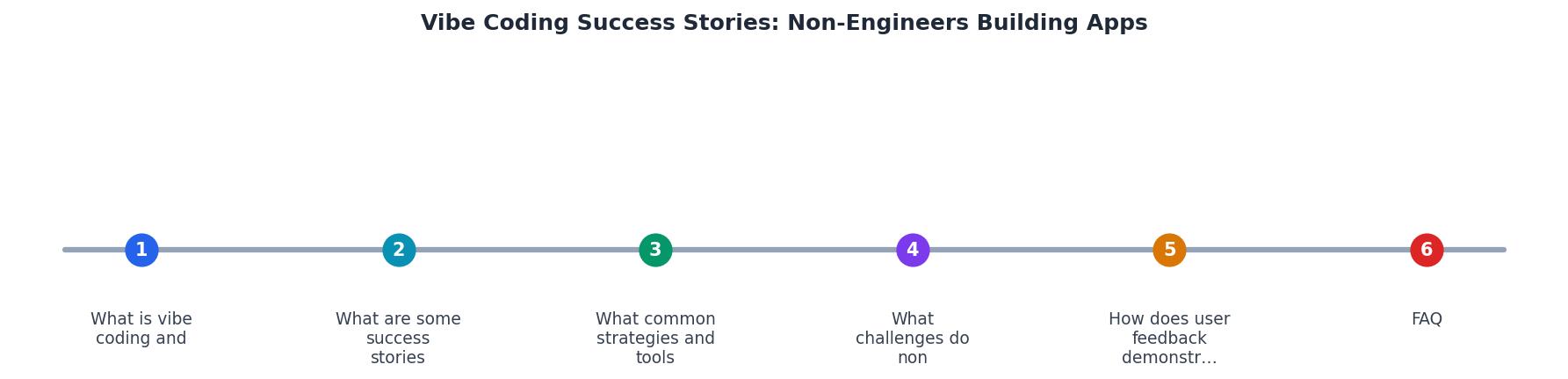
The steps in the diagram follow a loop: Describe your feature, Generate code with AI, Test the output, Refine your prompt, and Deploy when it works. Each cycle takes minutes, not days.
The tools non-engineers actually use
Not all AI coding tools are equal for non-engineers. Here is what the successful builders gravitate toward:
| Tool | Best For | Learning Curve |
|---|---|---|
| Cursor | Full app development with AI pair programming | Medium |
| Claude | Complex logic, debugging, architecture decisions | Low-Medium |
| Lovable | Rapid UI prototyping and deployment | Low |
| v0 | React component generation from descriptions | Low |
| GitHub Copilot | Code completion inside VS Code | Medium |
| Replit | Browser-based building and instant deployment | Low |
Most successful non-engineers use two or three tools together. A common stack: v0 or Lovable for initial UI generation, Cursor for deeper development, and Claude for debugging and architectural questions.
Hitting the 80% wall
Every non-engineer builder hits the same moment. The app works. It looks good. Then something breaks and the error message means nothing. This is the 80% wall, the point where AI gets you most of the way but the last stretch requires understanding what the code actually does.
Common wall-hitting scenarios:
- Database errors when two users edit the same record simultaneously
- Authentication breaks after deploying to production
- API rate limits that crash the app under real traffic
- State management bugs where the UI shows stale data
How do successful builders push through? Three approaches dominate:
- Ask the AI to explain. Paste the error into Claude or Cursor and say "explain this error like I am not a developer, then fix it." The explanation builds understanding. The fix keeps you moving.
- Use structured resources. The Vibe Coding Bible covers exactly this gap: how to handle the engineering fundamentals (security, deployment, error handling, scaling) without needing a CS degree. It is written for people who are already building with AI and need to build safely.
- Join communities. Discord servers, Reddit threads, and X communities around vibe coding tools are full of non-engineers sharing solutions to the exact problems you are facing.
Where Non-Engineers Spend Their Time
User feedback closes the loop
Apps built by non-engineers are not just functional prototypes. Many of them serve real users who provide real feedback. The designer's client portal has a 4.8/5 satisfaction rating from her clients. The SaaStr marketing tool processes thousands of operations weekly. The real estate CRM reduced the agent's follow-up response time from 24 hours to under 2 hours.
What makes these apps succeed with users is not code quality. It is domain expertise. A real estate agent knows exactly what a lead tracker needs because he lives that workflow every day. A designer knows what a feedback portal should feel like because she has used dozens of bad ones. Vibe coding lets domain experts encode their expertise directly into software without a translation layer of product specs, developer handoffs, and misunderstood requirements.
Your step-by-step starting guide
Non-Engineer's Vibe Coding Launch Checklist
Your progress is saved automatically in your browser.
FAQ
Frequently Asked Questions
Additional Resources
- I Vibe Coded 10+ Apps Used Almost a Million Times. Then I ... - Vibe coding as a non-developer is one of the most disruptive applications of AI to date. The apps Amelia and I have shipped have meaningfully changed how SaaStr ...
- Vibe-Coded Product Success Stories Ain't What They Look - CreatorHunter story is not a vibe-coded product success many AI enthusiasts want it to be. It's not remotely as rosy as it was made to look.
- How a founder built a $10M/year app business with AI tools - vibe-coding "real apps" is an accelerator for real engineers. Now 10+ apps work together instantly. One click connects everything. Zero code ...