
You have a startup idea, domain expertise, and paying customers waiting. The only thing standing between you and a launched product is the code itself. Vibe coding flips that equation by letting you describe what you want in plain English while AI writes the implementation. This article walks through exactly how non-technical founders use vibe coding to go from napkin sketch to shipped product without hiring a full engineering team first.
Photo by Tima Miroshnichenko from Pexels
TL;DR:- Vibe coding lets non-technical founders build working software by describing features in natural language to AI tools like Cursor, Claude, and Lovable.
- It cuts early-stage development time by 60-80%, letting you validate ideas before committing to a full engineering hire.
- The approach works best when paired with basic engineering guardrails for security, testing, and deployment.
What Vibe Coding Actually Means
Forget the hype for a second. Vibe coding is the practice of building software by communicating intent to AI coding assistants rather than writing every line yourself. You describe what you need: "Create a Stripe checkout page that collects email, applies a discount code, and redirects to a thank-you screen." The AI generates the code. You review, test, and iterate.
This is not drag-and-drop website building. It is not no-code in the traditional sense. You work with real codebases, real frameworks, and real deployment pipelines. The difference is that AI handles the syntax, boilerplate, and implementation details while you focus on product decisions.
For non-technical founders, this changes the math entirely. Instead of spending $30,000-$80,000 on an agency MVP or waiting six months for a technical co-founder, you can have a working prototype in days. The code is real, deployable, and modifiable. It is not locked inside a proprietary platform.
How Vibe Coding Simplifies Startup Building

Traditional startup building follows a painful sequence: find a technical co-founder, negotiate equity, wait for them to build, discover they built the wrong thing, iterate slowly. Vibe coding compresses this into a tight feedback loop where the founder stays in the driver's seat.
Here is what that looks like in practice:
- Describe the feature in plain English inside a tool like Cursor or Claude.
- Review the generated code for obvious issues (the AI explains what it wrote).
- Run it locally and test the user flow yourself.
- Iterate with follow-up prompts like "add email validation" or "make the button blue."
- Deploy using a one-click service like Vercel, Railway, or Fly.io.
"Vibe coding can get you very far, like 80 to 90% of the way there," Bhatti said.">, Vibe Coding: A Guide for Startups and Founders
That remaining 10-20% is where engineering discipline matters: security hardening, performance optimization, edge case handling. But for validating a market and getting first customers, 80-90% is more than enough.
First Steps for Non-Technical Founders

Starting with vibe coding does not require installing a dozen tools or learning terminal commands from scratch. Here is a realistic onboarding path:
Week 1: Pick one AI coding tool and build something small. Cursor (a VS Code fork with built-in AI) is the most popular choice for vibe coding. Lovable and v0 by Vercel are browser-based alternatives that require zero local setup. Build a single-page app: a landing page with an email signup form that saves to a database.
Week 2: Add a real feature. Connect Stripe for payments, add user authentication with Clerk or Supabase Auth, or build a simple dashboard. Each of these used to require days of work. With AI, you describe the integration and the tool scaffolds it.
Week 3: Deploy and get feedback. Push your app to Vercel or Railway. Share the URL with five potential customers. Their feedback tells you what to build next.
The key insight: you do not need to understand every line of code the AI writes. You need to understand what the application does, how data flows through it, and where the critical business logic lives. That is product thinking, not engineering.
Barriers That Vibe Coding Removes
The traditional barriers to launching a tech startup are well-documented:
- Technical skill gap: You need to code or find someone who can.
- High upfront cost: Agencies charge $50,000+ for an MVP.
- Slow iteration speed: Every change goes through a developer queue.
- Dependency on others: Your timeline depends on someone else's availability.
This does not mean vibe coding replaces engineers entirely. Once your product has paying customers and real traffic, you will want experienced developers handling infrastructure, security audits, and scaling. But for the zero-to-one phase, vibe coding lets you prove the business before making expensive hires.
The following diagram shows the typical vibe coding startup process from idea to launched product:
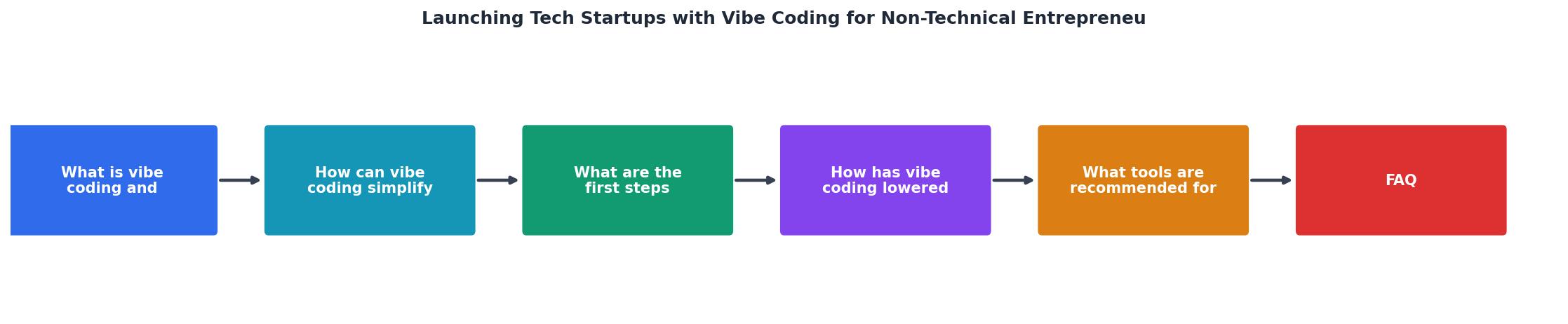
Follow the steps in order: Define Idea, Choose AI Tool, Prompt MVP, Test & Iterate, Deploy, Get User Feedback, then loop back to Prompt MVP for the next feature cycle.
Recommended Tools for Non-Tech Founders
Not every tool fits every founder. Here is a breakdown based on what you are building:
| Tool | Best For | Technical Level Required |
|---|---|---|
| Cursor | Full-stack apps, SaaS products | Low-medium (local setup needed) |
| Lovable | Web apps, rapid prototyping | Very low (browser-based) |
| v0 by Vercel | UI components, landing pages | Very low (browser-based) |
| Claude | Code generation, debugging, planning | Low (chat interface) |
| Bolt.new | Full apps from a single prompt | Very low (browser-based) |
| Supabase | Database, auth, real-time features | Low (dashboard + AI) |
| Vercel | Deployment, hosting | Very low (Git push to deploy) |
A practical starter stack for most SaaS ideas: Cursor for coding, Supabase for the database and authentication, Stripe for payments, and Vercel for deployment. This combination handles 90% of what early-stage startups need.
For founders who want zero local setup, Lovable or Bolt.new let you describe an entire application in a chat window and get a deployed URL within minutes. The tradeoff is less control over the codebase, but for validation purposes, that is fine.
Here is an example dashboard showing what a typical non-technical founder's vibe coding toolkit looks like in terms of time allocation:
Founder's Weekly Time Allocation
Notice that the largest chunk of time goes to AI prompting and testing, not writing code manually. Debugging drops to a fraction because the AI handles most syntax and logic errors during generation.
Avoiding Common Vibe Coding Pitfalls
Vibe coding is not magic. Founders who treat it as "just tell the AI and ship" run into predictable problems:
- Security gaps. AI-generated code often skips input validation, rate limiting, and proper authentication checks. Before accepting payments or storing user data, run your app through a basic security checklist.
- Spaghetti architecture. Without a plan, AI generates code that works but becomes impossible to modify after a few hundred prompts. Keep each feature in its own file or module.
- Over-reliance on a single tool. If Lovable or Bolt.new shuts down, you need your code exportable and runnable elsewhere. Always maintain a Git repository you control.
- Skipping tests. Ask the AI to write tests alongside features. "Add a test that verifies the discount code applies correctly" takes ten seconds to type and saves hours of debugging later.
That 70% figure is a rough reality check. Most vibe-coded MVPs that reach real users encounter at least one serious issue related to security, performance, or data integrity. The fix is not to avoid vibe coding. It is to pair it with basic engineering practices from day one.
Vibe Coding Startup Launch Checklist
Your progress is saved automatically in your browser.
FAQ
Frequently Asked Questions
What was the first feature you tried building with AI, and how far did it get you? Share your experience in the comments.
Additional Resources
- Vibe Coding: A Guide for Startups and Founders - Agentic AI and vibe coding are changing startup costs and investor timelines. Learn how these tools affect capital strategy and scaling ...
- New Vibe Coding Startup Bootcamp for Non-Technical ... - Designed for non-technical people with little to no vibe coding experience, this bootcamp will help aspiring entrepreneurs scope, launch, and ...
- AI coding tools open doors for non-technical founders - Vibe coding can make product MVPs—and even startups—easier to build for subject matter experts.