

Photo by Took A Snap from Pexels
You're shipping a Flutter mobile app using AI assistance. The code is clean, the features work, and you're shipping fast. Then someone finds an SQL injection vulnerability in your auth layer, or your API keys end up in version control, or a malicious actor exploits an unvalidated input field. Vibe coding accelerates development, but it doesn't automatically make your app secure, security guardrails do.
This article walks you through practical security guardrails for vibe coding in mobile Flutter: patterns that keep your app safe without slowing you down, tools that catch problems before they ship, and workflows that let you code fast and confidently.
TL;DR:- AI-generated Flutter code is fast but often omits security checks, logging, and error handling.
- Deploy guardrails: input validation, secrets management, secure networking, and dependency scanning.
- Use a security checklist, automated scanning, and code review gates to catch issues before production.
- Test your guardrails early and often, a secure baseline speeds up later audits and reduces post-launch firefighting.
Why security matters in vibe-coded apps
When you're building a Flutter app with AI assistance, the pace is intoxicating. You prompt for a login screen, and Claude generates a polished form with validation. You ask for an API layer, and the code appears. But here's what typically gets omitted: hardened secrets management, rate limiting, SQL parameterization, proper error handling, and logging for forensics.
The risk is real. A 2025 industry survey found that 68% of AI-generated code samples lack explicit security hardening out of the box. That doesn't mean AI code is inherently insecure, it means guardrails are not optional. A Flutter app handling user data, payments, or authentication needs layers of defense baked in from the start.
Vibe coding trades some upfront safety (hand-crafted code by an expert) for speed. Your job is to add that safety back through automated checks, clear patterns, and team discipline. The payoff: you keep shipping fast while reducing the odds of a security incident derailing your launch.
Common mistakes and misconceptions
Mistake 1: "AI knows best practices."
It doesn't, not by default. AI models are trained on public code, which includes a lot of mediocre, outdated, and insecure patterns. An LLM will generate a working solution, often a popular one, but popular doesn't mean safe. Always review AI output against a security checklist, not just functionality.
Mistake 2: "Security slows you down."
False. Retrofitting security slows you down. Baking it in from the start costs almost nothing. A five-minute input validation wrapper you add once saves weeks of debugging a production breach. A .env file and a secrets manager you set up on day one beats scrambling to rotate exposed keys later.
Mistake 3: "Only the backend needs security."
Flutter apps are a vector too. They ship to users' devices, handle sensitive data (auth tokens, payment info, location), and communicate with servers. A compromised mobile app can leak user credentials, intercept API responses, or execute man-in-the-middle attacks. Every layer, mobile, backend, database, needs guardrails.
Mistake 4: "My team knows what to check."
They don't, not consistently. Human code review is essential but unreliable without checklists and automated tools. A developer reviewing code at 5 PM before a deadline will miss things an automated scanner catches every time. Use tools. Use checklists. Reduce friction points where security gets skipped by accident.
Step-by-step approach

Step 1: Define your threat model
Before you write guardrails, understand what you're defending against. A weather app that pulls public data has different threats than a fintech app handling account balances.
Ask yourself:- What data does my app handle? (Personal info, payment data, health data, location?)
- Who are the adversaries? (Casual hackers, competitors, nation-states, insiders?)
- What's the cost of a breach? (Privacy violations, financial loss, reputational damage?)
- What's the regulatory baseline? (GDPR, CCPA, PCI-DSS, HIPAA?)
For a team: document your threat model once, reference it in code review. It saves time arguing about what matters.
Step 2: Secure your secrets
API keys, database passwords, OAuth client secrets, these must never live in code, config files, or version control. Period.
For local development:
Create a .env file (never commit it):
API_BASE_URL=https://api.example.com
FIREBASE_PROJECT_ID=my-project-123
STRIPE_PUBLIC_KEY=pk_test_...
Use the flutter_dotenv package to load it:
import 'package:flutter_dotenv/flutter_dotenv.dart';

void main() async {
  await dotenv.load();
  runApp(const MyApp());
}

String apiUrl = dotenv.env['API_BASE_URL'] ?? '';
Add .env to .gitignore:
.env
.env.local
*.key
For production:
Use your platform's native secrets manager:- Firebase: Firebase Secrets for API keys and credentials.
- AWS: AWS Secrets Manager or Parameter Store.
- Google Cloud: Secret Manager.
- Generic: HashiCorp Vault or Doppler.
Step 3: Validate all inputs
AI-generated code often accepts user input at face value. Add validation everywhere.
Example: Email validation
bool isValidEmail(String email) {
  final emailRegex = RegExp(
    r'^[a-zA-Z0-9._%+-]+@[a-zA-Z0-9.-]+\.[a-zA-Z]{2,}$',
  );
  return emailRegex.hasMatch(email) && email.length <= 254;
}
Example: Numeric input
int? parseAmount(String input) {
  try {
    final amount = int.parse(input);
    if (amount < 0 || amount > 999999) return null; // Range check
    return amount;
  } catch (_) {
    return null;
  }
}
Example: URL validation
bool isValidUrl(String url) {
  try {
    Uri.parse(url);
    return url.startsWith('https://'); // Enforce HTTPS
  } catch (_) {
    return false;
  }
}
Treat all external input (user fields, API responses, deep links, push notifications) as untrusted. Validate schema, type, length, range, and format before use.
Step 4: Secure your HTTP communication

All API calls must use HTTPS. Enforce certificate pinning for sensitive endpoints (payment, authentication, health data).
Basic HTTP client setup:
import 'package:http/http.dart' as http;

final client = http.Client();

Future<Map<String, dynamic>> fetchUserData(String userId) async {
  final response = await client.get(
    Uri.parse('https://api.example.com/users/$userId'),
    headers: {
      'Authorization': 'Bearer $authToken',
      'Content-Type': 'application/json',
    },
  );

if (response.statusCode == 200) {
    return jsonDecode(response.body);
  } else {
    throw Exception('Failed to load user data');
  }
}
Certificate pinning with http_certificate_pinning:
import 'package:http_certificate_pinning/http_certificate_pinning.dart';

Future<Map<String, dynamic>> fetchSecureData() async {
  try {
    var response = await HttpCertificatePinning.get(
      'https://api.example.com/sensitive',
      headers: {'Authorization': 'Bearer $authToken'},
      pinnedCertificateFileList: ['assets/certificate.pem'],
      timeout: const Duration(seconds: 30),
    );
    return jsonDecode(response.body);
  } catch (e) {
    throw Exception('Pinning failed or network error: $e');
  }
}
Always use HTTPS. Always validate the certificate chain. For high-risk endpoints, add certificate pinning to prevent man-in-the-middle attacks.
Step 5: Protect stored data

Never store sensitive data (passwords, tokens, API keys) in plain text on the device. Use the platform's secure storage:
For Flutter:
Use flutter_secure_storage for encrypted storage:
import 'package:flutter_secure_storage/flutter_secure_storage.dart';

const storage = FlutterSecureStorage();

// Write
await storage.write(key: 'auth_token', value: token);

// Read
final token = await storage.read(key: 'auth_token');

// Delete
await storage.delete(key: 'auth_token');
flutter_secure_storage uses:
- iOS: Keychain.
- Android: EncryptedSharedPreferences.
shared_preferences but never store PII or secrets there:
import 'package:shared_preferences/shared_preferences.dart';

final prefs = await SharedPreferences.getInstance();
await prefs.setString('theme', 'dark'); // OK
await prefs.setString('password', 'secret123'); // NEVER
Security guardrails workflow
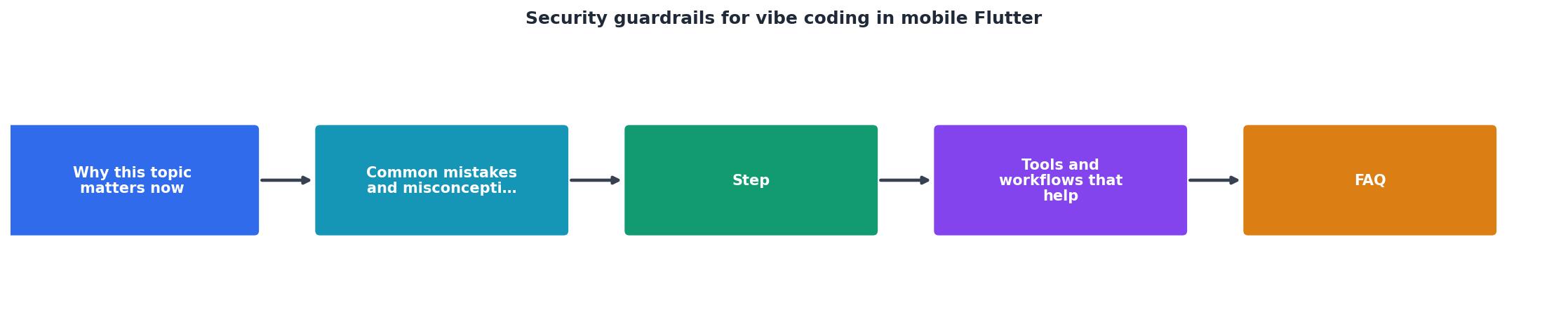
Your workflow should flow like this: prompt → generate → lint → test → review → merge → deploy. Security gates belong at lint, test, and review stages.
Automated scanning:
Use these tools to catch issues without human review:
- Dart analyzer – Catches code quality issues, deprecated APIs, unused imports.
dart analyze
- pub.dev security audits – Scans dependencies for known vulnerabilities.
   pub outdated
   flutter pub audit
- Sonarqube / Snyk – Static analysis for security patterns (hardcoded secrets, insecure crypto, unvalidated inputs).
- Dependabot – Automatically creates PRs for outdated dependencies.
- OWASP Dependency-Check – Identifies known CVEs in your dependencies.
Manual code review checklist:
Even with automation, human eyes catch context. Use this checklist during peer review:
Tools that save time
Dart analyzer – Included with Flutter SDK. Catches async/await issues, null safety violations, and style problems. Run it before every commit.
Dependabot – GitHub-native. Automatically scans dependencies and opens PRs for updates. Free for public repos.
Snyk – Commercial but freemium. Scans code and dependencies for vulnerabilities. Integrates with GitHub, GitLab, Bitbucket.
Firebase App Check – Validates that API requests come from your app, not a bot or compromised device. Prevents abuse and replay attacks.
Codemagic – CI/CD platform designed for Flutter. Built-in security scanning and deployment workflows. Simplifies secrets management and code signing.
git-secrets – Local tool that prevents committing secrets. Install it as a Git hook:
brew install git-secrets
git secrets --install
This dashboard shows a typical mid-project security baseline. Use it to track your guardrails as you build. Check off items as you implement them. Focus on the red items first, those are your highest-impact gaps.
Security Guardrails Implementation Checklist
Your progress is saved automatically in your browser.
FAQ
Frequently Asked Questions
.env locally, secrets manager in prod), (3) add input validation to all user-facing fields, (4) enforce HTTPS and validate certificates on all API calls. These four steps cover 80% of common mobile app vulnerabilities and take a day or two.Additional Resources
- Adding Guard Rails when Vibe Coding - In your repo go to Settings > Code Security > Push Protection. You might need to enable the Code Security first to be able to see those settings ...
- Security for Vibe Coded Apps - Let Mobile Protect continuously secure the app in production. Wraps code in a protective armor that deflects exploits, tampering, and telemetry hacking. Active ...
- Vibe Coding in Mobile Apps: Speed Gains, Security Risks - Vibe coding accelerates mobile development, but introduces hidden security risks. Popular frameworks such as Flutter, React Native, and Xamarin ...