
You are one person building a React app with AI, and every tutorial you find assumes a five-person team with a dedicated QA engineer. The workflows designed for teams break down the moment you try to run them alone. This guide gives you a concrete, solo-tested vibe coding workflow for React that actually fits inside a single brain and a single terminal session.
Photo by Markus Spiske from Pexels
TL;DR:- Solo React vibe coding works best in short, scoped loops: prompt a component, review the diff, test it, commit.
- Skip team-scale ceremony (sprint boards, PR reviews) and replace it with AI-assisted self-review and automated checks.
- A repeatable five-step cycle (Scope, Prompt, Review, Test, Ship) keeps quality high without a second pair of eyes.
Why solo vibe coding needs its own workflow
Team workflows exist because teams have coordination problems. You do not have coordination problems. You have focus problems, context-switching problems, and "the AI just generated 400 lines and I have no idea what half of them do" problems.
That number should worry you. When you skip reviewing AI-generated code, you accumulate invisible debt: duplicated state, missing error boundaries, hardcoded values buried three components deep. A solo workflow is not a simplified team workflow. It is a different animal built around one constraint: you are the only reviewer, the only tester, and the only person who will debug this at 2 AM.
The workflow I use for React projects has five steps. Each step takes minutes, not hours. The entire loop fits inside a single Pomodoro session.
Common mistakes that sink solo builders

Three patterns kill solo React projects built with AI:
- Mega-prompting entire features. You ask the AI to build an entire dashboard with auth, data fetching, charts, and filtering in one shot. The output looks impressive for about ten seconds. Then you notice the auth token is stored in
localStoragewith no expiry, the chart library conflicts with your existing setup, and the filter state resets on every render. Smaller prompts produce code you can actually verify.
- Treating AI output as reviewed code. It is not reviewed. It is a first draft from a very fast junior developer who never runs the app. You still need to read every line, check every import, and verify every hook dependency array.
- No commit discipline. Solo developers tend to work in long, uncommitted stretches. When something breaks after 90 minutes of changes, you have no clean rollback point. Commit after every successful loop iteration. Git is your undo button.
The five-step solo React loop
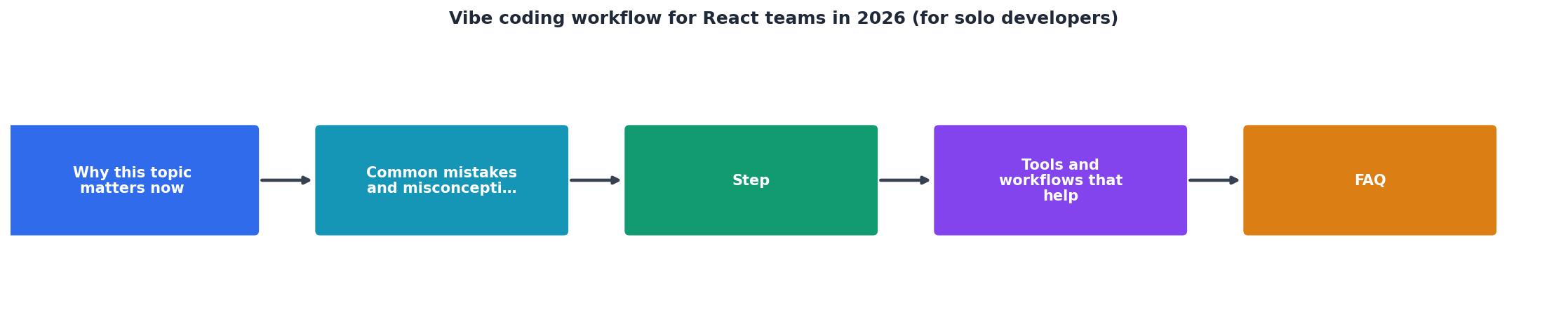
Here is the cycle, step by step. Each step maps to the diagram above.
Step 1: Scope
Pick one component or one behavior. Not a page. Not a feature. One thing. Examples:
UserAvatarcomponent that fetches and displays a profile image with a fallback.- Add
onErrorhandling to the existingfetchOrdershook. - Create a
PriceFiltercomponent with min/max inputs and debounced onChange.
Step 2: Prompt
Feed the AI your scope plus context. Context means: the file where this component lives, the types it should use, the existing patterns in your codebase. Cursor, Windsurf, and Claude all perform dramatically better when you attach the relevant files rather than describing them in words.
A prompt template that works:
Create [component/hook name] in [file path].
It should [one-sentence behavior].
Use [existing pattern, e.g., "the same fetching pattern as useOrders"].
TypeScript, functional component, no default exports.
Keep it tight. The AI does not need your life story.
"Can you review for breadth and clarity and think of a few ways it could be improved, if necessary.">, A Structured Workflow for "Vibe Coding" Full
This review-oriented prompting style works well as a second pass. After the AI generates code, ask it to critique its own output. You will catch issues you would have missed.
Step 3: Review
Read the diff. Every line. Check for:
- Unused imports or variables
- Missing
keyprops in lists - Hardcoded strings that should be constants or props
useEffectdependency arrays (the AI gets these wrong constantly)- State that should live in a parent component
Step 4: Test
Run the app. Click through the component. Check the console for warnings. If you have tests, run them. If you do not have tests for this component, write one now. A single render test plus one interaction test covers most solo-project needs.
npx vitest run src/components/UserAvatar.test.tsx
Step 5: Ship
git add, git commit with a descriptive message, move on. If you deploy continuously, push. If not, batch pushes at the end of a work session.
Tools that fit the solo React workflow

You do not need a complex toolchain. Here is what actually helps:
- Cursor or Windsurf for in-editor AI prompting with file context. Both support attaching files to prompts, which eliminates the "AI does not know my codebase" problem.
- Vitest for fast unit and component tests. It runs in under a second for small suites, which means you will actually use it.
- ESLint with
eslint-plugin-react-hookscatches dependency array mistakes the AI introduces. Non-negotiable. - Biome (or Prettier + ESLint combined) for formatting. Consistent formatting makes diffs readable.
- GitHub with branch protection off. Solo developers do not need PR approvals. Push to
main, use tags for releases.
| Team workflow element | Solo equivalent |
|---|---|
| PR review by teammate | AI self-review prompt + manual diff read |
| Sprint planning board | Single-sentence scope notes in a text file |
| CI/CD pipeline with gates | vitest run + eslint . before each commit |
| Design system documentation | Component file comments + Storybook (optional) |
| Standup meetings |
Scaling the loop across a full project

A single loop handles one component. A full React app has dozens. The trick is sequencing.
Start with data layer components: hooks, API clients, type definitions. These have no UI, so they are easy to test and hard to get wrong visually. Then build layout components: shells, navigation, page wrappers. Finally, build feature components that combine data and layout.
This order matters because each layer provides context for the next AI prompt. When you prompt for a ProductCard component, you can attach the useProduct hook and the Product type. The AI generates code that actually fits your app instead of inventing its own data shapes.
PROMPTS.md file in your repo root. Paste each prompt you use and note whether the output was good, needed edits, or was thrown away. After a week, you will see which prompt patterns work for your codebase and which waste time.Here is an example dashboard showing what a typical solo React project looks like after two weeks of disciplined vibe coding loops:
Solo React Project, 2-Week Snapshot
Notice that only 22% of AI output went straight into the codebase without changes. That is normal. The value of AI is not perfect code. It is a fast first draft that you shape into the right solution.
Solo React Vibe Coding Workflow Checklist
Your progress is saved automatically in your browser.
FAQ
Frequently Asked Questions
useEffect, an event handler, or conditional rendering based on state, write at least one test. The five minutes you spend now saves an hour of debugging later.PROMPTS.md log, and the test coverage you build create a codebase that a second developer can actually understand. When you add a teammate, you upgrade the Review step from self-review to PR review and add a shared linter config. Everything else stays the same.Additional Resources
- A Structured Workflow for "Vibe Coding" Full-Stack Apps - Step 1: Laying the Foundation · Step 2: Getting the Most Out of Your AI Assistant · Step 3: Defining the "What" and the "How" (PRD & Plan) · Step 4 ...
- Vibe Coding Guide 2026 | AI-First Development - Master vibe coding in 2026. Learn how to leverage AI to build faster with natural language programming and AI-agent workflows.
- Vibe Coding Explained: AI-Driven Development in 2026 - Vibe coding follows a simple but effective cycle: describe what you want, let the AI generate the code, test it, and then refine until it works.