
Photo by cottonbro studio from Pexels
Your team can ship a React component in minutes with Claude or Cursor. The problem is that 50% of the code written with AI assistance ends up needing rewrites within weeks. You've gained speed but lost predictability, and by month two you're debugging in production. The real skill now is knowing how to harness AI velocity without sacrificing the engineering discipline that keeps apps standing. This article shows you exactly how.
TL;DR
- Structured vibe coding balances speed with quality: Use AI to generate components and logic fast, but enforce a repeatable review and testing gate before merge.
- React teams in 2026 need explicit conventions: Decide upfront how your team writes prompts, what AI output you accept, and how you handle edge cases AI misses.
- Design ops bridges design intent and code output: Use design tokens, component specs, and shared test scenarios so AI stays aligned with your design system.
- The workflow is prompt → generate → review → test → document: No shortcuts; every step catches different kinds of bugs.
Why this matters now
The difference between a team that ships quality AI-generated code and one that ships unstable features isn't talent or tool choice. It's workflow. It's discipline applied at the right moments.
For design ops especially, the stakes are higher. You're responsible for consistency across the system. Your design tokens, spacing rules, and component contracts have to survive the AI-generation step. One sloppy component cascades into inconsistency across the entire product.
The real problem with unstructured vibe coding

Teams start with enthusiasm. A developer writes a prompt, Claude spits out a button component, they paste it into the codebase. It works. Fast. No ceremony. Then another dev does the same thing slightly differently. Then a third uses a different state-management approach because the prompt wasn't specific. Two months later you have four different button implementations, none of them follow your spacing scale, and designers are frustrated because the UI drifts.
This isn't a failure of AI, it's a failure of process. Vibe coding without structure creates silos and inconsistency. Each prompt becomes a negotiation between human intent and model hallucination, with no way to guarantee the output aligns with your system.
The common mistakes:
- No prompt hygiene: Developers write vague prompts and accept whatever the AI returns, then debug later when edge cases fail.
- Skipped review: Code goes straight to merge because it "looks right" in the browser.
- Missing design alignment: AI generates components that work technically but violate spacing, color, or accessibility rules.
- No team standard: Every developer has a different approach, and there's no canonical way to prompt for a form, modal, or layout.
- Neglected testing: Teams assume AI-generated code is correct because it compiles, then encounter runtime bugs in production.
The workflow: from prompt to production

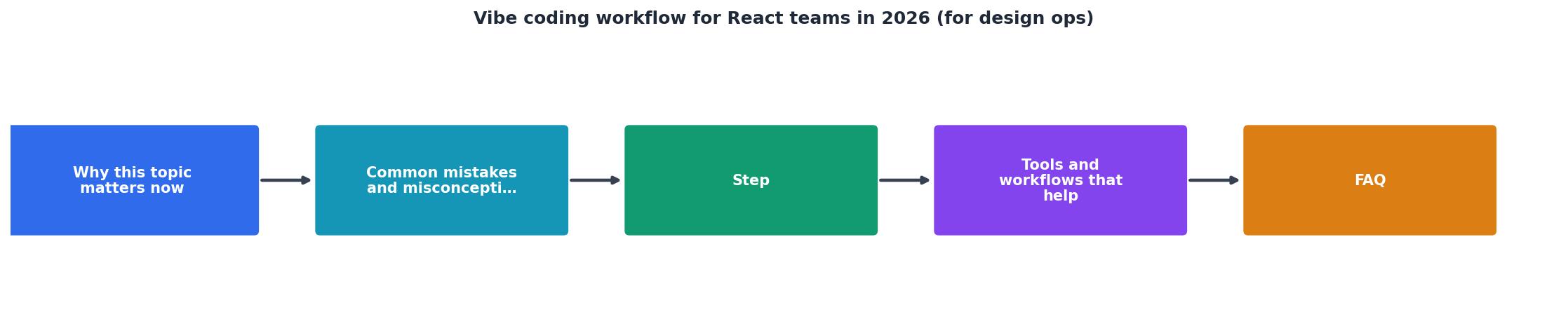
A structured vibe coding workflow has five gates. Each one catches a different category of failure. Skip one and you reintroduce risk.
1. Prompt specification
Write a prompt as if you're briefing a junior developer, not talking to a magic box. Include:
- What you're building: "A form field for email input that validates on blur and shows inline error messages."
- Design constraints: "Use the primary color from our design tokens (stored in
theme.colors.primary), 12px font size, 8px padding." - Behavior rules: "If validation fails, show error text in red (#DC2626), prevent form submission."
- Example usage: "This should work with React Hook Form. It needs to accept
register()props and forward refs."
2. AI generation with constraints
Use your AI tool (Cursor, Claude via API, Copilot) with your codebase context. Point the model at:
- Your existing component library (show what a well-formed component looks like).
- Your design token file.
- Your TypeScript interfaces and type definitions.
- Example components that follow your pattern.
3. Code review (the human gate)
Review AI-generated code as you would code from a junior dev. Look for:
- Type safety: Is it fully typed? Are there implicit
anytypes? - Design compliance: Does it use your design tokens or hardcoded colors? Does spacing match your scale?
- Accessibility: Are ARIA attributes correct? Is keyboard navigation implemented? Is color contrast sufficient?
- Error handling: What happens when the API fails? When data is null? When the user does something unexpected?
- Testing gaps: Are there branches the code doesn't handle?
4. Automated testing
Write or require unit tests for generated components. AI often misses edge cases. Tests force you to think about them:
- Does the component render without props?
- What happens with missing data?
- Do event handlers fire correctly?
- Is the component responsive?
5. Integration and monitoring
Merge to a staging branch first. Verify the component integrates with your design system. Check that it:
- Renders in your Storybook.
- Works with your theme provider.
- Doesn't break other components.
- Passes accessibility scanning (axe, or similar).
Tools and team setup
Cursor with your codebase as context is the fastest way to generate code. Configure it to always reference your component library and design tokens file.
Claude API works well for batch generation and for teams that need to integrate AI into CI/CD pipelines. You can build workflows that generate boilerplate and validate it automatically.
Storybook becomes your single source of truth for components. Every generated component goes into Storybook first. If it doesn't render in Storybook, it doesn't go into the app.
TypeScript is non-negotiable. It forces AI to be explicit about types, which prevents entire categories of bugs.
Your design token file (a JSON or JS export) must be the source AI references. Put it where your AI tool and your codebase both see it. When the model generates a component, it pulls colors and spacing from your tokens, not from memory.
How to establish team norms
"Can you review for breadth and clarity and think of a few ways it could be improved, if necessary.">, A Structured Workflow for "Vibe Coding" Full
Create a shared template for prompts. Something like:
Component: [Name]
Purpose: [What does it do]
Design constraints: [Tokens, spacing, colors]
Behavior: [What happens on interaction]
Props interface: [TypeScript types]
Example usage: [Sample JSX]
Make this a checklist item. No prompt gets sent without it. This takes 90 seconds per component and prevents three rounds of revision.
Hold a 30-minute sync where the team reviews one generated component together. Discuss what looks good, what's missing, and what the review should have caught. This builds shared taste and prevents bikeshedding later.
Require tests. Make it a pre-merge gate. A component isn't done until it has tests.
Interactive workflow overview
Understanding the workflow is one thing. Seeing it in action is another. Here's what a typical React component generation cycle looks like for your team:
React Component Generation Cycle
This cycle should take 30-90 minutes depending on component complexity. Simple form fields move faster. Complex stateful components need more review. The key is that every step happens. No shortcuts.
Vibe coding implementation checklist for your React team
Your progress is saved automatically in your browser.
Common questions
FAQ
Frequently Asked Questions
The difference between shipping fast and shipping recklessly is discipline applied at scale. The teams shipping React components today that are still standing in 2027 aren't the ones moving fastest right now. They're the ones with a process that catches failures before they cascade.
Additional Resources
- A Structured Workflow for "Vibe Coding" Full-Stack Apps - A Structured Workflow for "Vibe Coding" can build SaaS apps in 15 minutes with just ・ building a modern, open-source React/NodeJS framework. ...
- The Vibe Coding Maturity Model: Why Designers Who ... - The earliest vibe coding was simple: type a prompt, get a code snippet. I remember constantly copying and pasting generated code across files ...
- Ameet Palkar's Post - Three strategies to stop building what nobody needs: 1. Capture context before vibe-coding Clarify the context before you build what's next.