
You described your app idea in plain English, an AI spit out working code, and now you have a prototype running on localhost. Feels incredible. But three days later the login breaks, the database leaks user emails, and you have no idea where to even start fixing it. That gap between a working demo and a shipped product is exactly where vibe coding lives, and understanding it properly is the difference between launching and losing sleep.
Photo by Tolga Aslantürk from Pexels
TL;DR:- Vibe coding is building software by describing what you want in natural language and letting AI generate the code, then iterating on the output.
- The biggest risks are security holes, unreadable code, and silent bugs that surface only in production.
- A structured workflow (prompt, review, test, commit) turns vibe coding from a gamble into a repeatable process.
The actual definition
Vibe coding means using AI tools like Cursor, Claude, GitHub Copilot, Lovable, or v0 to generate application code from natural-language prompts instead of writing every line by hand. The term was coined by Andrej Karpathy in early 2025. He described it as "fully giving in to the vibes" and accepting code you don't fully understand.
That last part is the key. Traditional coding requires you to understand every line. Vibe coding shifts the bottleneck from typing code to evaluating output. You become a director, not a typist. The AI writes; you decide if what it wrote actually works.
This is not a toy trend. Startups ship real products this way. Solo founders build SaaS apps in a weekend. Designers prototype full-stack features without touching a terminal. But the speed comes with tradeoffs that most tutorials skip over entirely.
Why it matters right now
Three things happened at once:
- LLMs got good enough to produce working multi-file applications from a single prompt session.
- IDE integrations (Cursor, Windsurf, Copilot Chat) made it frictionless to iterate inside your editor.
- No-code fatigue pushed builders toward real code because they kept hitting platform limits.
for loop are now deploying Next.js apps to Vercel. That is genuinely exciting. It is also genuinely risky if you skip the engineering basics that keep software alive past launch day.
Common mistakes and misconceptions

Here are the traps that catch first-time vibe coders:
- "It works, so it's done." A demo that runs locally is not production software. No input validation, no rate limiting, no error boundaries. The AI optimized for "make it work," not "make it safe."
- Blind acceptance. Copying AI output without reading it means you have no idea what dependencies were added, what API keys are exposed, or whether the database schema makes sense.
- Prompt-and-pray debugging. When something breaks, pasting the error back into the AI and hoping for a fix creates a loop of patches on top of patches. The codebase becomes a Jenga tower.
- Skipping version control. If you are not committing after each working change, one bad AI suggestion can destroy hours of progress with no way back.
- Ignoring security entirely. AI models do not prioritize security by default. They will store passwords in plain text, expose admin routes, and skip CSRF protection unless you explicitly ask.
The vibe coding workflow

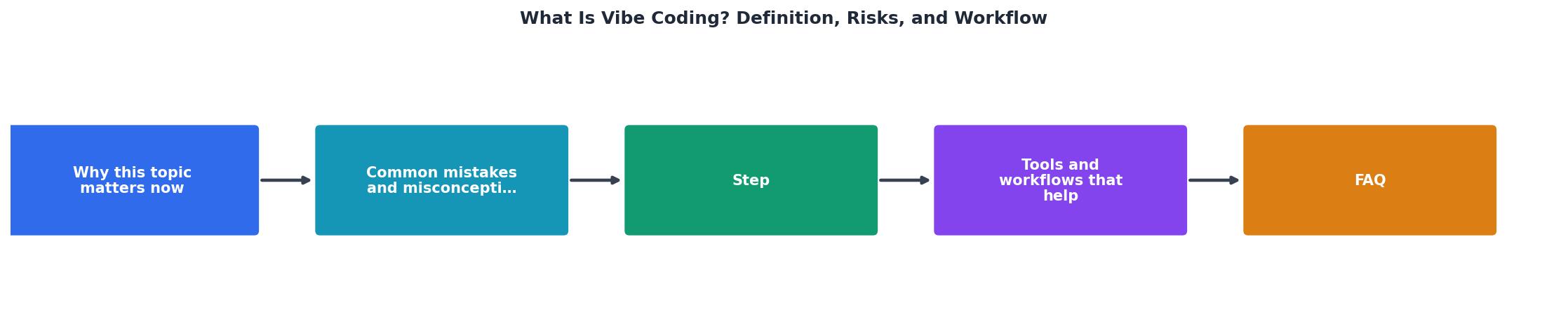
A repeatable workflow turns vibe coding from chaos into a process. Here is the one that works:
1. Describe the feature
Write a clear, scoped prompt. Not "build me a social media app." Instead: "Create a /api/posts endpoint that accepts a JSON body with title (string, required) and content (string, max 5000 chars), validates input, stores it in a Postgres table, and returns the created post with a 201 status."
Specificity is the single biggest lever you have. The more precise your prompt, the less you need to fix afterward.
2. Review the output
Read what the AI generated. You do not need to understand every syntax detail, but you should be able to answer:- Does it do what I asked?
- Are there hardcoded secrets or credentials?
- Does it handle errors (what happens if the database is down)?
- Did it add dependencies I did not ask for?
3. Test it
Run the code. Try the happy path. Then try the unhappy path: empty inputs, huge inputs, wrong data types, missing auth tokens. If you have automated tests, run those too. If you do not, this is a good time to ask the AI to write some.
4. Commit the working state
Use git add and git commit with a message that describes what changed. This gives you a rollback point. Every working state should be a commit. Non-negotiable.
5. Iterate
Go back to step 1 for the next feature. Each cycle is small, scoped, and reversible. This is how professional developers work, and it is how vibe coders should work too.
The real risks (and how to handle them)
Here is an honest breakdown of what can go wrong and what to do about it:
| Risk | What happens | Mitigation |
|---|---|---|
| Security vulnerabilities | Data leaks, account takeovers, exposed API keys | Always prompt for input validation and auth; run a security checklist before deploy |
| Unmaintainable code | Cannot fix bugs or add features later | Keep files small and focused; ask AI to add comments; review structure regularly |
| Silent bugs | App works in demo but fails with real data | Test with realistic data volumes and edge cases before launch |
| Dependency bloat | AI adds unnecessary packages with known CVEs | Review package.json / requirements.txt after each session; remove what you did not ask for |
| Vendor lock-in | Entire workflow depends on one AI tool | Keep prompts and context in plain text files; code should run without the AI tool |
"See how Blue Pearl transformed a legacy codebase, eliminated security risks and accelerated modernization with Bob, cutting delivery time by nearly 90%.">, What is Vibe Coding?
Tools that fit the workflow
Not every AI coding tool works the same way. Here is what fits the workflow above:
- Cursor is the go-to IDE for vibe coding. It integrates Claude and GPT directly into VS Code, lets you select code and ask questions about it, and supports multi-file edits. Best for builders who want full control.
- GitHub Copilot works as an autocomplete layer. Good for line-by-line suggestions, less useful for generating entire features from scratch.
- Lovable and v0 generate full UI components from prompts. Great for prototyping frontends, but you still need to wire up the backend and handle deployment yourself.
- Claude (via API or chat) excels at longer reasoning tasks: architecture decisions, debugging complex errors, writing tests. Use it as a thinking partner, not just a code generator.
The following dashboard shows how a typical vibe coding session breaks down in terms of time allocation. Most builders spend too much time prompting and not enough time reviewing.
Ideal Vibe Coding Session Breakdown
Vibe Coding Safety Checklist
Your progress is saved automatically in your browser.
FAQ
Frequently Asked Questions
What is the first feature you plan to vibe code, and what step in the workflow feels most intimidating? Drop your answer below.
Additional Resources
- What is Vibe Coding? - “Vibe coding” is a new and loosely defined term in software development that refers to the practice of prompting AI tools to generate code ...
- What is vibe coding? The pros, cons, and controversies - Vibe coding is an approach to AI coding where artificial intelligence generates executable code from natural language prompts, which is then ...
- Vibe Coding Security: Top Risks & AI ... - Vibe coding uses AI to generate applications from natural language—but speed comes with serious security risks. vibe coding also means governing the packages, ...