Ai app generation tools with internal databases and apis: Practical Guide
TL;DR:

When you use AI to build an app, it feels fast at first. The AI scaffolds your frontend, sketches out a backend, and suddenly you have something that runs locally. Then reality hits: your data needs to persist, users expect it to scale, and the "quick prototype" needs to actually work. That's where databases and APIs stop being optional and become the difference between a hobby project and something real.
Photo by Google DeepMind from Pexels
TL;DR:- AI app generators like Lovable, v0, and Cursor can scaffold apps fast, but databases and APIs require deliberate architecture choices.
- Pair AI generation with managed services (Firebase, Supabase, Railway) to skip infrastructure pain without losing control.
- Start with a single source of truth: pick your database first, then design API endpoints around it, then let AI fill in the UI.
- Test data flows end-to-end before you scale; most AI-built apps break not from code but from missing or wrong API contracts.
Why Database and API Design Matters Now
AI app generators are brilliant at speed. Lovable can turn a prompt into a working React app in minutes. Cursor can sketch backend logic. But speed only matters if what you build doesn't crumble. The breaking point is almost always the data layer.
When an app breaks after launch, slow queries, data corruption, API timeouts, it's rarely the UI code. It's the database schema that wasn't normalized. It's the API endpoints that weren't versioned. It's the AI-generated code that worked in happy path but didn't handle concurrency.
Why this matters: Once your app has users, rearchitecting the database is expensive and risky. You're not just rewriting code; you're migrating real data. You can't iterate as freely. The cost of getting it wrong early compounds.
The good news: You don't need a distributed systems PhD. You need to think about three things early, schema design, API contracts, and deployment strategy, and then let AI do the heavy lifting on implementation.
Common Mistakes When Combining AI Builders with Data

Skipping the Schema Conversation
Most builders jump straight to prompting: "Build me a Next step app." The AI generates tables, and you move on. Then three weeks in, you realize todos can have subtodos, which means your schema needs recursive references. Or users can share todos, which means auth and permissions, which means the schema needs to change again. Now you're asking the AI to migrate the database, it generates code that looks right but crashes in production.
What to do instead: Spend 30 minutes writing out your core entities and their relationships before you touch the generator. A Next step app has Users, Todos, and Tags. A user owns many todos. A Next step can have many tags. Write it as plain text first. Then paste it to the AI and ask for a schema. You'll catch mismatches early.
Building APIs Without a Contract
The AI generates a REST endpoint: /api/todos. Works great. Then your frontend needs to sort by date. So you ask the AI to add a sort parameter. It does. Now you need filtering. Another parameter. Pagination. Another. After six iterations, your API is chaos, no versioning, no error codes, no rate limiting.
What to do instead: Write the API contract first. Document what each endpoint does, what it accepts, what it returns, and what errors it can throw. Use a format like OpenAPI or even just a Google Doc. This takes an hour. Then paste it to the AI and ask for implementation. Now the AI is filling in a specification you own, not inventing one you have to reverse-engineer later.
Ignoring Authentication Early
Authentication feels like a detail. You build the app, it works locally, you think you'll add auth "later." Then you deploy and realize every user can see every other user's data. Now you're rearchitecting. Auth isn't a feature; it's foundational.
What to do instead: Pick an auth method on day one. Firebase Auth, Clerk, or even simple API keys. Tell the AI: "Use [auth method] for all endpoints." It will scaffold the guards. By the time you're testing, data isolation is baked in.
Not Testing the Full Data Flow
The AI generates a form. You fill it out locally. Data appears in the console. Looks good. You deploy. A user tries it. Nothing appears. Why? The frontend is talking to the wrong API. Or the API isn't connecting to the database. Or the database schema doesn't match what the API expects.
Each layer works in isolation, but the handoff fails. The AI generated each layer correctly but didn't see the whole picture.
What to do instead: Before you deploy, trace one piece of data from form input through the API to the database and back. Do it manually. Click a button, watch the network tab, query the database directly. Make sure every handoff is real.
Step-by-Step Approach to Data-First AI Building
Step 1: Design Your Data Model
Start with a piece of paper or a text file. List your core entities and their relationships. Don't overthink it, but be specific.
Example for a habit tracker:- User (email, password hash, created_at)
- Habit (user_id, name, frequency, created_at)
- HabitLog (habit_id, completed_at, notes)
- Who owns this data? (User)
- What can be related to what? (Users own Habits; Habits have HabitLogs)
- What queries will I need? (All habits for a user; all logs for a habit in the past 30 days)
- What can't be deleted? (Users? Never, handle with soft deletes. Habits? Maybe; orphan the logs.)
Step 2: Define Your API Contract
For each piece of data, decide:- How do I fetch it? (GET /api/habits)
- How do I create it? (POST /api/habits with name, frequency in the body)
- How do I update it? (PATCH /api/habits/{id})
- How do I delete it? (DELETE /api/habits/{id})
- What can go wrong? (Not authenticated, habit not found, invalid frequency)
GET /api/habits → Returns all habits for the authenticated user
  Response: { habits: [ { id, name, frequency, created_at } ], total: number }
  Errors: 401 Unauthorized, 500 Server Error

POST /api/habits → Create a new habit
  Body: { name: string, frequency: "daily" | "weekly" | "monthly" }
  Response: { id, name, frequency, created_at }
  Errors: 400 Bad Request (missing fields), 401 Unauthorized, 500 Server Error
Share this with the AI: "Implement these API endpoints using [your backend]. Use the data model I gave you. Add authentication checks." The AI will build it. Review the code, it should match the contract.
Step 3: Wire Backend to Database
The AI knows how to write query logic, but it needs to know the table structure. After you've created the schema and the API endpoints, test the connection.
Pick one endpoint. Trace it:- Frontend sends request.
- Backend receives it.
- Backend queries the database.
- Database returns rows.
- Backend formats response.
- Frontend receives JSON.
Step 4: Wire Frontend to API
Now connect the UI. The AI can generate form components, but it needs to know the API contract. Give it the contract and the error messages it might receive. Tell it: "The GET /api/habits endpoint returns { habits: [...] }. Show each habit in a list. If the response is 401, redirect to login."
Test one happy path end-to-end:- Log in.
- Create a habit.
- See it in the list.
- Refresh the page.
- It's still there.
Step 5: Deploy with Managed Services
Don't self-host your first AI app. Use managed services: Supabase for PostgreSQL + auth, Firebase for Firestore + auth, Railway or Render for backend hosting.
Why? Because you're not optimizing for cost yet; you're optimizing for not crashing. Managed services give you backups, uptime monitoring, and scaling without you thinking about it.
Tell the AI: "Deploy this to [service]. Use their environment variables for secrets. Set up CI/CD with GitHub Actions." It will scaffold the config files. You push to GitHub. It deploys. No 4 AM page alerts because you forgot to scale.
Tools and Workflows That Help

AI-Friendly Tools
Lovable (formerly Vercel v0): Generates React components and full apps from prompts. Best for UI. Weak on backend. Good if paired with an API.
Cursor: Code editor with AI built in. Excels at backend logic, database queries, and API endpoints. Best for filling in the contract you defined.
Supabase: PostgreSQL + REST API auto-generated. You design the schema; it generates endpoints. Huge time-saver. Integrates well with Cursor.
Firebase: Firestore (document database) with real-time sync. Easier than SQL for beginners. Pay-as-you-go. Less control than PostgreSQL.
Railway / Render: Backend hosting without DevOps. Push code, it runs. Simple. Good for first apps.
Workflow: The Data-First Loop
- Define schema (text file or Supabase dashboard).
- AI generates API (Cursor + Supabase).
- Test API (curl or Postman).
- AI generates UI (Lovable or Cursor).
- Test end-to-end (browser + network tab).
- Deploy (push to Railway; it runs).
- Monitor (check logs; scale if needed).
Interactive Data Architecture Planner
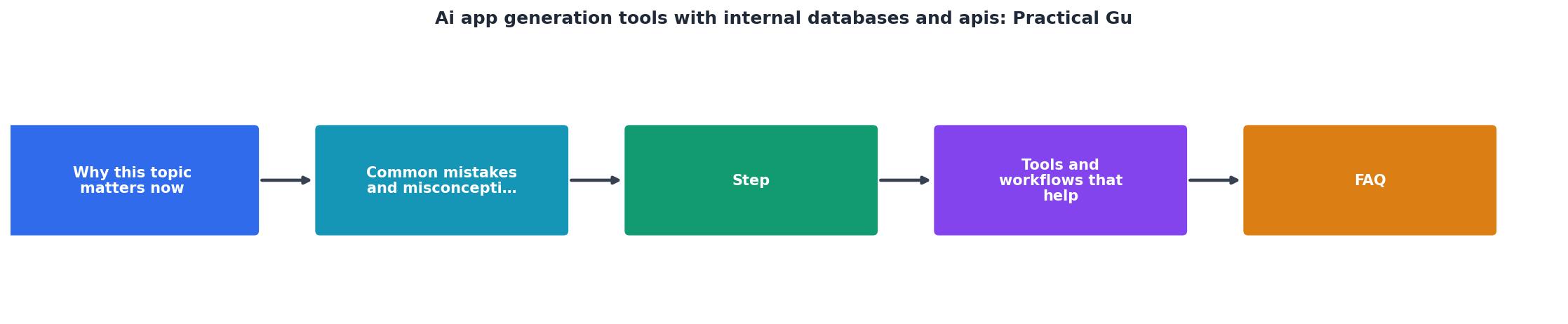
Understanding the relationship between your schema, API, and frontend can feel abstract. Here's a visual guide showing how data flows through a typical app and what each layer is responsible for:
Data Flow Through Your App
Most issues in AI-built apps happen at the transitions between these layers. Your schema doesn't match the API query. Your API response doesn't match the frontend's expectations. Test each transition independently before you rely on end-to-end tests.
Practical Checklist: From Idea to Deployed App
AI App Data Architecture Checklist
Your progress is saved automatically in your browser.
FAQ
Frequently Asked Questions
The real secret to building AI apps that work at scale isn't speed; it's discipline. You're not racing to launch; you're racing to launch something that doesn't fall apart. The generators handle 80% of the code. You own the contracts, the schema, the API, the data flows. Spend that time upfront. Let the AI fill in the rest. Your future self will thank you when your app is still running three months in.
Additional Resources
- AI App Development: Guide To Building AI-Powered Apps - Build a complete inventory of the databases and internal data sources your AI app needs before writing any data access code. For each source, document the data schema, access patterns, and refresh frequency.
- 7 of the Best AI App Builders for 2026 - Many AI app builders generate working logic, database connections, and simple APIs in the background so your prototype can handle basic data and interactions without manual backend setup.
- Building 5 AI Apps In 30 Minutes (ChatGPT + Lovable Tutorial) - This video demonstrates five AI projects that you can start building today using ChatGPT and Lovable to accelerate your development workflow.
Ready to Master Vibe Coding?
Learn to build software faster with AI assistance using the Vibe Coding Bible.
Get Started