

Data entry is the invisible tax on every business. Your team spends hours typing information into forms, databases, and spreadsheets when they could be solving actual problems. AI data input apps promise to eliminate that tax by automating transcription, extraction, and validation. But building or deploying one requires more than just feeding documents to a model and hoping for clean data.
Photo by Matheus Bertelli from Pexels
TL;DR:- AI data input apps reduce manual transcription by 70-90%, but success depends on clear data standards, realistic model selection, and human review workflows.
- Start with a narrow use case (invoices, forms, specific document type) before scaling horizontally.
- Build validation rules upfront; garbage in equals garbage out, no matter how smart the AI.
- Real deployment includes fallback systems, audit trails, and escalation paths for edge cases.
Why this matters now
Data entry consumes real time and real money. Studies show that knowledge workers waste approximately 85% of their productivity on routine data tasks that could be automated. When you add up salary, opportunity cost, and error correction, even a small team loses thousands monthly to manual input.
AI has shifted from "nice to have" to "table stakes" for this problem. Models like Claude, GPT-4, and specialized OCR engines now extract structured data from messy documents with accuracy rates competitive with trained humans. The barrier isn't capability anymore, it's integration. Most teams know they need this; they don't know how to build it responsibly.
An AI data input app isn't just a wrapper around an LLM. It's a system that ingests unstructured or semi-structured data, normalizes it, validates it against business rules, flags exceptions, and hands it back clean. When done well, it eliminates the worst parts of the job while keeping humans in the loop for judgment calls.
Common mistakes and misconceptions
The biggest mistake is treating AI data input as a black box. You feed in documents and expect perfect CSV files or database records to come out. Reality is messier.
First misconception: One model fits all data types. A model trained on English documents struggles with handwriting, financial tables, or domain-specific formats. Invoices need different logic than medical forms. Start with one document type, master that, then expand. Trying to solve "all data input" day one guarantees compromise on accuracy.
Second: Validation is the AI's job. It's not. The model extracts; you validate. Missing a digit in an account number or misreading a handwritten date isn't an AI problem, it's a system design problem. The AI should flag low-confidence extractions, and you should have rules that catch invalid patterns before they touch your database.
Third: You don't need humans anymore. Wrong. You need humans more strategically. Instead of data entry, they're doing exception handling, quality review, and refining the model's behavior. A 95% accurate system still needs a human to fix the 5% that breaks workflows.
Fourth: Cost is just the API calls. Infrastructure, tooling, human review time, and the cost of bad data leaking into your system, that's where real spend lives. A $50/month API bill that corrupts your customer database costs you ten times that in cleanup.
Step-by-step approach

Step 1: Define your data schema
Before you touch any model, write down exactly what you're extracting. For an invoice app, that might be: vendor name, invoice number, date, line items (with quantity, unit price, total), tax, total amount due.
Be specific. Not "amount", "total amount due in USD including tax." Not "date", "invoice date in YYYY-MM-DD format." This schema becomes your extraction prompt and your validation logic.
Key rules to encode:- Required vs. optional fields
- Data types and formats (date, currency, number precision)
- Min/max ranges (can quantity be negative? can discount exceed 100%?)
- Valid values (currency codes, country codes, predefined categories)
Step 2: Choose the right model and input method
You have roughly three options: specialized OCR engines, general-purpose LLMs with vision, or document-specific APIs.
Specialized OCR (Tesseract, Amazon Textract, Google Document AI):- Strengths: Fast, cheap, good for scanned documents and forms.
- Weaknesses: Struggles with complex layouts, handwriting, tables; requires post-processing.
- Best for: High-volume, standardized documents (receipts, tax forms, medical records).
- Strengths: Context-aware, understands messy handwriting, adapts to layout variations.
- Weaknesses: Slower, more expensive, less predictable on edge cases.
- Best for: Complex documents, variable formats, semantic understanding required (contracts, emails with embedded data).
- Strengths: Pre-trained on your exact document type; turnkey extraction.
- Weaknesses: Limited flexibility; vendor lock-in; may not handle custom variations.
- Best for: Mature, standardized workflows (invoice processing, W-4 forms, standard contracts).
Step 3: Build validation and error handling
This is where AI apps separate from hobby projects. You need layers of validation.
Layer 1: Schema validation. Does the extracted data match your types and formats? Is "invoice_date" actually a date, or did the model return "sometime in March"?
Layer 2: Business rule validation. Does the data pass your domain logic? Example: if line item total = quantity × unit price + tax, does it add up? If the total amount due equals sum of line items, great; if not, flag it.
Layer 3: Statistical outliers. Is this invoice 10x larger than normal? That's not invalid, it's a flag for human review. Build confidence bands around typical values.
Layer 4: Escalation logic. If validation fails, don't silently drop the data. Route it to a human queue. Log what failed and why. Let the human review the original document and decide whether to override, correct, or reject.

Step 4: Implement human review workflow
The goal is leverage, not replacement. You're paying the human to review edge cases, not routine invoices.
Set a confidence threshold. If the model is 95%+ confident on all fields, auto-approve (after validation passes). If it's 80-95%, route to human review but don't block the workflow, let them rubber-stamp if it looks right. If it's below 80%, flag for manual re-entry or document clarification.
Track what goes to humans. If 30% of invoices need human review, your system isn't ready for production, tighten your model, fix your schema, or pick a narrower scope.
Step 5: Build feedback loops
Every human review, correction, or rejection is training data. Log it. Use it to fine-tune your model, adjust your prompts, or refine your validation rules.
If humans consistently correct the same field (e.g., tax amount), that's a signal. The model isn't parsing tax correctly. Either your prompt needs to explain tax logic better, or this document type needs a specialized approach.
Create a monthly analysis: What do humans correct most? What documents fail validation most? What edge cases keep appearing? Use that to continuously improve the system.

Building your workflow
The real power of AI data input is in the workflow design, not just the extraction. Here's a reference process:
The flow is: ingest → extract → validate → review (if needed) → approve → post to system. Each step has clear responsibilities. The AI does extraction and initial flagging. Rules do validation. Humans do judgment. The system does audit and escalation.
Build this workflow first in code or a tool like n8n or Zapier. Don't try to force it into a generic BPM tool, these workflows are small and specific enough that custom code is faster and cheaper.
"The core promise of AI for data entry is simple: Shift your team's focus from tedious data transcription to high-value analysis and exception handling.">, A Practical Guide to AI for Data Entry
Tools and workflows that help
For small scale (1-100 documents/day):- Use Claude or GPT-4 API directly with a simple Python or Node script. Build validation in code. Store extracted data in a Postgres table. Manual review via a simple web dashboard.
- Cost: ~$50-200/month on API, plus your infrastructure. Minimal tooling.
- Use a document AI platform like Veryfi, Rossum, or FormRecognizer for extraction. Layer in your validation rules. Route exceptions to a human queue (Zapier + Airtable, or a custom app). Set up automated posting to your database or ERP.
- Cost: ~$500-2000/month depending on volume and model choice.
- Deploy a specialized solution like ABBYY, UiPath Document Understanding, or a custom model fine-tuned on your data. Integrate with your existing BPM and middleware. Implement governance, audit trails, and SLA management.
- Cost: $5000+/month; requires dedicated ops.
Recommended Workflow
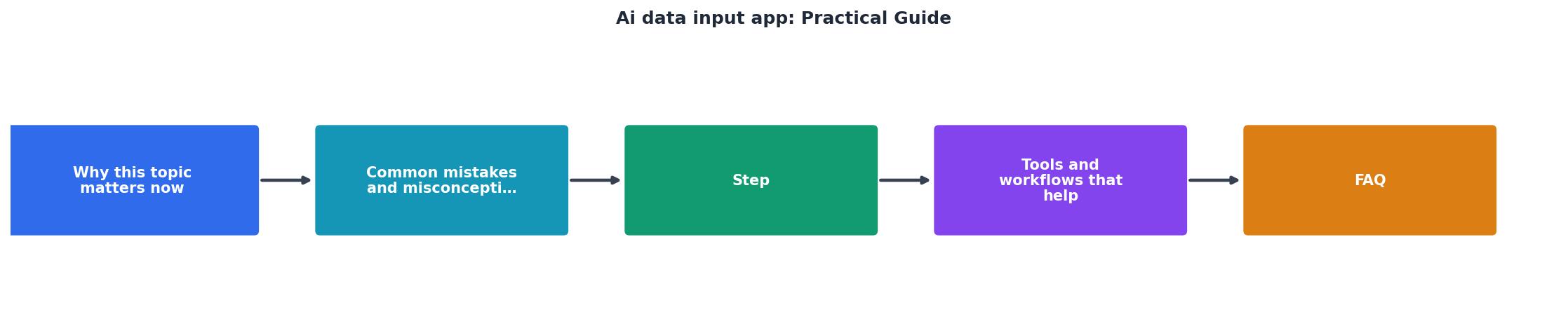
This interactive workflow shows the recommended five-step process for deploying an AI data input system in production. Each phase has a clear owner and measurable output, reducing the risk of data corruption or bottlenecks.
AI Data Input App Implementation Checklist
Your progress is saved automatically in your browser.
FAQ
Frequently Asked Questions
Building a real AI data input app means respecting the data it touches and the decisions it influences. The AI does the heavy lifting, but the system design, validation, review, feedback, is what makes it trustworthy. Start narrow, validate obsessively, and build from there.
Additional Resources
- A Practical Guide to AI for Data Entry - Learn how AI for data entry automates tasks, boosts accuracy, and cuts costs. A guide to transforming your operations with real-world ...
- Automate Data Entry with AI | Hyland - How to Implement AI-powered data entry · Identify suitable processes: · Define goals, requirements and guardrails: · Add context and connect institutional ...
- AI App Development: Guide To Building AI-Powered Apps - This guide walks through their entire stack — app code, database configuration, and data sync pipelines — in version-controlled YAML and Python files.
Ready to Master Vibe Coding?
Learn to build software faster with AI assistance using the Vibe Coding Bible.
Get Started