Enhancing User Experience with AI in Applications
Most applications today treat every user the same way. Default layouts, one-size-fits-all navigation, and reactive support channels waste user time and frustrate teams. AI changes this by learning from individual behavior, predicting what users need before they ask, and continuously adapting the interface to match how people actually work. The result is smarter applications that feel intuitive from the first interaction.


Photo by cottonbro studio from Pexels
Most applications today treat every user the same way. Default layouts, one-size-fits-all navigation, and reactive support channels waste user time and frustrate teams. AI changes this by learning from individual behavior, predicting what users need before they ask, and continuously adapting the interface to match how people actually work. The result is smarter applications that feel intuitive from the first interaction.
TL;DR
- AI personalizes interfaces by analyzing user behavior, preferences, and context in real time, showing each person exactly what they need.
- Predictive analytics anticipate user needs, reducing navigation depth and cutting support burden.
- Integration into existing UX workflows starts with user data pipelines, behavior tracking, and A/B testing of recommendations.
- Real-world gains include 30–50% reduction in task completion time, higher engagement, and lower churn.
- Challenges include data privacy, model bias, and maintaining performance under scale; mitigation requires clear governance and continuous monitoring.
How AI Personalizes User Interfaces

Personalization is the foundation of AI-enhanced UX. Instead of showing every user the same dashboard, menu, or content feed, AI learns individual patterns and adapts the interface dynamically.
The mechanics are straightforward: collect user interaction signals (clicks, dwell time, search queries, scroll depth), train or query a model to identify preferences and context, then serve a customized layout or content order. Spotify does this with its home feed, new releases, playlists, and recommendations appear in an order tailored to your listening history. Slack does it with channel suggestions; Gmail with priority inbox.
Key personalization techniques include:
- Behavioral clustering: Group users by activity patterns (heavy searchers vs. button clickers) and tailor information density accordingly.
- Content ranking: Use collaborative filtering or embeddings to predict which features, articles, or actions are most relevant to each user.
- Dynamic layout: Reorder menu items, buttons, or sections based on frequency of use or contextual signals (time of day, device type, past session goals).
- Contextual recommendations: Surface relevant tools, templates, or next steps based on what the user is doing right now.
The catch: personalization requires clean data pipelines and continuous model retraining. Stale or biased training data leads to recommendations that feel off or exclude minorities. Start small, personalize one critical flow, measure impact, iterate.
What Role Does AI Play in Optimizing Navigation?
Navigation is where users get lost. Deep menu hierarchies, unclear labels, and inconsistent patterns frustrate people and increase support tickets. AI can flatten and clarify navigation by learning what users actually search for and predicting their intent.
Smart search is the most immediate win. Traditional search looks for keyword matches; AI-powered search understands intent. If a project manager searches "overdue items," the system infers they mean tasks past the deadline, not literally items with "overdue" in the name. Algolia and Elasticsearch, when combined with embeddings or LLMs, deliver this semantic understanding. Users find what they need in one or two searches instead of five.
Guided navigation uses predictive hints to steer users toward likely next steps. After a user completes an invoice, the system might highlight "View payment status" or "Send reminder." These suggestions come from patterns: what do 80% of users do after this action? Show that as a prominent next step.
Adaptive menus reorder or hide features based on individual usage. A power user who rarely touches the help section doesn't need it at the top of the sidebar. A new user sees onboarding flows and prominent help before advanced settings.
Implementing navigation AI requires:
- Logging interaction sequences (what users do, in order)
- Defining success metrics (time to task completion, search retry rate, feature discovery)
- Training lightweight intent models or using LLM APIs for semantic understanding
- A/B testing changes to confirm that changes reduce friction, not introduce it
How Can AI Anticipate User Needs?
Predictive analytics goes beyond reacting to what users do, it predicts what they'll want before they ask. This is where AI shapes UX at a deeper level.
Consider a financial dashboard. Traditional UX waits for the user to click "View spending breakdown." AI notices that every Monday morning, users check the same breakdown. On the next Monday, the breakdown appears without a click. Or a design tool: after a user creates three rectangular shapes, AI predicts they'll need a second rectangle and pre-selects the rectangle tool.
This works through:
- Session-level prediction: Analyze the current user session (what they've done so far) to forecast the next action. If a user has uploaded a photo, resized it, and adjusted brightness, predict they'll crop next.
- Temporal patterns: Identify time-based habits. Accountants reconcile reports on Fridays; show reconciliation tools prominently on Friday mornings.
- Cohort-based inference: Learn what similar users do next, and proactively surface those actions.
The risk is over-predicting. If the system suggests actions that don't match user intent, it adds friction instead of reducing it. Mitigation: offer predictions as optional hints, not forced workflows. Let users ignore suggestions without penalty.
Examples of AI-Driven UX Improvements in Production
Real applications show how these techniques compound:
- GitHub Copilot for Docs: Analyzes your code context and suggests the most relevant API documentation section before you search. Reduces documentation lookup time by 40%.
- Notion's AI blocks: Summarize long pages, draft copy, or suggest next sections based on what you've written. Users complete documents 25–30% faster.
- Stripe Dashboard: Ranks transaction filters and analytics based on what merchants check most. New merchants see onboarding first; power users see advanced troubleshooting.
- Figma's search: Uses embeddings to understand design intent ("make it look like a button") and surfaces relevant components even without exact naming.
How to Integrate AI into Existing UX Design Processes

Adding AI to UX doesn't mean redesigning everything. It means embedding intelligence into existing flows through a disciplined process.
Your progress is saved automatically in your browser.
Step 1: Audit and prioritize. Map user journeys and identify the highest-friction points. Where do users get stuck, quit, or call support? Start there. If 40% of sign-ups abandon at the "choose subscription plan" step, that's your first AI intervention point.
Step 2: Define the success metric. Before building, agree on what success looks like. Is it task completion time? Search accuracy? Feature discovery? A single clear metric prevents scope creep and makes A/B testing straightforward.
Step 3: Set up data instrumentation. You can't train models without data. Instrument the flow to capture user interactions: clicks, searches, dwell time, session context. Ensure you're collecting with privacy and consent in mind (more on this below).
Step 4: Choose the AI technique. Not every problem needs a generative LLM. Collaborative filtering works well for recommendations. Embeddings excel at semantic search. Decision trees handle simple intent classification. Match the tool to the problem.
Step 5: Build and validate offline. Train your model or prototype with an API on historical data. Validate that it performs well before shipping. If a recommendation system has 60% precision offline, it's not ready for production.
Step 6: A/B test in production. Roll out to 5–10% of users first. Measure: Did task completion time improve? Did recommendations get ignored or clicked? Refine based on feedback, then expand.
Step 7: Monitor and retrain. Models degrade. User behavior shifts, data distribution changes. Set up automated monitoring for metric drift and trigger retraining on a schedule (weekly, monthly, depends on your data freshness).
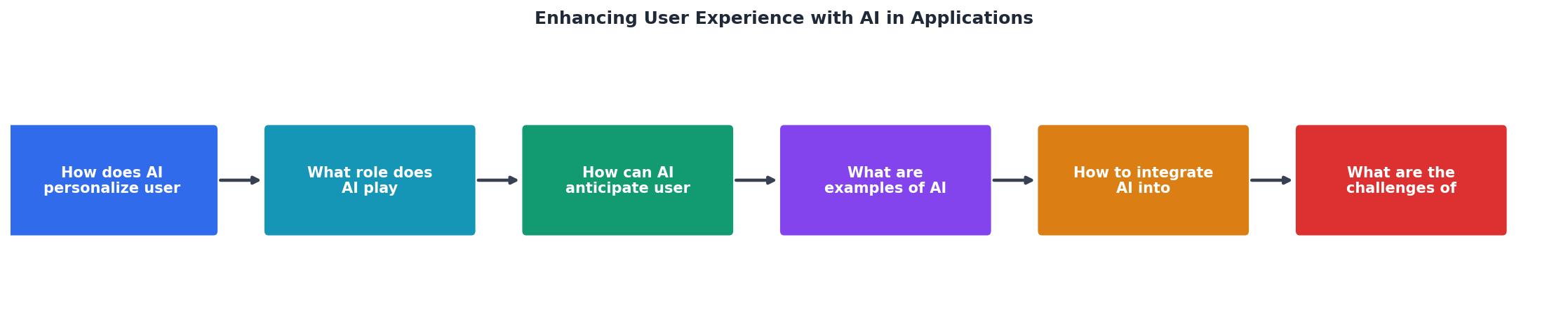
Expected ROI Timeline
| Phase | Timeline | Expected Improvement |
|---|---|---|
| Planning & Instrumentation | 2–4 weeks | Data foundation ready |
| Model Development | 4–8 weeks | Baseline metrics established |
| A/B Testing | 2–4 weeks | 15–25% improvement validated |
| Full Rollout | 1–2 weeks | 30–50% gains in task completion time |
What Are the Challenges of Using AI in UX Design?
AI-driven UX sounds great until you ship it. Real challenges emerge:
Data privacy and consent. Personalization requires detailed user behavior data. Collecting, storing, and using that data lawfully matters. GDPR, CCPA, and emerging regulations restrict what you can do. Build a clear consent flow, let users opt out, and anonymize or delete data on request. Users who trust you are more likely to tolerate personalization.
Model bias and fairness. If your training data skews toward one demographic, your model will too. A recommendation system trained mostly on data from desktop users might ignore mobile patterns. Audit your data for representation gaps. Test recommendations across demographic groups. If one cohort gets worse results, fix it before shipping.
Complexity and maintenance. Each AI feature adds complexity. More models mean more to monitor, retrain, and debug. A recommendation engine that works for three months then silently degrades is worse than no recommendation engine. Staff and process matter. You need someone on call for model failures, regular retraining pipelines, and clear rollback procedures.
Over-personalization and filter bubbles. Show a user only what they've shown interest in before, and you trap them in a narrow view. They miss serendipitous discoveries. Balance personalization with diversity. Occasionally surface novel content, and let users override or ignore personalized suggestions.
Latency and cost. Real-time personalization or semantic search can be slow or expensive at scale. Querying an LLM for every search is cost-prohibitive. Caching, embedding indexes, and lightweight models help. Measure latency; if predictions take 500 ms, they're not helpful.
Mitigation comes down to rigor: test assumptions, measure real user impact, monitor for degradation, and iterate. AI in UX is not a one-time feature; it's an ongoing practice.
FAQ
Frequently Asked Questions
Additional Resources
- AI That Enhances User Experience - AI-powered chatbots have ushered in a new era of customer experience, streamlining how users interact with websites and applications. Instead of sifting ...
- The Future of AI in User Experience (UX) Design - AI is transforming UX design. Learn more about the best AI-powered tools and the challenges of incorporating AI into your UX strategy.
- Enhancing user experience in mobile applications through ... - AI-backed applications help monitor and understand the user's behavior, interests, and interactions with the application of personalization ...
Ready to Master Vibe Coding?
Learn to build software faster with AI assistance using the Vibe Coding Bible.
Get Started