How AI Tools Support Agile Project Management
Agile project management relies on constant feedback loops, quick pivots, and staying on top of what your team is actually doing. When you're shipping fast with AI, those loops get even tighter and the overhead compounds. AI tools cut through the busywork, automated task updates, smarter forecasts, better team sync, so you spend time building, not managing.

Agile project management relies on constant feedback loops, quick pivots, and staying on top of what your team is actually doing. When you're shipping fast with AI, those loops get even tighter and the overhead compounds. AI tools cut through the busywork, automated task updates, smarter forecasts, better team sync, so you spend time building, not managing.
Photo by Vitaly Gariev from Pexels
TL;DR:- AI automates routine agile tasks (status updates, sprint summaries, dependency detection) so you focus on delivery.
- AI-powered timeline prediction uses historical data to forecast sprint completion and flag risks early.
- AI enhances team communication by summarizing stand-ups, generating release notes, and translating feedback into actionable tickets.
- Popular platforms like Jira, Linear, and Asana now integrate AI agents; Slack and GitHub also offer AI-assisted workflows.
- Implementation starts with automating your most painful manual process, then expanding across the team.
Why agile teams need AI now
Agile works because it embraces change and feedback. But the cost of staying agile is constant communication and task wrangling. You run standups, update sprint boards, cut tickets, track blockers, replan when things shift. With a small team, you live in Slack. With a larger team or remote setup, information scatters and sync becomes a drag.
AI doesn't replace judgment. It replaces the grunt work that slows you down. You still decide priorities and scope. AI just makes sure nothing falls through cracks, predictions are sharper, and your team stays aligned without endless meetings.
Automating routine tasks in agile management

The biggest win from AI in agile is automating the repetitive overhead that doesn't need human thought, just consistency.
Status updates and sprint summaries. Instead of asking each person to write a standup note or manually tallying sprint progress, AI agents read your commits, PR descriptions, and ticket updates. They generate a summary: "3 tasks closed, 2 blocked on API response time, 1 in code review." You get a real picture without asking.
Dependency detection. When a developer marks a task as blocked, AI can surface that to the team and flag related tickets that might be affected. No more discovering mid-sprint that two features are tangled and nobody knew it.
Ticket generation from conversations. Your Slack discussion about a UI bug becomes a Jira ticket with reproduction steps, context, and an assignment suggestion. AI listened, parsed the context, and created the task. Your team doesn't have to switch to the project tool and type it up.
Burndown predictions. Every day, AI looks at current sprint velocity, task estimates, and completion rate. It tells you if you're on track or if Friday's deadline is at risk, right now, not on Thursday night.
Tools like Jira with AI features, Linear's AI assistant, and Asana's automation layers handle this. Smaller teams can cobble it together with Zapier or Make (formerly Integromat) piping Slack messages into task managers.
Predicting project timelines accurately

Deadlines slip. Features get more complex than expected. Scope creeps. Without good forecast data, you're guessing.
AI changes that by learning from your actual history. It watches your past sprints: how long similar features took, where you're consistently off on estimates, which team members tend to underestimate. Then it applies that to current sprint work and gives you a probability curve, not a single date.
How AI timeline prediction works:
- Historical analysis, AI reviews 10+ past sprints. It sees that authentication tasks usually take 40% longer than estimated but data migration tasks are usually spot-on.
- Velocity trending, It notices your velocity fluctuates: lower in November, higher in spring. It weights recent sprints more heavily.
- Complexity factoring, When you tag a task as "complex," AI remembers that complex tasks from this team member run 30% over. It adjusts.
- Risk flagging, It sees blockers, dependencies, and unfamiliar tech in the sprint. It flags "this sprint has 3 new tools you've never used; expect 15% slowdown."
- Forecast output, Instead of "Friday," you get "Friday (60% confidence); Tuesday–Sunday range (95% confidence)."
Platforms like Jira Cloud and Monday.com offer built-in forecast features. Specialized tools like SwiftKanban and Smartsheet go deeper. You can also build custom forecasts with Looker or Tableau if you export sprint data.
Facilitating team communication in agile
Real-time communication is agile's heartbeat. Standups, retros, planning, async updates. The more distributed your team, the harder it gets to keep everyone in the loop without drowning in noise.
AI smooths that by filtering, summarizing, and translating.
Standup synthesis. Your team posts async standup updates to Slack or a dedicated thread. AI reads all of them, spots blockers, flags handoff needs, and posts a 2-minute read-through. People who need detail dive in; others get the gist. No meeting if there's nothing to discuss.
Retro insights. After a sprint retro, AI transcribes the discussion (if video) or reads the notes. It groups feedback themes ("slow tests", "unclear requirements", "communication gaps") and suggests action items. Instead of spending 20 minutes in a retro, you spend 10 and leave with a clear improvement backlog.
Release notes automation. AI reads your closed tickets, merged PRs, and commit messages. It writes release notes: "New: dark mode toggle. Fixed: login redirect bug. Improved: PDF export speed by 40%." Marketing and customers get clarity without manual copy work.
Async feedback translation. A client comment "the button feels slow" becomes a ticket: "User reported slow button interaction on checkout. Investigate click-to-response latency, audit JS blocking." AI transformed vague feedback into actionable engineering work.
Tools: Slack + GitHub + Linear already have integration layers for this. Notion AI can summarize meeting notes. Fireflies.io transcribes and summarizes meetings. Otter.ai works for async voice feedback.
AI tools that integrate with agile
You don't need a "special" AI tool. Your existing project managers already have AI layers. Here's what's real today:
Jira + Atlassian Intelligence. Jira Cloud now includes AI features: sprint summaries, "next task suggestion," and timeline prediction. If you're on Server or Data Center, support is limited, but the cloud roadmap is clear.
Linear. Built modern and lightweight. The AI assistant reads your project context and helps with issue creation, sprint planning, and status summaries.
GitHub + Copilot for Work. Linked to your project management. Copilot summarizes PRs, flags high-risk changes, suggests reviewers, and can feed PR data back into your sprint board.
Asana. Offers AI-assisted task generation and automated workflows. You can build "when X happens, AI creates Y task" logic without code.
Slack + Workflow Builder + AI plugins. Many teams live in Slack for async agile. Workflow Builder automates routing; third-party AI apps (like Wunderbucket or custom Slack apps) add intelligence.
Zapier / Make. If you're using smaller tools (Trello, Airtable, Notion), these workflow platforms tie them together and add AI (via GPT-4 or similar). It's flexible but requires setup.
For indie builders, start simple: Linear or GitHub Projects + Slack cover most of it. As you scale, Jira or Asana offer deeper integration.
How to implement AI tools in agile
Rolling out AI tools wrong wastes money and frustrates the team. They need to see value fast and fit into existing workflows, not replace them overnight.
Step 1: Identify your biggest pain. Where does agile management currently drain time? Is it standup updates? Sprint forecasting? Ticket triage? Pick one.
Step 2: Pilot with one team or sprint. Don't roll out across the company. Let a small group use the AI tool for 2–3 sprints. Collect feedback. Adjust.
Step 3: Integrate with your tool stack. If you use Slack, Jira, and GitHub, pick a tool that talks to all three (or stack integrations via Zapier). Friction kills adoption.
Step 4: Set guardrails. Decide: What output does AI generate? Who reviews it before it hits the team? For sensitive stuff (external communication, big decisions), AI assists but doesn't decide.
Step 5: Train the team. Show people how to use the tool. More importantly, show them the value: "This AI summary saved us a 30-minute standup." Behavior changes when people see benefit.
Step 6: Measure and iterate. Track sprint velocity, cycle time, and how much time people spend in meetings vs. building. If velocity goes up and meeting time goes down, you're winning. If not, something's broken, fix it or abandon the tool.
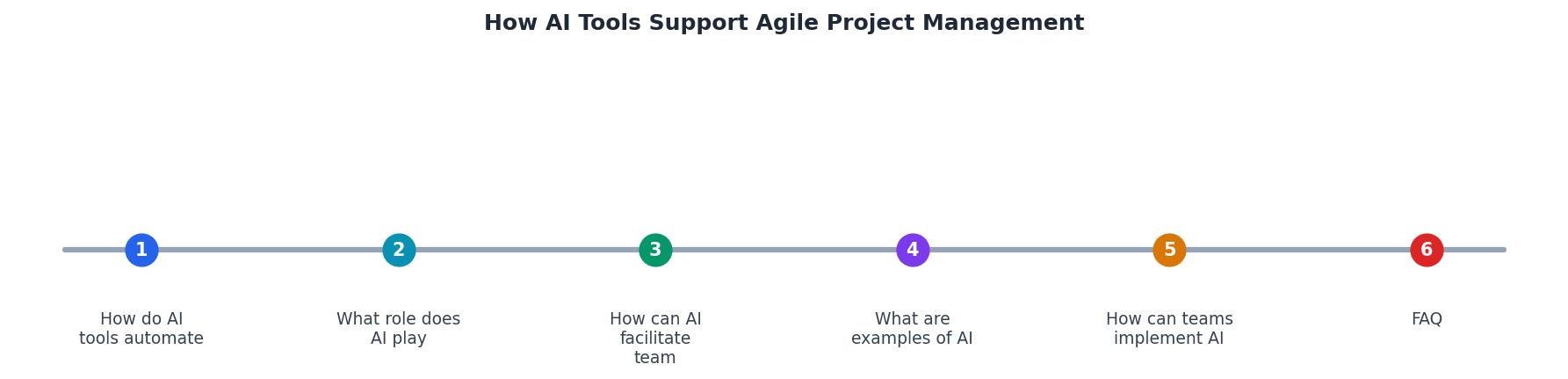
Real-world implementation guide
6-Week AI Agile Rollout
This phased approach cuts risk. You're not betting the farm; you're testing and iterating, just like agile teaches.
AI Tools Implementation Checklist
Your progress is saved automatically in your browser.
FAQ
Frequently Asked Questions
"The practical differences are visible in information gathering, decision-making cadence, and adaptability.">, AI Project Management in Agile: Concepts, Benefits, and Implementation
The real question isn't whether to use AI in your agile workflow. It's how to integrate it without breaking what already works. Agile survived decades of tool churn because the core principles, feedback, iteration, people over process, stayed steady. AI is just a better amplifier for those principles. It takes the busywork out of sprints so your team can focus on what matters: shipping fast and staying responsive to change.
Start small. Measure impact. Iterate. That's agile, and it applies to adopting AI tools just as much as it does to building software.
Additional Resources
- AI Project Management in Agile - Zenhub - AI augments Agile practitioners by removing routine work and delivering analytics that support strategic decisions, allowing teams to focus on ...
- AI Meets Agile: Transforming Project Management For The ... - Several AI-powered tools are meetings, saving time and ensuring all relevant information is easily accessible.
- Applying AI in Agile Software Development Part 1 - Reduce repetitive work. AI can and should be used to automate repetitive, predictable work. For example, in software development a common need ...
Ready to Master Vibe Coding?
Learn to build software faster with AI assistance using the Vibe Coding Bible.
Get Started