Business case for ai coding tools: Practical Guide
You want to use AI coding tools to ship faster, but your budget is tight and you need to justify every dollar. Whether you are pitching a co-founder, convincing yourself to pay for a Cursor subscription, or presenting to a small advisory board, a clear business case turns gut feeling into a decision backed by numbers. This guide walks you through building that case from scratch, with concrete steps, real cost comparisons, and a ready-to-use checklist.


You want to use AI coding tools to ship faster, but your budget is tight and you need to justify every dollar. Whether you are pitching a co-founder, convincing yourself to pay for a Cursor subscription, or presenting to a small advisory board, a clear business case turns gut feeling into a decision backed by numbers. This guide walks you through building that case from scratch, with concrete steps, real cost comparisons, and a ready-to-use checklist.
Photo by panumas nikhomkhai from Pexels
TL;DR:- AI coding tools like Cursor, GitHub Copilot, and Claude Code cost $10-$100/month per seat but can cut development time by 30-55% on routine tasks.
- A solid business case quantifies three things: time saved, cost avoided, and revenue shipped sooner.
- Start by measuring your current workflow, run a two-week pilot, then compare the numbers.
Why this matters right now
Six months ago, AI coding assistants were a curiosity. Today they are a line item. GitHub Copilot crossed 1.8 million paid subscribers. Cursor went from unknown to the default editor for thousands of indie builders. The tools got good enough that ignoring them carries its own cost: slower shipping, more hours burned on boilerplate, and competitors who move faster.
If you are building a product without a traditional engineering background, the math is even more compelling. Every hour you spend wrestling with syntax or debugging a framework mismatch is an hour you are not talking to customers, designing features, or closing deals. AI coding tools compress the gap between "I know what I want to build" and "it works in production."
But "it feels faster" is not a business case. You need numbers. Let's build them.
Common mistakes that kill the case

Most people fail at the business case stage, not the tool stage. Here are the traps:
- Counting only subscription cost. A $20/month Copilot seat looks cheap. But the real investment includes onboarding time, prompt engineering learning curve, and the occasional AI-generated bug you have to track down. Include all of it.
- Ignoring the baseline. If you do not know how long tasks take without AI, you cannot prove AI made them faster. Track your current workflow for at least one week before starting a pilot.
- Overpromising speed gains. AI tools accelerate boilerplate, scaffolding, and repetitive patterns. They do not magically architect your system or write your business logic. Claiming "10x productivity" will get your case dismissed by anyone who has actually shipped software.
- Skipping quality metrics. Faster code that breaks in production is not a gain. Your business case needs to address bug rates, not just velocity.
Step-by-step: build the case
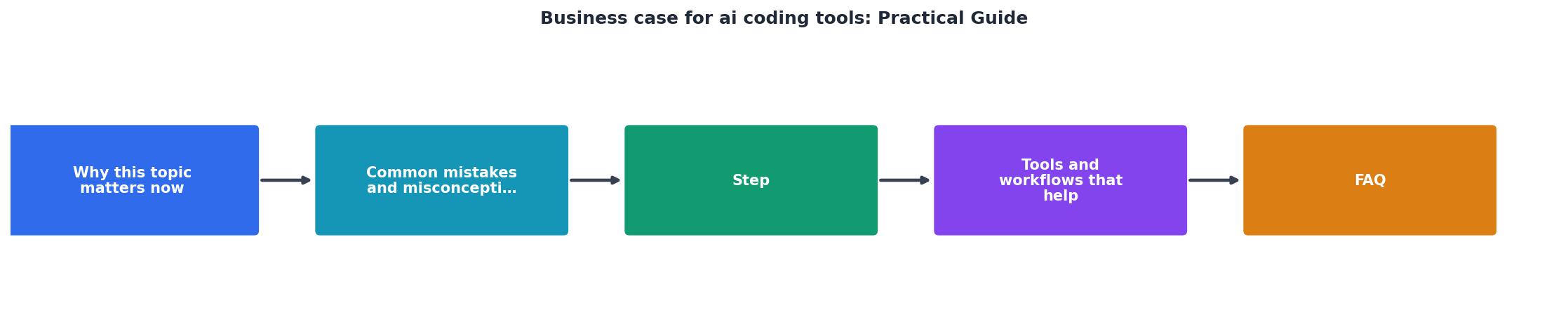
Follow these five steps. Each one produces a concrete deliverable you can show to anyone who controls budget.
Step 1: Measure your baseline
Pick three representative tasks from your last two weeks of work. Examples: "add a new API endpoint," "build a settings page," "write integration tests for checkout." For each task, record:
- Hours spent
- Number of bugs found after completion
- Lines of code or components produced
Step 2: Choose one tool and run a pilot
Do not evaluate five tools at once. Pick one. For solo builders, Cursor (with Claude or GPT-4 backend) or GitHub Copilot are the two most common starting points. Cursor costs $20/month for the Pro plan. Copilot Individual is $10/month.
Run the pilot for two weeks. During that time, do the same types of tasks you measured in Step 1. Track the same metrics: hours, bugs, output.
Step 3: Calculate time savings
Compare pilot results to baseline. The formula is straightforward:
Time saved per task = Baseline hours - Pilot hours
Multiply by your hourly rate (or opportunity cost if you are a founder). If you saved 5 hours per week at $75/hour effective rate, that is $375/week or roughly $1,500/month in recovered time. Subtract the tool cost ($20/month). Net gain: $1,480/month.
"Research by the National Bureau of Economic Research (NBER) shows that when customer support professionals were given access to AI agents, their productivity increased by an average of 14%.3.">, AI Business Use Cases
Those numbers come from customer support, not coding. In practice, coding productivity gains with AI tools tend to be higher for repetitive tasks and lower for novel architecture work. Your pilot data will give you the real number for your specific workflow.
Step 4: Quantify quality impact
Count bugs found in pilot code versus baseline code. If the bug rate stayed the same or dropped, that strengthens the case. If it went up, you need to factor in the cost of additional review and debugging time.
Also note: did the AI tool help you catch issues you would have missed? Copilot and Cursor often suggest error handling patterns that solo builders skip. That is a quality gain worth documenting.
Step 5: Project annual ROI
Take your monthly net gain and multiply by 12. Add any revenue impact from shipping features sooner. If launching a feature one month earlier means $2,000 in additional revenue, include that.
Present the case as a simple table:
| Without AI Tools | With AI Tools |
|---|---|
| 40 hrs/week coding | 26 hrs/week coding |
| 3 bugs per sprint | 2 bugs per sprint |
| Feature ships in 6 weeks | Feature ships in 4 weeks |
| $0/month tool cost | $20/month tool cost |
| $0 time recovered | $1,480/month recovered |
Tools and workflows that help
Here is a quick breakdown of the most relevant AI coding tools and what they cost as of mid-2026:
- GitHub Copilot Individual ($10/month): Inline code suggestions in VS Code, JetBrains, Neovim. Best for autocomplete-style assistance.
- Cursor Pro ($20/month): Full editor with chat, multi-file editing, and agent mode. Best for builders who want AI deeply integrated into their workflow.
- Claude Code (usage-based via Anthropic API or Max plan at $100/month): Terminal-based agent that can read your entire codebase and make changes across files. Best for larger refactors and complex tasks.
- Lovable / v0 (free tiers + paid plans): UI-focused generators that produce React components from descriptions. Best for rapid prototyping.
Real numbers from a real project

Here is what a typical scenario looks like for a solo builder shipping a SaaS product. Before AI tools, building a new feature (authentication flow with email verification, password reset, and session management) took roughly 20 hours across a week. With Cursor Pro and Claude as the backend model, the same feature took 9 hours across three days. The subscription cost was $20 for the month. The builder's effective hourly rate was $60. That single feature saved $660 in time value against a $20 investment.
The example dashboard below shows what these numbers look like when you track them over a quarter:
Quarterly ROI Dashboard (Example)
Those numbers assume 11 hours saved per week at $60/hour. Your results will vary, but even at half that rate, the ROI is overwhelming. The tool pays for itself in the first day of each month.
Business Case Builder Checklist
Your progress is saved automatically in your browser.
FAQ
Frequently Asked Questions
npm audit or equivalent checks and reviewing AI output before committing is sufficient. The cost is small compared to the time savings.What does your current workflow look like, and which tasks eat the most hours each week? That answer is the starting point for your own business case.
Additional Resources
- How to Build & Sell AI Agents: Ultimate Beginner's Guide - An AI agent is a digital worker that can understand instructions and take actions in order to complete tasks.
- The most valuable AI use cases for business - Video production teams use AI to create or edit content more quickly, while software developers use it to write code, generate documentation and ...
- AI Workflows in Business: A Practical Guide - Initial use cases include generating creative ideas, summarizing unstructured data, and making powerful business process automations … low-code ...
Ready to Master Vibe Coding?
Learn to build software faster with AI assistance using the Vibe Coding Bible.
Get Started