Common Optimization Pitfalls in AI Coding
AI coding assistants generate working code fast, but the optimization phase is where teams quietly accumulate the most expensive technical debt. Overfitting prompts, burning GPU hours on the wrong bottleneck, and letting AI pile abstraction on top of abstraction are problems that show up in production, not in demos. This guide maps the most common optimization pitfalls in AI-assisted codebases and gives you concrete strategies to catch them before they cost real money.


AI coding assistants generate working code fast, but the optimization phase is where teams quietly accumulate the most expensive technical debt. Overfitting prompts, burning GPU hours on the wrong bottleneck, and letting AI pile abstraction on top of abstraction are problems that show up in production, not in demos. This guide maps the most common optimization pitfalls in AI-assisted codebases and gives you concrete strategies to catch them before they cost real money.
Photo by Markus Winkler from Pexels
TL;DR:- AI-generated code often introduces overfitting to narrow test cases, wasteful resource usage, and unnecessary abstraction layers.
- Catching these pitfalls requires profiling before optimizing, enforcing complexity budgets, and reviewing AI output with the same rigor you apply to human code.
- A structured checklist and team-level guardrails prevent the most damaging patterns from reaching production.
Where optimization goes wrong
Most optimization failures in AI-assisted projects share a root cause: the developer trusts the AI's output without measuring first. The AI generates code that looks optimized. It uses caching, async patterns, or clever data structures. But "looks optimized" and "is optimized for your actual workload" are different things.
Three categories cover the majority of pitfalls:
- Overfitting to narrow inputs or benchmarks
- Resource mismanagement where compute, memory, or API calls are wasted on the wrong path
- Complexity inflation where the AI adds layers that make the code harder to maintain without measurable performance gain
"In fact, by 2027, experts estimate that 70% of professional developers will use AI coding tools.">, 8th Light
That adoption rate makes these pitfalls a team-scale problem, not an individual one. If seven out of ten engineers on your team use AI tools, the optimization mistakes compound across the entire codebase.
Overfitting in AI-generated code
Overfitting in this context does not just mean ML model overfitting. It means the AI writes code that performs well on the examples you gave it but breaks or degrades on real-world data distributions.
Here is how it happens in practice:
- You prompt the AI with a sample dataset of 50 rows. It generates a sorting function that works perfectly for small arrays but uses O(n^2) comparisons.
- You ask for a caching layer. The AI caches aggressively based on the three API endpoints you mentioned, but the cache invalidation logic does not account for the 40 other endpoints in production.
- You request a database query optimization. The AI adds an index that speeds up your test query but slows down writes across the table.
That number should concern any engineering lead. If your team is not load-testing AI output, you are shipping optimizations that only work in development.
Resource management pitfalls

AI tools love to add infrastructure. Ask for a performance improvement and you might get a Redis cache, a message queue, and a worker pool. Each one adds operational cost, monitoring requirements, and failure modes.
Common resource management pitfalls include:
- Over-provisioning caches that consume memory for data accessed once per hour
- Spawning async workers for tasks that complete in under 10ms synchronously
- Adding connection pools sized for 10x the actual concurrent load, wasting database connections
- Duplicating API calls because the AI does not track state across functions it generated separately
py-spy, perf, Chrome DevTools, or EXPLAIN ANALYZE in PostgreSQL before accepting any AI-suggested optimization. If you cannot measure the bottleneck, you cannot confirm the fix.
Reducing unnecessary complexity
AI models have a bias toward completeness. Ask for a function and you get error handling, logging, retry logic, and three levels of abstraction. Each layer is individually reasonable. Together, they create a maintenance burden that slows down every future change.
Concrete examples from real projects:
- A simple REST endpoint wrapped in a strategy pattern, a factory, and a decorator chain. The endpoint had one implementation and no plans for a second.
- A data pipeline with four transformation stages, each in its own class with dependency injection, for a job that processes 200 records daily.
- A frontend component split into a container, a presenter, a hook, and a utility module for what amounts to a single form with three fields.
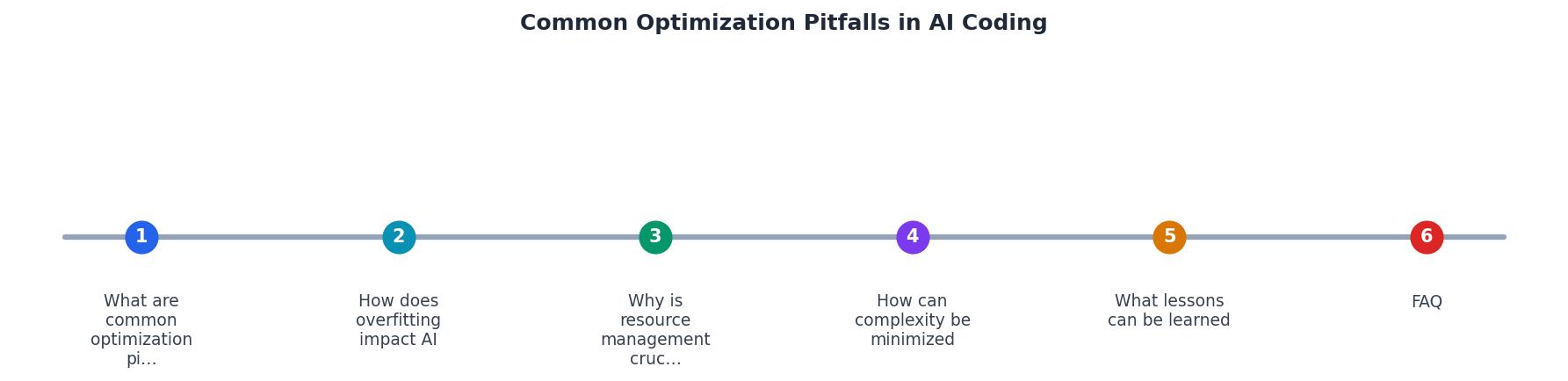
The diagram above shows the cycle: Identify Bottleneck, Profile, Generate Fix, Review Complexity, Test at Scale, Deploy. Skipping Profile or Test at Scale is where most teams fail.
| Without Guardrails | With Guardrails |
|---|---|
| AI adds caching everywhere | Caching only where profiling shows >100ms latency |
| New abstractions per prompt | Complexity budget enforced in PR review |
| Optimizations tested on sample data | Load tests against production-scale data |
| Resource costs grow silently | Monthly resource audit tied to performance metrics |
Lessons from real-world projects

Teams that handle AI optimization well share a few patterns:
- They treat AI output as a draft, not a deliverable. Every AI-generated optimization goes through the same review process as human code. No exceptions.
- They measure before and after. A Slack channel or dashboard showing latency, memory, and cost metrics before and after each optimization PR keeps the team honest.
- They limit prompt scope. Instead of "optimize this service," they prompt with "reduce the p95 latency of the
/searchendpoint from 400ms to under 200ms." Narrow prompts produce focused, testable changes. - They refactor AI output immediately. The first pass from the AI gets the logic right. The second pass, done by a human, strips unnecessary layers and aligns naming with the existing codebase.
The following interactive card summarizes the pitfall categories and their impact on a typical AI-assisted project:
AI Optimization Pitfall Prevention Checklist
Your progress is saved automatically in your browser.
FAQ
Frequently Asked Questions
py-spy and memory_profiler expose CPU and memory hotspots. For databases, EXPLAIN ANALYZE in PostgreSQL or the query profiler in MySQL reveals whether AI-suggested indexes actually help. On the infrastructure side, cloud cost dashboards (AWS Cost Explorer, GCP Billing Reports) combined with per-service tagging let you attribute cost increases to specific AI-generated changes. For frontend work, Chrome DevTools Performance and Lighthouse audits catch unnecessary rendering or bundle bloat.What optimization pitfall has cost your team the most time? Share your experience so others can avoid the same trap.
Additional Resources
- The Potential and Pitfalls of AI-Assisted Coding - AI coding tools risk potentially exposing the code to vulnerabilities, such as outdated libraries, insecure defaults, or poor patterns sneaking into the code.
- Common Bugs in AI-Generated Code and Fixes - Ranger - Issues like silent logic failures and insecure coding patterns are common pitfalls that need immediate attention.
- Beyond the Hype: The Real Impact of AI on Coding - Security flaws, performance bottlenecks, and other bugs could slip through because AI doesn't fully understand the environment in which the code ...
Ready to Master Vibe Coding?
Learn to build software faster with AI assistance using the Vibe Coding Bible.
Get Started