Compliance evidence for ai coding: Practical Guide
Regulators and enterprise clients are starting to ask a question most AI-assisted builders cannot answer yet: prove that your AI-generated code meets compliance requirements. If you ship software built with Cursor, Copilot, or Claude and someone asks for an audit trail, you need actual evidence, not a shrug. This guide walks through the concrete steps to collect, organize, and present compliance evidence for code that AI helped you write.


Regulators and enterprise clients are starting to ask a question most AI-assisted builders cannot answer yet: prove that your AI-generated code meets compliance requirements. If you ship software built with Cursor, Copilot, or Claude and someone asks for an audit trail, you need actual evidence, not a shrug. This guide walks through the concrete steps to collect, organize, and present compliance evidence for code that AI helped you write.
Photo by cottonbro studio from Pexels
TL;DR:- Every AI-assisted codebase needs a documented trail showing what the AI generated, what a human reviewed, and what tests validated the output.
- Compliance evidence includes prompt logs, code review records, automated scan results, and a clear policy document.
- Start with three things: enable git commit attribution, save AI session logs, and run a license scanner on every pull request.
Why compliance evidence matters now
The EU AI Act entered enforcement phases in 2025 and 2026. SOC 2 auditors now ask about AI tooling in developer workflows. Enterprise procurement teams include AI governance questions in vendor security questionnaires. If you build software with AI assistance and sell it to businesses, compliance evidence is no longer optional.
The core problem: traditional compliance assumes a human wrote the code. Audit trails track who committed what and when. AI-assisted development breaks that assumption. A developer might accept 200 lines of AI-suggested code in a single keystroke. The git log shows one commit by one person, but the actual authorship is split between a human and a model. Without extra documentation, there is no way to reconstruct what happened.
This affects you even if you are a solo builder shipping a SaaS product. The moment a customer asks "do you use AI in development?" and follows up with "show me your controls," you need something concrete to hand over.
Common mistakes that create risk

Mistake 1: Treating AI output as your own without documentation. Accepting Copilot suggestions and committing them with no record of AI involvement creates a false audit trail. If a license violation surfaces later, you have no way to trace it back to the AI suggestion.
Mistake 2: Assuming your AI tool keeps logs for you. GitHub Copilot does not store a retrievable history of every suggestion you accepted. Cursor sessions disappear when you close the editor unless you explicitly export them. Claude conversation history can be deleted. You are responsible for your own records.
Mistake 3: Confusing compliance with security scanning. Running Snyk or Dependabot is good practice, but it covers vulnerability management, not AI-specific compliance. Auditors want to know your process for reviewing AI-generated code, not just that you scan for CVEs.
Step-by-step evidence collection
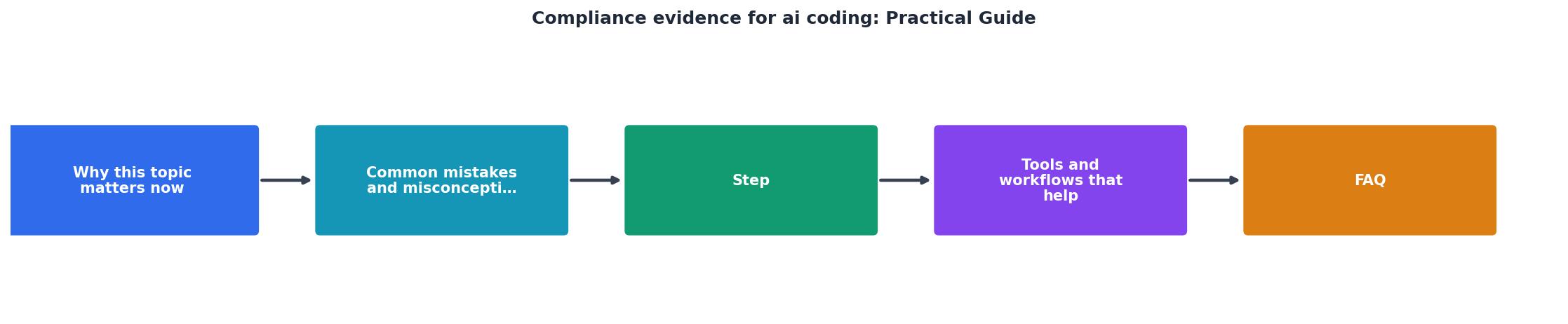
The process breaks down into five steps: Tag, Log, Scan, Review, Archive. Here is how each one works in practice.
1. Tag AI-generated code in commits
Add a structured tag to every git commit that includes AI-generated or AI-assisted code. A simple convention works:
git commit -m "feat: add payment validation [ai-assisted: copilot]"
Use a consistent prefix like [ai-assisted: tool-name] or a git trailer:
AI-Assisted-By: cursor/claude-3.5
This creates a searchable, filterable record in your git history. You can later run git log --grep="ai-assisted" to pull every AI-involved commit for an auditor.
2. Log prompts and sessions
Export or screenshot your AI sessions. For Cursor, use the session export feature. For Claude, copy the full conversation before closing it. For Copilot, there is no built-in export, so use a VS Code extension like copilot-usage-tracker or manually note which files received AI suggestions.
Store these logs in a dedicated docs/ai-evidence/ folder in your repository, or in a separate compliance vault (Google Drive, Notion database, or a dedicated tool like Vanta).
3. Scan for license contamination
AI models trained on open-source code can reproduce snippets with specific licenses. Run a license scanner on every pull request:
licenseeorlicense_finderfor Ruby projectsFOSSAfor multi-language reposScanCode Toolkitfor deep license detectionGitHub Advanced Securitysecret and license scanning
4. Review with AI-awareness
"In conventional IaC workflows, AI systems require access to environment variables and infrastructure configuration to diagnose issues, which creates compliance challenges under data protection law.">, The Compliance Guide to AI
Code review for AI-assisted work needs an extra lens. The reviewer should check:
- Does this code contain hardcoded secrets the AI might have hallucinated from training data?
- Are there unusual patterns that suggest copy-paste from a specific open-source project?
- Does the logic actually match the requirements, or did the AI solve a slightly different problem?
[ ] AI-generated sections reviewed for correctness, licensing, and security.
5. Archive evidence per release
Before each release, bundle your compliance evidence into a release folder:
- List of AI-assisted commits (generated from git log)
- Prompt/session logs for significant features
- License scan results (green/clean report)
- Code review records showing AI-specific checks passed
Tools and workflows that help

Here is a practical comparison of manual versus automated evidence collection:
| Manual Approach | Automated Approach |
|---|---|
| Developer remembers to tag commits | Git hook enforces AI tag on every commit |
| Copy-paste chat logs into a folder | CI pipeline exports and archives session metadata |
| Run license scanner before release | License scan runs on every PR via GitHub Actions |
| Reviewer checks a mental list | PR template includes mandatory AI-review checkbox |
| Bundle evidence manually per release | Release script auto-generates compliance folder |
Git hooks are the single highest-leverage tool here. A prepare-commit-msg hook can prompt the developer to declare AI involvement before every commit. It takes 15 minutes to set up and eliminates the "I forgot to tag it" problem entirely.
FOSSA and Snyk both offer CI integrations that block merges when license issues appear. FOSSA specifically focuses on license compliance, which makes it the better fit for AI code evidence.
Vanta and Drata are compliance automation platforms that can ingest your git metadata and scan results, then map them to SOC 2 or ISO 27001 controls. If you are selling to enterprise customers, these tools pay for themselves in audit prep time saved.
The dashboard below shows what a typical compliance evidence tracker looks like for a small team shipping AI-assisted code:
AI Compliance Evidence Tracker
Build your AI compliance policy

Evidence without a policy is just a pile of files. You need a one-page document that states:
- Which AI tools are approved for use in development (e.g., Cursor, Copilot, Claude).
- What must be documented for each AI interaction (commit tags, session logs, review records).
- What is prohibited (e.g., pasting production credentials into AI prompts, using unapproved models).
- Who reviews AI-generated code and what they check for.
- Where evidence is stored and for how long.
AI_COMPLIANCE_POLICY.md. This makes it version-controlled, visible to every contributor, and easy to reference in onboarding.AI Coding Compliance Evidence Checklist
Your progress is saved automatically in your browser.
FAQ
Frequently Asked Questions
prepare-commit-msg hook in under 15 minutes. Everything else builds on top of that foundation.Additional Resources
- EU AI Act Compliance: A Practical Guide for 2026-2027 - A practical, updated guide to EU AI Act compliance for data and AI teams — updated deadlines, high-risk obligations, and the system
- The Compliance Guide to AI-Written Code - This practical guide explains how to govern machine-written code at agent-level volume without slowing development down.
- The General-Purpose AI Code of Practice - The code of practice helps industry comply with the AI Act legal obligations on safety, transparency and copyright of general-purpose AI models.
Ready to Master Vibe Coding?
Learn to build software faster with AI assistance using the Vibe Coding Bible.
Get Started