Continuous AI Coding Education: Resources and Tips
Six months ago the AI coding tool you relied on daily shipped a completely different interface, deprecated three features, and introduced an agent mode nobody asked for. Your muscle memory became useless overnight. That scenario is not hypothetical; it is the normal pace of change in AI-assisted development. Staying effective means treating your own education as a continuous deployment pipeline, not a one-time install.


Six months ago the AI coding tool you relied on daily shipped a completely different interface, deprecated three features, and introduced an agent mode nobody asked for. Your muscle memory became useless overnight. That scenario is not hypothetical; it is the normal pace of change in AI-assisted development. Staying effective means treating your own education as a continuous deployment pipeline, not a one-time install.
Photo by ThisIsEngineering from Pexels
TL;DR:- AI coding tools and techniques change faster than any other area of software engineering, making continuous education non-optional.
- Structured online courses, hands-on projects, and developer communities each fill a different gap in your learning.
- A personalized learning plan with weekly time blocks and quarterly reviews keeps you current without burning out.
Why continuous learning is non-optional
The gap between "I know how to prompt Copilot" and "I ship production code with AI reliably" widens every quarter. New models arrive, context windows expand, agentic workflows replace chat-based ones, and the review patterns that worked last year produce false confidence today.
Professional engineers already invest in continuous learning through conference talks, RFCs, and side projects. AI coding adds a second axis: you need to learn both the engineering fundamentals that AI cannot replace and the AI-specific techniques that multiply your output. Ignoring either side creates blind spots. You end up either writing everything by hand while colleagues ship twice as fast, or accepting AI output uncritically and shipping bugs that a five-minute review would have caught.
The cost of falling behind compounds. Teams adopt shared AI workflows, code review expectations shift, and job postings start listing "experience with agentic coding tools" as a requirement. Continuous education is not about chasing hype. It is about maintaining your ability to evaluate, adopt, and discard tools on your own terms.
Best online platforms for AI coding

Not every platform serves the same purpose. Here is how the major ones break down for a working developer:
- Coursera offers university-backed courses from DeepLearning.AI and Stanford. Andrew Ng's "AI For Everyone" is a solid baseline; the MLOps specialization goes deeper into production concerns. Best for structured, certificate-track learning.
- edX hosts Harvard's CS50 AI track and MIT's Introduction to Machine Learning. The academic rigor is high, and the free audit option lets you test-drive before committing money.
- Pluralsight focuses on professional developers. Their AI-assisted development paths cover specific tools (GitHub Copilot, Amazon CodeWhisperer) with hands-on labs in real IDEs.
- fast.ai takes a top-down, code-first approach. You build working models before learning the theory behind them. Excellent for engineers who learn by doing.
- YouTube channels like Fireship, Theo, and The Primeagen deliver rapid-fire updates on new tools and techniques. Not structured, but unmatched for staying current week to week.
The best platform is the one you actually complete. A $200 course you abandon at week three teaches less than a free YouTube series you finish.
Build a personalized learning plan

Generic "learn AI" advice fails because it ignores where you already are. A backend engineer who writes Go daily has different gaps than a frontend developer working in TypeScript. Your learning plan should start with an honest skills audit.
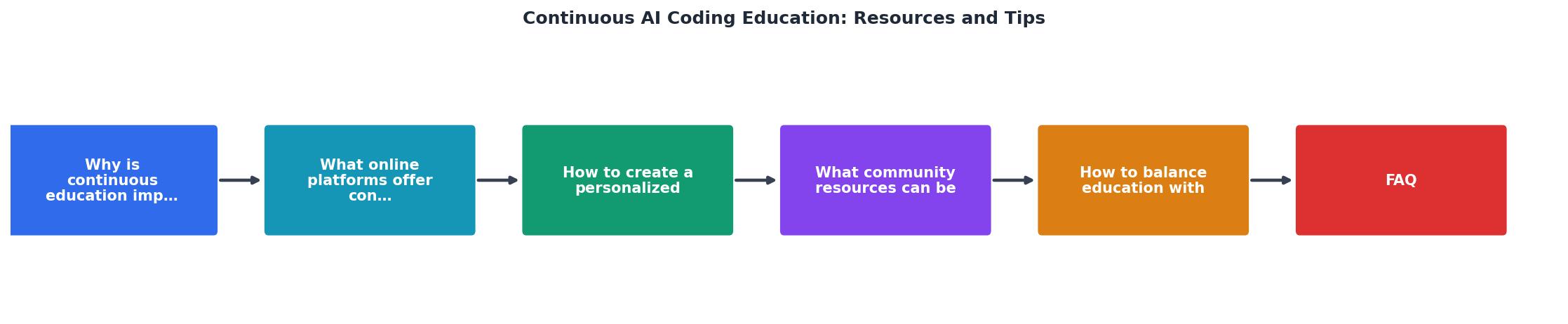
Follow these steps to build a plan that sticks:
- Audit current skills - List what you already know about AI coding tools, prompt engineering, and AI-specific review techniques. Rate each area as beginner, intermediate, or advanced.
- Identify gaps - Compare your audit against what your team or target role requires. If your team uses agentic workflows and you have never tried multi-step tool use, that is a gap.
- Set quarterly goals - Pick two or three specific skills per quarter. "Learn AI" is not a goal. "Complete the Pluralsight Copilot path and apply it to three pull requests" is.
- Block weekly time - Reserve two to four hours per week. Treat it like a recurring meeting. Morning slots before standup work well because your energy is high and interruptions are low.
- Track and review - At the end of each quarter, review what you learned, what you skipped, and what changed in the landscape. Adjust the next quarter accordingly.
"The key to using AI effectively while learning is to strike the right balance.">, Learning to Code with AI: Good or Bad
The plan does not need to be complex. A simple spreadsheet with columns for skill, resource, deadline, and status works. What matters is that you review it regularly and adjust when priorities shift.
Leverage community resources
Courses teach concepts. Communities teach judgment. The difference between knowing how a tool works and knowing when to use it comes from watching other engineers make real decisions.
Here is where to find that signal:
- GitHub Discussions and Issues on AI tool repositories. Reading how maintainers respond to bug reports teaches you the tool's actual limitations, not the marketing version.
- Discord and Slack communities like the Cursor Discord, Vercel's AI SDK channel, and the LangChain Discord. These move fast. Skim daily, engage when you have a specific question.
- Local meetups and conferences such as AI Engineer Summit, local Python/JS meetups with AI tracks, and company-internal lunch-and-learns. In-person conversations surface problems that nobody writes blog posts about.
- Reddit communities like r/LocalLLaMA, r/ChatGPTPro, and r/ExperiencedDevs. The signal-to-noise ratio varies, but sorting by top weekly surfaces genuinely useful threads.
- Open-source contributions to AI coding tools. Even small documentation PRs force you to understand the codebase and interact with maintainers.
Pair learning accelerates everything. Find one colleague who is also investing in AI skills and do a weekly 30-minute knowledge share. You cover twice the ground and catch each other's blind spots.
Balance education with real work
The biggest obstacle to continuous learning is not motivation. It is time. You have sprints, on-call rotations, code reviews, and meetings. Adding "learn AI" to the pile without a strategy guarantees it falls off.
Here is what actually works:
- Learn on the job first. Apply new AI techniques to real tasks. Writing a prompt template for your team's code review checklist teaches more than any tutorial.
- Use dead time. Commute, waiting for CI, lunch break. A 15-minute YouTube video or a single chapter from a course fits into gaps you already have.
- Negotiate learning time. Many companies offer 10-20% time or a learning budget. If yours does not, propose it with a concrete ROI: "I will learn agentic workflows and create a team guide, saving us X hours per sprint on boilerplate."
- Say no to low-value learning. Not every new tool deserves your attention. If it does not solve a problem you actually have, bookmark it and move on.
- Batch similar topics. Spend a week on prompt engineering, the next on AI-assisted testing. Context switching between unrelated topics wastes cognitive energy.
The following interactive card shows a sample weekly schedule that balances learning with a typical engineering workload:
Sample Weekly Learning Schedule
Practical artifact: learning plan template
Use this checklist to build and maintain your personalized AI coding education plan. Review it at the start of each quarter.
Personalized AI Learning Plan
Your progress is saved automatically in your browser.
For a deeper framework on building AI skills across an entire team, the Vibe Coding Bible at vibecodingbible.org covers structured adoption paths that scale from individual learning to team-wide workflows.
FAQ
Frequently Asked Questions
Additional Resources
- Learning to Code with AI: Good or Bad - Manually write code first – Always type out your code before consulting AI. · Use AI for explanations · Compare AI solutions · Ask for alternatives ...
- Continuous AI Resources - AI Coding Assistant ... - Continuous AI Resources. Comprehensive guides, tutorials, and documentation to help you master AI-powered coding with Continue.
- AI Courses + Training - Dive into the world of generative AI (artificial intelligence) and learn how to leverage AI with Codecademy's AI courses and tutorials.
Ready to Master Vibe Coding?
Learn to build software faster with AI assistance using the Vibe Coding Bible.
Get Started