Creating a REST API with AI Tools: A Comprehensive Guide
Building a REST API from scratch involves dozens of repetitive decisions: route naming, status codes, validation schemas, error handling patterns. Every one of those decisions is a place where AI code-generation tools like GitHub Copilot, Cursor, or Cody can save you real time without sacrificing the consistency your codebase demands. This guide walks through the full lifecycle of building a to-do list API, from design through deployment, showing exactly where AI accelerates the work and where you still need to think for yourself.

Building a REST API from scratch involves dozens of repetitive decisions: route naming, status codes, validation schemas, error handling patterns. Every one of those decisions is a place where AI code-generation tools like GitHub Copilot, Cursor, or Cody can save you real time without sacrificing the consistency your codebase demands. This guide walks through the full lifecycle of building a to-do list API, from design through deployment, showing exactly where AI accelerates the work and where you still need to think for yourself.

- AI tools generate boilerplate endpoints, validation logic, and test scaffolds in seconds, cutting REST API development time significantly.
- You still own the design decisions: resource naming, auth strategy, error contracts, and database schema.
- This guide uses a concrete to-do list API example (Node.js + Express) to show the full workflow from design to deployment with AI assistance.
Why AI tools change API development
REST APIs follow predictable patterns. CRUD operations on resources, JSON request/response bodies, HTTP status codes, input validation. That predictability is exactly what makes them a perfect target for AI code generation.
"Many different types of APIs are available; however, RESTful APIs have become the go-to technology for almost every API in production today.">, Rest API Tutorial
A significant chunk of any REST API codebase is structural: route definitions, middleware wiring, validation rules, error mappers. AI tools like GitHub Copilot and Cursor excel at generating this structural code from a short prompt or a single example endpoint. The remaining work, the part that actually matters, is the design and the business logic.
The real productivity gain is not writing code faster. It is maintaining consistency across 20, 50, or 100 endpoints without manually copying patterns. You write one endpoint correctly, and the AI replicates that pattern everywhere else.
Design your API first
Before opening an editor, define your resources and their relationships. For a to-do list API, the resource model is straightforward:
- Todo:
id,title,description,completed,createdAt,updatedAt - List (optional grouping):
id,name,todos[]
- Resource naming: Use plural nouns (
/todos, not/todoor/getTodos). - ID strategy: UUIDs vs. auto-increment integers. UUIDs are safer for public APIs.
- Pagination: Cursor-based or offset-based. Pick one and stick with it.
- Error format: Standardize on a single error response shape, such as
{ "error": { "code": "NOT_FOUND", "message": "..." } }. - Versioning: URL path (
/v1/todos) or header-based. URL path is simpler to debug.
Set up endpoints with AI

Here is the concrete workflow. Start with a Node.js + Express project (the same approach works with FastAPI, Spring Boot, or any framework).
Step 1: Scaffold the project. Use npm init and install dependencies: express, uuid, zod (for validation), cors. AI tools can generate the package.json and initial server.js from a single comment like // Express server with CORS on port 3000.
Step 2: Define one endpoint manually. Write your GET /v1/todos endpoint by hand. Set the response shape, status codes, and error handling exactly how you want them.
Step 3: Let AI generate the rest. With that single endpoint as context, prompt Copilot or Cursor: "Create POST, PUT, PATCH, and DELETE endpoints for the todos resource following the same pattern." The AI will replicate your status code conventions, error format, and response structure.
Step 4: Add validation schemas. Write one Zod schema for CreateTodoRequest, then prompt: "Generate Zod schemas for UpdateTodoRequest and PatchTodoRequest based on the same Todo model." AI handles the partial/optional field logic correctly when it has a reference schema.
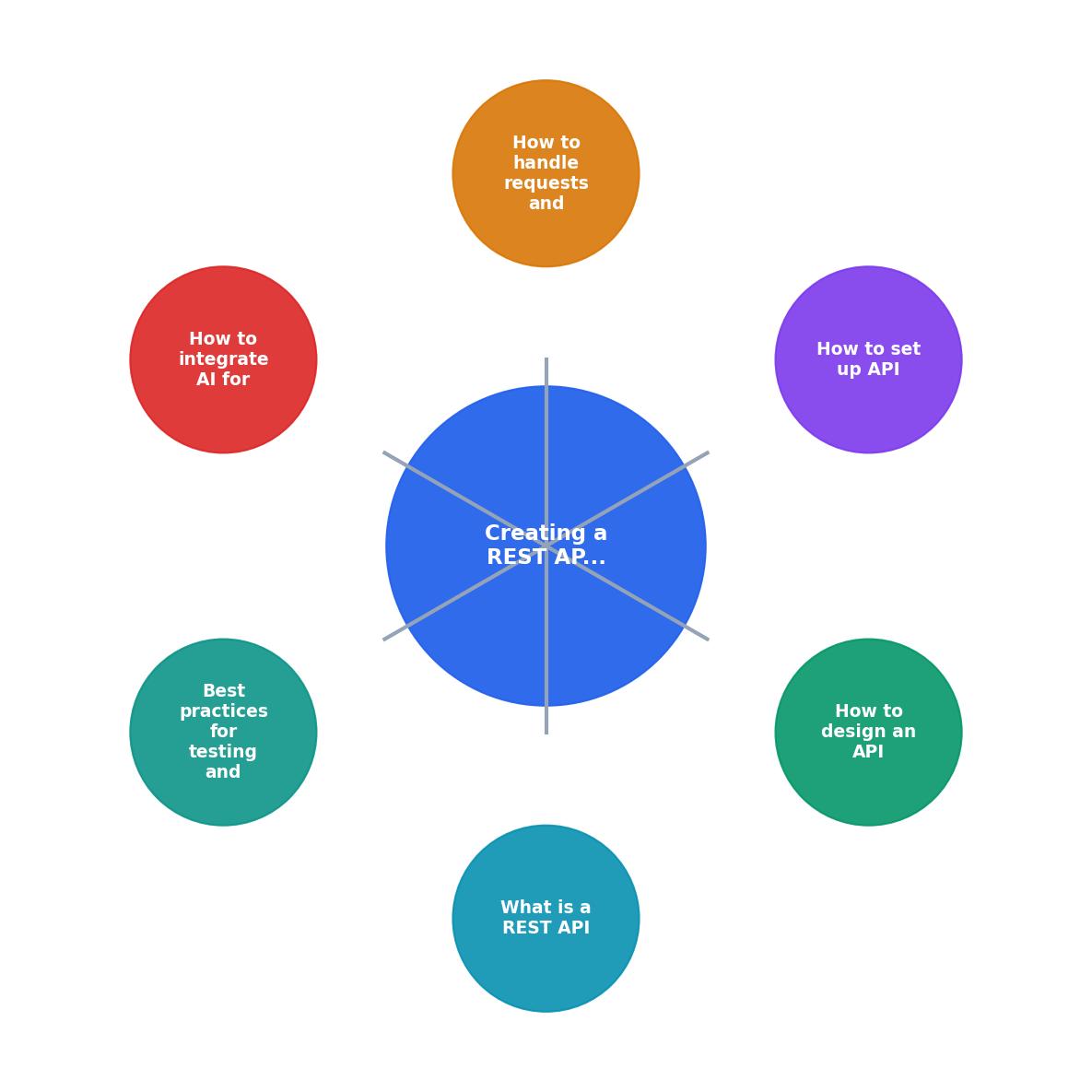
The process follows a clear loop: Design, Scaffold, Generate, Review, Test, Deploy. Each step feeds context into the next, and AI tools participate most heavily in Scaffold, Generate, and Test.
Handle requests and responses
Every endpoint needs to handle three things: valid input, invalid input, and unexpected failures.
For valid input, the happy path is straightforward. Parse the body, call the service layer, return the result with the correct status code (200 for reads, 201 for creates, 204 for deletes).
For invalid input, use middleware-level validation. A Zod schema combined with an Express middleware catches bad requests before they reach your handler:
const validate = (schema) => (req, res, next) => {
  const result = schema.safeParse(req.body);
  if (!result.success) {
    return res.status(400).json({
      error: { code: "VALIDATION_ERROR", details: result.error.issues }
    });
  }
  req.validated = result.data;
  next();
};
For unexpected failures, a global error handler catches anything that slips through. AI tools generate solid error-handling middleware when you provide one example and ask for a global handler.
The following dashboard shows a typical breakdown of where time goes when building a REST API with AI assistance versus doing everything manually.
REST API Build Time: Manual vs AI-Assisted
Integrate AI for code generation

AI code generation works best when you give it constraints. Here are the patterns that produce the most reliable output:
Pattern 1: Example-driven generation. Write one complete endpoint (route + validation + handler + tests). Then ask the AI to generate the next endpoint "following the same structure." Copilot and Cursor both pick up on naming conventions, error formats, and test styles from nearby code.
Pattern 2: Schema-first generation. Paste your OpenAPI spec or TypeScript interface into the context window. Ask the AI to generate Express routes that implement that spec. The type definitions act as guardrails, and the AI rarely deviates from them.
Pattern 3: Test-first generation. Write the test for an endpoint before the implementation. Then let the AI generate the handler that makes the test pass. This is TDD with an AI pair programmer, and it works surprisingly well for CRUD operations.
What AI should not decide for you:
- Authentication strategy (JWT vs. session vs. API key)
- Database schema migrations (AI can draft them, but you review every column)
- Rate limiting and security headers (use established libraries like
helmetandexpress-rate-limit) - Business logic beyond simple CRUD (anything domain-specific needs human judgment)
| Manual Coding | AI-Assisted Coding |
|---|---|
| Write every route handler from scratch | Generate handlers from one example |
| Copy-paste validation logic across endpoints | AI replicates validation patterns consistently |
| Write tests after implementation | AI generates test scaffolds alongside code |
| Manually sync OpenAPI docs | AI generates docs from code or vice versa |
| Inconsistency creeps in across 50+ endpoints | Pattern replication stays uniform |
Test and deploy reliably
Testing a REST API means covering three layers: unit tests for business logic, integration tests for endpoint behavior, and contract tests for API shape.
AI tools generate integration tests effectively. Give Copilot one test that sends a POST /v1/todos request and asserts the 201 response, and it will generate the GET, PUT, and DELETE test cases following the same assertion style.
For deployment, containerize with Docker. A simple Dockerfile for a Node.js API is another piece of boilerplate that AI generates flawlessly:
FROM node:20-alpine
WORKDIR /app
COPY package*.json ./
RUN npm ci --only=production
COPY . .
EXPOSE 3000
CMD ["node", "server.js"]
Add a health check endpoint (GET /health) that returns 200 with the service version. Load balancers and orchestrators need it, and AI will generate it in one line if you ask.
.env files into the image, and not exposing unnecessary ports.REST API with AI: Launch Checklist
Your progress is saved automatically in your browser.
FAQ
Frequently Asked Questions
/getTodos with /todos), missing or inconsistent error responses (some endpoints return { message }, others return { error }), and poor pagination that breaks under load. All three are preventable by defining conventions upfront and using AI to enforce them across every endpoint. Another common issue is over-fetching: returning entire objects when the client only needs two fields. GraphQL solves this differently, but for REST, supporting field selection via query parameters (?fields=id,title) is a practical approach.What is your go-to pattern for keeping AI-generated endpoints consistent across a large API surface? Share your approach below.
Additional Resources
- Rest API Tutorial – A Complete Beginner's Guide - By the end of this blog, you will be able to build a simple RESTful API with NodeJS that you can then expand on to fit your exact needs.
- AI for API Development: Automate, Optimize, and Innovate - For each phase, there's an AI tool or platform that can help you automate tasks, speed up development, and keep your API secure and optimized.
- REST API Tutorial - REST API tutorial covering design, HTTP methods, status codes, and best practices for building RESTful APIs.
Ready to Master Vibe Coding?
Learn to build software faster with AI assistance using the Vibe Coding Bible.
Get Started