Debugging AI-Generated Code: Overcoming Roadblocks
Debugging AI-generated code can feel like navigating a maze blindfolded. The code is often opaque, with logic that challenges even seasoned developers. This guide unveils the tools and strategies you need to overcome common roadblocks in debugging AI-generated code. Discover techniques that empower non-engineers to troubleshoot effectively, ensuring your AI-driven projects reach their full potential.

Debugging AI-generated code can feel like navigating a maze blindfolded. The code is often opaque, with logic that challenges even seasoned developers. This guide unveils the tools and strategies you need to overcome common roadblocks in debugging AI-generated code. Discover techniques that empower non-engineers to troubleshoot effectively, ensuring your AI-driven projects reach their full potential.
Photo by Godfrey Atima from Pexels
TL;DR
Debugging AI-generated code involves identifying and resolving errors through specific tools and strategies. This guide provides techniques and real-world examples to help troubleshoot effectively.
In today's fast-paced tech landscape, AI-generated code offers a double-edged sword: rapid development coupled with complex debugging challenges. While AI tools can accelerate coding, they also introduce unique roadblocks that require specialized strategies to overcome. Understanding these challenges and equipping yourself with the right tools can transform this daunting task into a manageable process.
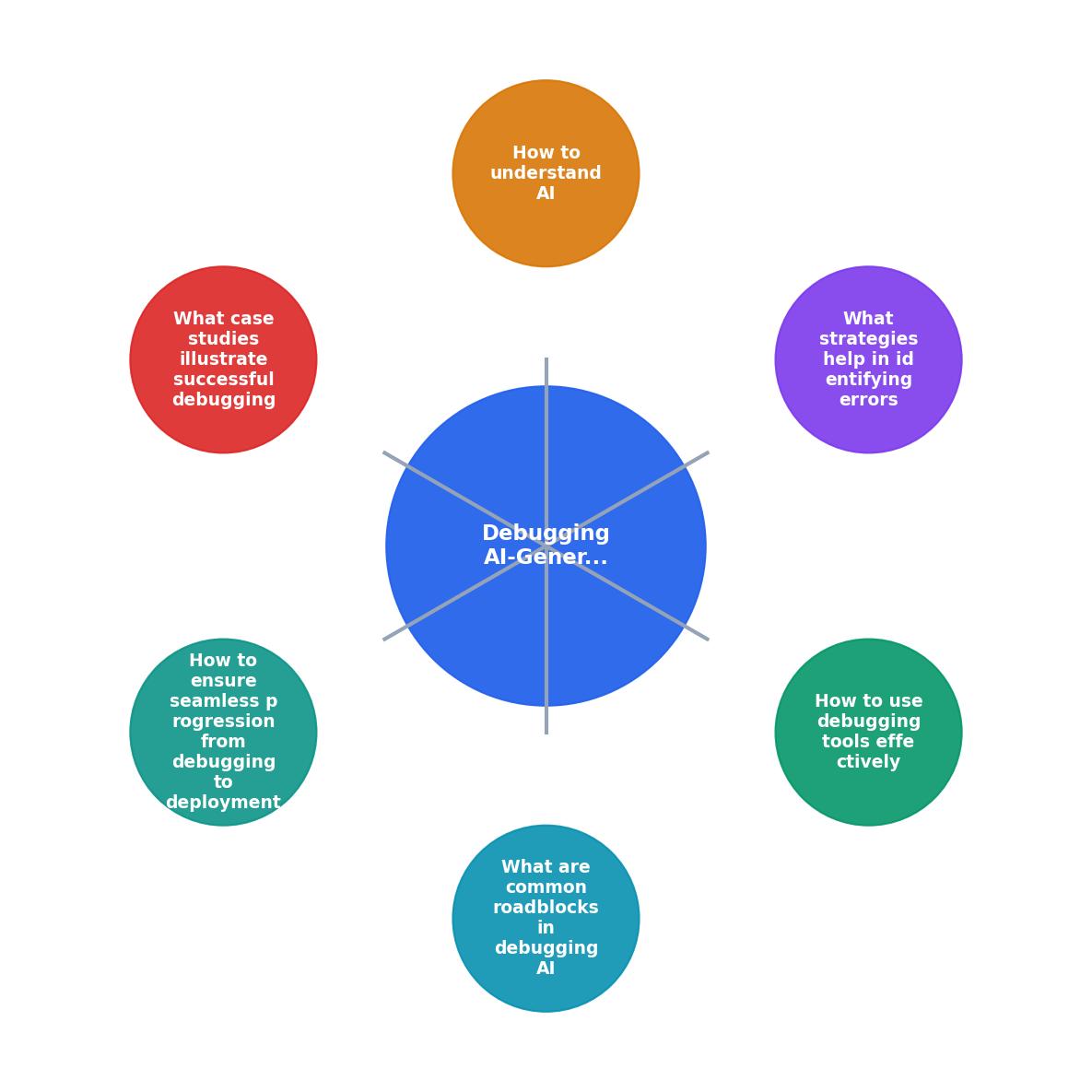
What are Common Roadblocks in Debugging AI-Generated Code?
AI-generated code brings a suite of challenges that are distinct from traditional coding. These include understanding the logic behind AI decisions, dealing with inconsistent code quality, and managing the integration of AI outputs with existing systems.

- Opaque Logic: AI often produces code that functions as a black box, making it hard to discern why certain decisions were made.
- Inconsistent Outputs: The variability in code quality can lead to bugs that are difficult to trace.
- Complex Integrations: AI-generated code must fit seamlessly into existing systems, which can be a significant hurdle.
How to Use Debugging Tools Effectively?
Selecting the right debugging tools is crucial for overcoming the roadblocks posed by AI-generated code. Tools like Visual Studio Code, PyCharm, and Eclipse provide effective debugging capabilities, including breakpoints, variable watches, and stack traces.

- Breakpoints: Set breakpoints to pause execution and inspect the state of your code at specific points.
- Variable Watches: Monitor the values of variables in real-time to understand how your code is behaving.
- Stack Traces: Analyze stack traces to backtrack through your code's execution path and pinpoint where errors occur.
What Strategies Help in Identifying Errors?
Identifying errors in AI-generated code requires a systematic approach. Here are some effective strategies:
- Unit Testing: Write tests for individual components to ensure they function correctly.
- Code Reviews: Engage peers in reviewing AI-generated code to catch errors early.
- Logging: Implement logging to capture runtime information that can be used to identify issues.
These strategies not only help in catching errors but also improve the overall quality of your code.
How to Understand AI-Generated Logic?
Understanding the logic behind AI-generated code is pivotal to debugging. This involves interpreting the decision-making process of the AI.

- Trace Execution Paths: Follow the execution path to understand the flow of logic.
- AI Model Insights: Use tools that provide insights into the AI model's decision-making process.
- Documentation: Thoroughly document AI-generated code to aid future debugging efforts.
By understanding AI logic, you can make more informed decisions during the debugging process.
What Case Studies Illustrate Successful Debugging?
Real-world examples provide invaluable insights into successful debugging practices. Consider the following case studies:
These examples highlight the effectiveness of a structured approach to debugging.
"Most of the time, it will say that the double loading doesn't happen on refresh because the User page is server-rendered, so the loading.tsx there is not triggered."
— Debugging with AI: Can It Replace an Experienced D, Debugging with AI: Can It Replace an Experienced .
How to Ensure Seamless Progression from Debugging to Deployment?
Transitioning from debugging to deployment requires careful planning and execution. Here are some steps to ensure a smooth transition:
- Continuous Integration/Continuous Deployment (CI/CD): Implement CI/CD pipelines to automate testing and deployment.
- Monitoring and Feedback: Set up monitoring to gather feedback on deployed code.
- Iterative Improvements: Use feedback to make iterative improvements to your code.
Debugging Checklist for AI-Generated Code
Your progress is saved automatically in your browser.
FAQ
Frequently Asked Questions
What challenges have you faced in debugging AI-generated code, and how did you overcome them? Share your experiences in the comments below.
Additional Resources
- Debugging with AI: Can It Replace an Experienced ... - Can AI actually debug complex React/Next.js issues? In this article, I'm going to throw those problems at LLMs with a "fix-it" prompt and see ...
- Using Generative AI for Refactoring and Debugging Code ... - Metabob uses a combination of graph-attention neural networks and generative AI that can detect bugs and help you fix them.
- Debugging with AI is an A+ experience! - This is the art of debugging AI code. It's not just fixing syntax errors. It's about untangling logic that's subtly flawed. It's about catching ...
Ready to Master Vibe Coding?
Learn to build software faster with AI assistance using the Vibe Coding Bible.
Get Started