Innovative Applications of AI in Coding
You built an app with AI in a weekend, and it actually works. Then you try to add a payment flow, the codebase fights back, and you spend three days on a bug that turns out to be a single misplaced await. AI coding tools have moved far beyond autocomplete, but knowing which innovations actually save you time and which ones create new headaches is the difference between shipping and stalling. This guide breaks down the specific AI applications that change how you write, debug, and learn code today.

You built an app with AI in a weekend, and it actually works. Then you try to add a payment flow, the codebase fights back, and you spend three days on a bug that turns out to be a single misplaced await. AI coding tools have moved far beyond autocomplete, but knowing which innovations actually save you time and which ones create new headaches is the difference between shipping and stalling. This guide breaks down the specific AI applications that change how you write, debug, and learn code today.
Photo by Daniil Komov from Pexels
TL;DR:- AI code generation tools like GitHub Copilot, Cursor, and Claude Code produce working functions, components, and entire modules from natural language descriptions.
- Intelligent debugging uses AI to trace root causes, suggest fixes, and catch bugs before they reach production.
- Personalized AI learning environments adapt to your skill level and teach you engineering concepts inside your actual codebase.
- Adopting these innovations requires understanding their limits: hallucinated APIs, security blind spots, and over-reliance on generated output.
Where AI coding stands right now
The landscape shifted fast. Two years ago, AI coding meant tab-completing a for loop. Now, tools generate full database schemas from a product spec, refactor legacy modules across dozens of files, and write test suites that actually catch regressions. The core applications fall into a few categories: code generation, intelligent debugging, personalized learning, and workflow automation. Each one solves a different bottleneck in the development process.
"Similarly, an OpenAI ChatGPT survey revealed that 50% of developers reported improved productivity by using AI, with 23% experiencing significant gains.">, AI isn't just making it easier to code. It makes coding more fun
That 50% number is not evenly distributed. Developers who understand what AI does well and where it fails get the biggest gains. The rest end up debugging AI-generated code that looked correct but quietly broke something three layers deep.
AI-driven code generation
Automated code generation is the most visible AI innovation in coding. Here is what it looks like in practice across different tools:
- GitHub Copilot integrates directly into VS Code and JetBrains IDEs. You write a comment like
// fetch user orders from Stripe API and return as JSON, and Copilot generates the function body, including error handling and type annotations. - Cursor takes this further with multi-file awareness. It reads your project structure, understands your ORM models, and generates code that matches your existing patterns. Ask it to "add a password reset endpoint" and it creates the route, the email template, and the database migration.
- Claude Code operates as a terminal-based agent. You describe a feature in plain English, and it writes files, runs tests, and iterates until the tests pass. It handles tasks like "refactor the auth module to use JWT instead of session cookies" across multiple files in one run.
- Lovable and v0 generate full UI components from descriptions. Type "pricing page with three tiers, toggle for monthly/annual, and a highlighted popular plan" and get a working React component with Tailwind styling.
What generation handles well
- CRUD endpoints and boilerplate API routes
- UI components from design descriptions
- Data transformation functions (parsing CSV, mapping API responses)
- Test scaffolding for existing functions
- Configuration files (Docker, CI/CD pipelines, Terraform)
Where generation breaks down
- Complex business logic with edge cases the AI cannot infer
- Security-sensitive code (authentication flows, encryption, input sanitization)
- Performance-critical algorithms where naive implementations cause real problems
- Code that depends on undocumented internal APIs or proprietary libraries
Intelligent debugging with AI
Debugging eats more development time than writing new code. AI-powered debugging tools attack this problem from multiple angles:
- Error explanation: Paste a stack trace into Claude or ChatGPT, and it identifies the root cause, explains why it happened, and suggests a fix. This works especially well for framework-specific errors (Next.js hydration mismatches, Django ORM query issues, React hook dependency warnings).
- Sentry AI: Sentry's AI features group related errors, identify the commit that introduced a regression, and suggest code fixes directly in the issue dashboard.
- Cursor's inline debugging: Highlight a broken function, press Cmd+K, type "fix this," and Cursor rewrites the function with the bug resolved. It reads the surrounding context to understand what the function should do.
- GitHub Copilot Chat: Ask "why does this function return null when the input array is empty?" and get a step-by-step trace through the logic with the exact line where the issue occurs.
Real debugging workflow with AI
Here is a concrete example. You have a Next.js app where the checkout page crashes on mobile but works on desktop. Traditional debugging: open DevTools, reproduce the issue, read the console, trace the component tree. With AI:
- Copy the error message and the relevant component code
- Paste into Claude with "this crashes on mobile Safari but works on Chrome desktop"
- Get back: "The issue is
window.matchMediabeing called during server-side rendering. Wrap it in auseEffecthook or checktypeof window !== 'undefined'before calling it." - Apply the fix, test, ship
Personalized AI learning environments

If you are building with AI but lack a traditional CS background, AI-powered learning fills gaps in real time. This is not about watching a 40-hour course. It is about learning the exact concept you need, when you need it, inside your actual project.
- Cursor and Copilot Chat as tutors: Select a block of code you do not understand and ask "explain this to me like I have no backend experience." The AI breaks down the database transaction, the error handling pattern, and why the
async/awaitstructure matters. - Claude Projects: Upload your entire codebase as context. Then ask questions like "what happens when two users submit an order at the same time?" and get an answer specific to your code, not a generic tutorial.
- Replit AI: Generates explanations alongside code, walks you through debugging steps, and suggests improvements as you type. It adapts to your skill level based on the questions you ask.
Learning patterns that work
- Just-in-time learning: You hit a concept you do not understand (database indexing, race conditions, CORS). Ask the AI to explain it in the context of your project. You learn the concept and fix the problem simultaneously.
- Code review as education: Ask AI to review your code and explain every suggestion. "Why should I use
useMemohere?" teaches you React performance optimization through your own components. - Architecture exploration: Describe what your app does and ask "what are the three biggest architectural risks in this codebase?" The AI identifies problems you did not know existed and teaches you why they matter.
Groundbreaking AI coding projects
The following diagram shows how these AI applications fit into a typical development workflow:
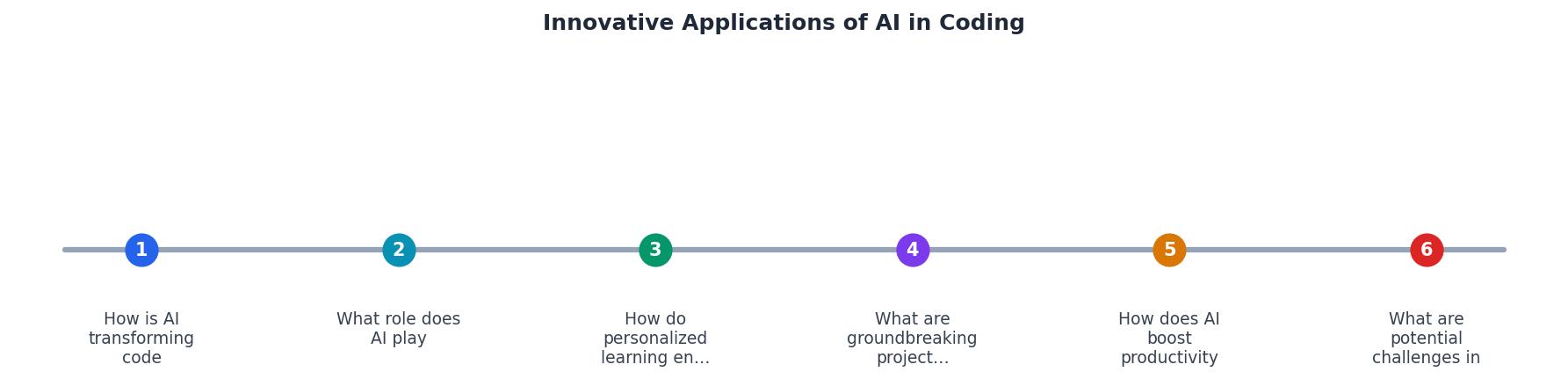
The flow moves through five stages: Idea, Generate, Debug, Test, and Ship. AI participates at every stage, but the intensity varies. Generation and debugging see the highest AI involvement. Testing and shipping still require significant human judgment.
Here are specific projects pushing the boundaries:
- Devin by Cognition: An autonomous AI software engineer that takes a GitHub issue, plans the implementation, writes the code, runs tests, and submits a pull request. It handles tasks like "upgrade the payment integration from Stripe v2 to v3" end-to-end.
- Sweep AI: Monitors your repository for bug reports and automatically generates fix PRs. It reads the issue description, identifies the relevant files, writes the fix, and runs your CI pipeline.
- Codeium Windsurf: Combines code generation with deep codebase understanding. It indexes your entire repository and generates code that follows your team's patterns, naming conventions, and architecture decisions.
- Amazon CodeWhisperer: Scans generated code for security vulnerabilities in real time, flagging issues like hardcoded credentials, SQL injection vectors, and insecure deserialization before you commit.
Code Generation
Faster boilerplate creation. Copilot, Cursor, Claude Code produce working modules from descriptions.
Intelligent Debugging
Reduction in debugging time. AI traces root causes and suggests targeted fixes.
Personalized Learning
Context-aware explanations inside your codebase. Learn concepts when you need them.
Workflow Automation
Less manual work on tests, CI config, migrations, and PR reviews.
How AI boosts productivity and creativity
The productivity story is straightforward: AI eliminates repetitive work. Writing boilerplate, looking up API syntax, scaffolding tests, generating migrations. These tasks consumed hours every week. Now they take minutes.
The creativity angle is less obvious but equally important. When you spend less time on mechanical coding, you spend more time on:
- Architecture decisions: Thinking about how components interact, where to draw module boundaries, what data model supports future features.
- User experience: Iterating on UI flows, testing different interaction patterns, polishing edge cases that make the product feel solid.
- Experimentation: Trying three different approaches to a problem because generating each one takes five minutes instead of two hours.
Challenges in adopting AI innovations
Not everything is smooth. Here are the real problems and how to handle them:
| Challenge | What Happens | How to Handle It |
|---|---|---|
| Hallucinated APIs | AI generates calls to functions that do not exist | Always verify imports and run the code before committing |
| Security blind spots | Generated code skips input validation or uses insecure defaults | Run static analysis (Semgrep, Snyk) on all AI output |
| Over-reliance | You stop understanding your own codebase | Review every generated block; ask AI to explain its choices |
| Context limits | AI loses track of large codebases | Use tools with full-repo indexing (Cursor, Codeium) |
| Inconsistent style | Generated code clashes with your conventions | Set up linters and formatters; provide style examples in prompts |
The Vibe Coding Bible at vibecodingbible.org covers these challenges in depth, with specific workflows for verifying AI output, setting up automated quality gates, and building the engineering habits that keep AI-assisted projects on track.
AI Coding Innovation Implementation Guide
Your progress is saved automatically in your browser.
FAQ
Frequently Asked Questions
Additional Resources
- AI isn't just making it easier to code. It makes coding more fun - By automating routine tasks, AI-powered tools enhance functionality, allowing developers to concentrate on innovation rather than repetitive coding.
- Beyond the Hype: The Real Impact of AI on Coding - AI can handle simple coding tasks and suggest optimizations that might take a junior developer hours or even days to complete. This allows us, ...
- Best Practices I Learned for AI Assisted Coding - Medium - AI-assisted coders today use tools like GitHub Copilot, Cursor AI, or even just copy-pasting code into AI chatbots like ChatGPT, to help them ...
Ready to Master Vibe Coding?
Learn to build software faster with AI assistance using the Vibe Coding Bible.
Get Started