Legacy system api wrapper: Practical Guide
Most teams that maintain older systems know the pain: the API is undocumented, the codebase is brittle, and nobody wants to touch it. A wrapper layer solves this by sitting between your new code and the legacy system, translating requests and handling quirks so you don't have to repeat that logic everywhere. This guide walks you through building one that actually works.

Photo by Muhammed Ensar from Pexels
Most teams that maintain older systems know the pain: the API is undocumented, the codebase is brittle, and nobody wants to touch it. A wrapper layer solves this by sitting between your new code and the legacy system, translating requests and handling quirks so you don't have to repeat that logic everywhere. This guide walks you through building one that actually works.
TL;DR:- A legacy system API wrapper is an intermediary layer that translates requests from modern code into calls the old system understands, isolating brittleness and reducing duplication.
- Start by mapping the legacy API thoroughly: document all endpoints, error codes, quirks, and undocumented behaviors before writing any wrapper code.
- Build the wrapper incrementally: handle one feature or endpoint group at a time, test against the real system early, and keep error handling explicit.
- Use timeouts, retries, and comprehensive logging from day one, legacy systems fail in unexpected ways.
- The wrapper lets you modernize gradually without rewriting the entire backend at once.
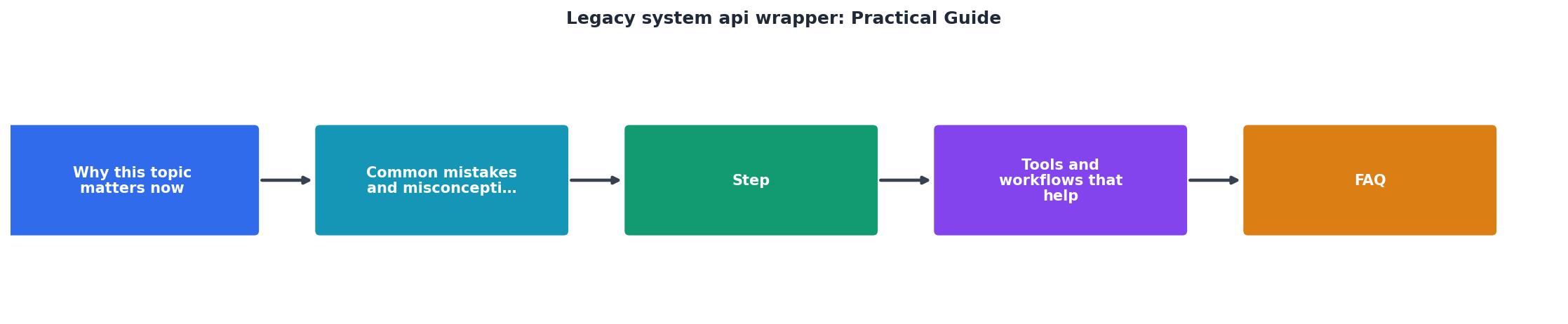
Why this matters now
Legacy systems aren't going away. Whether you're maintaining a 15-year-old Java monolith, a COBOL payment processor, or a custom C++ service, you're stuck interfacing with it. Rewriting it takes months or years. Leaving it bare means every new feature duplicates the same ugly integration code across your codebase.
A wrapper layer is the pragmatic answer. It doesn't fix the legacy system, it can't. But it isolates the pain, makes it testable, and gives you a clear boundary to maintain. New code talks to the wrapper; the wrapper talks to the monster. When the legacy system changes (and it will), you fix it in one place instead of ten.
The problem is that most teams build wrappers badly. They add just enough logic to get the first integration working, then discover months later that the legacy system times out randomly, returns error codes nobody documented, or has silent failure modes nobody warned them about. By then, the wrapper is brittle and unmaintainable.
This guide shows you how to build one that survives contact with reality.
Common mistakes and misconceptions

The first mistake is building without understanding. Teams spin up a wrapper immediately, write against a spec that was last accurate in 2015, and then discover the spec is wrong. The legacy system actually returns status code 500 on success in one endpoint, or truncates strings silently instead of failing, or requires request IDs to be exactly 16 hex characters but accepts 15 in certain conditions.
Documentation is usually fiction. The only source of truth is the system itself, running under load, with real data.
The second mistake is thin wrapping. You create a wrapper that does a 1:1 translation: every endpoint maps to one legacy call, errors pass through unchanged, timeouts aren't handled. It feels like progress, but you've just moved the problem. Your new code is still tightly coupled to the legacy system's behavior.
The third mistake is building synchronously without thinking about latency. Legacy systems are slow. A wrapper that blocks for three seconds per call will cascade failures up your stack. You need to know upfront: how long does each operation typically take? What's the worst case? Does the system hang or return errors when under load?
"The future of business is changing rapidly.">, API Wrappers in Legacy Systems
The fourth mistake is no retry logic. Network calls fail. The legacy system goes down for maintenance without notice. Your wrapper gets a timeout and throws an exception. A better wrapper knows that certain errors are transient and retries intelligently, with exponential backoff, jitter, and a circuit breaker to stop hammering a dead system.
Finally, teams build without logging. When something breaks in production, and it will, you'll need to trace exactly what the wrapper sent to the legacy system and what it got back. Vague error messages help no one.
Step-by-step approach
Map the legacy system thoroughly
Before you write a single line of wrapper code, spend a day mapping the legacy API like an archaeologist. Don't trust the documentation, test it.
For each endpoint you need to wrap:
- Run actual requests against a staging or test environment (never production first).
- Document the exact URL, HTTP method, required and optional parameters, and authentication scheme.
- Record the successful response format: structure, data types, presence of null values.
- Trigger every error condition you can find: invalid input, missing permissions, rate limits, timeouts, database errors. Note the exact response code, body structure, and error message format.
- Test edge cases: empty strings, very long strings, special characters, zero values, negative numbers, future dates, past dates.
- Measure latency: how long does a typical call take? What's the 95th percentile? Does it vary with time of day or data volume?
- Check rate limits: are there per-second, per-minute, or per-day limits? Are they enforced per user, per API key, or globally?
Start with one feature
Don't wrap the entire legacy API at once. Pick one feature or endpoint group, maybe user lookup, or order retrieval, or payment processing. Build the wrapper for that feature end-to-end: request handling, error handling, retries, logging, and tests.
This gives you a template. Once you've debugged one feature against the real system, the next one is faster.
The wrapper should look something like this:
- Request handler: Takes input from your new code, validates it, and prepares it for the legacy system.
- Caller: Executes the actual HTTP/RPC/database call with timeout protection.
- Response parser: Interprets the legacy response and converts it to your modern schema.
- Error handler: Decides what's a retry-able error, what's a permanent failure, and what information to log.
- Fallback or circuit breaker: If the legacy system is down, decide whether to retry, fail fast, or return cached/default data.
Handle timeouts and retries
Legacy systems hang. Set a timeout on every call, never make it infinite. A reasonable default is 5-10 seconds per call, but measure your actual system.
For retries, use exponential backoff with jitter:
attempt 1: immediate
attempt 2: wait 100ms + random(0-50ms), then retry
attempt 3: wait 200ms + random(0-50ms), then retry
attempt 4: wait 400ms + random(0-50ms), then retry
stop after 3-4 attempts
Don't retry every error. Retry transient ones: timeouts, 503 (service unavailable), 429 (rate limited). Don't retry 404 (not found), 401 (unauthorized), or 400 (bad request), those won't change on retry.
Log for debugging
Every call to the legacy system should log:
- Timestamp
- Request parameters (sanitized if they contain secrets)
- HTTP status code
- Response body (or first 500 characters if it's huge)
- Latency
- Whether it succeeded or failed, and why
Use structured logging (JSON format) so you can query it later. Include a request ID or trace ID so you can correlate logs across systems.
Design for incremental modernization
The whole point of a wrapper is that it lets you modernize gradually. As your modern code grows, you want to be able to:
- Swap the legacy backend for a new one without changing your application code.
- Add caching in front of slow queries.
- Introduce feature flags so you can test new backends in parallel.
- Add metrics and monitoring without cluttering the wrapper itself.
Tools and workflows that help

HTTP client libraries: Use a well-maintained library with timeout and retry support built in. In Python, httpx or requests with tenacity for retries. In Node, axios or undici. In Go, the standard net/http with retry middleware. Don't roll your own, these libraries handle edge cases you'll miss.
Request/response logging: Use a library that captures full request and response details. Some teams use middleware or interceptors to log automatically; others wrap each call. Either way, make it automatic so you don't forget.
Testing against the real system: Your test suite should include integration tests that hit a staging version of the legacy system. These tests are slow and flaky sometimes, but they're the only way to catch surprises. Keep unit tests separate from integration tests so developers can run fast feedback loops.
Monitoring and alerts: Once the wrapper is in production, watch it. Track:- Response times (average, p95, p99)
- Error rate and breakdown by error type
- Retry rate (how often are we hitting transient errors?)
- Circuit breaker trips (if you're using one)
- What it wraps and why
- Known limitations or quirks of the legacy system
- How to add a new endpoint
- Common errors and what they mean
- Links to the legacy system documentation (even if it's wrong, for reference)
Interactive wrapper architecture dashboard
Understanding the layers helps you build the wrapper correctly. Here's what a typical wrapper stack looks like:
Legacy System Wrapper Architecture
Each layer has a specific job. Request handling translates your clean input into what the legacy system expects. Timeout and retry logic protects you from hangs and transient failures. The caller is kept simple, just execute the request. Response parsing converts ugly legacy responses into your modern schema. Logging captures everything for debugging.
Separate these concerns in your code. If they're all tangled together, the wrapper becomes unmaintainable.
Documenting the legacy API

Create a living document that tracks every quirk you discover:
- Endpoint:
/api/order/status - Method: POST (not GET, even though it's a read operation)
- Auth: Bearer token in header, valid for 24 hours
- Typical latency: 400-800ms
- Timeout behavior: Hangs after 60 seconds, then returns empty response
- Success response: HTTP 200, JSON body with
order_id,status(one of: PENDING, SHIPPED, DELIVERED) - Error responses:
- 400: Invalid order ID (returns
{"error": "invalid_id"}) - 404: Order not found (returns
{"error": "not_found"}) - 503: Database unavailable, retry-able (returns empty body)
- Rate limit: 100 requests per minute per API key
- Quirks: If
order_idis longer than 20 characters, system truncates silently instead of rejecting - Last verified: 2026-08-15
Build Your Legacy System Wrapper: Step-by-Step Checklist
Your progress is saved automatically in your browser.
FAQ
Frequently Asked Questions
Additional Resources
- API wrappers in legacy systems for licensing cost control - An API wrapper is an intermediary software layer that enables communication between external applications and legacy systems.
- API Solutions for Modernizing Legacy Systems - Boomi - A legacy system API wrapper is a middleware layer that sits between outdated software and the modern applications that need to talk to it.
- Expert Advice on Integrating APIs with Legacy Systems in ... - 1. Examine the systems and plan the integration thoroughly · 2. Bridge the gap with middleware or API gateways · 3. Modernize without replacing ...
Ready to Master Vibe Coding?
Learn to build software faster with AI assistance using the Vibe Coding Bible.
Get Started