No-code vibe coding tools: Practical Guide
You describe what you want in plain English, and a working app appears on your screen. That is the promise of no-code vibe coding, and in 2026 the tools actually deliver on it. The catch is that most people pick the wrong tool, skip critical steps, and end up with something that breaks the moment real users show up. This guide walks you through the exact tools, workflows, and guardrails that turn a natural-language idea into software you can actually ship.

You describe what you want in plain English, and a working app appears on your screen. That is the promise of no-code vibe coding, and in 2026 the tools actually deliver on it. The catch is that most people pick the wrong tool, skip critical steps, and end up with something that breaks the moment real users show up. This guide walks you through the exact tools, workflows, and guardrails that turn a natural-language idea into software you can actually ship.
TL;DR:- No-code vibe coding lets you build apps by describing features in natural language, using tools like Lovable, Bolt, v0, and Replit Agent.
- Pick the right tool for your project type, write clear prompts, and always test the output before shipping.
- The biggest risk is skipping validation: AI-generated apps look finished but often hide broken logic, missing auth, and zero error handling.
Why no-code vibe coding matters now
Twelve months ago, building a SaaS dashboard required either hiring a developer or spending weeks learning React. Today, you type "build me a project management board with drag-and-drop columns and user login" into Lovable, and you get a deployable app in under ten minutes.
The shift happened because large language models got good enough to generate entire front-end and back-end stacks from a single prompt. Tools like Bolt, Lovable, v0 by Vercel, and Replit Agent wrapped that capability in interfaces that require zero coding knowledge. You describe behavior. The AI writes code. The platform deploys it.
"The term gained popularity in online developer communities and is documented in sources such as Wikipedia's explanation of vibe coding and Google Cloud's overview of what is vibe coding.">, Vibe Coding Tutorial & Best Practices: Tools, Steps, Cleanup Guide
This matters because the barrier between "idea" and "working prototype" dropped to near zero. If you are a founder, a product manager, or a designer with domain expertise, you can now validate ideas in hours instead of months.
Common mistakes that kill projects

The tool does the typing, but you still own the thinking. Here are the mistakes that trip up most builders:
- Vague prompts. Saying "make me an app for tracking habits" gives the AI too much freedom. You get a generic skeleton that needs a complete rewrite. Specific prompts like "a daily habit tracker with streaks, push reminders at 8 AM, and a weekly bar chart" produce usable output on the first pass.
- Skipping authentication. Many no-code vibe tools generate apps without login flows unless you ask. That means anyone with the URL can access everything. Always include "add email/password authentication with protected routes" in your initial prompt.
- Ignoring error states. The generated app handles the happy path. It rarely handles what happens when the API call fails, the user submits an empty form, or the database connection drops. You need to prompt for error handling explicitly.
- Choosing the wrong tool. Bolt excels at full-stack web apps. v0 is best for UI components and landing pages. Lovable handles end-to-end SaaS prototypes. Replit Agent works well for backend-heavy projects. Picking the wrong one wastes hours.
Step-by-step: from idea to deployed app
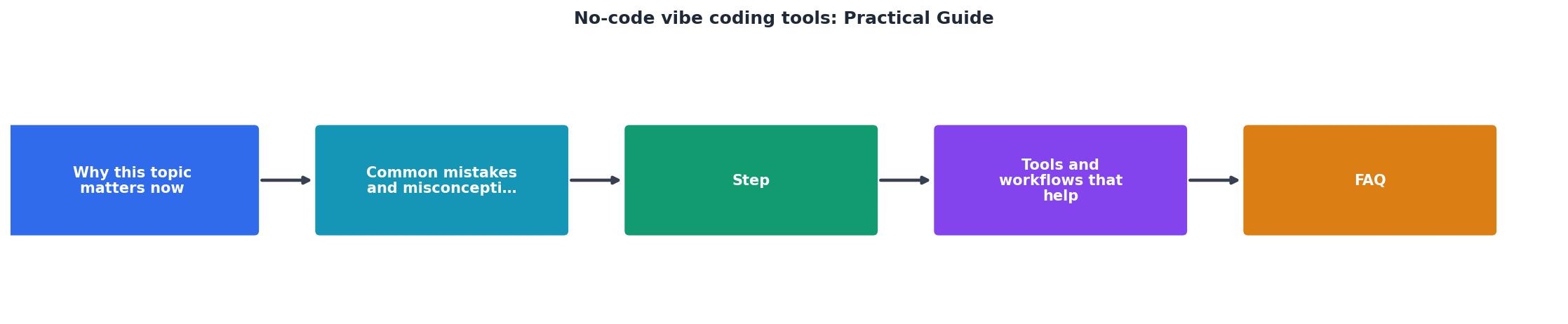
Follow these six steps to go from a blank screen to a live application:
1. Define scope in one paragraph
Write a single paragraph describing what the app does, who uses it, and the three most important features. This becomes your master prompt. Example: "A client portal where freelance designers upload deliverables, clients leave feedback with inline comments, and both sides track project milestones on a shared timeline."
2. Pick the right tool
Match your project to the platform:
- Landing page or marketing site, v0 by Vercel
- Full-stack SaaS prototype, Lovable or Bolt
- Data-heavy backend with API, Replit Agent
- Mobile-first app, Lovable (with responsive templates)
3. Write a structured prompt
Break your paragraph into bullet points. Each bullet is one feature. Add constraints: "use Supabase for the database," "include Google OAuth," "deploy to Vercel." The more specific you are, the fewer iterations you need.
4. Generate and review
Run the prompt. The tool produces a working app, usually in one to five minutes. Open it immediately and click through every screen. Check forms, buttons, navigation, and data persistence.
5. Iterate with targeted fixes
Do not rewrite the entire prompt. Instead, give the AI targeted instructions: "The feedback form does not validate empty comments. Add client-side validation that shows a red border and error message." Small, specific follow-ups converge faster than broad rewrites.
6. Test, then deploy
Create three test accounts. Submit bad data. Try to access pages without logging in. Check mobile layout. Only after this round of manual QA should you hit the deploy button.
Tools and workflows compared

Here is a practical comparison of the four leading no-code vibe coding platforms as of mid-2026:
| Feature | Lovable | Bolt | v0 (Vercel) | Replit Agent |
|---|---|---|---|---|
| Best for | SaaS prototypes | Full-stack web apps | UI components, pages | Backend + API projects |
| Database | Supabase built-in | Supabase / Firebase | None (front-end only) | Any (PostgreSQL default) |
| Auth | Built-in | Prompt-based | Manual | Built-in |
| Deploy | One-click | One-click | Vercel auto | Replit hosting |
| Learning curve | Low | Low | Very low | Medium |
| Export code | Yes | Yes | Yes | Yes |
All four tools let you export the generated code. This is critical. If you outgrow the platform, you take your codebase with you. Never use a tool that locks you in.
The following dashboard shows a typical scenario for a solo founder building a client portal with Lovable over one week:
Solo Founder: Client Portal Build (1 Week)
This example reflects a real pattern: most of the work is prompt writing and review, not coding. The three manual edits were CSS tweaks the AI kept getting wrong on mobile breakpoints.
Making it production-grade

A prototype that impresses in a demo is not the same as software that handles 500 concurrent users. Here is what separates a demo from a product:
- Rate limiting. Add rate limits to your API endpoints. Without them, a single bot can crash your app or run up your database bill.
- Input sanitization. AI-generated forms rarely sanitize inputs. Prompt the tool to add server-side validation, or add it manually after export.
- Backups. If you use Supabase, enable point-in-time recovery. If you use another database, set up daily automated backups on day one.
- Monitoring. Connect a free tier of something like Sentry or LogRocket. When your app breaks at 2 AM, you want to know why before your users tell you.
No-Code Vibe Coding Launch Checklist
Your progress is saved automatically in your browser.
FAQ
Frequently Asked Questions
Additional Resources
- Vibe Coding Tutorial: Best Tools + Practical Guide (With ... - Vibe coding tutorial guide with best tools, a simple workflow, and rules that prevent messy code - plus when you need a vibe coding cleanup.
- Vibe Coding Best Practices: Avoid the Doom Loop with ... - Vibe coding is a way to create software—not by writing code—but by describing what you want in natural language and letting an AI write the ...
- A Comprehensive Guide to Vibe Coding Tools - The definitive guide to agent skills that change how Claude Code, Cursor, Gemini CLI, and other AI coding assistants perform in production.
Ready to Master Vibe Coding?
Learn to build software faster with AI assistance using the Vibe Coding Bible.
Get Started