Project Management Tools Supporting AI Development
AI-assisted development moves fast, but without the right project management setup, that speed turns into chaos. Tickets pile up with vague descriptions, AI-generated pull requests sit unreviewed for days, and nobody knows which sprint items were written by a human versus generated by Copilot. The fix is not slowing down. The fix is picking project management tools that actually understand how AI development workflows operate and giving your team a shared system that keeps pace with the code.


AI-assisted development moves fast, but without the right project management setup, that speed turns into chaos. Tickets pile up with vague descriptions, AI-generated pull requests sit unreviewed for days, and nobody knows which sprint items were written by a human versus generated by Copilot. The fix is not slowing down. The fix is picking project management tools that actually understand how AI development workflows operate and giving your team a shared system that keeps pace with the code.
Photo by Nemuel Sereti from Pexels
TL;DR:- Jira, Linear, Asana, and Trello each serve different AI development team sizes and workflows.
- Look for automation rules, CI/CD integrations, and API extensibility when choosing a tool for AI projects.
- The best tool is the one your team actually uses consistently, not the one with the longest feature list.
Why PM Tools Matter for AI Projects
Standard software projects already need solid project management. AI development adds extra complexity: model training tasks, dataset preparation, prompt engineering iterations, and code review cycles that look nothing like traditional feature work. A Kanban board designed for "To Do / In Progress / Done" breaks down when half your tasks are exploratory experiments.
The right tool gives you three things. First, visibility into what every team member (and every AI agent) is producing. Second, automation that handles repetitive status updates, PR linking, and notification routing. Third, traceability so you can track which AI-generated code made it to production and who reviewed it.
Without these, AI-assisted velocity becomes AI-assisted technical debt.
Key Features Across Tools

Not every project management tool is built the same way. Here is what matters for AI development teams:
- Task automation: Rules that move tickets when PRs merge, assign reviewers automatically, or flag stale AI-generated branches.
- Git integration: Direct links between commits, branches, and tickets. Jira and Linear both do this well. Trello requires Power-Ups.
- API access: AI coding workflows often need custom integrations. A tool with a robust REST or GraphQL API lets you connect your CI pipeline, your model registry, and your deployment system.
- Custom fields and labels: You need to tag tasks as "AI-generated", "human-written", "needs-review", or "experiment". Not every tool makes custom taxonomies easy.
- Sprint and cycle tracking: AI projects iterate faster. Weekly sprints or continuous flow boards beat two-week cycles for most AI teams.
| Feature | Jira | Linear | Asana | Trello |
|---|---|---|---|---|
| Git integration | Native (Bitbucket, GitHub, GitLab) | Native (GitHub, GitLab) | Via third-party | Power-Ups |
| Automation rules | Advanced (100+ triggers) | Built-in cycles | Rules engine | Butler automation |
| API quality | REST + GraphQL | GraphQL-first | REST | REST |
| Custom fields | Extensive | Moderate | Extensive | Limited |
| Best for | Large teams, enterprise | Fast-moving eng teams | Cross-functional teams | Small teams, visual boards |
Integrating PM Tools with AI Platforms

Integration is where most teams either win or waste hours. The goal: when an AI coding agent creates a PR, the corresponding ticket updates automatically. When a model training job finishes, the experiment tracker logs results and the PM tool marks the task complete.
Here is how real integrations look:
- Jira + GitHub Actions: A GitHub Action triggers on PR merge, calls the Jira REST API, transitions the linked ticket to "Done", and adds a comment with the commit SHA.
- Linear + Cursor/Copilot workflows: Developers prefix commit messages with Linear ticket IDs (e.g.,
ENG-142). Linear auto-links the commit and updates the cycle view. - Asana + Zapier + Weights & Biases: A Zap watches for completed W&B runs, creates an Asana subtask under the parent experiment ticket, and attaches the run summary.
- Trello + Slack + CI/CD: Butler automation posts a Slack message when a card moves to "Review", and a webhook from your CI pipeline moves the card to "Deployed" on green builds.
The pattern is consistent: connect your source control, your CI/CD pipeline, and your PM tool into a triangle. Every event in one system should echo in the other two. If you are building with AI agents that generate code autonomously, this triangle becomes non-negotiable. You need to know what the agent did, when it did it, and which ticket it was working on.
The interactive card below shows a typical integration setup for an AI development team using three connected systems:
AI Dev Integration Flow
Choosing the Right Tool

The selection process comes down to four questions:
- How large is your team? Solo developers and teams under five do well with Trello or Linear. Teams of 10+ with cross-functional stakeholders benefit from Jira or Asana.
- How deep is your Git workflow? If every task maps to a branch and a PR, pick a tool with native Git integration. Linear and Jira lead here.
- Do you need enterprise compliance? Jira's audit logs, permission schemes, and SAML SSO make it the default for regulated industries. Linear is catching up but still trails on compliance features.
- What is your iteration speed? If you ship multiple times per day with AI-assisted coding, you need a tool that supports continuous flow, not just fixed sprints. Linear's cycles and Trello's Kanban boards handle this better than Jira's sprint-locked boards (though Jira's Kanban mode works too).
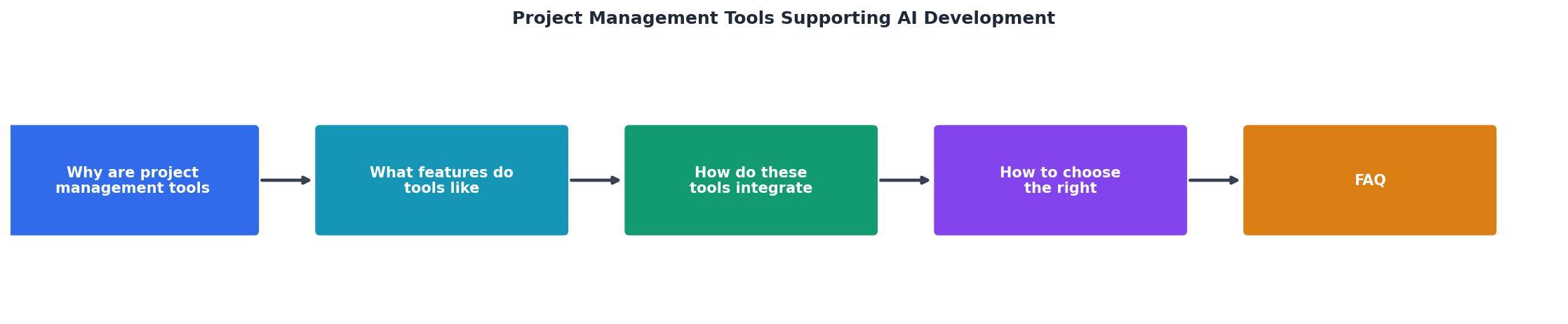
The process follows a clear path: Assess team size, Map Git workflow, Check compliance needs, Evaluate iteration speed, Trial two tools, Commit to one.
Do not overthink this. Pick two tools, run a two-week trial with your actual AI development workflow, and measure which one your team actually opens every day. Adoption beats features every time.
PM Tool Selection Guide for AI Teams
Your progress is saved automatically in your browser.
FAQ
Frequently Asked Questions
Additional Resources
- Artificial Intelligence in Project Management - AI is impacting the future of project management and changing how professionals approach projects. Learn how to leverage AI in project management today.
- 10 Best Free AI Project Management Tools Reviewed in ... - Wrike gives project managers and cross-functional teams a flexible workspace with built-in AI features to help organize tasks, manage deadlines, ...
- How AI project management tools streamline workflows - Explore AI for project management, including tools, task automation, and predictive analytics. Learn how AI project management software improves ...
Ready to Master Vibe Coding?
Learn to build software faster with AI assistance using the Vibe Coding Bible.
Get Started