Implementing Security Patches in AI-Generated Software
AI-generated code moves fast, but security vulnerabilities travel just as quickly through your codebase if you're not deliberate about patching. When an AI assistant generates a feature, it might miss edge cases, use outdated libraries, or introduce subtle auth bypass logic that only shows up under load. The fix isn't to panic or abandon AI, it's to build a patch management process that keeps pace with AI's velocity while maintaining the rigor you'd demand from hand-written code.


AI-generated code moves fast, but security vulnerabilities travel just as quickly through your codebase if you're not deliberate about patching. When an AI assistant generates a feature, it might miss edge cases, use outdated libraries, or introduce subtle auth bypass logic that only shows up under load. The fix isn't to panic or abandon AI, it's to build a patch management process that keeps pace with AI's velocity while maintaining the rigor you'd demand from hand-written code.
Photo by Rafael Minguet Delgado from Pexels
TL;DR:- Security patches in AI-generated software require the same rigor as traditional code: identify the vulnerability, test in isolation, validate the fix doesn't introduce new issues, then deploy incrementally.
- Use dependency scanning tools (OWASP Dependency-Check, Snyk) to catch library vulnerabilities automatically; supplement with manual code review for logic flaws AI might repeat across multiple functions.
- Automate patch deployment via CI/CD pipelines with staged rollouts (canary or blue-green) so you catch regressions before they reach production.
- Patch frequently, not on a schedule, AI-generated code surfaces vulnerabilities faster than traditional codebases because the attack surface is broader and patterns are less consistent.
AI-generated code introduces a particular patch management challenge: the same vulnerability pattern can appear in multiple places because AI copied a flawed approach or misunderstood a security constraint. A single weakness in how the model was prompted or trained can cascade through an entire feature. This means patching isn't just about fixing one bug, it's about finding its siblings, understanding why the AI generated it, and preventing the pattern from reappearing in new code. The process works, but it demands discipline and the right tooling.
Why security patches matter for AI software

AI-generated code tends to have a wider attack surface than hand-written equivalents. An AI model trained on internet code learns patterns from thousands of projects, some secure and many not. It also struggles with context, it might generate a database query that's vulnerable to injection, or skip input validation because it doesn't understand the downstream risk. Most dangerously, it often repeats the same mistake. If an AI assistant generates a weak password hash in one authentication module, it likely did the same in the registration flow and the password reset function.
Traditional codebases have consistency because they're written by a small team with shared conventions. AI-generated code has consistency too, but it's the consistency of repeated errors. This makes patch management both more urgent and more complex: you're not just fixing one vulnerability, you're tracing it through the codebase and ensuring it doesn't reappear in code generated in the future.
The stakes are real. A single unpatched vulnerability in an AI-generated API endpoint can be exploited the moment it's live. Users' data is at risk. Compliance audits fail. And the cost of a breach, both financial and reputational, far exceeds the effort of a disciplined patch process. The good news is that patching AI code is not fundamentally different from patching any code. It's just more frequent and requires better automation.
Identifying vulnerabilities in AI-generated software
Start with automated scanning. Dependency scanning tools like Snyk, OWASP Dependency-Check, and GitHub's built-in Dependabot flag outdated libraries and known CVEs. Run these tools on every build. They're the first line of defense and catch the easy wins, deprecated packages, known exploits in third-party code.
But dependency scanning won't catch logic flaws. That requires static analysis tools (SAST) like SonarQube, Semgrep, or Pylint that examine your code for common vulnerability patterns: SQL injection, cross-site scripting (XSS), hard-coded secrets, weak crypto, unsafe deserialization. Configure these tools to run on every commit and treat high-severity findings as blockers.
The hard part is catching what automated tools miss. Manual code review of AI-generated functions is non-negotiable. Focus on security-critical paths: authentication, authorization, data handling, API boundaries. Ask yourself:- Does this function validate input before using it in a database query or command?
- Are secrets ever logged or exposed in error messages?
- Does the function check permissions before returning sensitive data?
- Are encryption keys managed securely, or hard-coded?
- Does the error handling leak implementation details to the user?
Threat modeling is another approach. Before deploying a new AI-generated feature, ask: how could an attacker exploit this? What data does it touch? What happens if someone sends malformed input? What if they send 10,000 requests per second? Use OWASP's attack patterns as a checklist. This exercise often surfaces vulnerabilities that automated tools won't catch.
Finally, encourage your team to report vulnerabilities through a clear channel. If a user or security researcher finds a flaw, you need a fast path to patch, not a bureaucratic maze.
Testing security patches before deployment

Testing a security patch is harder than testing a feature. You need to verify that the patch closes the vulnerability without breaking legitimate functionality. This requires three layers of testing.
First, unit tests that confirm the vulnerability is fixed. If the bug was SQL injection in a query builder, write a test that attempts injection and verifies it's escaped. If it was weak password hashing, test that the new code uses a strong algorithm. These tests should fail with the old code and pass with the patched code.
Second, integration tests that verify the patch doesn't break the surrounding system. If you patch an authentication function, test login, logout, token refresh, session expiration, and permission checks. If you patch a payment processor integration, test successful payments, failed payments, refunds, and edge cases like currency conversion. Use your test data or a staging environment that mirrors production.
Third, regression tests that ensure no new vulnerabilities are introduced. This is where AI-generated patches can fail. An AI model might generate a fix that closes one hole but opens another. For example, a patch might remove input validation to fix a false positive, accidentally introducing injection. Test the entire security boundary around the patched code.
"Here's the core finding: only 26% of the generated patches actually resolved the vulnerability without changing the application's behavior.">, Medium
This statistic underscores the risk: AI can generate a fix, but humans must verify it. Don't assume an AI-generated patch is correct because it looks reasonable. Test it rigorously.
One more safeguard: test in an isolated environment first. Don't patch in staging and then production. Use a dedicated security-test environment where you can probe the patch without affecting anyone else. Attempt to reproduce the original vulnerability. Attempt common bypass techniques. Only after you're confident that the patch is solid should you move to staging.
Deploying patches across systems

Deployment strategy determines how quickly a patch reaches production and how quickly you detect problems if something goes wrong.
Staged rollout is your friend. Don't push a patch to 100% of users immediately. Start with a canary deployment: route 5-10% of traffic to the patched version while the rest use the old code. Monitor error rates, latency, and security metrics. If everything looks good after an hour or two, increase to 25%, then 50%, then 100%. If something breaks, rollback is instant, you're only affecting a small slice of users.
Alternatively, use blue-green deployment: run two identical production environments in parallel. Deploy the patch to the "green" environment, run smoke tests, then flip all traffic from "blue" to "green" in one switch. If something fails, you switch back instantly. This is more complex to set up but reduces deployment risk significantly.
For critical vulnerabilities that could be actively exploited, prioritize speed. You might do a faster rollout than usual, accepting slightly higher risk to close the hole quickly. For patches that fix subtle issues with no known active exploitation, you can afford to be more cautious with a slower rollout.
Monitor continuously during and after deployment. Track:- Error rates and exception frequency
- Database query response times
- Authentication success/failure rates
- API endpoint latency
- Security events (failed login attempts, unauthorized access attempts)
For highly distributed systems (multi-region, multi-datacenter), plan your patch sequence. Patch one region first, monitor for issues, then patch the next. This limits blast radius if something goes wrong.
Automating the patch management process
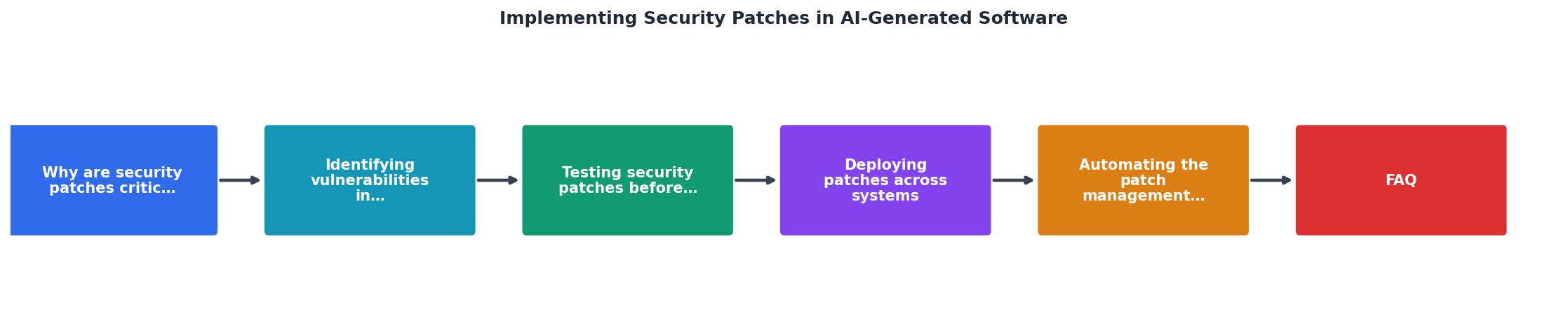
Automation is what separates a sustainable patch process from firefighting. Build a CI/CD pipeline that handles the mechanical parts so your team can focus on the decisions.
Here's what an automated pipeline should do:
- Trigger on vulnerability detection - When Snyk, Dependabot, or your SAST tool finds a vulnerability, automatically create a branch and generate a patch candidate.
- Run all tests - Unit tests, integration tests, security tests, and regression tests run automatically. Nothing progresses if tests fail.
- Generate reports - Automated tools produce a summary: what vulnerability was found, what changed, what tests passed, what the impact is. Engineers review this report and make the deploy/skip decision.
- Deploy to staging - On approval, the patch is automatically deployed to a staging environment that mirrors production.
- Run smoke tests - Automated tests verify that core functionality still works.
- Deploy to production on approval - If staging looks good and an engineer approves, the patch rolls out via canary or blue-green, with automated rollback if error rates spike.
For dependency patches specifically, tools like Dependabot integrate directly with GitHub and can auto-merge patches that pass all tests. For critical security vulnerabilities, Dependabot can even auto-merge without waiting for approval if the patch is low-risk (e.g., a minor version bump with all tests passing).
Configure your tools to:- Scan dependencies daily
- Run SAST on every commit
- Block merges if high-severity issues are unfixed
- Auto-create pull requests for patches with a standard checklist
- Notify the team of critical vulnerabilities immediately
Typical Patch Deployment Dashboard
This dashboard gives you a snapshot of what a mature patch deployment looks like. Every step is tracked, every test is logged, and rollout happens in stages. This is the process that turns security patching from a crisis into a routine operation.
The reality is that most teams don't have this level of automation yet. But the teams that do ship patches faster, with fewer surprises. If your patch process today is manual, someone finds a vulnerability, manually creates a fix, manually runs tests, manually deploys, prioritize automation. The effort to build these pipelines pays for itself in days.
Security Patch Deployment Checklist
Your progress is saved automatically in your browser.
FAQ
Frequently Asked Questions
Additional Resources
- AI-Generated Security Patches Still Need a Human Behind ... - Here's the core finding: only 26% of the generated patches actually resolved the vulnerability without changing the application's behavior.
- AI-generated Code: How to Protect Your Software From AI- ... - Explore actionable strategies and best practices to safeguard your code against the emerging risks of AI-generated vulnerabilities.
- Best GenAI Security Tools: Top 6 Options in 2026 - They focus on detecting vulnerabilities in AI-generated code, managing software supply chain risk, and enforcing secure coding policies during development.
Ready to Master Vibe Coding?
Learn to build software faster with AI assistance using the Vibe Coding Bible.
Get Started