Shipping AI-Assisted Code: Deployment Checklist
You've built something with AI. The code runs on your laptop, the feature works in the demo, but now you need to ship it to real users. That's where most AI-assisted projects hit friction. The code that feels complete in Cursor or Claude often lacks the guardrails, tests, and safeguards that separate a prototype from a production system.

You've built something with AI. The code runs on your laptop, the feature works in the demo, but now you need to ship it to real users. That's where most AI-assisted projects hit friction. The code that feels complete in Cursor or Claude often lacks the guardrails, tests, and safeguards that separate a prototype from a production system. This checklist gives you the concrete steps to close that gap.
Photo by Markus Winkler from Pexels
TL;DR
- AI-generated code works differently in production than in development, you need a shipping mindset, not just a working prototype.
- Verify every layer: security, error handling, performance, and data integrity before you deploy.
- Use code review, automated testing, and monitoring to catch what humans and AI miss.
- The real question is not whether AI can create code. It's whether you can ship it responsibly.
Shipping AI-assisted code requires the same discipline as shipping any code, plus one extra filter: skepticism toward the AI output. When you use Cursor, Copilot, or Claude to generate features, you get speed but you also inherit invisible assumptions, missing error handlers, unvalidated inputs, side effects the AI didn't flag. Between "it works locally" and "it's live" sits a deployment checklist. This guide walks you through that gap.

Why AI-Assisted Code Needs Extra Scrutiny
AI can write syntax-correct code that compiles and runs, yet fails in production. The gap exists because AI doesn't see your infrastructure, your edge cases, or your failure modes. It doesn't know that your payment processor times out after 3 seconds, or that your database resets every night for testing, or that users in Southeast Asia experience 500 ms latency.
When you ask an AI to build a feature, it delivers code that satisfies your prompt. That's different from code that handles production reality: concurrent requests, malformed inputs, network partitions, disk full, and a thousand other conditions that exist nowhere in the training data.
"The real question is not whether AI can create code.">, AI Coding Workflow Checklist Before You Ship
The reality: shipping AI code is not about trusting the AI. It's about trusting your process. A checklist enforces that process.
Common Mistakes When Shipping AI Code
Before you build, know what fails:
- Skipping code review. The AI output looks right; review feels redundant. It's not. Developers miss subtle bugs in human code; AI code introduces bugs humans wouldn't write, like missing null checks or hardcoded secrets.
- No error handling for external dependencies. AI often generates happy paths. API calls succeed. Files exist. Databases respond. Production is different.
- Insufficient test coverage. AI-generated tests pass because they test what the AI thinks the code should do, not what it actually does under load or with edge inputs.
- Deploying without monitoring. If something breaks, you want to know within minutes, not when a customer reports it. AI-assisted codebases often lack instrumentation.
- Security assumptions baked into the code. AI doesn't flag that a user-facing endpoint lacks authentication, or that SQL queries need escaping, or that secrets shouldn't be logged.
Step-by-Step Deployment Approach
1. Audit the Code for Security
Start here. AI code often has security blind spots.
- Check for hardcoded secrets. Grep for API keys, database passwords, tokens. AI sometimes includes them as placeholders. Remove them now.
- Verify input validation. Every endpoint, every function that accepts user input, does it validate type, length, and format? AI skips this often.
- Review authentication and authorization. Is every protected endpoint actually protected? Does the code verify that the user owns the data they're accessing?
- Inspect SQL/database queries. Are they parameterized? AI generates vulnerable queries when you don't explicitly ask for protection.
- Check for unsafe deserialization. If your code parses JSON, YAML, or pickled data, is it using safe parsers?
2. Validate Error Handling
AI writes success paths beautifully. Failure paths are optional in its mind. You need them mandatory.
For every external call, database, API, filesystem, network, ask:- What happens if this times out?
- What if it returns an error code?
- What if the response is malformed?
- Should the entire request fail, or should we retry/fallback?
result = api.call()
return result
You need:
try:
  result = api.call(timeout=3)
  if result.status != 200:
    log_error(result)
    return fallback_value
  return result
except TimeoutError:
  return cached_result or fallback
except Exception as e:
  alert_team()
  raise
3. Write Tests That Match Reality
AI generates tests that verify the happy path. You need tests for the crash paths.
- Unit tests: Each function with its edge cases. Test with
None, empty strings, negative numbers, enormous inputs. - Integration tests: Real database, real API calls (or mocks). Does the full flow work?
- Load tests: Can it handle 10 concurrent requests? 100? Where does it break?
- Error injection: Simulate timeouts, connection failures, database unavailability. Does the code handle them?

4. Set Up Monitoring and Alerting
Monitoring is your early warning system. You want to catch production issues minutes after they happen, not days.
- Application metrics: Response time (p50, p95, p99), error rate, throughput. Track these over time.
- Infrastructure metrics: CPU, memory, disk, network. Does the code leak resources?
- Business metrics: Successful transactions, failed payments, user actions. Does the feature behave as intended?
- Logs: Structured logs with context. When something breaks, you need to understand why.
5. Code Review (Mandatory)
Even if it's just you and one other person, do a code review. AI code needs a second pair of eyes.
Reviewers should check:- Logic correctness. Does the code do what the ticket asked?
- Performance. Are there N+1 queries, infinite loops, or wasteful operations?
- Maintainability. Can someone other than the author understand this in six months?
- Consistency. Does it follow the team's style, patterns, and conventions?
6. Performance Testing
AI doesn't think about scale. Your code will.
- How fast does each endpoint respond? Aim for sub-500ms at p95 for user-facing requests.
- How many concurrent users can the system handle? Use tools like Apache JMeter or k6 to simulate load.
- Does database performance degrade as data grows? Test with 10x your current data volume. Are there missing indexes?
- Are there memory leaks? Run the application for hours under load and watch memory usage.
7. Deploy to Staging First
Never ship directly to production. Staging is your final test before real users see the code.
- Use the same infrastructure as production. Staging should mirror production as closely as possible, same database engine, same environment variables, same deployment process.
- Run your full test suite against staging. This is where integration tests matter; they exercise the real system.
- Smoke test manually. As a user, try the feature. Look for rough edges, unexpected behavior, crashes.
- Monitor staging as you would production. Watch logs and metrics as you use the feature.

8. Document What the AI Built
AI code often lacks documentation. You need it.
- Why does this code exist? What problem does it solve?
- What are the assumptions? What will break if these assumptions change?
- How do you operate it? If something goes wrong, what do you do?
- What are the limits? Can it handle 1 million requests? What happens at 10 million?
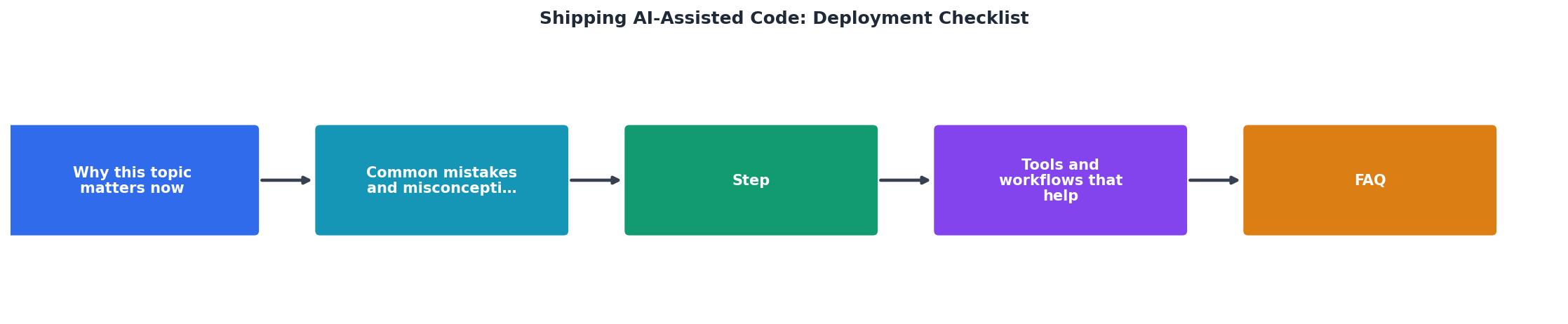
Visual Deployment Checklist Overview
To visualize the entire deployment workflow and its key touchpoints, here's an interactive dashboard showing where most AI code issues are caught:
8-Phase Deployment Pipeline
This dashboard maps your entire workflow. Each phase catches a specific class of problems that AI-generated code commonly misses.
Pre-Deployment Checklist
Your progress is saved automatically in your browser.
FAQ
Frequently Asked Questions
Shipping AI-assisted code is not a one-time decision. It's a process you repeat with every feature, every update, every dependency. Each time you use an AI tool to generate code, you gain speed, but you trade away the certainty of understanding every line. A checklist gives you that certainty back. Use it, refine it, and make it part of your team's standard. Your future self, debugging a production incident at 2 AM, will thank you.
What's the most common mistake you see when teams ship AI code? Drop your answer in the comments below.
Additional Resources
- AI Coding Workflow Checklist Before You Ship - DevCove - A practical checklist for shipping AI-generated apps and AI-assisted code changes after Cursor, Copilot, Claude Code, Codex, ChatGPT, or vibe ...
- 35-Step Checklist for Shipping Secure AI Projects as a ... - 35-step checklist I'd recommend to everyone shipping projects with AI as a Security Engineer. AI is great at helping you ship apps.
- The Complete Deployment Checklist Every Vibe Coder Needs - A complete pre-deployment checklist for AI-built apps covering environment variables, security, performance, and the gotchas that trip up ...
Ready to Master Vibe Coding?
Learn to build software faster with AI assistance using the Vibe Coding Bible.
Get Started