How to Start Vibe Coding with Minimal Technical Background
Vibe coding offers a revolutionary way for non-engineers to dive into software development, leveraging AI tools to bypass traditional coding hurdles. If you've ever thought about bringing your innovative ideas to life but felt held back by a lack of technical expertise, vibe coding might be your gateway. This guide will walk you through setting up your environment, choosing the right tools, and tackling your first AI-assisted project.

Vibe coding offers a revolutionary way for non-engineers to dive into software development, leveraging AI tools to bypass traditional coding hurdles. If you've ever thought about bringing your innovative ideas to life but felt held back by a lack of technical expertise, vibe coding might be your gateway. This guide will walk you through setting up your environment, choosing the right tools, and tackling your first AI-assisted project.
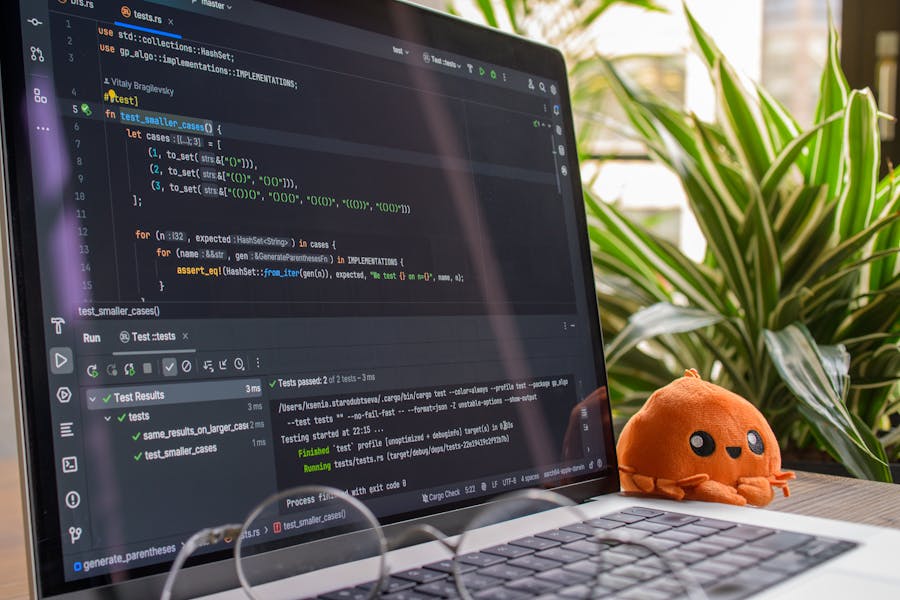
Photo by Godfrey Atima from Pexels
TL;DR:- Begin vibe coding by setting up a simple development environment and using beginner-friendly AI tools like Copilot.
- This guide provides steps to initiate your first AI-assisted project and highlights common challenges and how to overcome them.
- Measure your success through key metrics and indicators.
What is Vibe Coding and Why is it Accessible to Non-Engineers?
Vibe coding is a method of software development that emphasizes the use of artificial intelligence to streamline and enhance the coding process. With AI tools, even those without a deep understanding of programming languages can create functional software applications. The beauty of vibe coding lies in its accessibility; it allows non-engineers to participate in software development, leveraging AI to handle complex coding tasks.

How to Set Up Your First Development Environment
Setting up your development environment is the first step in your vibe coding journey. Fortunately, it's a straightforward process that doesn't require extensive technical knowledge.
- Choose a Code Editor: Begin with a user-friendly code editor like Visual Studio Code or Atom. These editors are free and offer numerous plugins to enhance your coding experience.
- Install Git: Git is essential for version control, allowing you to track changes in your project. Download and install Git from git-scm.com.
- Set Up Node.js: Many AI tools require Node.js for running scripts. Install it from nodejs.org and ensure it's added to your PATH.
- Select an AI Tool: Tools like GitHub Copilot can assist in writing code snippets. These tools integrate seamlessly with your code editor.
What Beginner-Friendly AI Tools Should You Use?
AI tools are central to vibe coding, providing the necessary support to write and debug code efficiently. Here are some beginner-friendly options:
- GitHub Copilot: A effective AI tool that suggests code snippets and entire functions, helping you write code faster.
- TabNine: An AI assistant that predicts and autocompletes code, supporting multiple programming languages.
- Kite: Offers intelligent code completions and real-time documentation, perfect for beginners.
How to Start Your First AI-Assisted Project
Once your environment is set up and you've chosen your AI tools, it's time to embark on your first project. Here's a simple workflow to get you started:
- Define Your Project: Start with a clear idea of what you want to build. It could be a simple web app or a small automation script.
- Set Up Version Control: Initialize a Git repository to manage your project's versions and collaborate if needed.
- Leverage AI Tools: Use tools like Copilot to help generate code snippets and functions as you define the logic for your project.
- Test and Iterate: Regularly test your code to ensure functionality. Use feedback from your AI tools to improve and refine your work.
What are Common Challenges and How to Overcome Them?
As you begin vibe coding, you may encounter some challenges. Here are common issues and how to tackle them:
- Understanding AI Suggestions: AI tools may suggest code that seems complex at first. Take time to understand these suggestions and how they fit into your project.
- Debugging: AI-assisted code isn't foolproof. Use debugging tools within your code editor to identify and fix errors.
- Security Concerns: Always review AI-generated code for potential security vulnerabilities.
How to Measure Success in Your First Project
Measuring the success of your vibe coding project involves evaluating both the process and the outcome. Here are some metrics to consider:
- Functionality: Does your project meet the initial requirements and function as intended?
- Efficiency: How much time did AI tools save you during development?
- Learning Curve: How comfortable are you now with the tools and processes compared to when you started?
Beginner's Checklist for Setting Up a Vibe Coding Environment
Your progress is saved automatically in your browser.
FAQ
Frequently Asked Questions
Are you ready to start your vibe coding journey? Share your thoughts and let us know how AI tools have transformed your coding experience.
Additional Resources
- Taming Vibe Coding: The Engineer's Guide - Develop your prompting skills. The first skill you need to develop in the vibe coding world is prompting. I've tried many approaches over the ...
- A beginner's guide to vibe coding - Vibe coding isn't just for experts — here's how to describe your way to a working app without writing a single line of code yourself.
- Complete Beginner's Guide to Vibe Coding an App in 5 ... - Start with VS Code + GitHub Copilot (choose Sonnet 4.5 for complex projects requiring deep reasoning) · Write an outcome-focused prompt: “Build ...
Ready to Master Vibe Coding?
Learn to build software faster with AI assistance using the Vibe Coding Bible.
Get Started