Team Rollout Plan for Vibe Coding in Engineering
You hired three contractors, gave everyone Cursor licenses, and two weeks later your codebase looks like five different people built five different apps. Because they did. Rolling out vibe coding across a team without a plan creates more chaos than shipping solo ever did. This guide gives you a concrete, week-by-week rollout plan so your entire team builds with AI consistently, safely, and fast.


You hired three contractors, gave everyone Cursor licenses, and two weeks later your codebase looks like five different people built five different apps. Because they did. Rolling out vibe coding across a team without a plan creates more chaos than shipping solo ever did. This guide gives you a concrete, week-by-week rollout plan so your entire team builds with AI consistently, safely, and fast.
Photo by Monstera Production from Pexels
TL;DR:- Start with a 2-person pilot, not a full-team switch, to surface problems early
- Define shared prompt conventions, review rules, and AI tool standards before scaling
- Roll out in four phases over 4-6 weeks: Pilot, Standards, Training, Full Adoption
- Measure output quality and velocity at each phase to catch regressions
Why Team Vibe Coding Needs a Plan
Solo vibe coding is forgiving. You know your own prompting style, your own shortcuts, your own mess. The moment a second person touches the same codebase with AI, every unspoken assumption becomes a bug.
Two out of three teams that adopt AI coding tools without shared standards report inconsistent code quality within the first month. The problem is not the tools. The problem is that each person prompts differently, accepts different levels of AI output, and structures files in their own way.
A rollout plan solves this by creating a shared language for how your team uses AI. It answers questions like: Which tools are approved? What gets reviewed by a human? How do we prompt for this project's architecture? Without those answers written down, you get a codebase that fights itself.
"The first skill you need to develop in the vibe coding world is prompting.">, Medium
That skill multiplies when a whole team develops it together, using the same conventions.
Common Rollout Mistakes

Most teams make the same three mistakes when introducing vibe coding:
- "Everyone start using Cursor on Monday." Flipping the switch for the whole team at once means nobody has time to learn properly. The fastest adopter sets a pace that frustrates everyone else. Bugs pile up before anyone knows how to catch them.
- No shared prompt library. Person A prompts "build a login page with email and password." Person B prompts "create an authentication flow with OAuth support and session management." Same feature request, wildly different outputs. Without a shared prompt template for common tasks, you get architectural drift in days.
- Skipping the review step. AI-generated code looks clean. It passes a quick scan. But it often contains subtle issues: hardcoded secrets, missing error handling, duplicated logic that already exists elsewhere. Teams that skip structured review of AI output ship those problems straight to production.
The Four-Phase Rollout
Here is the step-by-step plan. Each phase has a clear goal, a defined duration, and a specific deliverable before moving to the next phase.
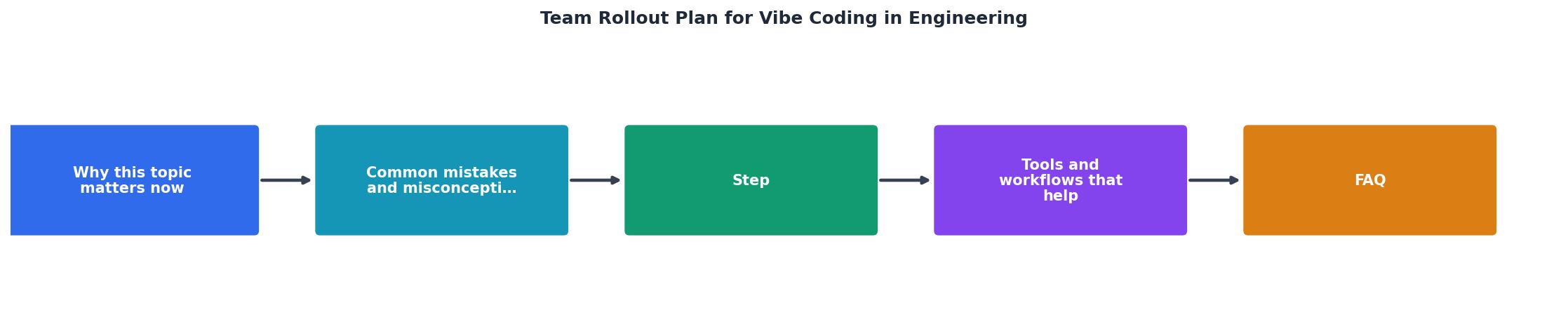
Phase 1: Pilot (Week 1-2)
Pick two people. Give them one well-scoped feature to build using AI tools. Their job is not just to ship the feature. Their job is to document every friction point: prompts that failed, outputs that needed heavy editing, architectural decisions the AI made that conflicted with your existing codebase.
Deliverable: A short document (even a shared doc with bullet points) listing what worked, what broke, and what rules the team needs.
Phase 2: Standards (Week 2-3)
Take the pilot findings and turn them into three things:
- Tool list: Which AI tools are approved (Cursor, Claude, Copilot, Lovable, v0). Which are not. Where API keys live. What data can and cannot be sent to external AI services.
- Prompt conventions: A shared prompt template for your project. This includes the system prompt or project context file that every team member loads. It includes naming conventions, architecture patterns, and file structure rules baked into the prompt.
- Review checklist: A short list of things every AI-generated PR must pass before merge. Security checks, test coverage, no hardcoded values, matches existing patterns.
Phase 3: Training (Week 3-4)

Run a hands-on session. Not a slide deck. Not a video. A live working session where the full team builds something small using the standards from Phase 2. Pair people up: one experienced AI user with one beginner.
Cover these specifics:
- How to load the project context file into your AI tool
- How to prompt for a new feature vs. a bug fix vs. a refactor
- How to read AI output critically (check for hallucinated imports, missing edge cases, wrong database calls)
- How to use the review checklist on a real PR
Phase 4: Full Adoption (Week 4-6)
Roll out to the entire team. Set a two-week checkpoint where you compare:
- Velocity: Are features shipping faster than before?
- Bug rate: Are more bugs reaching QA or production?
- Code consistency: Does the codebase still feel like one project?
Tools and Workflows That Help

The specific tools matter less than using them consistently. That said, here is what works well for teams right now:
- Cursor with a shared
.cursorrulesfile checked into the repo. This file tells Cursor about your project's architecture, naming conventions, and preferred patterns. Every team member gets the same AI behavior. - Claude (via API or Claude Code) for complex reasoning tasks like debugging, architecture decisions, and code review. Works well as a second opinion tool.
- GitHub Copilot for inline completions during everyday coding. Lower friction than chat-based tools for small edits.
- Lovable / v0 for rapid UI prototyping. Useful in Phase 1 pilots for frontend-heavy features.
prompts/ directory in the repo. When someone writes a prompt that produces great results for a common task, save it. This becomes your team's prompt library over time.The following dashboard shows what a typical team tracks during rollout to stay on course:
Team Rollout Dashboard
Team Vibe Coding Rollout Checklist
Your progress is saved automatically in your browser.
FAQ
Frequently Asked Questions
Additional Resources
- Taming Vibe Coding: The Engineer's Guide - In this article, I share how my understanding of “vibe coding” evolved and the lessons I've learned. While often seen as a way for non- ...
- Vibe Coding Explained: Tools and Guides - Vibe coding is a software development practice making app building more accessible, especially for those with limited programming experience.
- Vibe Coding vs Spec-Driven Development (2026) - Vibe coding ships prototypes fast but hits a 3-month wall. vibe coding prioritizes speed through conversational prompt-iterate cycles,
Ready to Master Vibe Coding?
Learn to build software faster with AI assistance using the Vibe Coding Bible.
Get Started