Vibe coding resource #10: REST API prompt templates
You asked your AI coding assistant to build a REST API and got back a tangled mess of routes with no validation, no error handling, and inconsistent naming. The problem is not the AI tool. The problem is the prompt. This guide gives you ten copy-paste prompt templates that produce clean, production-ready REST API endpoints every time you use them.

You asked your AI coding assistant to build a REST API and got back a tangled mess of routes with no validation, no error handling, and inconsistent naming. The problem is not the AI tool. The problem is the prompt. This guide gives you ten copy-paste prompt templates that produce clean, production-ready REST API endpoints every time you use them.
Photo by Godfrey Atima from Pexels
TL;DR:- Vague API prompts produce vague API code. Structured prompt templates fix that.
- Each template below specifies the HTTP method, resource name, request/response shape, validation rules, and error codes upfront.
- Copy a template, fill in your resource details, paste it into Cursor, Claude, or Copilot, and get endpoints that actually handle edge cases.
Why prompt structure decides API quality
Most people type something like "create a REST API for users" and hope for the best. The AI responds with a basic CRUD scaffold. It skips input validation. It returns 200 for everything. It names one route /getUser and another /products/list. You spend the next two hours patching what should have taken ten minutes.
The fix is straightforward: give the AI the same information you would give a junior developer on their first day. Resource name, allowed fields, which fields are required, what errors look like, and what status codes to return. When you spell that out in a prompt template, the AI produces code that matches your spec on the first pass.
Structured prompts also keep your API consistent across endpoints. When every prompt follows the same format, every endpoint follows the same conventions. That consistency matters when you have fifteen routes and need to debug one of them at 11 PM.
Common prompt mistakes that wreck APIs

Before the templates, here are the five mistakes that cause the most rework:
- No resource schema. Saying "create an API for orders" without listing the fields means the AI invents them. You get
orderDate,order_date, anddateacross three endpoints. - Missing error handling. If you do not mention errors, the AI does not generate error responses. Your API returns a 500 with a stack trace instead of a clean 404.
- No authentication context. The AI does not know if your routes are public or protected unless you say so. You end up with open endpoints that should require a token.
- Skipping pagination. List endpoints without pagination instructions return every record in the database. That works with 12 test rows. It crashes with 120,000 real ones.
- Mixing naming conventions. One prompt says "get user by ID," another says "fetch product details." The AI mirrors your inconsistency in the route paths and function names.
prompts/ folder in your project, and reuse them for every new resource. Consistency compounds.The template anatomy
Every effective REST API prompt template has six sections. Think of them as slots you fill in before hitting Enter:
- Resource name and description (e.g., "Product: a physical item sold in the store")
- Fields with types and constraints (e.g., "name: string, required, max 120 chars")
- Endpoints to generate (e.g., "GET /products, GET /products/:id, POST /products")
- Validation rules (e.g., "price must be a positive number")
- Error responses (e.g., "404 if product not found, 422 if validation fails")
- Auth requirements (e.g., "POST/PUT/DELETE require Bearer token, GET is public")
The following dashboard shows what a well-structured prompt template covers compared to a typical freeform prompt:
Prompt Coverage: Template vs. Freeform
Ten REST API prompt templates

Copy any template below, replace the bracketed placeholders with your own values, and paste it into your AI coding tool.
Template 1: Basic CRUD resource
Create a REST API for [Resource]. Fields: [field1: type, required], [field2: type, optional]. Endpoints: GET /[resources], GET /[resources]/:id, POST /[resources], PUT /[resources]/:id, DELETE /[resources]/:id. Return 201 on create, 200 on update/read, 204 on delete, 404 if not found, 422 on validation error. Use [framework] with [database].
Template 2: List with pagination and filtering
Add a GET /[resources] endpoint that supports pagination via ?page=1&limit=20 query params. Allow filtering by [field1] and [field2]. Return { data: [], meta: { page, limit, total, totalPages } }. Default limit is 20, max limit is 100.
Template 3: Nested resource
Create endpoints for [ChildResource] nested under [ParentResource]. Routes: GET /[parents]/:parentId/[children], POST /[parents]/:parentId/[children]. Validate that the parent exists before creating a child. Return 404 if parent not found.
Template 4: Authentication-protected endpoints
Add JWT Bearer token authentication to POST, PUT, and DELETE routes for [Resource]. GET routes are public. Return 401 if token is missing, 403 if token is valid but user lacks permission. Include a middleware function that extracts and verifies the token.
Template 5: File upload endpoint
Create POST /[resources]/:id/[attachment] that accepts a multipart/form-data file upload. Allowed types: [jpg, png, pdf]. Max size: [5MB]. Store the file in [storage location]. Return the file URL in the response. Return 415 for unsupported types, 413 if file exceeds limit.
Template 6: Search endpoint
Create GET /[resources]/search?q=[term] that performs a case-insensitive search across [field1] and [field2]. Return results sorted by relevance. Support pagination with ?page and ?limit. Return an empty array (not an error) when no results match.
Template 7: Bulk operations
Create POST /[resources]/bulk that accepts an array of up to 50 [Resource] objects. Validate each item individually. Return { created: [...ids], errors: [{ index, message }] }. Use a database transaction so partial failures roll back.
Template 8: Soft delete
Implement soft delete for [Resource]. Add a deletedAt timestamp field. DELETE /[resources]/:id sets deletedAt to now instead of removing the row. GET endpoints exclude soft-deleted records by default. Add ?includeDeleted=true to show them. Add PATCH /[resources]/:id/restore to undo a soft delete.
Template 9: Webhook notification endpoint
Create POST /webhooks/[event] that accepts a JSON payload with [fields]. Verify the X-Signature header using HMAC-SHA256 with [secret]. Return 200 immediately, then process the event asynchronously. Log the raw payload for debugging. Return 401 if signature is invalid.
Template 10: Health check and status
Create GET /health that returns { status: "ok", timestamp, version, uptime }. Create GET /health/ready that checks database connectivity and returns 200 if connected, 503 if not. No authentication required on either endpoint.
"Build a call logging tool for outbound sales.">, Vibe Coding Prompts: 30 Templates That Actually Work
That quote captures the vibe coding mindset: start with a clear, specific goal. These templates apply the same principle at the endpoint level.
Step-by-step workflow
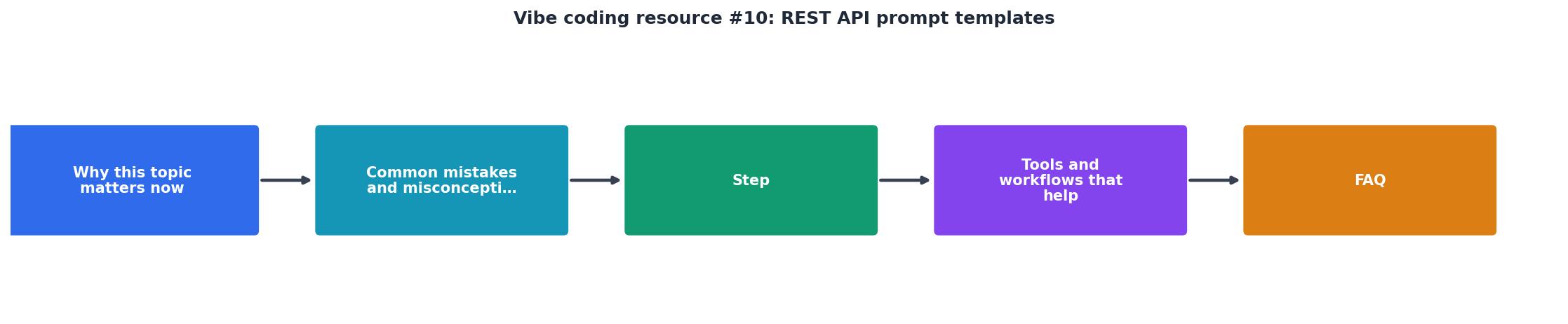
The process breaks down into five steps: Pick template, Fill placeholders, Paste into AI tool, Review output, Test endpoints.
- Pick template. Choose the template that matches your use case. Building a new resource? Start with Template 1. Adding search? Grab Template 6.
- Fill placeholders. Replace every bracketed value. Be specific. "name: string, required, max 120 characters" beats "name: string."
- Paste into AI tool. Drop the completed prompt into Cursor, Claude, Copilot, or whichever tool you use. Let it generate the full endpoint code.
- Review output. Check that the generated code includes every validation rule, error code, and auth requirement you specified. If something is missing, paste a follow-up prompt: "You missed the 422 response for invalid email format. Add it."
- Test endpoints. Use
curl, Postman, or Thunder Client to hit each endpoint with valid data, invalid data, and missing auth. Confirm the status codes match your template spec.
Adapting templates to your stack

These templates are framework-agnostic. Append your stack details to any template:
- Node.js + Express + PostgreSQL: Add "Use Express.js with pg for database queries. Use express-validator for input validation."
- Python + FastAPI + SQLAlchemy: Add "Use FastAPI with Pydantic models for validation and SQLAlchemy for ORM."
- Ruby on Rails: Add "Use Rails API mode with Active Record validations and Jbuilder for JSON responses."
- Go + Gin: Add "Use Gin framework with GORM. Return JSON responses using gin.H{}."
| Freeform Prompt | Template Prompt |
|---|---|
| "Make a user API" | Resource, fields, types, constraints defined |
| AI guesses field names | You specify exact schema |
| No error handling | 404, 422, 401, 403 specified |
| No pagination | Page, limit, total in response |
| Inconsistent routes | RESTful naming enforced |
REST API Prompt Template Checklist
Your progress is saved automatically in your browser.
FAQ
Frequently Asked Questions
What is the first API resource you plan to build with these templates? Drop your use case below and let's see which template fits best.
Additional Resources
- Vibe Coding Prompts: 30 Templates That Actually Work - Here are 30 copy-paste templates you can customize to build production-ready software in minutes, plus the five patterns that separate a prompt
- Vibe Coding Prompt Library Template - Vibe Coding Prompts is a Notion-based library designed to help you build full-stack apps through clear, contextual prompts no fluff, no filler.
- taskade/awesome-vibe-coding - The complete guide to vibe coding — build software with AI through natural language prompts. Prompt Templates Reusable prompts for common vibe coding tasks. ...
Ready to Master Vibe Coding?
Learn to build software faster with AI assistance using the Vibe Coding Bible.
Get Started