Vibe coding resource #11: refactoring AI output
You asked the AI to build a feature, it spit out 300 lines of code, and the feature works. Then you asked for a second feature and everything broke. The problem is not the AI. The problem is that raw AI output accumulates structural debt faster than any human developer ever could, and without deliberate refactoring you will hit a wall where nothing new can be added.

You asked the AI to build a feature, it spit out 300 lines of code, and the feature works. Then you asked for a second feature and everything broke. The problem is not the AI. The problem is that raw AI output accumulates structural debt faster than any human developer ever could, and without deliberate refactoring you will hit a wall where nothing new can be added. This guide gives you a concrete, repeatable process for cleaning up AI-generated code so your project stays shippable.
Photo by Godfrey Atima from Pexels
TL;DR:- AI-generated code works on first run but degrades fast because the model has no memory of your project's structure.
- Refactoring after every major AI generation keeps your codebase small, consistent, and extensible.
- Follow a five-step loop: Review, Extract, Rename, Test, Commit. Do it every time, not "later."
Why refactoring AI output is different
When you write code yourself, you build mental context as you go. You know where things live, why a function exists, and what depends on what. AI has none of that context. Each generation is a fresh guess based on your prompt and whatever files you fed it. The result: duplicated logic, inconsistent naming, functions that do three things at once, and dead code that nobody asked for.
A typical AI coding session produces code where over 60% of the output contains some form of duplication or redundant logic. That is not a flaw in the model. It is a natural consequence of stateless generation. The AI does not remember that it already wrote a formatDate() helper two files ago, so it writes another one inline.
"The first big problem with vibe coding is that at some point you hit a limit on the size of the codebase, and no further features can be added.">, Refactoring to understand and "vibe coding"
This is the wall. And refactoring is how you avoid it.
Common mistakes that make it worse

Most builders who hit the wall share the same habits. Recognizing them early saves weeks of frustration.
- "I'll clean it up later." You won't. Every new AI generation adds more tangled code on top of the existing mess. Refactoring gets exponentially harder the longer you wait.
- Accepting entire files without reading them. The AI replaced your 50-line component with a 200-line version. You accepted it because the feature worked. But it also rewrote your auth logic, changed variable names, and removed a validation check you needed.
- Prompting for fixes instead of understanding the problem. When something breaks, the instinct is to paste the error back into the AI and say "fix this." That creates a patch-on-patch cycle. Each fix introduces new inconsistencies.
- No version control between generations. If you do not commit before each AI generation, you cannot diff what changed. You cannot roll back. You are flying blind.
- Treating AI output as sacred. The code is not "the AI's code." It is your code the moment you accept it. You own it, and you are responsible for its quality.
Without regular refactoring, up to 85% of your time shifts from building new features to debugging cascading issues in tangled AI output.
The five-step refactoring loop
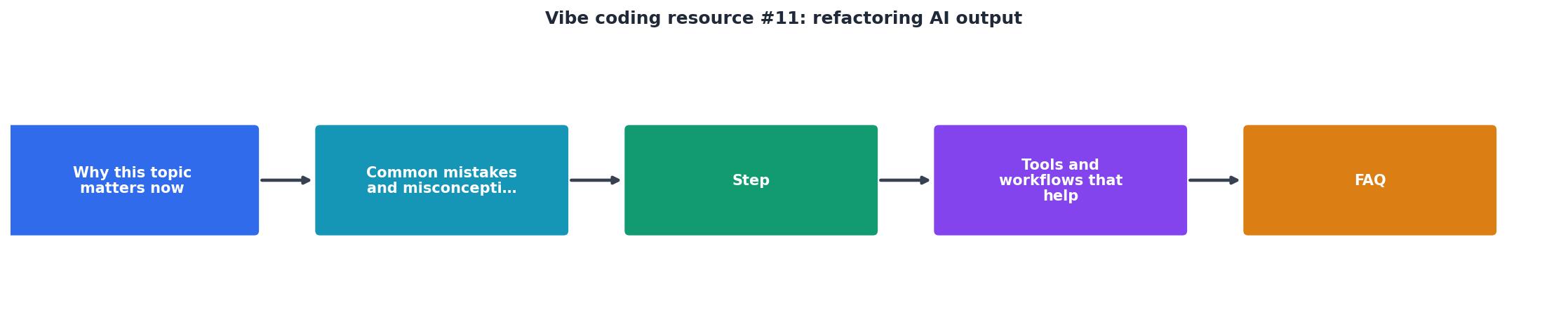
This loop runs after every significant AI generation. Not once a week. Not before launch. Every time.
Step 1: Review the diff
Before accepting any AI output, look at the diff. Tools like Cursor, VS Code, and GitHub Desktop show you exactly what changed. Read it line by line. Flag anything that:
- Touches files you did not ask the AI to modify
- Duplicates logic that already exists elsewhere
- Introduces new dependencies or imports
- Changes naming conventions mid-file
Step 2: Extract repeated logic
AI loves to inline everything. If you see the same three lines of code in two places, pull them into a shared function. Common extraction targets:
- API call wrappers (fetch with auth headers, error handling)
- Data formatting (dates, currency, string manipulation)
- Validation rules (email format, required fields, length checks)
- UI patterns (loading states, error messages, empty states)
Step 3: Rename for clarity
AI naming is generic. You will see data, result, handleClick, temp, and item everywhere. Rename variables and functions to reflect what they actually do in your domain. userData becomes activeSubscription. handleClick becomes submitPaymentForm. This is not cosmetic. Clear names prevent bugs because they make wrong code look wrong.
Step 4: Test the behavior

After extracting and renaming, verify that everything still works. You do not need a full test suite. At minimum:
- Click through the feature manually
- Check edge cases (empty inputs, missing data, slow network)
- Confirm that existing features still function
Step 5: Commit with a clear message
Commit the refactored code with a message that describes what you cleaned up. refactor: extract payment validation into shared helper tells future-you (or a collaborator) exactly what happened. Do this before your next AI prompt. That way, the AI's next generation starts from clean, organized code, and the output quality improves.
Tools and workflows that help
You do not need expensive tooling. These workflows fit into any AI-assisted development setup.
- Git with frequent commits. Commit before every AI prompt. Commit after every refactoring pass. Use branches if you are experimenting. This gives you a safety net and a clear history.
- Cursor's diff view. Cursor shows inline diffs before you accept AI changes. Use it. Reject partial changes that touch unrelated code.
- ESLint / Prettier (JavaScript) or Ruff (Python). Automated formatters and linters catch inconsistent style, unused imports, and obvious issues instantly. Configure them once and let them run on save.
- "Explain this code" prompts. After the AI generates something, ask it to explain the code back to you. If the explanation is confusing, the code is too complex and needs simplification.
- A
CONVENTIONS.mdfile. Write down your project's naming conventions, file structure, and patterns. Feed this file to the AI with every prompt. This reduces the amount of refactoring needed because the AI output starts closer to your standards.
Before Refactoring
After Refactoring Loop
| Without Refactoring | With Refactoring Loop |
|---|---|
| Code grows 300+ lines per feature | Code stays flat or shrinks |
| Debugging eats most of your day | Debugging is quick and targeted |
| AI output quality degrades over time | AI output improves (cleaner context) |
| Features break each other | Features stay isolated |
| You fear touching old code | You understand every file |
Refactoring prompts that work
You can use the AI itself to help refactor. The trick is giving it specific, bounded instructions instead of vague requests. Here are prompts that produce useful results:
"List all functions in this file that do more than one thing. For each, suggest how to split them.""Find duplicated logic between auth.js and api.js. Show me a shared utility I can extract.""Rename all generic variable names in this file to domain-specific names based on the context.""Remove any dead code in this file that is never called or imported elsewhere.""Rewrite this 80-line function as three smaller functions with clear single responsibilities."
AI Output Refactoring Checklist
Your progress is saved automatically in your browser.
FAQ
Frequently Asked Questions
What is the first file in your project that you know needs a refactoring pass? Open it, run the five-step loop, and see how much clearer things get after just one cycle.
Additional Resources
- Vibe coding is not the same as AI-Assisted engineering. - AI-augmented workflows as “vibe coding” misrepresents the skill and rigor involved. In software terms: the AI prototype must be refactored, ...
- Refactoring to understand and "vibe coding" - Refactoring to understand and "vibe coding" ... In the last months, the practice of getting a LLM to build your entire program for you (via Cursor ...
- Vibe coding with overeager AI: Lessons learned from ... - Each refactor brought new regressions. managing the AI's output demanded a discipline bordering on paranoia.
Ready to Master Vibe Coding?
Learn to build software faster with AI assistance using the Vibe Coding Bible.
Get Started