Vibe coding resource #14: production deployment checklist
You built something with AI that works on localhost. It handles your test data, the UI looks clean, and you showed it to three friends who said it was great. Then you deploy it and within 48 hours you discover missing environment variables, exposed API keys, zero error logging, and a database that chokes under ten concurrent users. This checklist exists to close the gap between demo-ready and production-ready so your launch day stays uneventful.

You built something with AI that works on localhost. It handles your test data, the UI looks clean, and you showed it to three friends who said it was great. Then you deploy it and within 48 hours you discover missing environment variables, exposed API keys, zero error logging, and a database that chokes under ten concurrent users. This checklist exists to close the gap between demo-ready and production-ready so your launch day stays uneventful.
Photo by cottonbro studio from Pexels
TL;DR:- Production deployment requires checking 14 specific areas: secrets management, error handling, database backups, authentication, rate limiting, logging, HTTPS, environment config, CI/CD, health checks, rollback plan, dependency audit, performance baseline, and monitoring alerts.
- Most vibe-coded apps fail in production not because the code is wrong, but because infrastructure and operational concerns were never addressed.
- Use this checklist before every deployment to catch the gaps AI assistants consistently miss.
Why deployments fail for AI-built apps
The code AI generates tends to be functionally correct for the happy path. Cursor, Claude, or Copilot will build you a working CRUD app in an afternoon. What they skip: error boundaries, connection pooling, graceful shutdowns, secret rotation, and every other concern that only surfaces under real traffic with real users doing unexpected things.
That number comes from a pattern anyone who has reviewed AI-generated codebases recognizes. The generated code works. It just works in a vacuum. Production is not a vacuum.
"The most common mistake we see: teams ship the app to production first, then try to layer the 14 items on after.">, Vibe Coding to Production: The 14
Retrofitting production concerns onto a deployed app is three to five times harder than building them in from the start. The checklist below is designed to run through before you hit deploy.

Common mistakes that kill launches
Hardcoded secrets are the number one offender. AI assistants love putting API keys directly in source files. They do it because it makes the code run immediately. In production, that means your Stripe key or database password ends up in a Git repository, sometimes a public one.
No rollback plan ranks second. You deploy version 2.0, something breaks, and you have no documented way to revert. With vibe-coded projects, the deployment process itself is often manual: SSH into a server, pull the latest code, restart. That works until it doesn't.
Missing rate limiting opens you to abuse. A single script hitting your API endpoint 10,000 times per minute can drain your cloud budget or crash your server. AI-generated backends almost never include rate limiting by default.
Other frequent gaps:- No health check endpoint for your hosting platform to monitor
- Database without automated backups
- HTTPS not enforced (or mixed content warnings)
- No structured logging, just
console.logscattered everywhere - Zero monitoring or alerting when things go wrong at 3 AM
The 14-point deployment checklist

Each item below maps to a specific failure mode. Skip one and you accept that specific risk. Here is the process at a glance:
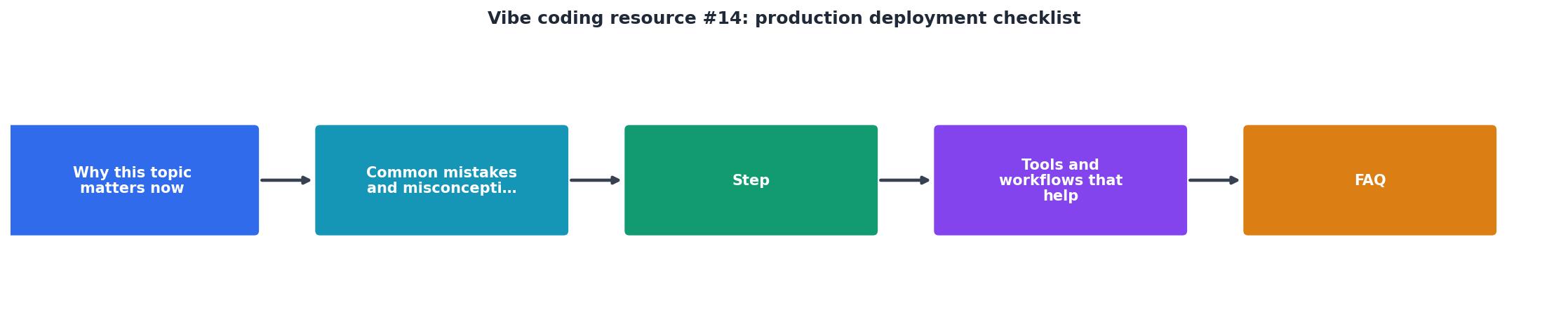
The steps break into four groups: Secrets & Config, Security, Reliability, and Observability.
Secrets & config
- Secrets management: Move every API key, database credential, and third-party token into environment variables or a secrets manager like Doppler, AWS Secrets Manager, or Vercel's encrypted env vars. Grep your codebase for hardcoded strings. Tools like
trufflehogorgitleaksautomate this scan.
- Environment configuration: Separate development, staging, and production configs. Your local
.envfile should never be the same one running in production. Use.env.examplecommitted to the repo with placeholder values so new contributors know what variables exist.
- Dependency audit: Run
npm audit,pip audit, or your language's equivalent. AI assistants pull in packages without checking their security status. One vulnerable transitive dependency is all it takes.
Security
- Authentication and authorization: Verify that every protected route actually checks credentials. AI-generated auth often covers the login page but leaves API endpoints wide open. Test by calling endpoints directly with
curlwithout a token.
- HTTPS enforcement: Redirect all HTTP traffic to HTTPS. On platforms like Vercel or Railway this is automatic. On a VPS with Nginx, you need explicit redirect rules and a valid TLS certificate from Let's Encrypt.
- Rate limiting: Add rate limiting to authentication endpoints and any public API routes. Express has
express-rate-limit. FastAPI hasslowapi. Set sensible defaults: 100 requests per minute per IP for general endpoints, 10 per minute for login attempts.
- Input validation: Every user input that touches your database or external service needs validation. AI-generated code often trusts
req.bodycompletely. Use Zod, Joi, or Pydantic to define schemas and reject malformed data at the boundary.
Reliability
- Database backups: Enable automated daily backups. Supabase, PlanetScale, and Railway offer this built-in. If you run Postgres on a VPS, set up
pg_dumpon a cron job writing to S3 or equivalent object storage.
- Health check endpoint: Create a
/healthor/api/healthroute that returns a 200 status when the app is running and can reach its database. Your hosting platform uses this to detect crashes and restart automatically.
- Rollback plan: Document exactly how to revert to the previous version. With Docker, this means tagging images. With Vercel, it means knowing how to promote a previous deployment. Write it down before you need it.
- CI/CD pipeline: Automate testing and deployment. GitHub Actions is free for public repos and generous for private ones. A minimal pipeline runs your test suite, builds the app, and deploys only if tests pass. This prevents deploying broken code at 11 PM when you are tired.
Observability
- Structured logging: Replace
console.logwith a logging library that outputs JSON with timestamps, request IDs, and severity levels. Pino for Node.js,structlogfor Python. Ship logs to a service like Betterstack, Datadog, or even a free Grafana Cloud tier.
- Monitoring and alerts: Set up uptime monitoring with Betterstack Uptime, UptimeRobot, or Checkly. Configure alerts for downtime, error rate spikes, and slow response times. If your app goes down at 3 AM, you want a notification, not a customer complaint at 9 AM.
- Performance baseline: Before launch, measure your response times and resource usage under expected load. Use
k6,artillery, orautocannonto run a basic load test. Record the numbers. After launch, compare against this baseline to detect regressions.
Tools that accelerate each step

You do not need to build any of this from scratch. Here is a quick reference mapping checklist items to specific tools:
| Checklist Area | Free/Low-Cost Tools | What They Handle |
|---|---|---|
| Secrets scanning | trufflehog, gitleaks | Find hardcoded keys in repos |
| Env management | Doppler, Vercel env vars | Encrypted secret storage |
| Dependency audit | npm audit, pip audit, Snyk | Vulnerability detection |
| Rate limiting | express-rate-limit, slowapi | Request throttling |
| Backups | Supabase built-in, pg_dump + S3 | Automated database snapshots |
| CI/CD | GitHub Actions, Railway auto-deploy | Automated test and deploy |
| Logging | Pino, structlog, Betterstack | Structured log collection |
| Monitoring | UptimeRobot, Checkly, Betterstack | Uptime and error alerts |
| Load testing | k6, artillery, autocannon | Performance baselines |
Most of these tools have free tiers that cover a single production app. You can set up the entire observability stack for $0/month until you outgrow the free limits.
The following dashboard shows what a typical pre-deployment status looks like for a vibe-coded project after running through the checklist:
Deployment Readiness
An 11/14 score means you can deploy with known risks documented. Below 10, stop and fix the gaps first.
Your pre-deploy action sheet
Production Deployment Checklist
Your progress is saved automatically in your browser.
Print this list. Tape it next to your monitor. Run through it every single time you deploy. The items take about two to four hours total for a new project. For subsequent deployments, most items are already in place and you are just verifying nothing regressed.
FAQ
Frequently Asked Questions
What item on this checklist has bitten you the hardest in a past deployment? Share your war story so others can learn from it.
Additional Resources
- Vibe Coding to Production: The 14-Point Checklist - The 14 points, in order: 1 Security scanning on every commit SAST (static analysis) for code-level vulnerabilities. SCA (software composition analysis) for ...
- The Production Checklist for Shipping Vibe-Coded Apps - Safe vibe coding starts before launch. This vibe coding security checklist covers auth, secrets, injection, and dependencies - plus the fast path in Retool.
- The Complete Deployment Checklist Every Vibe Coder Needs - A production readiness checklist for vibe coding with 25 items across security, performance, error handling, monitoring, and backups, ...
Ready to Master Vibe Coding?
Learn to build software faster with AI assistance using the Vibe Coding Bible.
Get Started