Vibe coding resource #2: AI code security checklist
You asked an AI to build your app, and it did. Login page, database queries, payment flow, the whole thing. It runs. It looks great.

You asked an AI to build your app, and it did. Login page, database queries, payment flow, the whole thing. It runs. It looks great. But somewhere in those hundreds of generated lines sits an SQL injection vulnerability, a hardcoded API key, or an open endpoint that exposes every user record in your database. This checklist exists so you can catch those problems before your users do.
Photo by Godfrey Atima from Pexels
TL;DR:- AI code generators produce insecure code at alarming rates, often embedding vulnerabilities you would never write yourself.
- This checklist covers input validation, authentication, secrets management, dependency scanning, and more.
- Run through it after every AI generation session, before any code reaches production.
Why AI code security matters now
Every week, thousands of apps ship with AI-generated code that nobody reviewed for security. The speed advantage of vibe coding becomes a liability when the generated output includes patterns like string concatenation in SQL queries, missing authentication checks on API routes, or secrets stored in plain text inside source files.
That number is not a guess. Research from the Cloud Security Alliance found that leading foundational models generate insecure code at significant rates.
"See the figure below, the top foundational models generate at least 36% of insecure code.">, Secure Vibe Coding Guide
When you write code by hand, you bring years of muscle memory about sanitizing inputs and checking permissions. AI models bring statistical pattern matching trained on millions of repositories, including the insecure ones. They reproduce what they have seen most often, and insecure shortcuts appear in training data constantly.
The fix is not to stop using AI. The fix is to treat every AI output as untrusted code from a junior developer who has never heard of OWASP.
Common mistakes with AI-generated code

Three patterns show up repeatedly when AI writes your backend, frontend, or infrastructure code:
- Hardcoded secrets. AI models love to put API keys, database passwords, and JWT secrets directly into source files. They generate working code, and working code needs real credentials. The model does not know about
.envfiles unless you tell it.
- Missing input validation. Ask an AI to build a form handler, and you will get a function that reads
req.body.emailand passes it straight to a database query. No length check, no format validation, no sanitization. It works in the demo. It breaks in production when someone submits a crafted payload.
- Overly permissive configurations. CORS set to
*. Database users with admin privileges. S3 buckets with public read access. AI generates the path of least resistance because that path compiles without errors.
Other frequent issues include missing rate limiting on authentication endpoints, absent CSRF protection, outdated dependency versions with known CVEs, and logging sensitive data like passwords or tokens to stdout.
Step-by-step security review

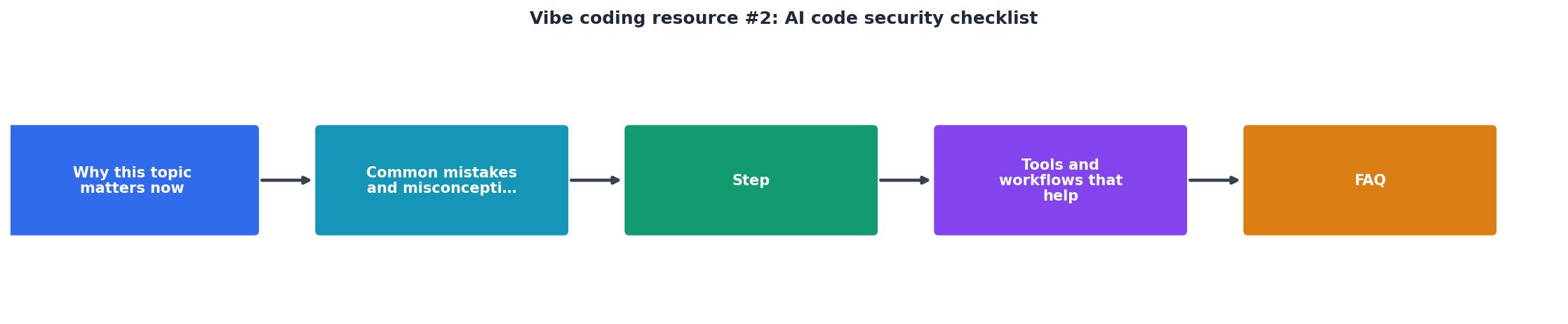
Follow this process after every AI code generation session. The diagram below shows the flow at a glance.
Scan for secrets
Run a secrets scanner like gitleaks or trufflehog against the generated files. Look for API keys, tokens, passwords, and connection strings. Move every secret to environment variables or a secrets manager like AWS Secrets Manager, HashiCorp Vault, or Doppler.
gitleaks detect --source . --verbose
Validate all inputs
Check every function that accepts user input. Each input needs:- Type checking (is it a string, number, or boolean?)
- Length limits (maximum and minimum)
- Format validation (regex for emails, UUIDs, phone numbers)
- Sanitization (strip HTML tags, escape special characters)
zod (TypeScript), pydantic (Python), or joi (Node.js) make this straightforward.
Review authentication and authorization
Verify that every API endpoint checks whether the user is authenticated and authorized. AI often generates routes without middleware. Look for:- Missing
authmiddleware on protected routes - Endpoints that return data for any user ID without checking ownership
- Admin functions accessible to regular users
Audit dependencies
Run npm audit, pip audit, or bundler-audit depending on your stack. AI models suggest packages they have seen in training data, and those packages may have known vulnerabilities or may even be typosquatted names that do not exist in the real registry.
Check database queries
Search for string concatenation or template literals inside SQL queries. Every query should use parameterized statements. In ORMs like Prisma or SQLAlchemy, verify that raw queries use parameter binding.
Test error handling
AI-generated code often catches errors and returns them directly to the client, leaking stack traces, file paths, and database schema details. Replace verbose error responses with generic messages in production. Log the details server-side only.
Tools and workflows that help

Integrating security checks into your workflow means you catch problems automatically instead of relying on memory.
The following dashboard shows a typical security scan result breakdown for an AI-generated project before manual review:
Example: Pre-Review Security Scan Results
| Manual Review Only | Automated + Manual Review |
|---|---|
| Catches obvious issues | Catches hidden patterns |
| Takes 2-4 hours per session | Scan runs in seconds |
| Depends on reviewer knowledge | Covers known CVE databases |
| Easy to miss secrets in large diffs | Secrets scanner flags every match |
| No consistency between reviews | Same checks every time |
Recommended tool stack:
- Secrets scanning:
gitleaks,trufflehog, or GitHub secret scanning (built-in for public repos) - Dependency auditing:
npm audit,pip audit, Snyk, or Dependabot - Static analysis: Semgrep, SonarQube, or CodeQL
- SAST in CI/CD: Add Semgrep or CodeQL as a GitHub Action that blocks merges on critical findings
- Runtime protection: Helmet.js for Express headers,
django-securitymiddleware, or equivalent for your framework
.cursor-rules or .github/copilot-instructions.md file in your repo that tells the AI to never hardcode secrets, always use parameterized queries, and always add auth middleware. This reduces (but does not eliminate) insecure output.Automated scanning catches roughly 85% of common security issues before deployment. The remaining 15% requires human review, especially for business logic flaws like broken access control where a user can view another user's data by changing an ID in the URL.
AI Code Security Checklist
Your progress is saved automatically in your browser.
FAQ
Frequently Asked Questions
gitleaks and run it against your project right now. Hardcoded secrets are the highest-risk, lowest-effort fix. Move every secret to a .env file (add .env to .gitignore), and you have already eliminated the most dangerous class of vulnerability in AI-generated code.What is the first security issue you found in your AI-generated code? Share your experience so others can learn from it.
Additional Resources
- Secure Vibe Coding Guide | Become a Citizen Developer - The Secure Vibe Coding Checklist This checklist covers essential security practices across the entire development lifecycle. We've broken it ...
- The vibe coder's security checklist for AI generated code - A complete security checklist for AI generated code. like SQL injections, path traversal attacks, and secrets vulnerable to bad actors. coding ...
- Vibe Coding Security Checklist: 25 Checks Before You ... - AI generates code fast — and vulnerabilities faster. 25 security checks every vibe coder must run before shipping to production.
Ready to Master Vibe Coding?
Learn to build software faster with AI assistance using the Vibe Coding Bible.
Get Started