Prompt pack: Python FastAPI feature scaffolding
You've got a FastAPI project that works, but adding new features takes forever because you're writing boilerplate by hand or wrestling with LLMs to generate code that doesn't match your existing patterns. A well-designed prompt pack turns scattered AI requests into repeatable scaffolding, generating endpoints, database models, and validation schemas in minutes instead of hours. This guide shows you how to build and use a prompt pack that keeps your features consistent, maintainable, and ship-ready.

You've got a FastAPI project that works, but adding new features takes forever because you're writing boilerplate by hand or wrestling with LLMs to generate code that doesn't match your existing patterns. A well-designed prompt pack turns scattered AI requests into repeatable scaffolding, generating endpoints, database models, and validation schemas in minutes instead of hours. This guide shows you how to build and use a prompt pack that keeps your features consistent, maintainable, and ship-ready.
Photo by Gerardo Pantoja from Pexels
TL;DR:- A prompt pack is a collection of templated instructions that teach your AI coding assistant to generate FastAPI code matching your exact patterns and conventions.
- Good prompt packs include context about your project structure, naming conventions, error handling, and database schema.
- Developers report 70% faster feature scaffolding when using well-structured prompt packs.0%Time Saved Using Prompt Packs
- Start with a core endpoint template, then extend it for database models, validators, and tests.
- Store prompts in your repo so your whole team uses the same patterns.
FastAPI's minimalist philosophy is effective, but it means every new endpoint needs the same decisions repeated: How do we structure request bodies? What validation rules apply? Should this route hit the database, and if so, what schema? A prompt pack burns these decisions into prompts so you don't have to remake them for every feature.
The real win isn't speed alone, it's consistency. When you onboard a junior engineer or work across multiple repos, a prompt pack ensures that AI-generated code follows the same patterns, error handling, and naming conventions you've already established. No more reviewing AI output that works but doesn't fit your codebase's culture.
Why this matters now

AI coding tools are fast at generating code, but they hallucinate patterns. Claude, Cursor, and Copilot don't know your project's conventions unless you teach them. Without a prompt pack, every feature request becomes a negotiation: "No, I don't use @app.get() decorators like that. No, my error responses need this shape. No, that import path doesn't exist in my project."
A prompt pack moves that negotiation upstream. You write it once, then every feature request benefits. This is especially critical if you're building solo or with a small team, because you're the one managing consistency. A prompt pack scales your judgment across dozens of features without scaling your review burden proportionally.
Additionally, prompt packs live in version control. When you update your error-handling strategy or rename a module, you update the prompt pack, and all future generations use the new pattern. Over time, your prompt pack becomes living documentation of how your codebase actually works.
Common mistakes and misconceptions
Most developers either skip prompt packs entirely or treat them like a single monolithic instruction. The real way is somewhere between.
Mistake 1: One enormous prompt that tries to cover everything. A 2,000-word prompt is hard to maintain, hard to debug, and hard for an LLM to follow reliably. Instead, create focused prompts for specific tasks: one for endpoints, one for models, one for tests.
Mistake 2: Prompts that are too generic. "Create a FastAPI endpoint" doesn't help much because it doesn't reflect your project. Prompts need to be specific to your architecture: your database ORM, your error response format, your authentication pattern, your folder structure.
Mistake 3: Never updating the prompt pack. A prompt pack written six months ago but never refined will start to feel stale as your codebase evolves. Set a rule: when you refactor, update the relevant prompt. When a junior engineer suggests a better pattern, update the prompt.
Mistake 4: Assuming the AI will "just know" implicit details. If you don't explain something, it won't be in the generated code. Don't assume the AI knows you use SQLAlchemy ORM or that you validate input with Pydantic. Say it explicitly.
"The generated project will have the following structure:.">, GitHub
Building your prompt pack

Start by auditing your existing codebase. Pick three or four of your most representative features, endpoints, database models, error handlers, and note the patterns:
- How are routes named and structured?
- What does a request body look like? Do you use Pydantic models everywhere?
- How do you handle errors? What does a 400 response look like?
- How do you connect to the database? SQLAlchemy? Tortoise? Raw SQL?
- Do you have middleware, decorators, or custom exceptions?
- What validation rules are common?
- How do you organize files? One file per route, or grouped by feature?
You are a FastAPI developer working on [PROJECT_NAME].
When creating new endpoints, follow these rules:
- Use Pydantic models for all request/response schemas.
- Place endpoint code in app/routes/[feature_name].py.
- All endpoints must include error handling using HTTPException.
- Return responses in the format: {"data": {...}, "status": "success"|"error"}
- Use dependency injection for database sessions:
db: Session = Depends(get_db).
- Add docstrings explaining what the endpoint does.
Example endpoint:
from fastapi import APIRouter, HTTPException, Depends
from sqlalchemy.orm import Session
from pydantic import BaseModel
router = APIRouter(prefix="/items", tags=["items"])
class ItemCreate(BaseModel):
name: str
price: float
@router.post("/")
def create_item(item: ItemCreate, db: Session = Depends(get_db)):
"""Create a new item."""
try:
db_item = Item(item.dict())
db.add(db_item)
db.commit()
return {"data": db_item, "status": "success"}
except Exception as e:
raise HTTPException(status_code=400, detail=str(e))
Now, create a [FEATURE_NAME] endpoint that...
This prompt is concrete, includes an example, and gives the AI enough context to generate code that fits your codebase.
Step-by-step approach

Here's how to scaffold a feature end-to-end using a prompt pack:
Step 1: Define what you're building. Start with a single-line description: "User authentication with JWT tokens" or "Product listing with filters." Step 2: Run the database model prompt. Use a prompt pack designed to generate SQLAlchemy models. Feed it the feature description and any schema requirements. The AI generates your table structure. Step 3: Generate Pydantic schemas. Run a separate prompt that converts your SQLAlchemy model into request/response Pydantic models. This ensures your API contract stays consistent with your data layer. Step 4: Generate endpoints. Use your core endpoint prompt to generate routes. Reference the models you just created. The AI now has all the context it needs. Step 5: Generate tests. A prompt pack should include a test template. Use it to generate basic unit tests for your endpoints. This catches obvious bugs before you run the code. Step 6: Review and integrate.** Review the generated code for logic errors, business rule correctness, and security. Trust the prompt pack for structure; validate the logic yourself.The entire process from database schema to working endpoints with tests can take 30 minutes if your prompts are good. Without a prompt pack, it would take hours of copy-pasting and manual tweaking.
Tools and workflows that help
Store your prompt pack in a prompts/ folder at the root of your repo. Each prompt gets its own file: prompts/endpoint.md, prompts/model.md, prompts/test.md. This keeps them version-controlled and easy to share with your team.
Many developers use a simple shell script or a dedicated tool like prompt-cli to load and populate these prompts, but honestly, copy-paste works fine early on. As you grow, consider a small Python script that reads a prompt file, replaces variables (like [PROJECT_NAME] or [FEATURE_NAME]), and outputs it to stdout or directly into your clipboard.
Version your prompt pack like you version code. When you refactor a pattern, document the change in a PROMPTS_CHANGELOG.md. This helps teammates understand why a prompt was rewritten and when to update their local versions.
Use the same LLM for all your scaffolding if possible. Claude or GPT-4 work well, but pick one and stick with it. Different models interpret prompts slightly differently, so switching between Copilot, Cursor, and Claude can introduce inconsistency.
Test your prompt pack against a few features before declaring it done. If the AI generates code that breaks or doesn't match your patterns, refine the prompt. The goal is that 80% of generated code is usable immediately; the remaining 20% needs only minor tweaks.
Interactive prompt pack explorer
Understanding how prompts flow into your codebase makes the concept concrete. Below is a visual dashboard showing how a feature request moves through your prompt pack system.
Prompt Pack Feature Flow
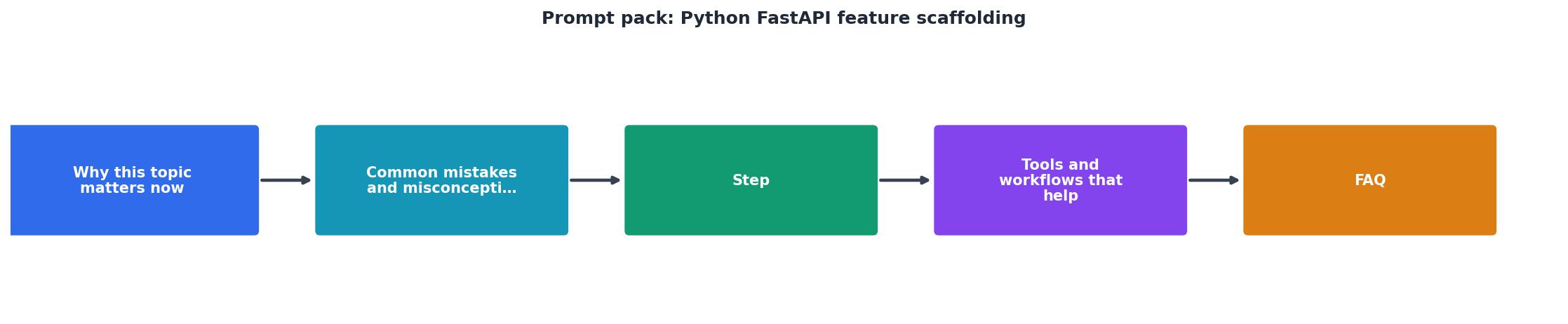
This flow shows how each prompt builds on the previous output. By chaining prompts this way, you amplify the AI's ability to generate cohesive, integrated code. The model generated in step 3 informs the endpoint in step 5, which then informs the tests in step 7. Each layer has the context it needs to stay consistent.
Prompt Pack Setup Checklist
Your progress is saved automatically in your browser.
FAQ
Frequently Asked Questions
Wrapping up
A prompt pack transforms AI code generation from chaotic to reliable. It's not magic; it's discipline applied to prompting. You spend 2-4 hours upfront documenting your conventions, then every feature scaffolded afterward follows those conventions automatically.
The real value emerges over time. After three months with a prompt pack, your codebase will feel cohesive even though half of it was written by an AI. Your junior engineers will move faster because they have a template to follow. Your reviews will focus on logic, not style. Your documentation will be living code, not stale prose.
Additional Resources
- A command-line tool to generate FastAPI project scaffolds ... - A command-line tool to generate FastAPI project scaffolds with various database, message broker, and deployment options.
- Scaffold FastAPI Projects with Auth and Migrations in ... - In this article, we'll learn how to scaffold the FastAPI project using fastapi-gene package. fastapi-gene is a command-line tool that helps you ...
- Python APIs with FastAPI, Key Features and CRUD example - FastAPI boasts to be one of the fastest Python frameworks available, increasing development speeds by up to 300% with high performance.
Ready to Master Vibe Coding?
Learn to build software faster with AI assistance using the Vibe Coding Bible.
Get Started