Ship checklist: React app built with AI assistance (for enterprise teams)
Your AI-built React app works great in development. It's fast, responsive, and the MVP felt like a breeze with Claude or Cursor handling the boilerplate. Then you deploy to production and reality hits: performance tanks, security holes appear, the codebase is a maze, and your team has no idea how to maintain it. Building with AI is faster than ever, but shipping production-grade software requires discipline that AI alone won't provide.

Your AI-built React app works great in development. It's fast, responsive, and the MVP felt like a breeze with Claude or Cursor handling the boilerplate. Then you deploy to production and reality hits: performance tanks, security holes appear, the codebase is a maze, and your team has no idea how to maintain it. Building with AI is faster than ever, but shipping production-grade software requires discipline that AI alone won't provide. This checklist bridges that gap, giving you the exact steps to move from "it works" to "it ships safely and scales."
TL;DR
- AI accelerates React development but doesn't replace architectural decisions, security reviews, or production hardening.
- Enterprise shipping requires four parallel tracks: code quality, security compliance, infrastructure readiness, and team knowledge transfer.
- Use this checklist to systematically move from local builds to production deployment without cutting corners.
Building a React app with AI assistance cuts development time dramatically. But enterprise teams face a different challenge than solo builders: you can't handwave production readiness. You need repeatable processes, security audit trails, code review standards, and a team that understands what went into the application.
The gap between "MVP works locally" and "production-ready at scale" is where most AI projects stall. This checklist forces you past that gap.
Why this matters now
AI code generation has matured to the point where the bottleneck is no longer speed of writing code, it's confidence in shipping it. A single React component generated by Claude takes minutes; auditing that component for performance, accessibility, and security takes days. Enterprise teams can't afford to skip that audit.
The stakes are higher now. You're not just risking downtime; you're risking customer data, compliance violations, and your team's trust in the tooling. That's why this checklist exists: to define the minimum bar for enterprise shipping.
Common mistakes when shipping AI-built React apps
Teams rushing to production make predictable errors:
Skipping architectural review. AI generates working code but doesn't see the full application shape. You end up with components that work in isolation but create bottlenecks at scale. The AI doesn't know your database topology, your auth requirements, or your traffic patterns.
Treating generated code as final. Developers assume that if the AI wrote it, it must be correct. In reality, AI output needs the same rigor as any code, sometimes more, because it's less predictable. Generated styles, API calls, and state logic often have subtle bugs that only reveal under load.
Skipping security review. AI code can be secure by accident but insecure by design. Hardcoded secrets, missing input validation, and XSS vulnerabilities slip through because the AI wasn't trained on your company's threat model. Security isn't something you bolt on at the end; it's a prerequisite.
No knowledge transfer. The AI built it, but nobody on your team understands it. When the app breaks in production, you have no one to troubleshoot. You're hostage to the AI vendor and your own ignorance.
Ignoring performance implications. Generated components often render correctly but inefficiently. Unnecessary re-renders, large bundle sizes, and unoptimized images launch successfully and then slow your app to a crawl under real traffic.
The four-track approach to enterprise shipping
Production readiness isn't a single gate, it's four parallel concerns that must all pass before launch. Fail one, and your app ships broken.
Track 1: Code quality and architecture

Your AI-generated React app has a structure. Make sure it's the right structure for your team and your scale.
Enforce component boundaries. AI generates monolithic components. You need to break them apart into reusable, testable pieces. Review each generated component and ask: does this do one thing? Can it be tested in isolation? Is it performant? Many AI-generated components bundle too much state, too many side effects, or too many render branches into a single file.
Validate API integration patterns. Generated code often makes direct HTTP calls from components. That works for prototypes but fails at scale. Centralize API logic into a separate layer, either a custom hooks library, a state management store, or an API client. This isn't pedantic; it's the difference between an app that works and one that breaks when you need to add retry logic, caching, or request signing.
Check for anti-patterns. Watch for common AI mistakes: inline arrow functions in render (causes re-renders), missing dependency arrays in useEffect, spreading state directly instead of immutable updates, and components that import too deeply from each other. These compile and run but degrade performance and maintainability.
Define your testing strategy now. You don't need 100% coverage, but you need coverage of critical paths. AI can generate test skeletons, but test intent comes from humans. Your team needs to write tests that validate business logic, not just component rendering.
Track 2: Security and compliance

Security is not a feature you add later. It's a requirement you build in.
Scan for credential leaks. Run tools like git-secrets or truffleHog across your codebase. AI sometimes hardcodes API keys, database URLs, or OAuth tokens in components. Any credential that appears in your source code is compromised, rotate it immediately and remove it from the repo.
Validate input handling. Check that all user input goes through validation before it hits your API or your DOM. AI-generated forms often skip validation or do it client-side only. Add server-side validation, whitelist allowed values, and sanitize output.
Review dependency security. Run npm audit and snyk on your dependencies. AI often pulls in libraries that work but have known vulnerabilities. You're responsible for the supply chain, not the AI.
Check for XSS vulnerabilities. Generated code that renders user-supplied content without escaping is a critical vulnerability. Search for patterns like dangerouslySetInnerHTML, innerHTML, and unescaped template strings. If you find them, remove them or add explicit escaping.
Implement CORS and CSP headers. Your React app runs in a browser; you need to lock down what it can access. Configure Cross-Origin Resource Sharing and Content Security Policy headers to match your threat model.
Audit authentication flow. If your app handles login, review the AI-generated auth code carefully. Common mistakes: storing tokens in localStorage (use httpOnly cookies), not validating JWT signatures, and not refreshing expired tokens. These aren't theoretical; they leak user data in production.
Track 3: Infrastructure and deployment

Your code is ready, but where does it run?
Define your deployment target. Are you using Vercel, Netlify, AWS, a bare server, or something else? Each has trade-offs. Vercel is fast and simple for React but locks you into their pricing. AWS is flexible but requires more operational knowledge. Pick now, not during deployment.
Set up environment management. Your code has secrets: database URLs, API keys, feature flags. Never hardcode these. Use environment variables, a secrets manager, or a configuration service. Your deployment pipeline must inject these at runtime, not at build time.
Build for production. Run npm run build (or equivalent) and verify the output is minified, tree-shaken, and as small as possible. AI-generated code can bloat your bundle if it includes unused dependencies or inefficient imports. Aim for < 100KB gzipped for the core app.
Set up monitoring and logging. You need visibility into what's happening in production. Use a tool like Sentry, LogRocket, or Datadog to catch errors, track performance, and alert on anomalies. Without this, you won't know when your app breaks for users.
Plan for database scaling. If your React app talks to a database, make sure your queries are indexed and efficient. AI-generated queries often lack indexes, leading to slow performance as data grows. Review your schema and query patterns before launch.
Implement rate limiting. If your app exposes an API, add rate limiting to prevent abuse or accidental DoS. AI doesn't know your traffic patterns; you do. Set reasonable limits based on expected load.
Track 4: Team knowledge and runbooks
The best architecture means nothing if your team doesn't understand it.
Document the architecture. Write a one-page diagram and explanation: what are the main components, how do they talk to each other, and where are the critical paths? This isn't a novel; it's a map. New team members should be able to orient themselves in 10 minutes.
Create runbooks for common problems. What happens when the app crashes? How do you roll back a deployment? How do you debug a performance issue? Write these down. AI can help generate runbooks, but your team needs to validate them against your actual infrastructure.
Do a knowledge transfer session. The person who built the app (or who worked most closely with the AI) should walk the team through the codebase. Explain why certain choices were made, where the risky parts are, and what to watch for in production.
Establish code review standards. Your team needs a shared understanding of what "good code" looks like. This is true for AI-generated code especially. Define a checklist: does it have tests? Is it performant? Is it secure? Does it follow your patterns? Enforce this in pull requests.
"How to ship your AI app in 2026 🚀
Although building software is easier than ever, most AI projects still stall halfway through."
>, Ship AI Apps in 5 Steps: Claude, MVP, and Tech Stack
Step-by-step shipping workflow
Here's how a typical enterprise team moves an AI-built React app from MVP to production:
Week 1: Architecture audit. The lead engineer reviews the AI-generated codebase, maps it, and identifies architectural risks. Outcome: a one-page architecture doc and a list of refactoring priorities.
Week 2-3: Code hardening. The team applies those refactorings, adds tests, and enforces patterns. AI helps generate the code; humans validate and integrate it. Outcome: a codebase that passes your code review standards.
Week 3-4: Security audit. A security-minded person (or team) reviews the app for vulnerabilities, runs automated scans, and validates the threat model. Outcome: a security audit report and a remediation plan.
Week 4-5: Deployment setup. Ops and backend engineers set up infrastructure, configure environment variables, and test the deployment pipeline. Outcome: a working deployment to staging.
Week 5-6: Load testing and optimization. Run synthetic load against the app. Measure CPU, memory, bundle size, and response time. Optimize based on metrics, not guesses. Outcome: a performance baseline and a plan for scaling.
Week 6-7: Knowledge transfer and runbooks. The team documents the app and practices failure scenarios. Outcome: everyone knows how to operate the app.
Week 7: Production deployment. Ship to production, monitor closely, and be ready to roll back. Outcome: the app is live.
This timeline is realistic for a team of 3-5 people building a modest React app. Larger apps or higher-security requirements take longer.
Here's a visual overview of the shipping process:
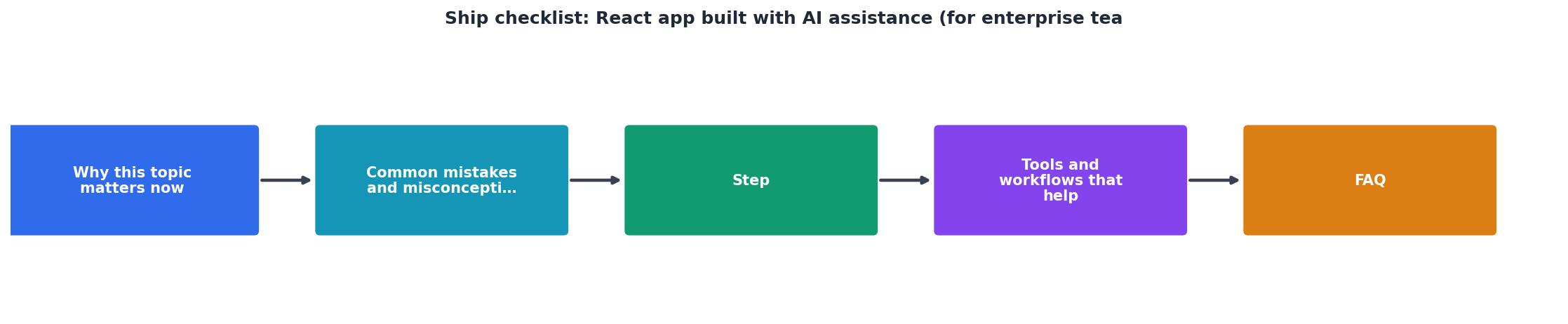
Interactive shipping readiness dashboard
To help you track progress across all four tracks, here's a reference for typical metrics at each stage. Use this to measure how close you are to production readiness.
Production Readiness Tracker
This dashboard shows a typical mid-stage app. To ship to production, aim for all four tracks at 90%+ before going live.
The shipping checklist
Use this checklist as your go-no-go gate. Complete every item before you ship.
React App Enterprise Shipping Checklist
Your progress is saved automatically in your browser.
FAQ
Frequently Asked Questions
Shipping an AI-built React app isn't a sprint; it's a series of gates. Pass all four tracks, and your app ships strong. Cut corners on any track, and you're shipping a time bomb. The good news: this process is repeatable. Your first app takes longer because you're building the infrastructure and standards. Your second app uses those standards and moves faster. Your third app is automated.
Additional Resources
- Ship AI Apps in 5 Steps: Claude, MVP, and Tech Stack - I'm researching how enterprise engineering teams are evaluating AI coding environments beyond feature checklists—specifically looking at ...
- Retool: Build internal software better, with AI. - Build, deploy, and manage internal tools with Retool's unified engine. Connect to any database, API, or LLM. Leverage AI throughout your business.
- Linear – The system for product development - AI and automations ... Build and deploy AI agents that work alongside you as teammates. Work on complex tasks together or delegate entire issues end-to-end.
Ready to Master Vibe Coding?
Learn to build software faster with AI assistance using the Vibe Coding Bible.
Get Started