Ship checklist: Python FastAPI app built with AI assistance
You've built a FastAPI backend in days using Claude or Cursor, and it works locally. But moving from "works" to "ships" requires discipline that AI rarely enforces on its own. Security gaps, missing error handling, unvetted dependencies, and untested deployment paths are the difference between a demo and a product customers trust. This checklist covers what to audit, test, and harden before you deploy.

Photo by Faruk Tokluoğlu from Pexels
You've built a FastAPI backend in days using Claude or Cursor, and it works locally. But moving from "works" to "ships" requires discipline that AI rarely enforces on its own. Security gaps, missing error handling, unvetted dependencies, and untested deployment paths are the difference between a demo and a product customers trust. This checklist covers what to audit, test, and harden before you deploy.
TL;DR:- Validate all inputs, lock dependencies, run security scans, and test error paths before shipping.
- Separate your backend logic into a services layer with a mock implementation so the whole app runs offline.
- Use containerization, automate deployment, monitor in production, and set up alerts before launch.
- AI-generated code works but needs manual review for security, performance, and edge cases.
Why this matters now
AI can scaffold a working API in hours. The risk is not technical feasibility, it's shipping something that breaks, leaks data, or falls over because critical steps were skipped or left to chance. Teams who skip the checklist end up firefighting in production instead of scaling their product.
The reality: three quarters of AI-generated backend code requires security hardening before production use. That is not a reason to avoid AI; it's a reason to build systematic review into your workflow.
Common mistakes with AI-built FastAPI apps

Trusting AI output without code review. AI generates endpoints that look correct but miss validation, don't handle edge cases, or expose sensitive data. A request that should fail silently crashes. A password field is logged. A field validation is missing. These are not AI failures, they're human oversights disguised as AI shortcuts.
Pinning nothing. Developers ask the AI to "build me a requirements file," get back a list of packages with no versions, and call it done. Six months later, a transitive dependency updates and the app breaks in production. Lock every single package, including indirect dependencies.
Running no security scans. OWASP injection, SQL injection (if you're using an ORM carelessly), insecure deserialization, unvalidated redirects, AI does not know your threat model. It generates code that could be secure but often isn't. Bandit and pip-audit are free and take minutes to run.
Zero error handling. AI generates happy-path code. What happens when the database is down? When a third-party API is slow? When a field is missing from the request? The app should fail gracefully, not 500-error. Most AI code skips this entirely.
Deploying without mocking. You test locally with all services up. Production runs into a service flakiness and the whole app hangs. A mock services layer forces you to write resilient code and makes testing feasible offline.
No load testing. The app works for one user. Ten simultaneous users trigger connection pooling issues, memory leaks, or slow database queries. Load test before launch. AI will not warn you about performance.
"Centralize every backend call in one services layer, and create a mock implementation of it so the whole app runs without a real backend.">, Build and Ship a Full
Step-by-step shipping approach
Audit and validate all inputs
Start here. Every request that hits your API should be validated before it touches business logic. FastAPI + Pydantic make this straightforward, but AI often skips it or does it halfway.
- Define strict Pydantic models for every request and response. Specify field types, min/max lengths, allowed values, and regex patterns.
- Use
@app.post("/endpoint", response_model=ResponseModel)to enforce types on responses too. - Add custom validators for business rules (e.g., "email must match a pattern," "age must be 18 or older").
- Test invalid inputs: empty strings, negative numbers, SQL injection attempts, oversized payloads, wrong types. Your app should reject them cleanly, never crash or mishandle them.
from pydantic import BaseModel, validator

class UserCreate(BaseModel):
    email: str
    password: str

    @validator('email')
    def validate_email(cls, v):
        if '@' not in v or len(v) > 254:
            raise ValueError('Invalid email')
        return v

    @validator('password')
    def validate_password(cls, v):
        if len(v) < 12:
            raise ValueError('Password must be at least 12 chars')
        return v
Lock dependencies
Never ship requirements.txt without pinned versions. Run pip freeze > requirements.txt to capture exact versions of everything, including transitive dependencies.
- Commit
requirements.txtto version control. - Use
pip install -r requirements.txtin deployment, notpip install fastapi(which installs the latest version). - Periodically (quarterly or when security patches drop) audit and bump versions intentionally, not randomly.
pip-audit:
pip install pip-audit
pip-audit
This scans for known vulnerabilities in your dependencies. Run it before every release.
Run static analysis and security checks
Three free tools, five minutes:
- Bandit, finds common security issues: hardcoded passwords, use of
eval(), insecure deserialization, SQL injection patterns. - pylint or flake8, catch logic bugs and style issues.
- pip-audit, scans for vulnerable dependencies.
pip install bandit pylint pip-audit
bandit -r . -ll
pylint your_app.py
pip-audit
Fix high-severity issues before shipping. Low-severity style warnings can wait.
Separate logic into services layer
This is where AI often fails and you must intervene. AI builds request handlers that directly call databases and external services. Production code should centralize all external dependencies in a services layer with mock implementations.
Ask your AI:
"Create a services.py file that has a UserService class with methods for all database operations. Create a mock version that returns fake data. Make the main app use dependency injection to swap between real and mock."
This gives you:- The ability to test the whole app offline.
- Clear separation of concerns.
- One place to add retries, timeouts, and error handling.
- Easy mocking for unit tests.
app/
  main.py
  services.py          # Real DB calls
  services_mock.py     # Fake data
  dependencies.py      # DI setup
  routers/
    users.py
Add comprehensive error handling
FastAPI returns 500 errors by default for unhandled exceptions. Production needs graceful fallbacks.
- Wrap database calls in try-except blocks; log the error, return a 500 with a user-friendly message.
- Handle timeouts: if an external API is slow, timeout after N seconds and return a 503 or cached response.
- Add request logging: log request ID, user, timestamp, method, path, response status, and latency.
- Return proper HTTP status codes: 400 for bad input, 401 for auth failure, 403 for permission denied, 404 for not found, 500 for server error.
from fastapi import HTTPException

@app.get("/users/{user_id}")
async def get_user(user_id: int, service: UserService = Depends()):
    try:
        user = await service.get_user(user_id)
        if not user:
            raise HTTPException(status_code=404, detail="User not found")
        return user
    except Exception as e:
        logger.error(f"Error fetching user {user_id}: {e}")
        raise HTTPException(status_code=500, detail="Internal server error")
Test error paths
Unit tests should cover the happy path and the broken path.
- Test that invalid inputs are rejected.
- Test that missing required fields trigger a 400.
- Test that a nonexistent resource returns 404.
- Test that rate limiting works (if you have it).
- Test that timeouts and retries work.
pip install pytest pytest-asyncio httpx
Write a simple test:
from fastapi.testclient import TestClient

client = TestClient(app)

def test_create_user_invalid_email():
    response = client.post("/users", json={"email": "invalid", "password": "x"})
    assert response.status_code == 422
Load test before shipping
Use a tool like locust or k6 to simulate concurrent load. Run 10, 50, then 100 simultaneous users against your app and watch for crashes, hangs, or slow responses.
pip install locust
Create a simple locustfile:
from locust import HttpUser, task

class WebsiteUser(HttpUser):
    @task
    def get_users(self):
        self.client.get("/users")
Run:
locust -f locustfile.py --host=http://localhost:8000
If the app hangs or 500-errors under load, you have a database connection pool issue, memory leak, or slow query. Fix it before production.
Containerize and automate deployment

Docker ensures the app runs the same way on your laptop, in CI/CD, and in production. Ask your AI to generate a Dockerfile.
Basic Dockerfile:
FROM python:3.11-slim
WORKDIR /app
COPY requirements.txt .
RUN pip install -r requirements.txt
COPY . .
CMD ["uvicorn", "main:app", "--host", "0.0.0.0", "--port", "8000"]
Build and test locally:
docker build -t my-api .
docker run -p 8000:8000 my-api
Push to a registry (Docker Hub, ECR, GCR), then deploy to a platform (Railway, Fly.io, AWS ECS, Kubernetes). Automate this with GitHub Actions or your CI tool so every commit builds and tests the image.
Monitor and alert
Production requires observability. Set up basic logging, error tracking, and alerts.
- Log all requests and errors (use
structlogor built-in logging). - Use an error tracker: Sentry, Rollbar, or similar. When the app crashes, you get an alert with a stack trace.
- Monitor response times and error rates: use Prometheus + Grafana or a service like Datadog.
- Set up alerts: email or Slack notification if error rate spikes, latency goes above a threshold, or the app is down.
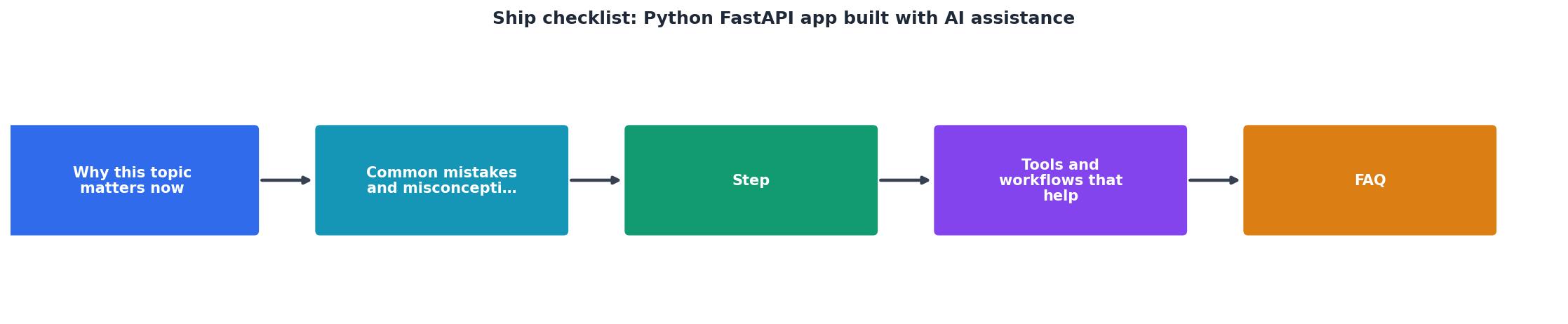
Process overview
Interactive shipping readiness tracker
Understanding which steps matter most helps you prioritize. Here is a visual breakdown of the effort vs. impact of each shipping phase.
Input Validation
Reject bad data at the entry point. Prevents injection, crashes, and data corruption.
CriticalDependency Locking
Pin all package versions. Prevents surprise breakage from transitive updates.
CriticalSecurity Scans
Run Bandit and pip-audit. Catch known vulnerabilities and common anti-patterns.
CriticalServices Layer
Centralize external calls with mock implementations. Makes testing and debugging easier.
ImportantError Handling
Graceful fallbacks for timeouts, missing data, and crashes. Prevents cascade failures.
ImportantLoad Testing
Simulate concurrent users. Find connection leaks, memory issues, and slow queries early.
ImportantEach card above represents a phase of the shipping checklist. The Critical items must be done before launch, they are where most security and data issues hide. Important items should be done if you have time, but are less likely to cause immediate failure.
Most teams are about 85% ready when they first push to production. That last 15%, observability, graceful degradation, and hardening under load, surfaces in the first week of real traffic.
Practical shipping checklist
FastAPI App Pre-Launch Checklist
Your progress is saved automatically in your browser.
FAQ
Frequently Asked Questions
eval(), weak password hashing). If you do not understand the finding, ask your AI to explain it and generate a fix. Do not ship with critical security warnings.TestClient for unit and integration tests (they run fast, no external services). Use external tools like locust or k6 for load testing (they simulate real traffic patterns). Both are essential.The ship checklist exists because the gap between "works locally" and "works in production" is where most failures hide. You have built something real with AI; now harden it with discipline.
Additional Resources
- Project Showcase - Built with Lovable for the frontend and FastAPI (Python) for the backend. model can create tools to get tasks or mark them complete, pipeline with tests, an ...
- Build and Ship a Full-Stack App with AI Coding Assistants - In this article, we will create an end-to-end application from scratch. Implement the FastAPI backend, connect it to the frontend, and test the ...
- FastAPI AI Development Tools: Developer Guide for 2025 - AI coding assistants transform FastAPI development through intelligent code generation, automated testing, and enhanced documentation ...
Ready to Master Vibe Coding?
Learn to build software faster with AI assistance using the Vibe Coding Bible.
Get Started