Ship checklist: REST API app built with AI assistance
You built a REST API with AI assistance and it works locally. But working locally and shipping to production are two different universes. The AI got you to 80 percent, and now you're staring at deployment decisions, security questions, and edge cases you didn't anticipate. This checklist removes the guesswork and gets your API from "works on my machine" to production-grade in one focused pass.


Photo by Antonio Garcia Prats from Pexels
You built a REST API with AI assistance and it works locally. But working locally and shipping to production are two different universes. The AI got you to 80 percent, and now you're staring at deployment decisions, security questions, and edge cases you didn't anticipate. This checklist removes the guesswork and gets your API from "works on my machine" to production-grade in one focused pass.
TL;DR:- Test authentication, error handling, and rate limits before shipping
- Secure database connections, API keys, and environment secrets
- Verify logging, monitoring, and rollback plans are in place
- Run load testing and review code for common vulnerabilities
- Document endpoints, dependencies, and deployment steps
Why shipping an AI-built API is different
Building with AI is fast. You describe what you want, the AI generates it, and you tweak until it works. The problem: AI generates code that passes your local tests but fails under real-world load, leaks secrets in logs, or doesn't validate input properly. The gap between "works" and "ships" is where most AI-built projects break.
Unlike hand-written code where you're forced to think through architecture early, AI code can paper over architectural decisions. You get something that runs, but it might not scale, handle errors gracefully, or keep secrets safe. This checklist catches those gaps before they become production incidents.
Before you touch deployment

Start here: your local environment is not your production environment. Before you even touch a deployment platform, lock down the code itself.
Review the AI-generated structure. Ask yourself: Does this API follow REST conventions? Are endpoints named sensibly (plural nouns for collections, /users not /getUsers)? Does the code have obvious duplicates or inconsistencies that the AI copy-pasted across endpoints? Fix these now, they're cheap to fix locally and expensive to fix after launch.
Check for hardcoded secrets. AI often generates demo code with placeholder values that developers then replace. But sometimes it leaves breadcrumbs: database URLs, API keys, or passwords buried in the code or in default configuration. Grep for them:
grep -r "password\|key\|secret" src/ --exclude-dir=node_modules
If you find any, move them to environment variables immediately. Your deployment process should never know your secrets; only your running container should.
Validate input handling. This is where AI stumbles most. A typical AI-generated endpoint might look correct but miss validation entirely. Check: Are query parameters validated? Are POST body fields checked for type and length? Does the API reject obviously malicious input (SQL injection, path traversal, oversized payloads)? Test with:
- Empty strings,
null, and undefined values - Very large strings (10+ MB)
- Special characters and Unicode
- Negative numbers where positives are expected
Authentication and authorization

Security is the first thing AI gets wrong because security is boring and invisible. You won't see a security issue in local testing; you'll see it when someone exploits it in production.
Pick an authentication strategy and enforce it everywhere. If you're using JWT tokens, every endpoint that needs authentication should check the token before doing anything. No exceptions. AI will sometimes leave one endpoint open by accident, the one that lists all users, or deletes all data.
Verify:- Does every protected endpoint check for a valid token or API key?
- Are tokens validated server-side, not just decoded?
- Is token expiration enforced?
- Can a user access another user's data by guessing or incrementing IDs?
Use HTTPS only. If your API endpoint doesn't enforce HTTPS, credentials and data travel in plain text. Configure your hosting platform to redirect HTTP to HTTPS and set HTTP Strict Transport Security headers.
Error handling and resilience
REST APIs fail. Network timeouts happen. Databases go down. Queries take too long. The question is not whether errors will occur, but whether your API handles them gracefully.
Check your error responses. When something breaks, does your API:- Return a sensible HTTP status code (400 for bad request, 404 for not found, 500 for server error)?
- Include an error message the client can read?
- NOT leak sensitive information (stack traces, SQL queries, internal paths)?
Implement rate limiting. An unauthenticated endpoint with no rate limit is an invitation for abuse. Someone will hammer your API, either by accident or on purpose, and without rate limiting you'll pay the bill (or your API will go down).
Set reasonable limits per IP or per authenticated user. For a public API, 100 requests per minute per IP is a reasonable starting point. For authenticated requests, 1000 per minute per user is typical.
"The maintained proof cases later in the article show those boundaries in working applications.">, How to Build a REST API for an AI Application
Add timeouts. If your API calls an external service or a slow database query, give it a timeout. Don't wait forever. Set a reasonable timeout (5-30 seconds depending on the operation) and return a 504 Gateway Timeout if it expires.
Database and persistence

Your database is the source of truth. Treat it accordingly.
Use connection pooling. Don't open a new database connection for every request. Reuse connections from a pool. This is not optional, it's the difference between handling 100 requests per second and handling 10.
Verify migrations run automatically. When you deploy a new version, does your database schema update automatically? Or do you need to manually run a migration command on every production deployment? Automate it. Tools like Flyway or Liquibase for SQL databases handle this; your ORM might have built-in migration tools.
Test with realistic data. Create a staging environment that looks like production (same database size, similar traffic patterns). Test there before deploying to production. You'll catch performance problems that don't show up on your laptop.
Implement backups and recovery. You will need to restore from backup. Not might, will. Make sure backups run regularly and you've tested restoring from them. A backup you can't restore is not a backup, it's a sense of false security.
Logging and monitoring
The most important step you'll skip until it's too late: set up logging and monitoring before you need them.
Log important events. When a user authenticates, log it. When a request fails, log the reason. When something takes longer than expected, log it. But don't log secrets, no passwords, API keys, or credit card numbers should ever appear in logs.
Set up alerts. Define what "broken" means for your API. If error rate exceeds 5%, alert you. If response time exceeds 2 seconds, alert you. If the database becomes unreachable, alert you immediately. Get these alerts sent to your phone or Slack so you know about problems before your users do.
Monitor dependent services. Your API depends on things: databases, external APIs, payment processors, email services. If any of them goes down, your API will fail. Monitor them. Have a dashboard showing the status of your API and everything it depends on.
Load testing and performance
You have no idea if your API can handle real traffic until you test it.
Run load tests locally first. Use a tool like ab (Apache Bench), wrk, or k6 to simulate traffic. Start with a baseline: 10 concurrent users making requests for 1 minute. Gradually increase to 100, then 1000. At what point does latency spike? Where does it break?
wrk -t4 -c100 -d60s http://localhost:3000/api/users
This simulates 4 threads, 100 concurrent connections, for 60 seconds. Watch CPU, memory, and response times.
Test with a realistic dataset. Don't test with 100 users if production will have 10,000. Don't test with 1 MB of data if production has 50 GB. Load tests are cheap; production outages are expensive.
Identify your bottleneck. After testing, you'll find the slowest part: Is it the database? Is it your API code? Is it network latency? Fix the biggest bottleneck, then test again.
Deployment and rollback
Your API is ready to ship. Here's how to do it safely.
Use environment-specific configuration. Your production database URL is not the same as your local one. Your production API keys are different. Store these in environment variables or a secrets manager, never in code. Your deployment process should be:
- Check out code from git
- Install dependencies
- Load environment variables
- Run migrations
- Start the server
Deploy to staging first. Before touching production, deploy to a staging environment that matches production as closely as possible. Run your tests there. Hit it with load tests. Make sure it works.
Plan your rollback. If production breaks, how do you get back to the last known good version? The safest approach: keep the previous version running. Deploy the new version to a separate set of servers, then switch traffic to the new version. If something goes wrong, switch back immediately.
Monitor the deployment. Watch logs and metrics during and after deployment. If error rate spikes to 10%, you know something is wrong. Roll back immediately.
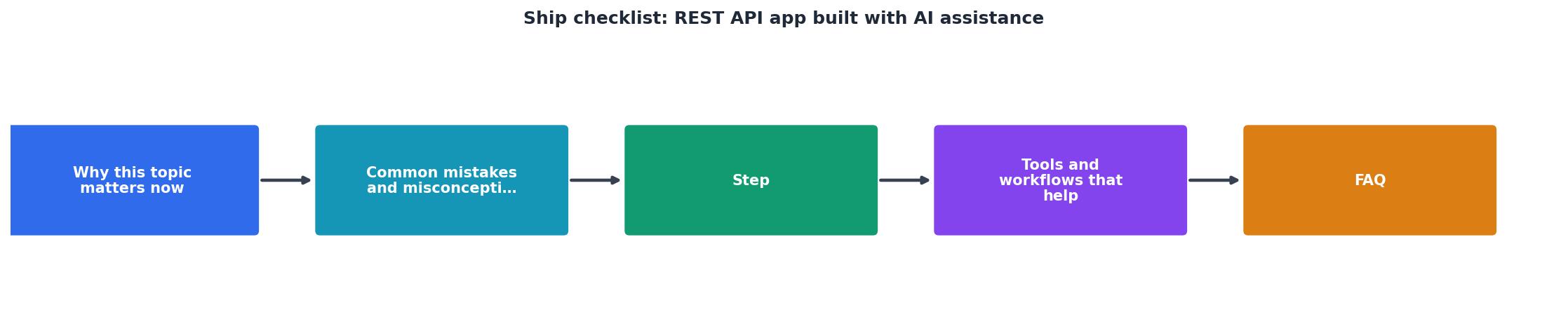
Safe Deployment Pipeline
This pipeline is not overkill. It's the difference between a smooth launch and a 3 AM incident. Every step catches a different class of problems. Skip one and you'll regret it.
API documentation
Your future self and your users will thank you for clear documentation. Don't write it after launch, write it as you build. If the AI generated your endpoints, have it generate documentation too.
Document:- What each endpoint does
- What parameters it accepts and their types
- What it returns on success and failure
- Authentication requirements
- Rate limits
- Example requests and responses
REST API Ship Checklist
Your progress is saved automatically in your browser.
FAQ
Frequently Asked Questions
Additional Resources
- How to Build a REST API for an AI Application | developers - Build a REST API for an AI application that stays reliable when inference is slow, retried, or connected to real data.
- Build a REST API with AI Assistance: What Actually Works - AI coding tools promise to automate this. GitHub Copilot autocompletes your routes. Claude Code scaffolds entire Express apps from a paragraph.
- Built an interactive checklist app with ChatGPT and Vibe ... - I have friends out of work right now so I'm using Claude Code + OpenAI Codex to build https://www.myjobkeeper.com to help them stay organized ...
Ready to Master Vibe Coding?
Learn to build software faster with AI assistance using the Vibe Coding Bible.
Get Started